If you don’t have a Turkish physical or virtual credit card, then using gift cards to recharge your Tuqu account is a good choice.
The website that Turks on the Cloud usually go to is oyunfor. It supports credit cards issued in China, which is much more convenient than converting cash, tokens, encrypted wallets, overseas accounts, and virtual credit cards back and forth.
However, to shop at oyunfor, you must meet several prerequisites:
1. You can access the Internet scientifically, but do not need a local IP;
2. Be able to use the translation function of the browser, otherwise Turkish will make you want to die; (Edge, Chrome comes with it)
3. It is best to have more than two credit cards in case it is not supported;
Regarding oyunfor’s overseas payment handling fees, you can learn about:
Credit card processing fee: 1.4%
Cashback: 1%
Rounding equals no handling fee
If you feel there is no problem, you can start registering and shopping.
For students who don’t know how to apply for a Tuqu account, please read here:
[Apple] iCloud Family Sharing: Spend 200G to use 2T of space in the country’s land exchange area
【Apple】I will help you overcome these thresholds when applying for an Apple ID in the US.
The following is the text:
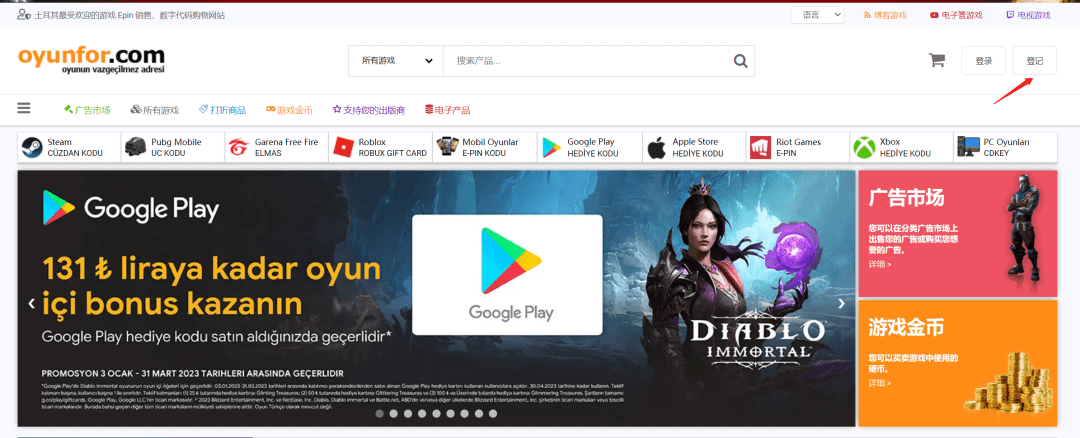
1. Registration
You can register using domestic information
2. Shopping
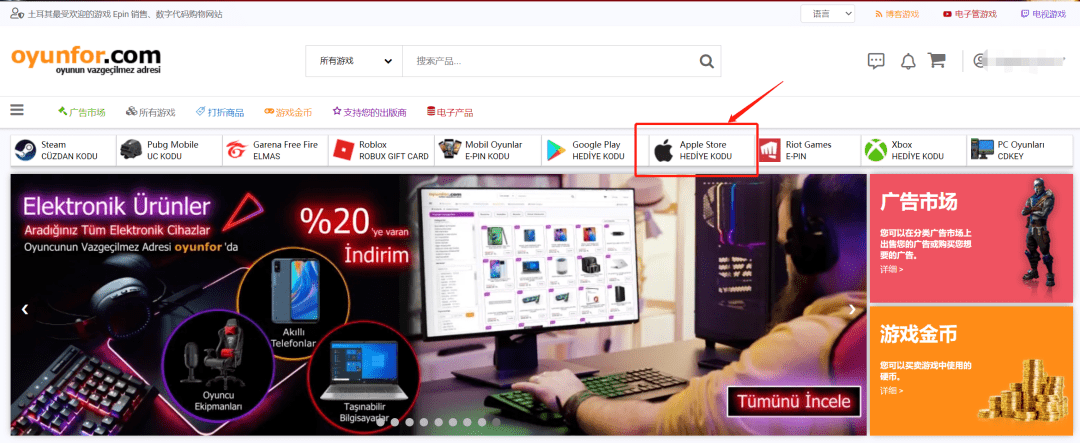
1. Choose Apple Gift Card
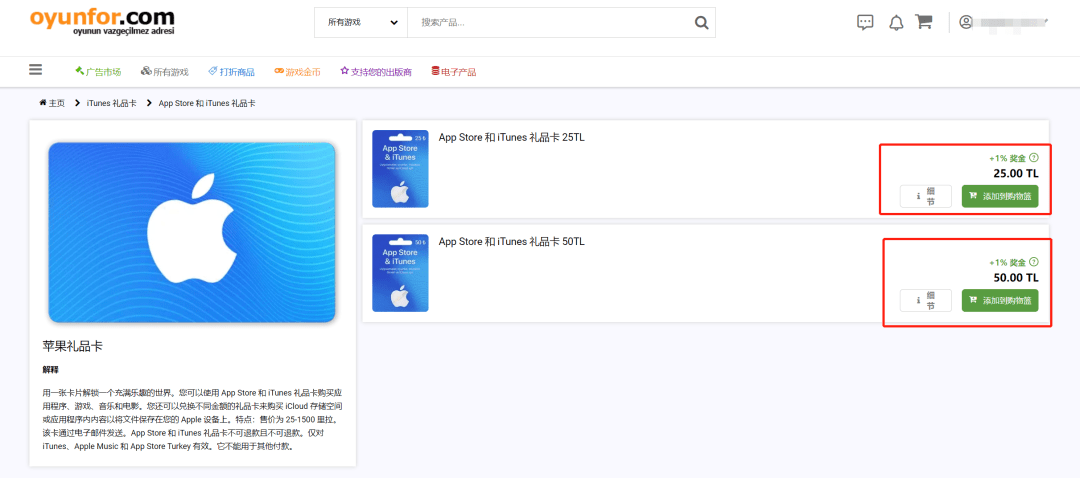
2. Select the gift card face value
3. Make payment
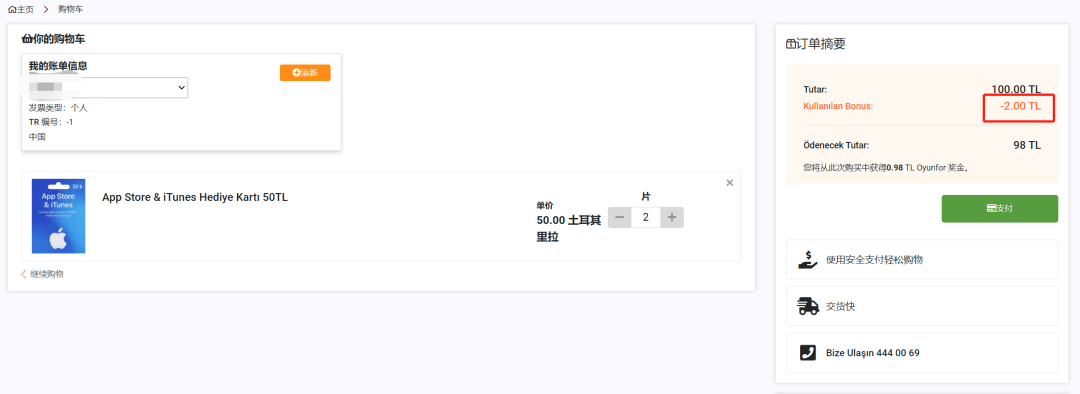
The first time you are asked to fill in your billing address, remember to select a non-resident.
This way there is no need to fill in Turkish identity information.
I got 2 Turkish Liras in cash back from my last purchase, which I can use to offset this time.
4. Choose a credit card
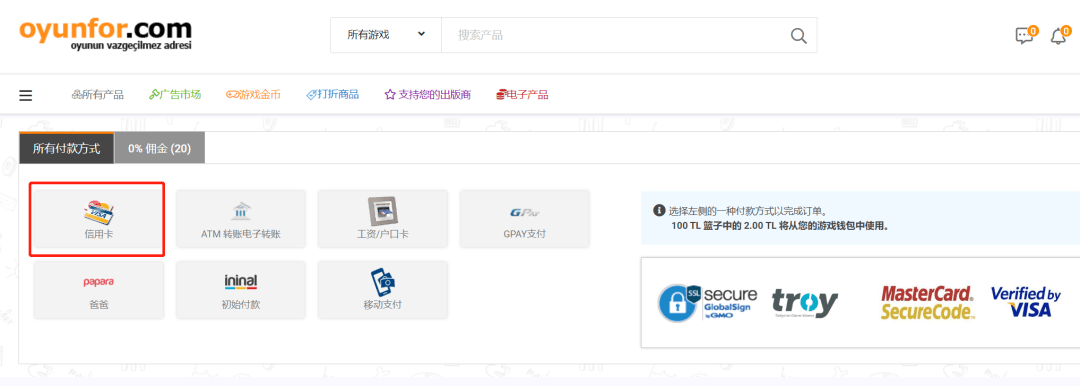
5. Select the middle one
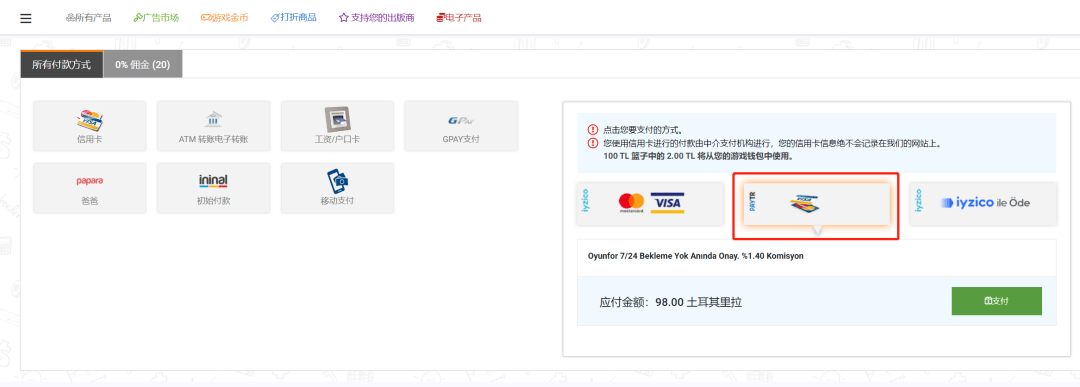
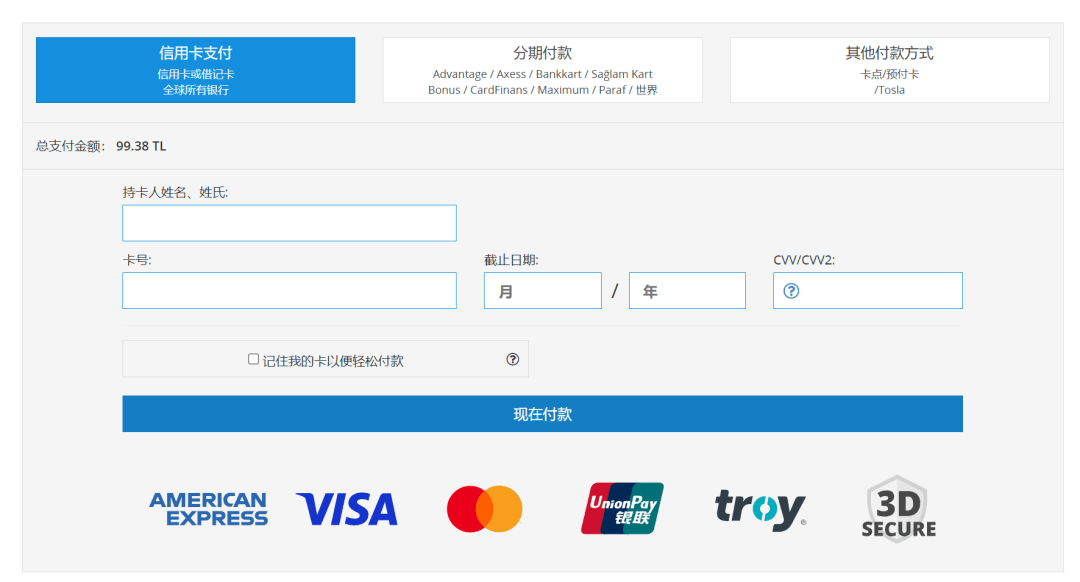
6. Fill in credit card information
What’s more amazing here is that the first time I used Everbright UnionPay/Visa dual-currency credit card, the payment was successful; but the second time it always failed. I asked Everbright customer service and they said it was a "consumption reversal" and I was refunded by the platform. , and I don’t know why.
So, I changed to China Merchants Express credit card and the payment was successful.
Among them, 98TL is the actual consumption, 1.38TL is the handling fee, but 0.98TL will be returned in cash. The actual handling fee is 0.4TL, and the actual rate is about 0.4%, which is almost nothing.
7. After the payment is successful, it will take some time to process. Wait for a while, it will take about a few minutes.
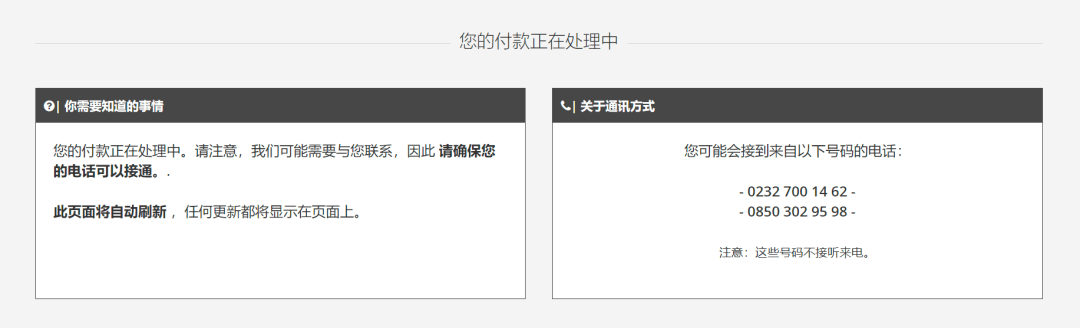
8. Return to the account interface and check the verification code of the gift card in "Products I Purchased". At the same time, you can also see the cashback status of this consumption.
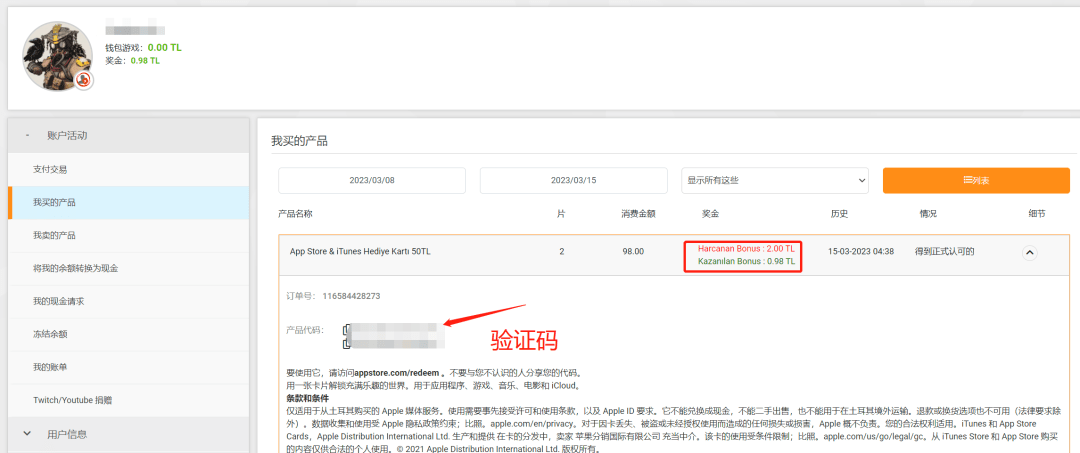
But for first-time paying users, you may encounter this situation:
You will be prompted on the order page: Your mobile phone number has not been verified and you cannot view the gift card password.
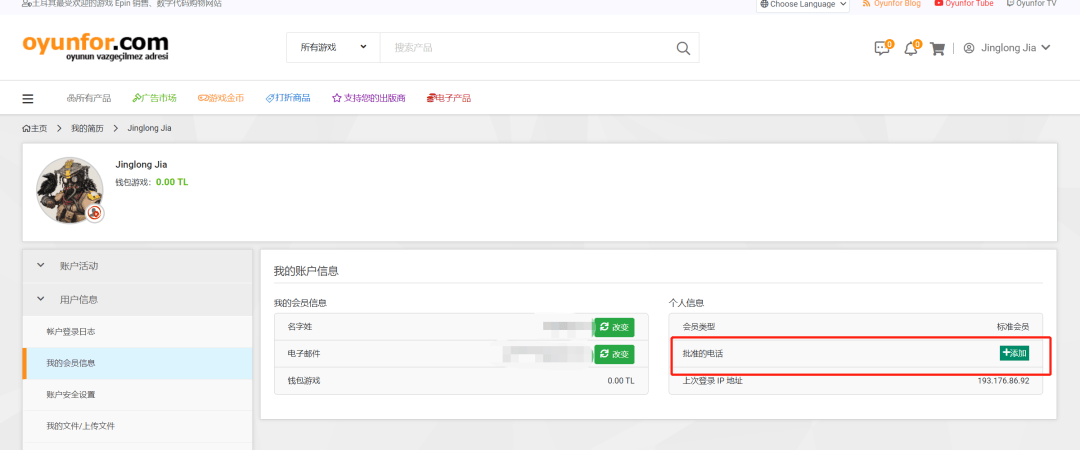
If you add your domestic mobile phone number yourself, there is a high probability that you will not receive the verification code.
At this point, you have two options:
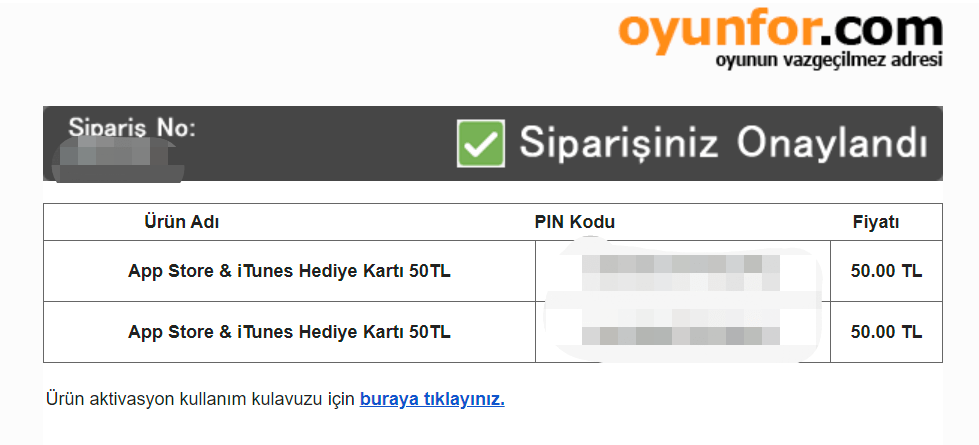
1. Wait, you will receive the password email in your registered email address in about an hour or two;
2. Download WhatsApp and add oyunfor customer service (+90 507 358 6067)
3. Send a message and it will usually be processed on the same day;
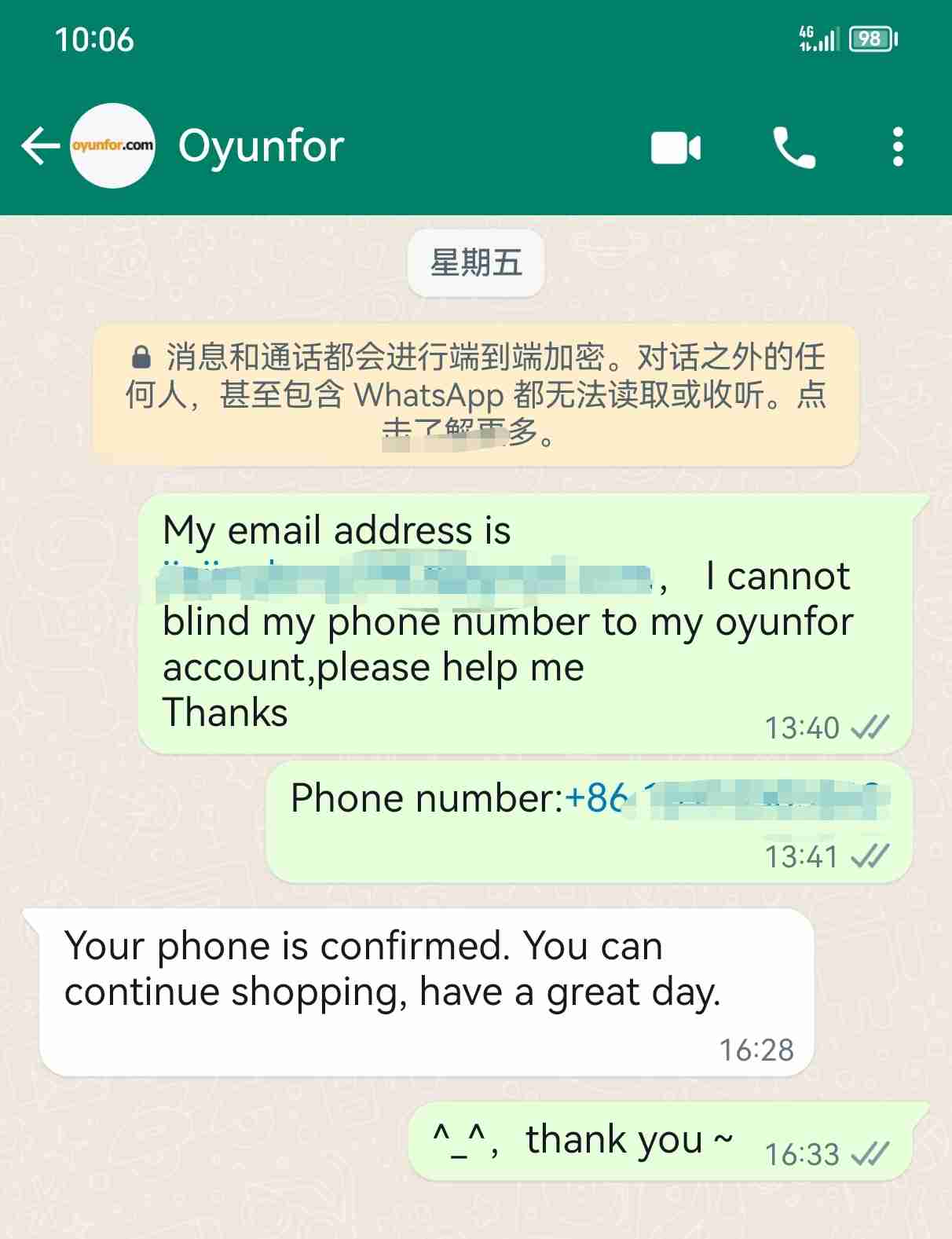
4. After successfully binding your mobile phone number, you will be able to see the gift card password in time.
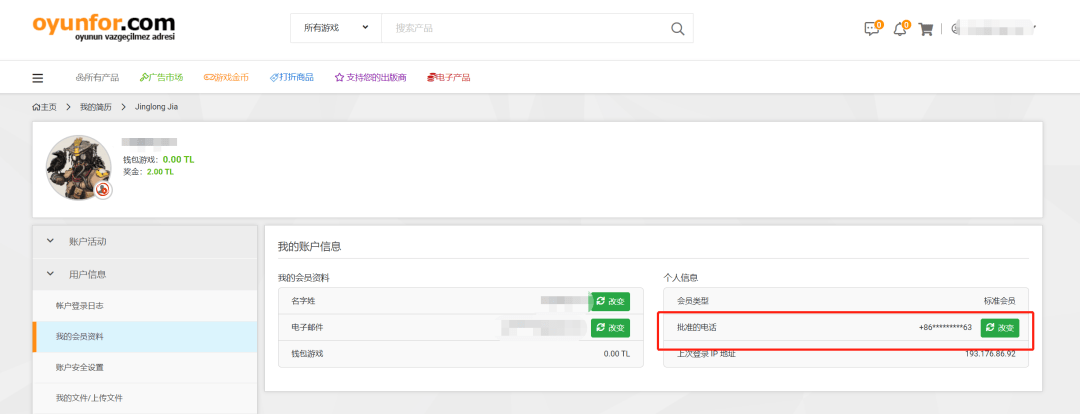
3. Recharge
Friends who have not used gift cards to recharge their Apple accounts can simply take a look. The general path is as follows:
1. Enter the App Store and click on the avatar

2. Click "Redeem Gift Card or Code"
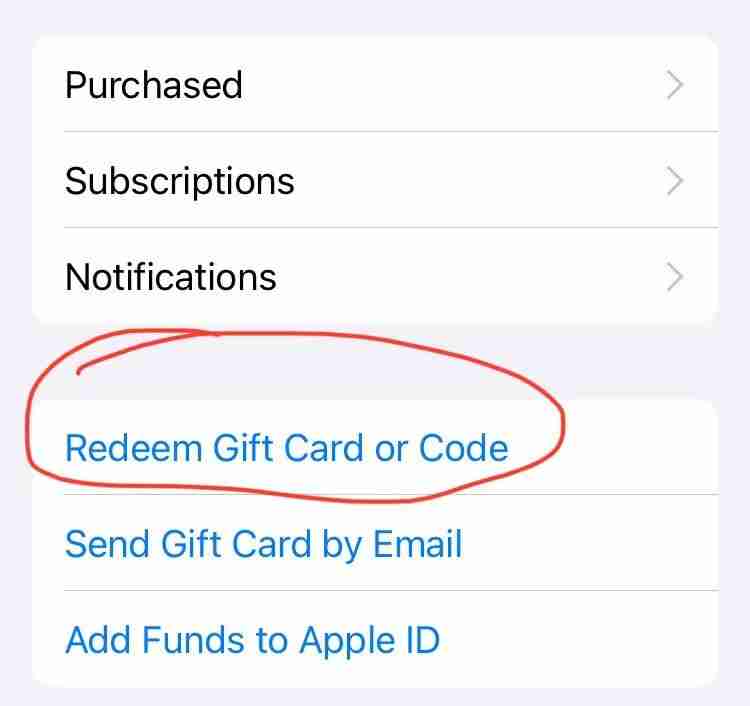
3. Copy the gift card password and enter it
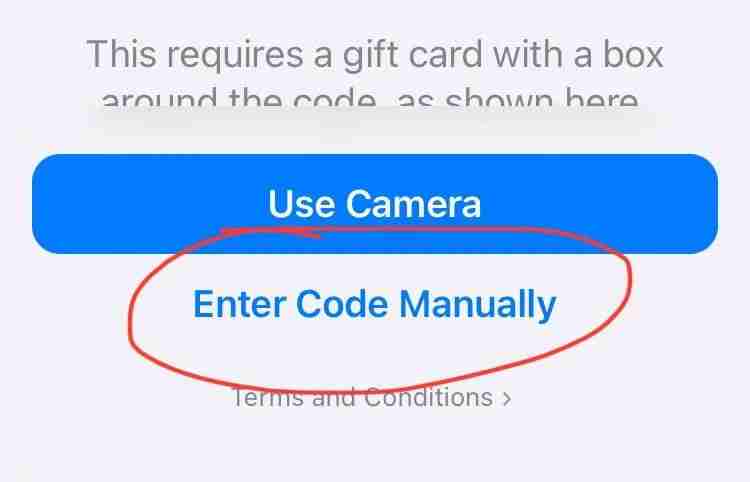
4. Recharge successful~
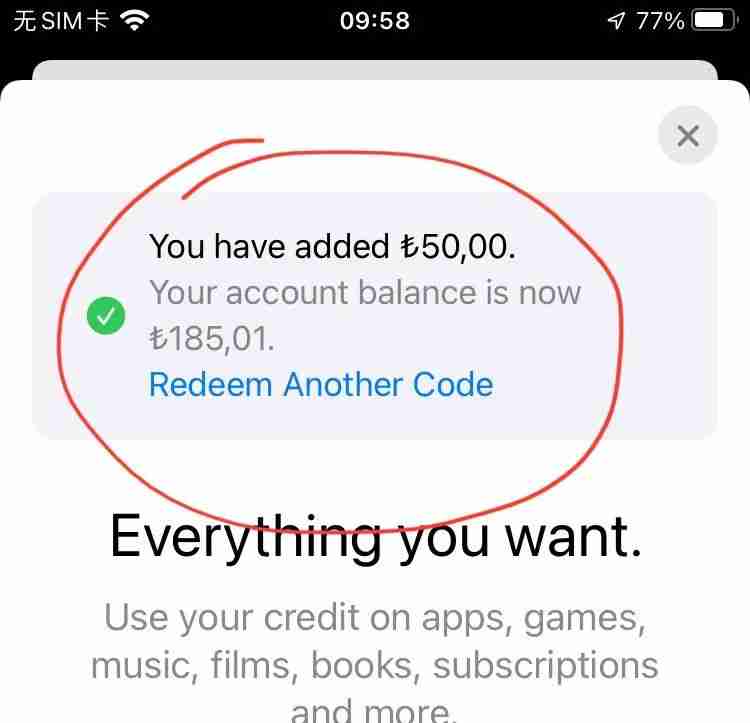
Next, you can happily subscribe to Tuqu’s APP.
Okay, when you see this, just pay attention~
My official account: What’s fun?

Hello, I purchased the gift card successfully. But when I clicked on the payment button, I checked the option to remember the credit card information. I want to delete it. Where can I delete it? Please help.
Find the payment method. If you translate the website into Chinese, it should be easy to find.
Hello. I would like to ask a question. I successfully purchased a gift card on the oyunfor website. When paying, I accidentally clicked Save Payment Method. I now want to delete the payment method. What should I do?
If you really can't find it, ask customer service directly
I can't communicate with the customer service. It's too difficult.
They have WhatsApp, and they also have online chats during working hours.