I know that the hard drive of the Mac mini 8+256G will slow down, but the same is true for the external SSD, which is outrageous and outrageous.
Let’s take a look at this application question:
A known:
- Mac mini’s SSD (256G) has a read and write speed of 1500MB/s;
- The theoretical read and write speed of the Thunderbolt 4 interface is 4000MB/s;
- USB4.0 data cable transmission speed 4000MB/s;
- 1T SanDisk SSD read and write speed is greater than or equal to 3000MB/s;
- Hard drive box USB 3.2 GEN2✖️2 read and write speed 2000MB/s;
When you put the 1T SanDisk SSD into the hard drive box and connect it to the Thunderbolt 4 interface of the Mac mini with a USB4.0 data cable, what is the file reading and writing speed of the external SSD?
3000MB/s?
2000MB/s?
1500MB/s?
None of them are right!
The actual reading and writing speed measured by the software did not even exceed 1000MB/s...
The actual measured data is as follows:
1. SSD is Apple’s own APFS format
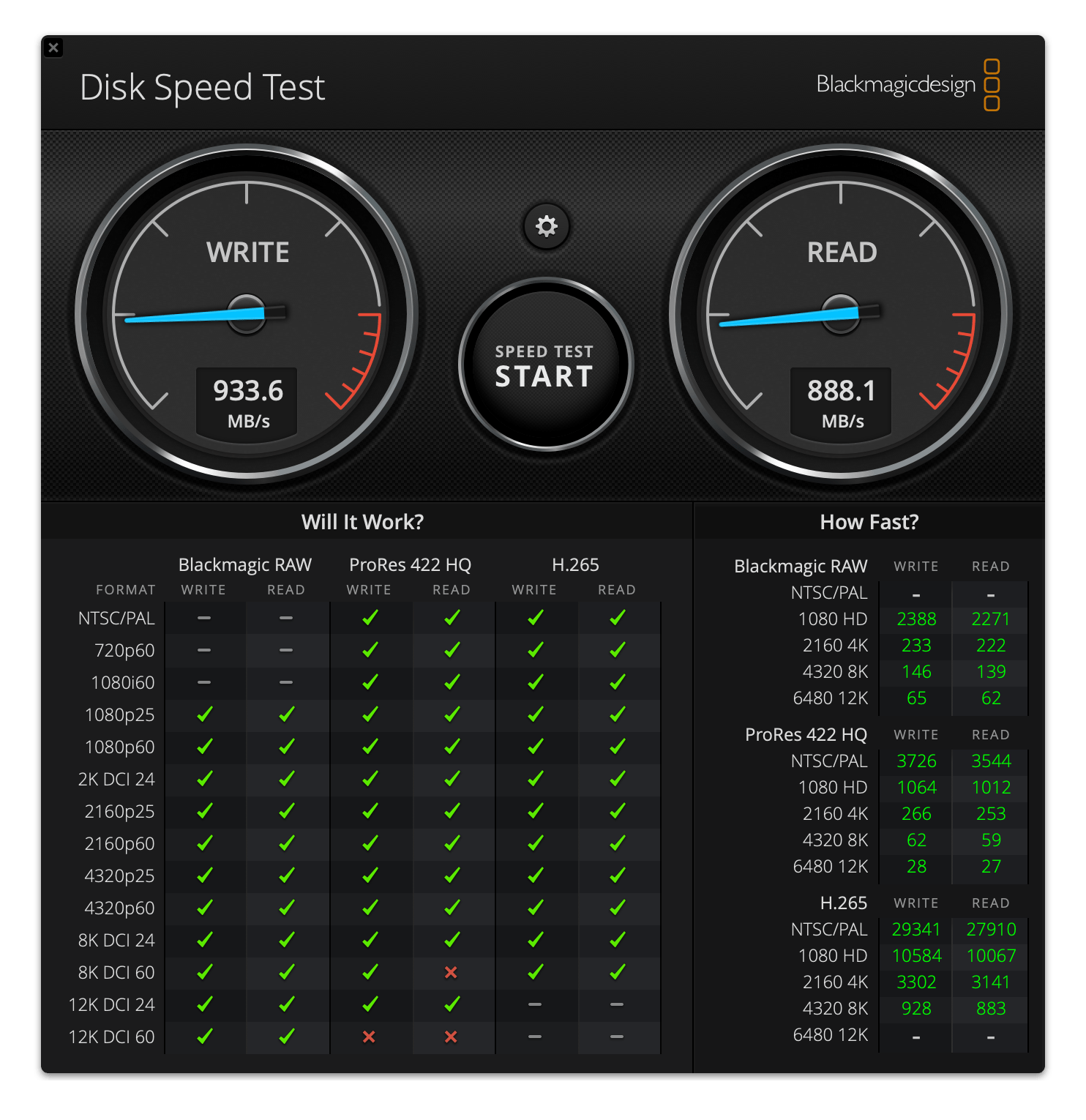
2. The SSD is in the exFAT format supported by both Windows and Apple.
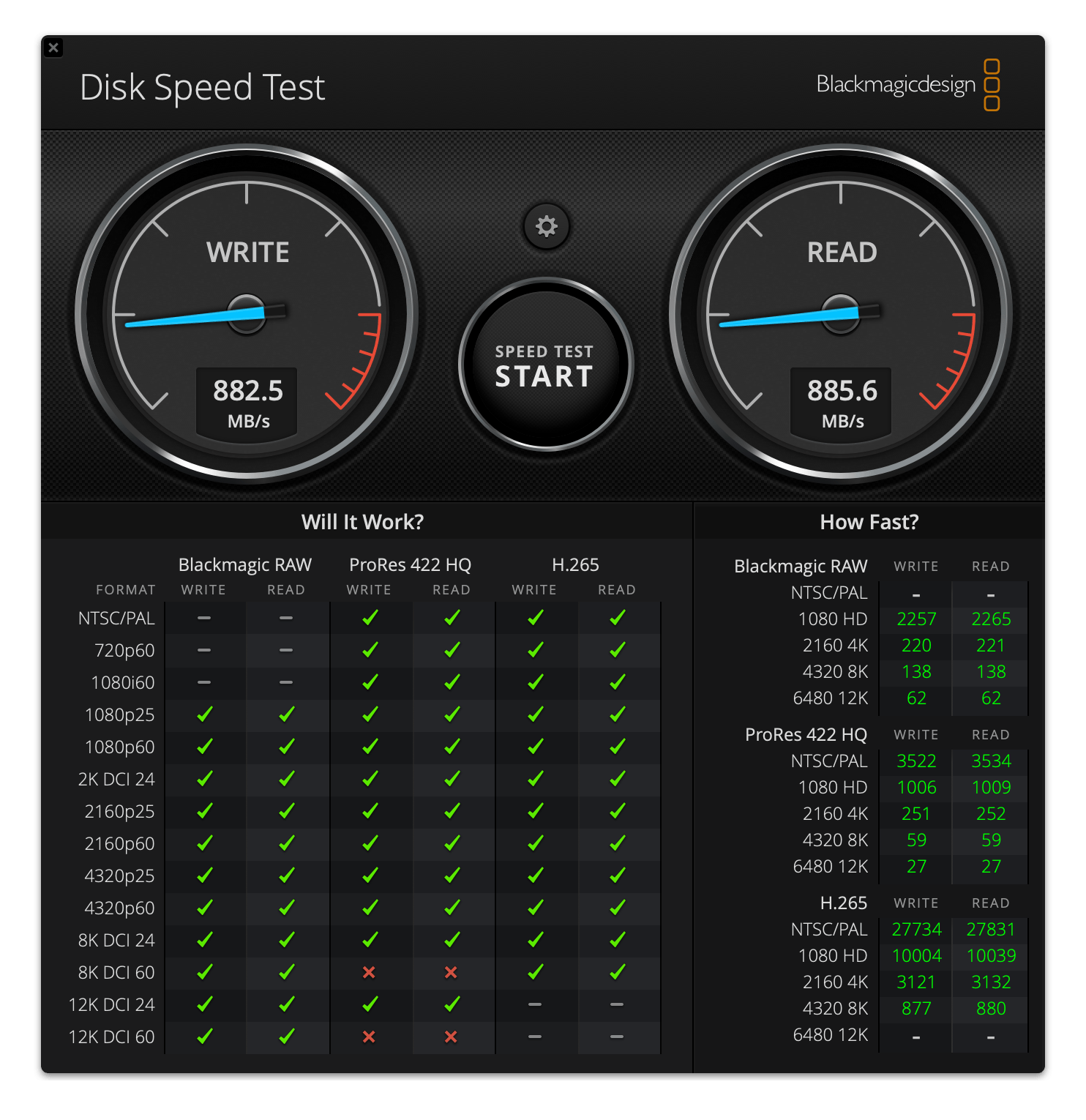
3. SSD supports Windows format NTFS
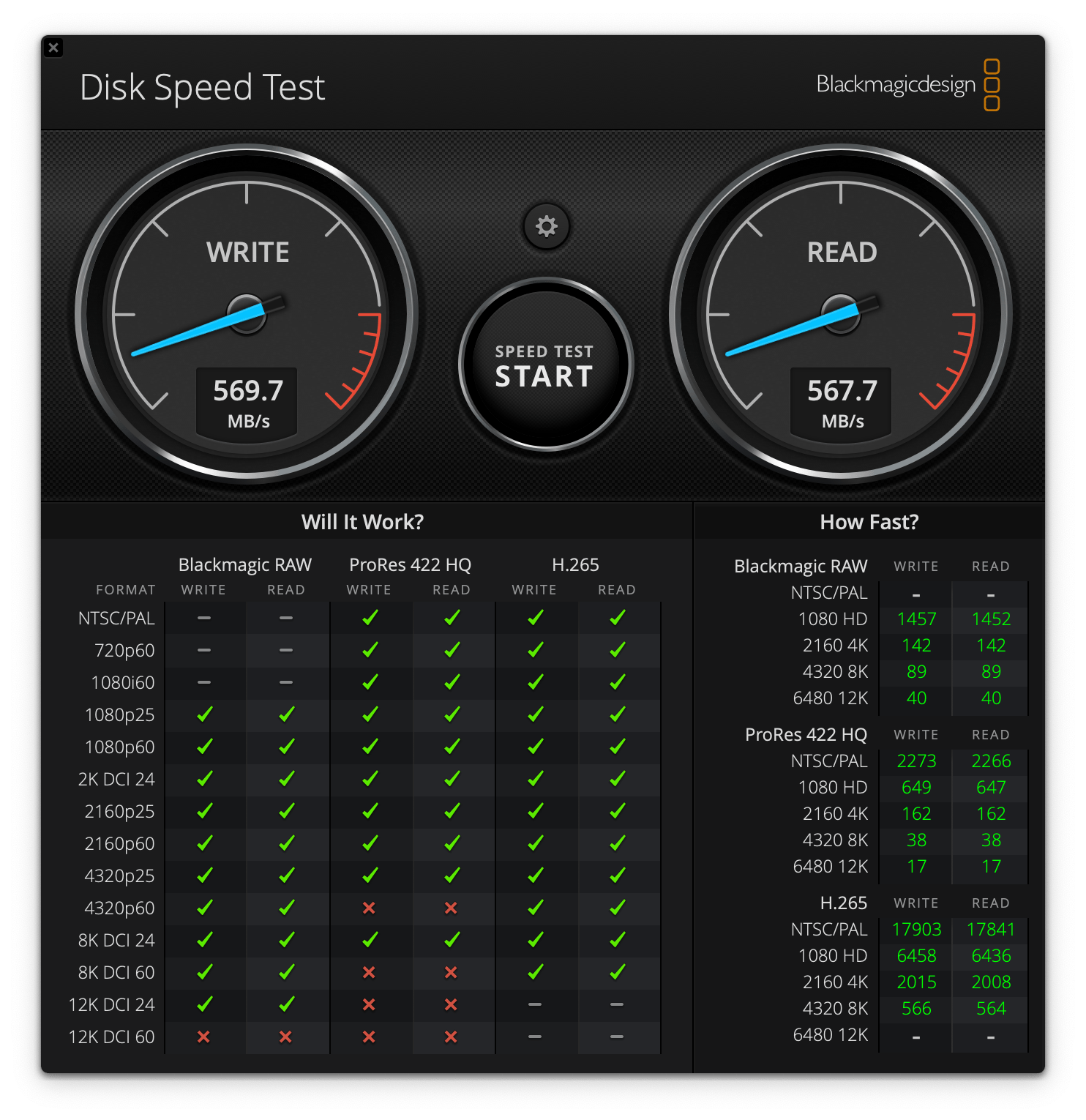
This kind of speed loss is really speechless.
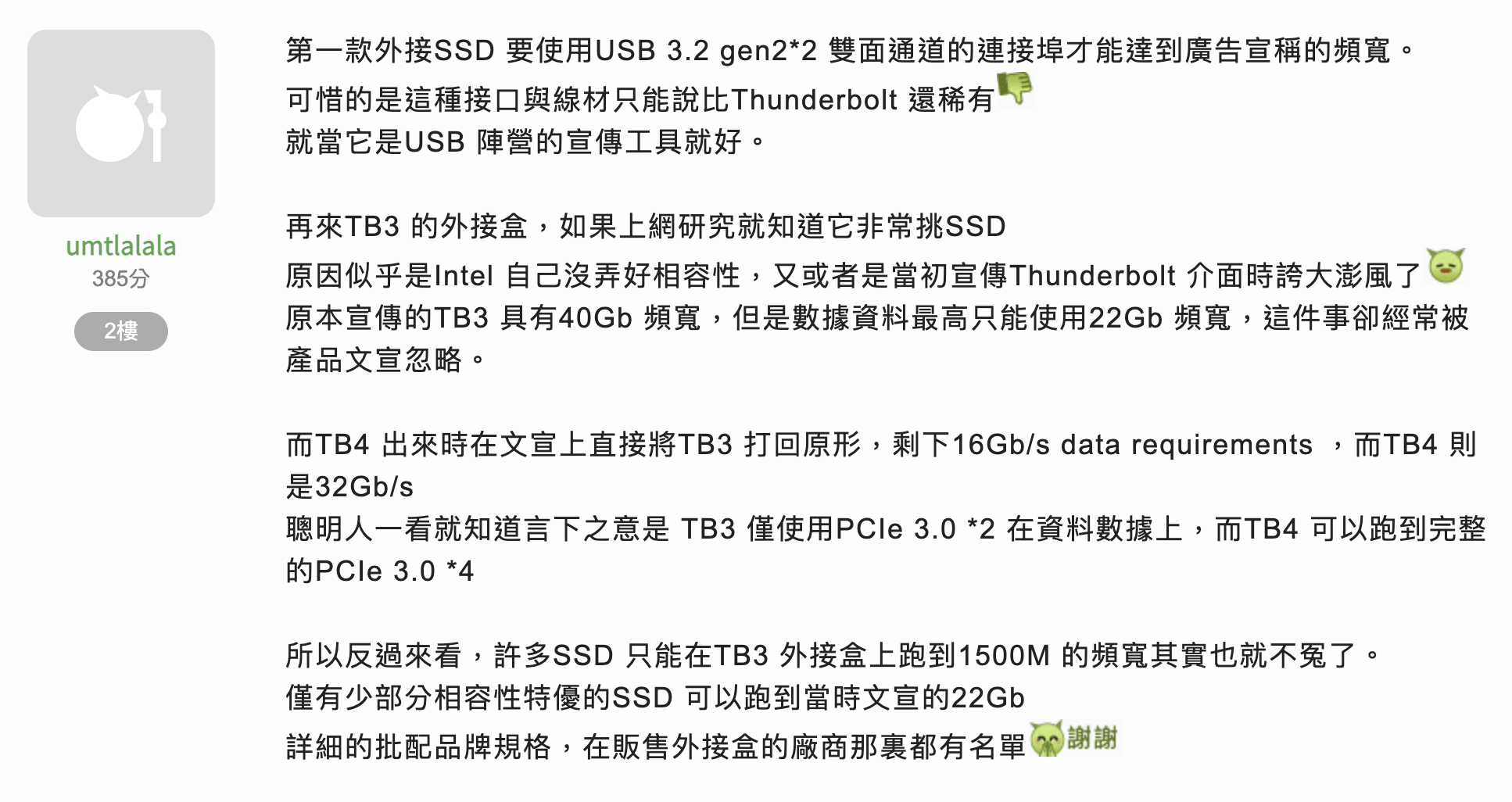
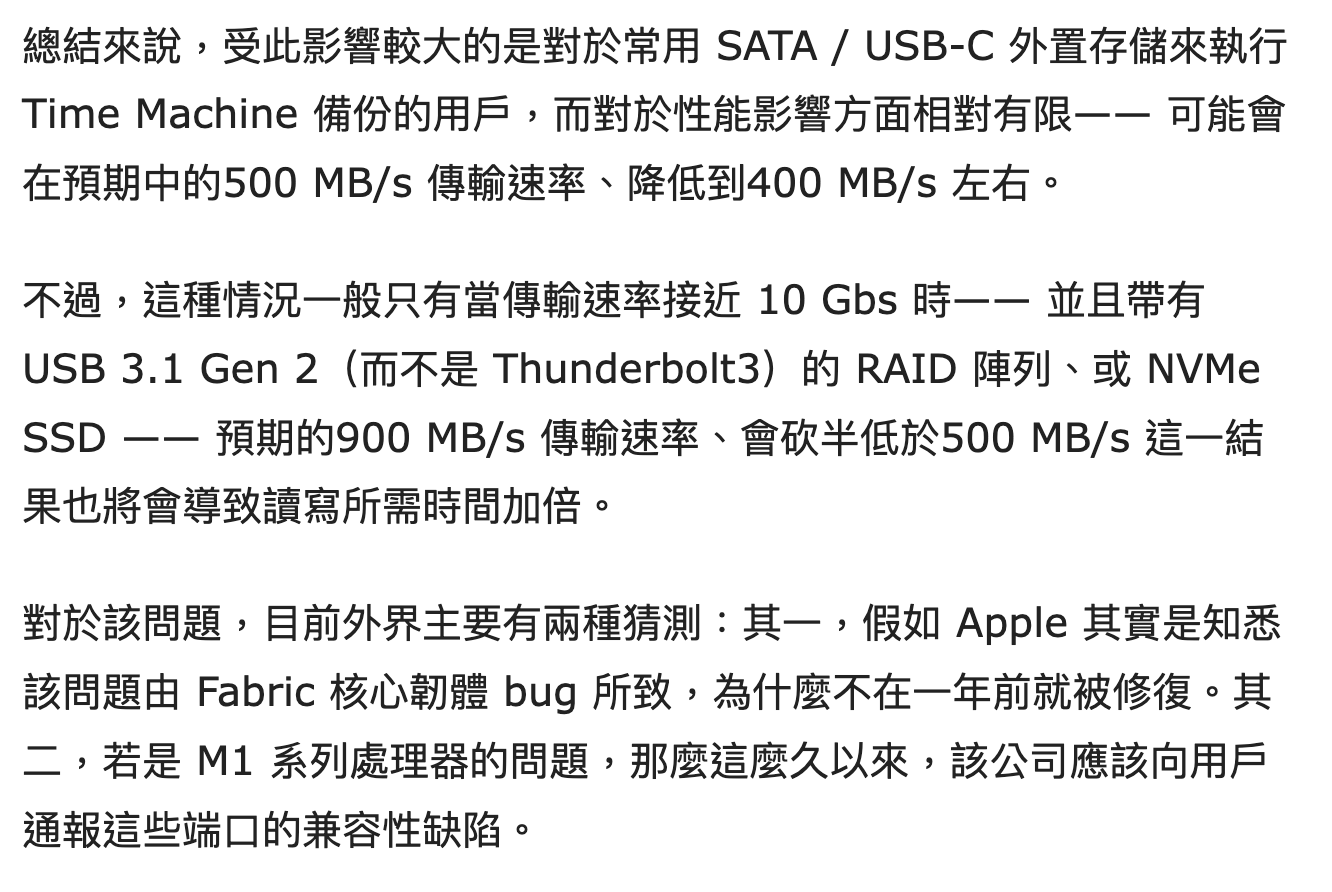
It is said that after Apple replaced the M1 chip, the Thunderbolt interface did not support USB very well and could only provide the performance of USB3.1, which is about 1025MB/s. It seems that even in the M2 era, Thunderbolt interface’s support for USB is still not optimistic.
The following is a test from a magical netizen:
Other media reports:
Therefore, if you need to read and write files at high speed, you should pay attention when choosing an external hard disk: (1) Choose a hard disk box that supports the Thunderbolt protocol, so that it can basically run at full speed; (2) Don’t choose an overly expensive solid-state hard drive. , the read and write speed can reach 3000MB/s.
A hard drive box that supports the Thunderbolt 3 protocol costs about 500 yuan, which is definitely not what I, a Beggars Edition Mac mini user, want. Therefore, to solve the problem of hard disk expansion, we have to find another solution.
By the way, this article has some knowledge points about using external hard drives. I hope you can understand:
- AFPS format: Apple's own format, the fastest to read and write; Windows needs to install a plug-in if you want to read and write;
- exFAT format: can be read by both Apple and Windows, with a compromise in speed; but does not support logging, so it is suitable for temporary copying and saving of files. If the file is frequently written, the file will collapse and cannot be recovered;
- NTFS format: commonly used in Windows, but when used on Mac computers, a plug-in needs to be installed, and reading and writing are the slowest;
Okay, if you see this and find it useful, just follow it.
In the next issue, we will talk about the Mac mini’s capacity expansion experience using a local area network to mount a hard drive.
Recommended reading
[Apple] Tuqu account recharge: oyunfor shopping guide
[Apple TV 4K] Software: Only when you have money and time can you enjoy leisure time
