In my opinion, most methods of expanding the Mac mini hard drive are compromises. No matter how you do it, it's best to base it on a combination of original hardware rather than buying it specifically for Mac mini. Otherwise, it is better to increase the budget and improve the configuration.
External SSD expansion method reference:[Mac mini] Hard drive expansion pitfall: external SSD solid state drive is too fast to break
If you don’t have extreme requirements for file reading and writing speed, and you don’t want to hang a bunch of “parts” on your Mac mini. Then you can consider another method to expand the capacity of the Beggar Edition Mac mini: share the designated NAS hard disk space through the SMB protocol and mount it on the Mac mini. (If your router has a USB interface, it makes sense to plug in a hard drive)
The content of this article is roughly as follows:
- Mount the specified folder
- Set a folder to log in automatically
- Set afps disk image, support installation files
- Expand disk image via terminal code
- iSCSl protocol sharing method
- Network mount experience
1. How to mount a NAS shared folder
1. Click: Finder—Go—Connect to Server
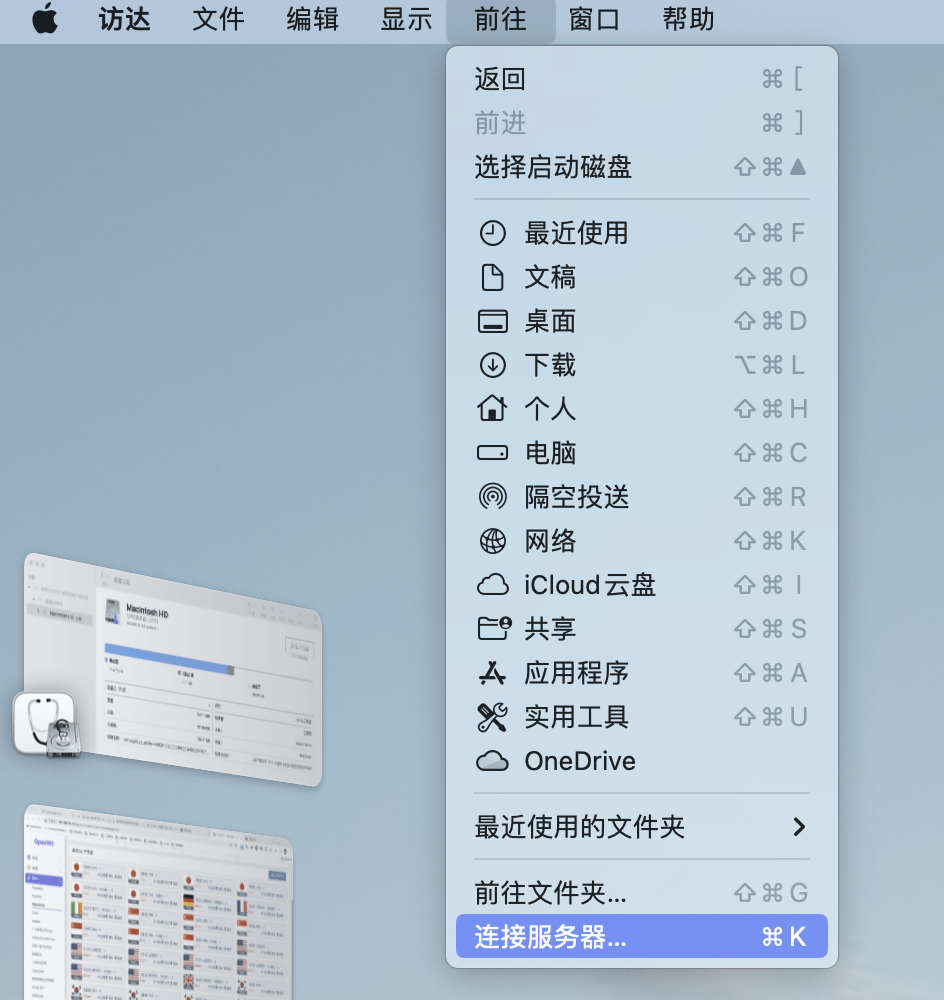
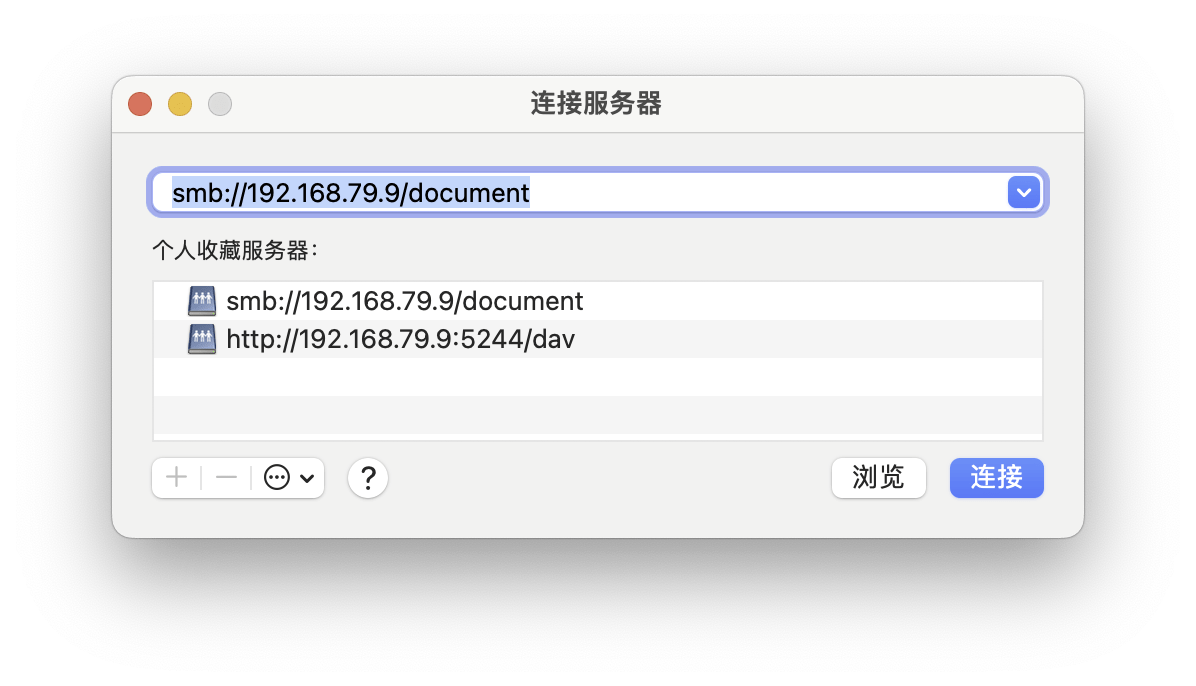
2. Enter: smb://NAS ip/folder
It is recommended to use the smb protocol here. It's possible that you'll see early tutorials suggesting using the afp protocol, but Apple has actually given up on it. Currently smb will be faster than afp.
3. Drag the shared folder to "Personal Collection" and fix a location.
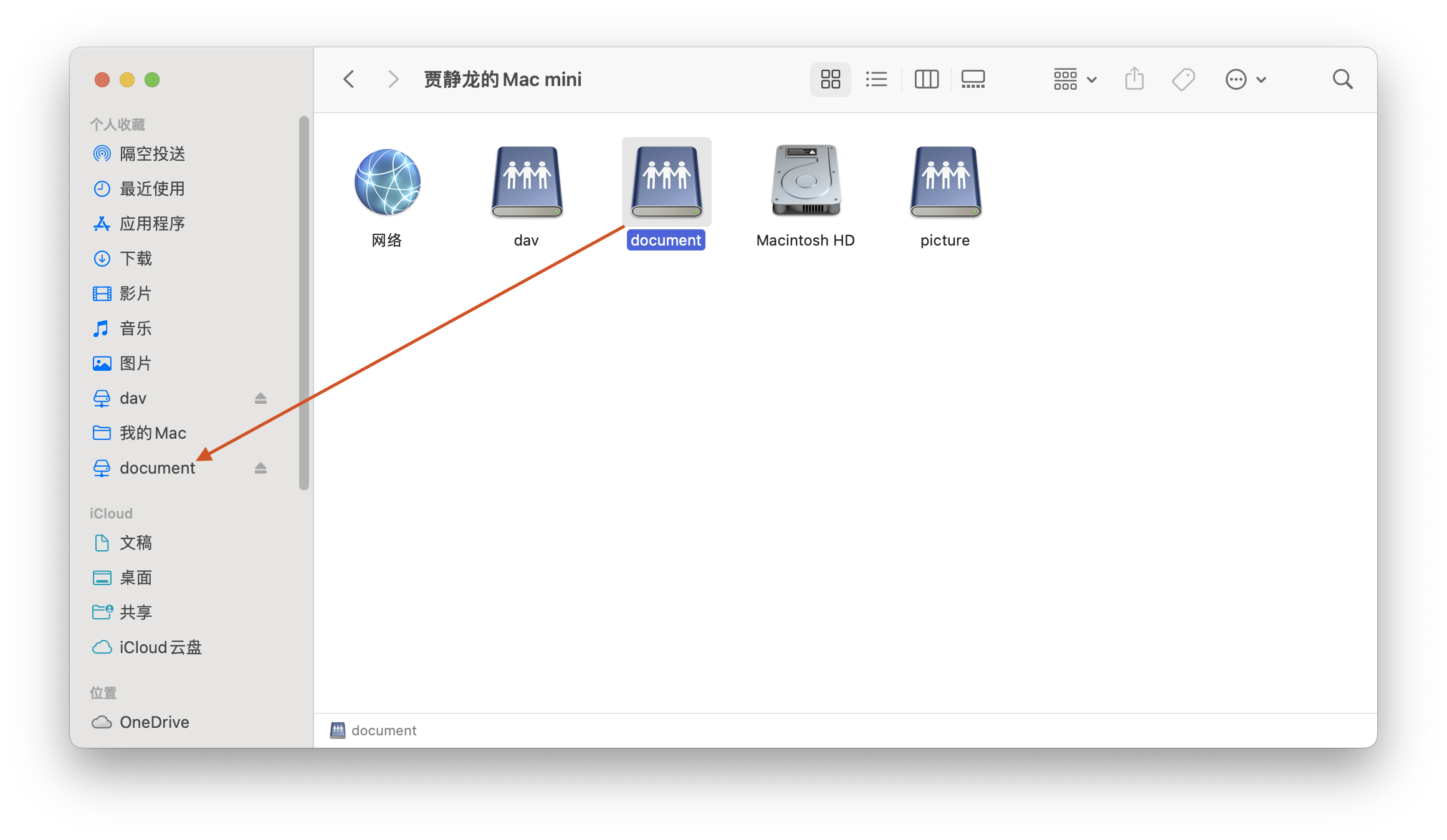
After doing this, Mac mini can use the NAS space at any time.
If you don't want to have to do it again every time the computer restarts, you can set up automatic login.
2. Set up automatic login
Operation path: Settings-General-Login items, click "➕"
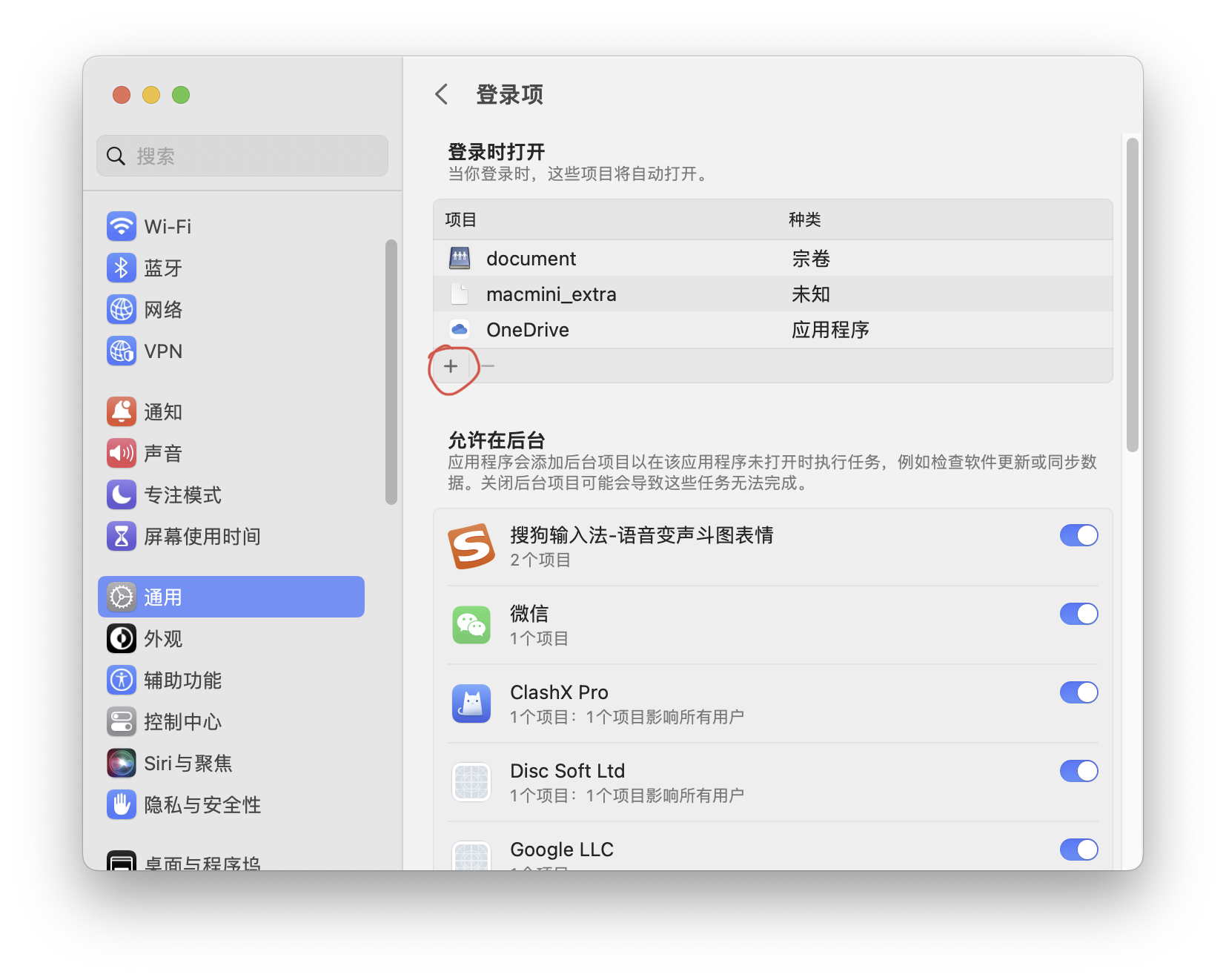
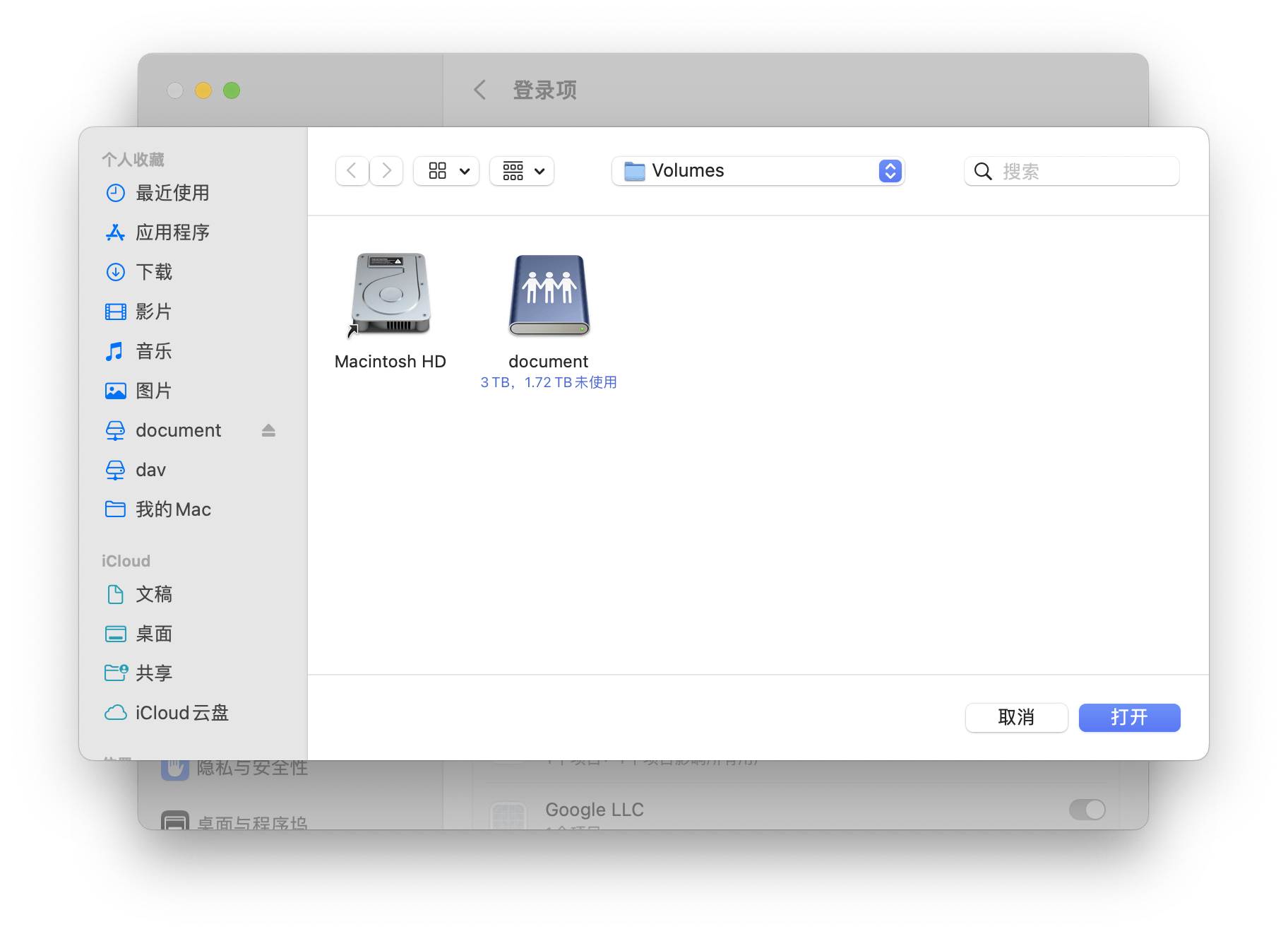
After adding the hard drive that you want to log in automatically, you no longer need to log in manually next time the computer restarts.
However, this mounting method also has a small flaw: it cannot support installation files. Although I wouldn't do it, if you want, there is a way.
That is, it can be achieved by creating a new blank disk image in the shared folder.
3. Create a blank disk image
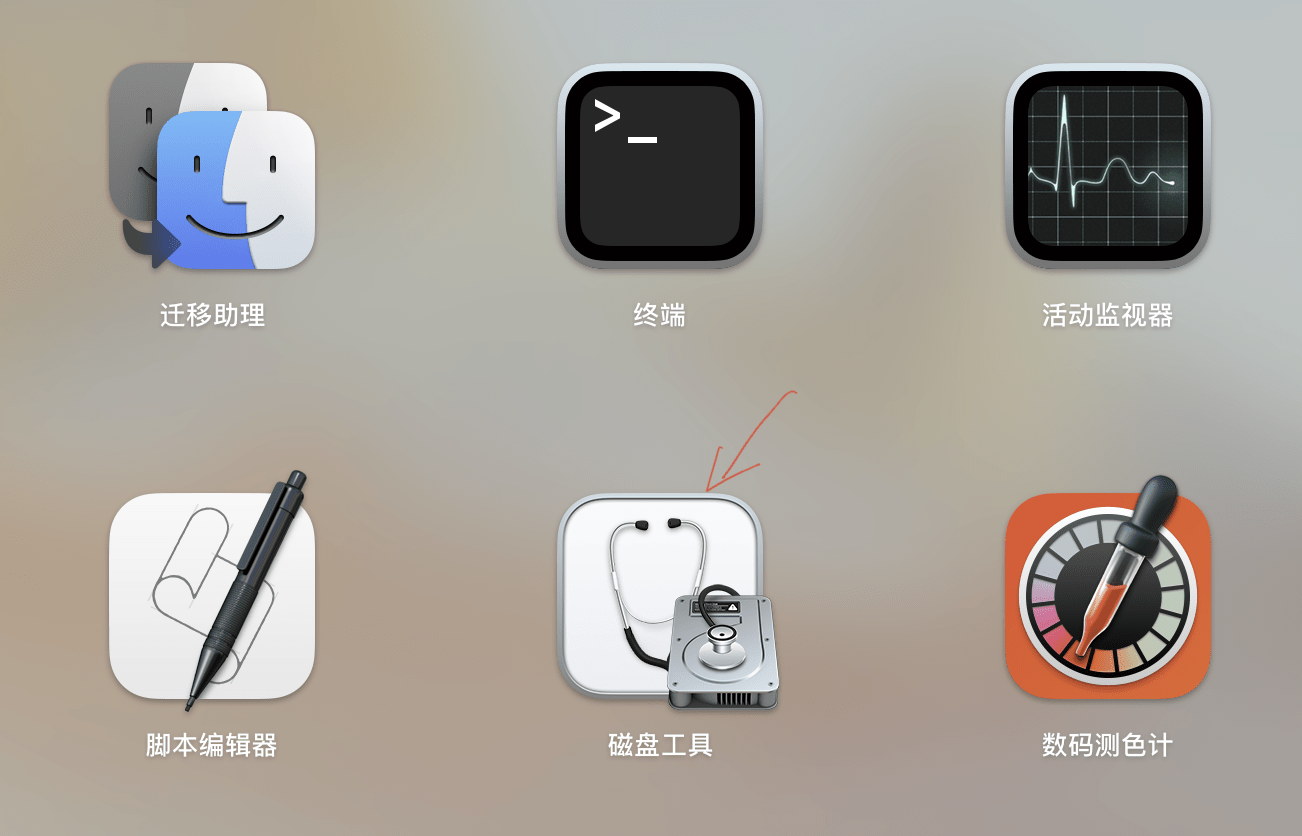
1. In Launchpad - Other, open the "Disk Utility" application.
If you can't find it, you can search with "cmd+space".
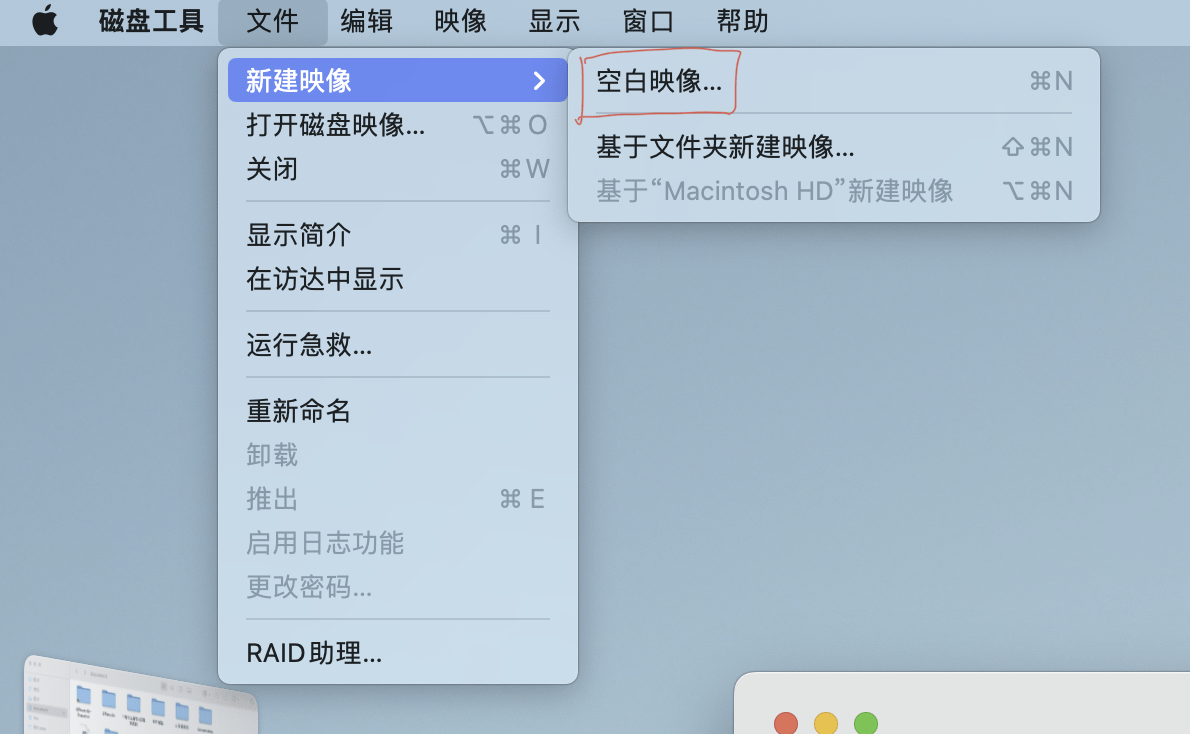
2. File-New Image-Blank Image
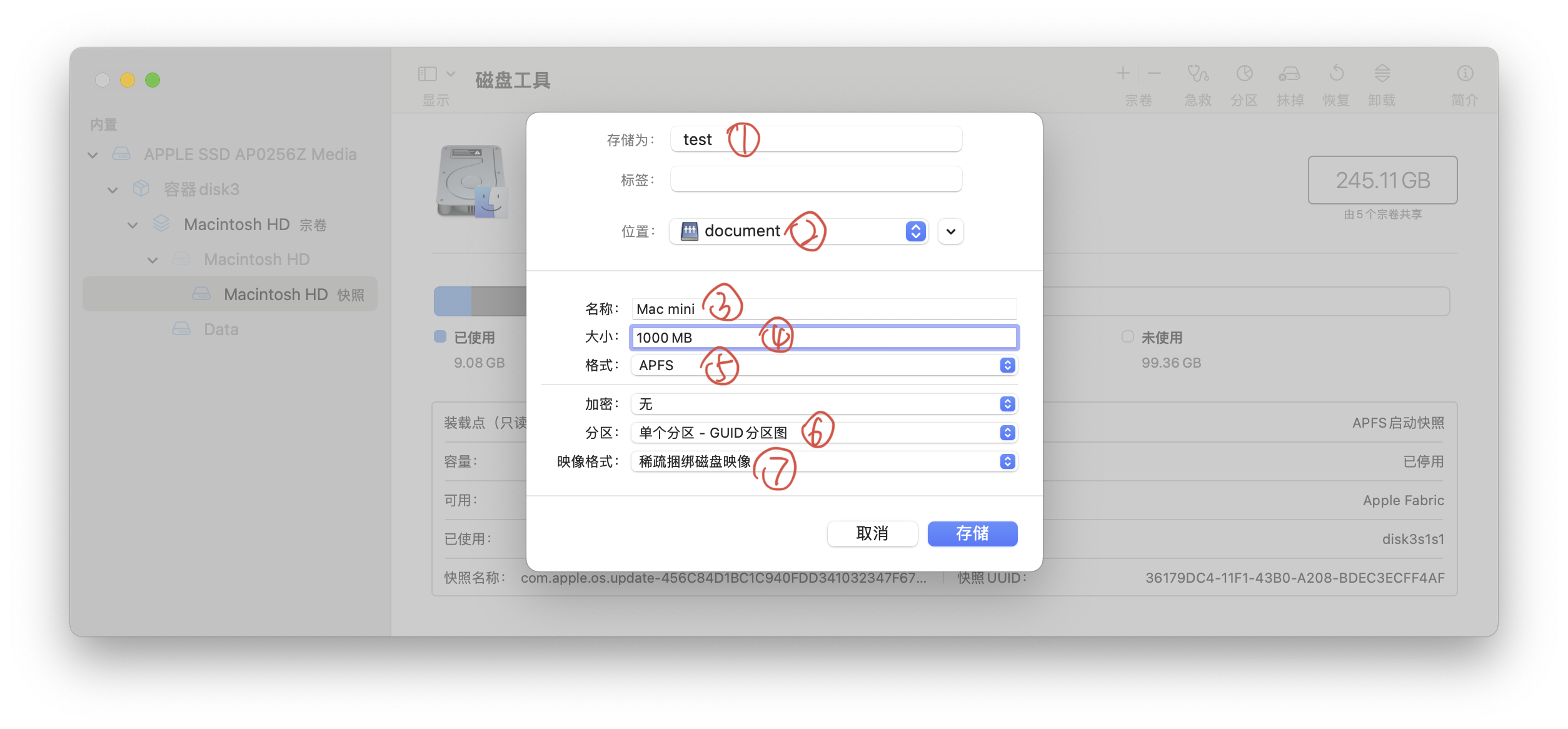
3. Specifically set up like this
(1) (3): Write the name casually
(2): Select the location you want to place
(4): It is not necessary to write how big the capacity is, it can be modified later with code.
(5) (6): Just select the default
(7): There are different opinions about sparse bundled disk images and sparse disk images. One suggestion is to use the former for SSD hard disks and the latter for mechanical hard disks. Please choose according to your hard drive type.
Apple official website reference:https://support.apple.com/zh-cn/guide/disk-utility/dskutl11888/mac
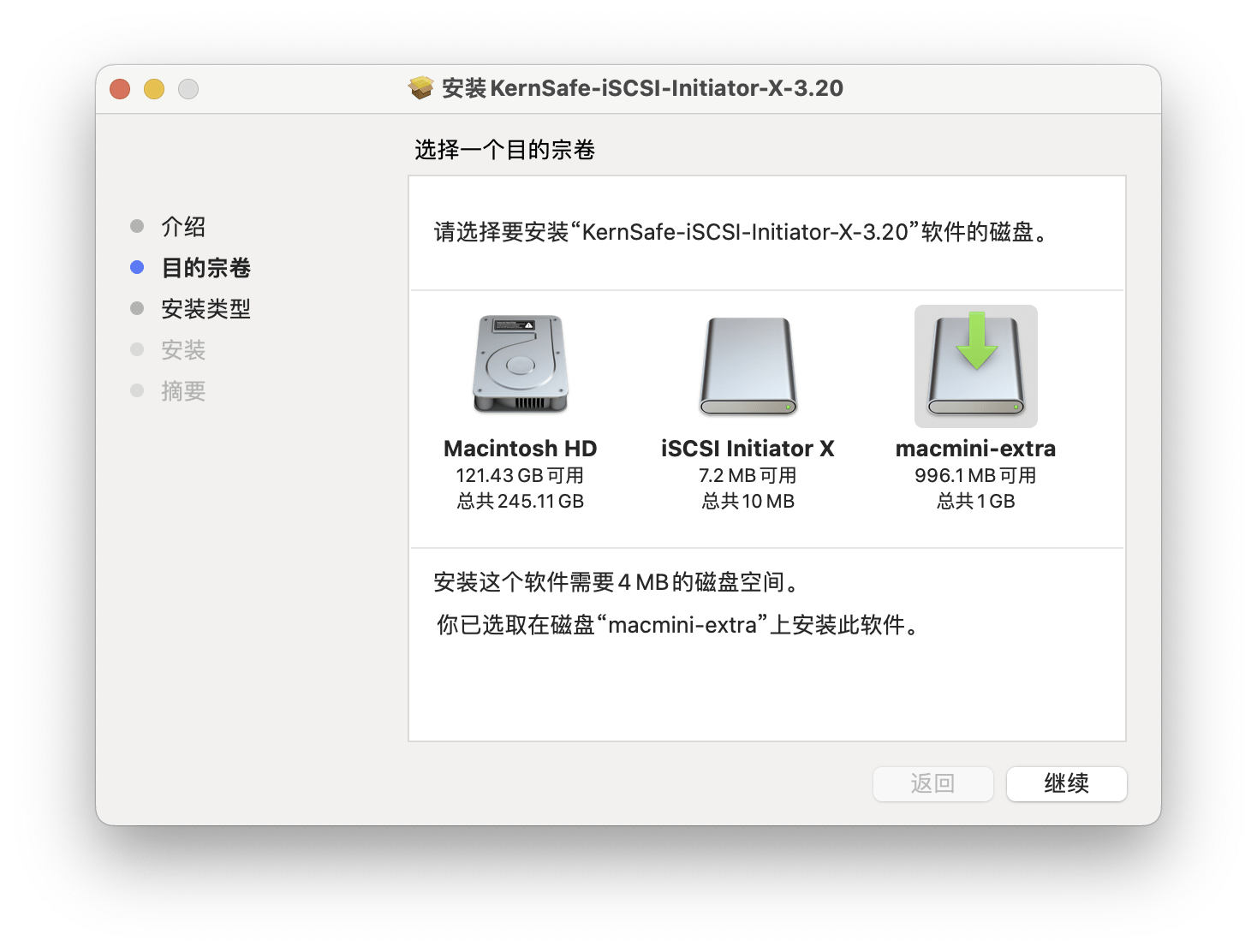
4. Try to install the files to a new disk:
If you see an interface like this:
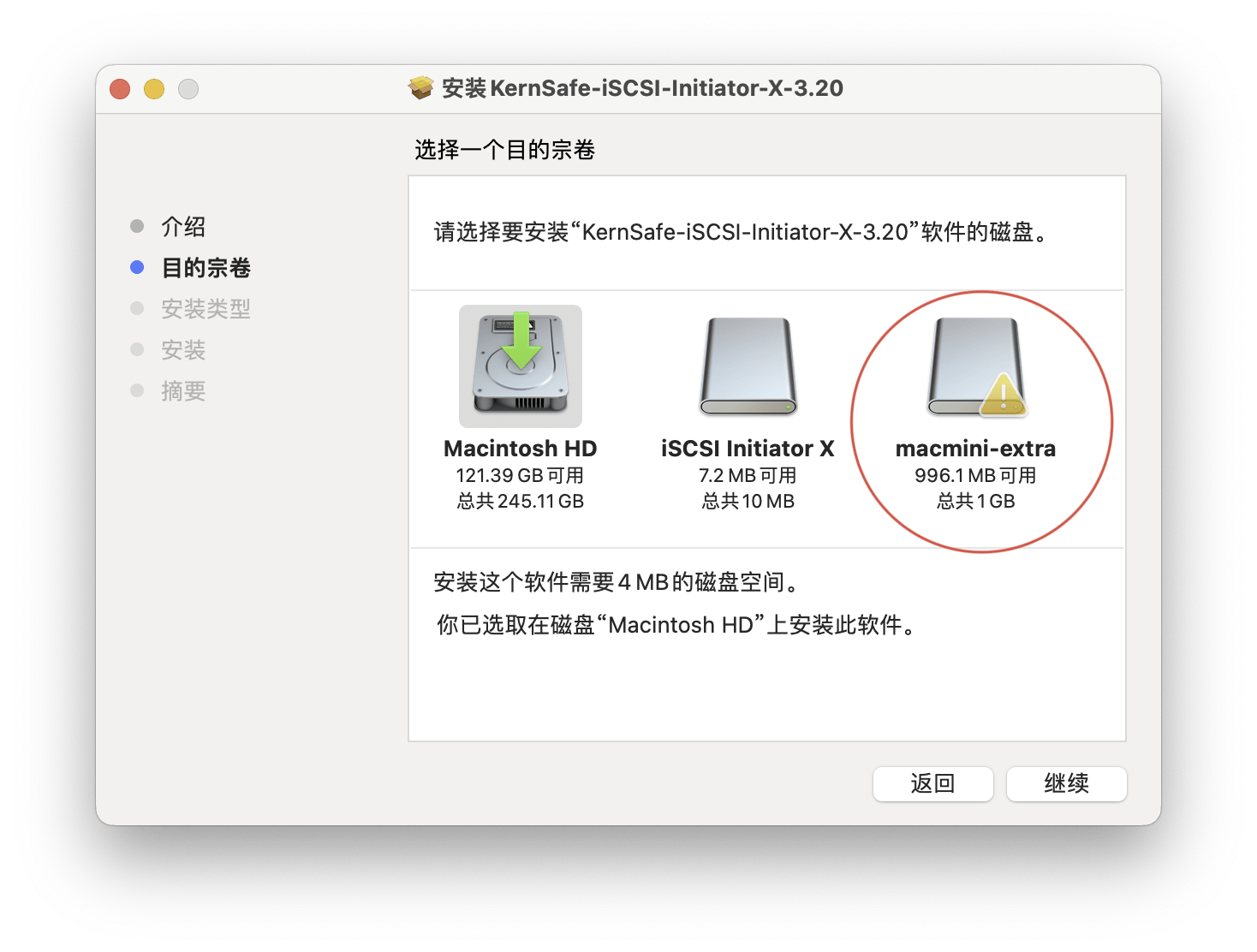
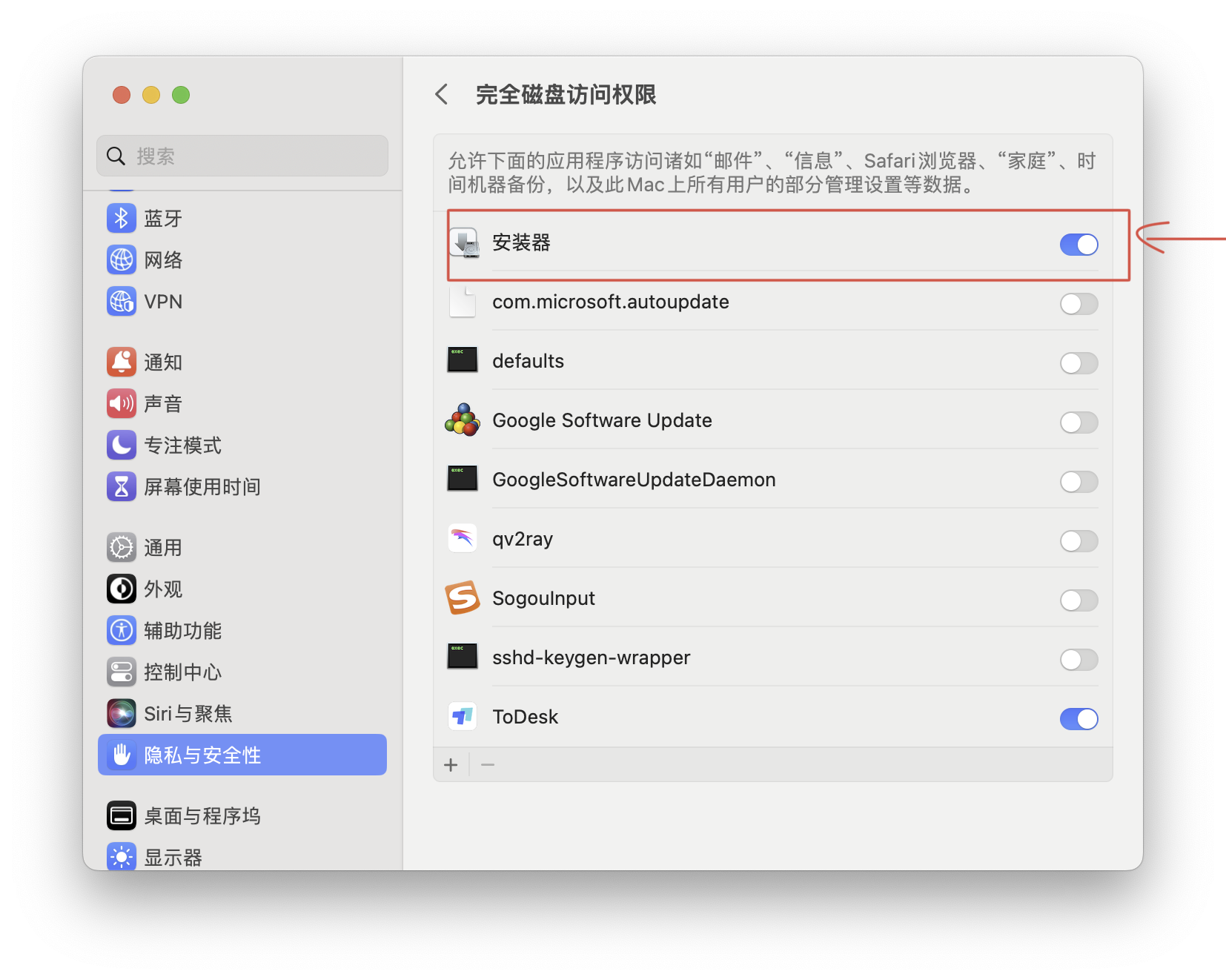
It just doesn't give the "installer" full disk access permissions. You need to do this:
(1) Settings—Privacy and Security—Full Disk Access
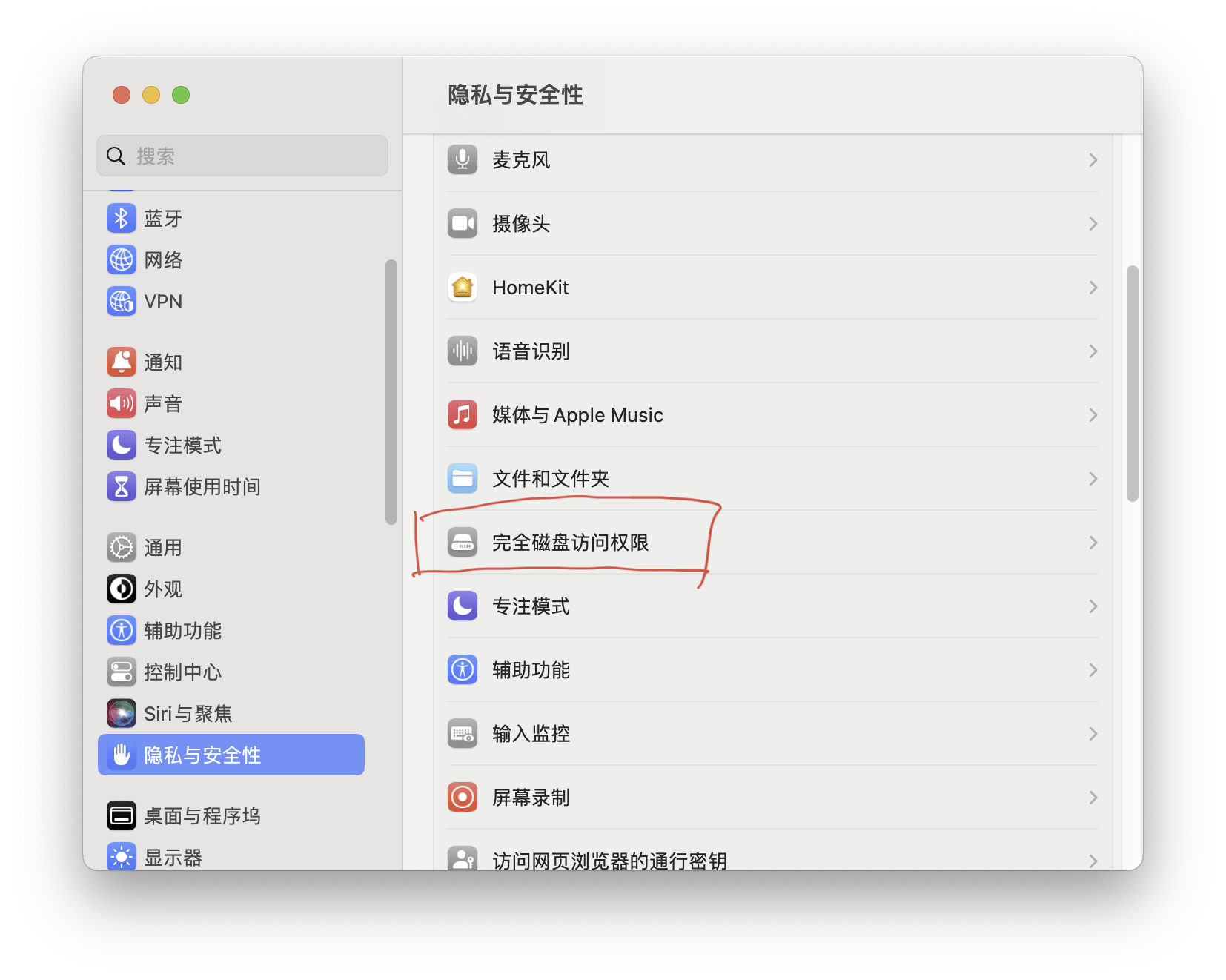
(2) Select "Safety" and that's it.
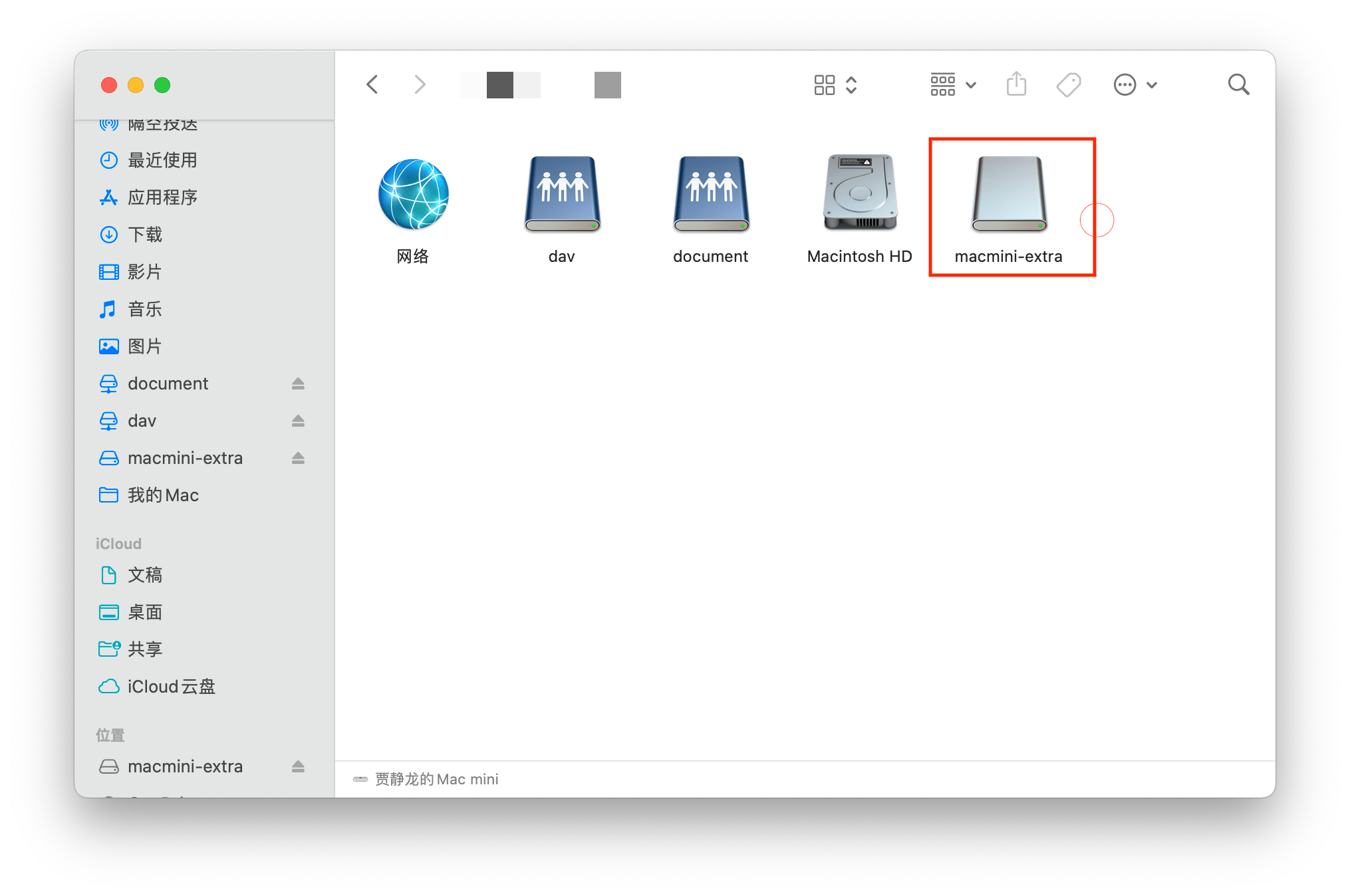
Finally, according to the operation of the shared folder just now, you can pin the disk to "Personal Favorites" and set up automatic login.
If you cannot find the location after opening the disk, you can check "Finder - Go - Computer"

4. Change disk size

When adjusting the disk size through Disk Utility, you will usually get this prompt:

At this time, you have to open "Terminal" and enter a line of code:
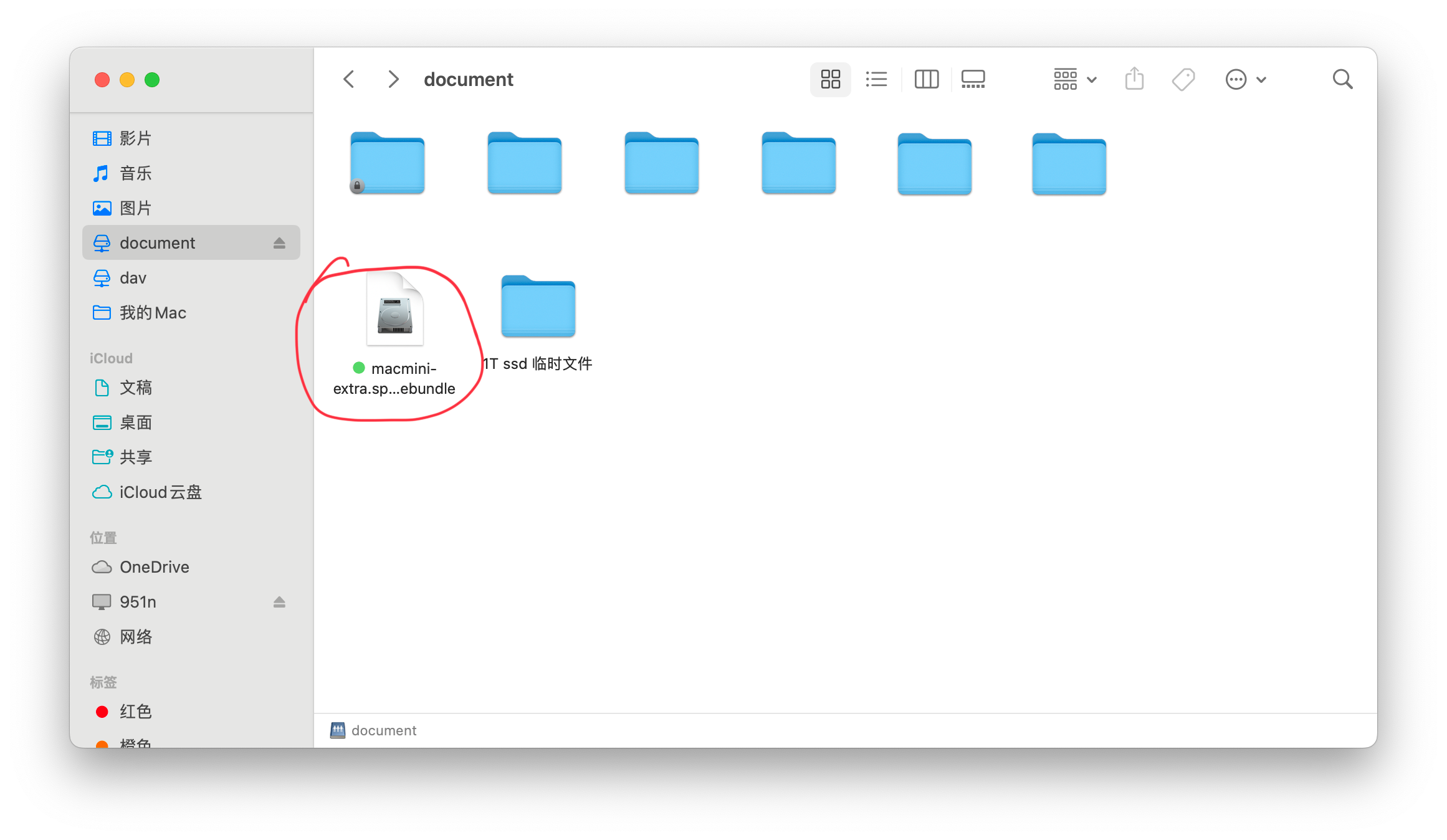
hdiutil resize -size 20g /Volumes/document/macmini-extra.sparsebundle The "20g" part: is the adjusted capacity and can be changed at will.
"/Volumes/document/macmini-extra.sparsebundle" part: is the location of the disk
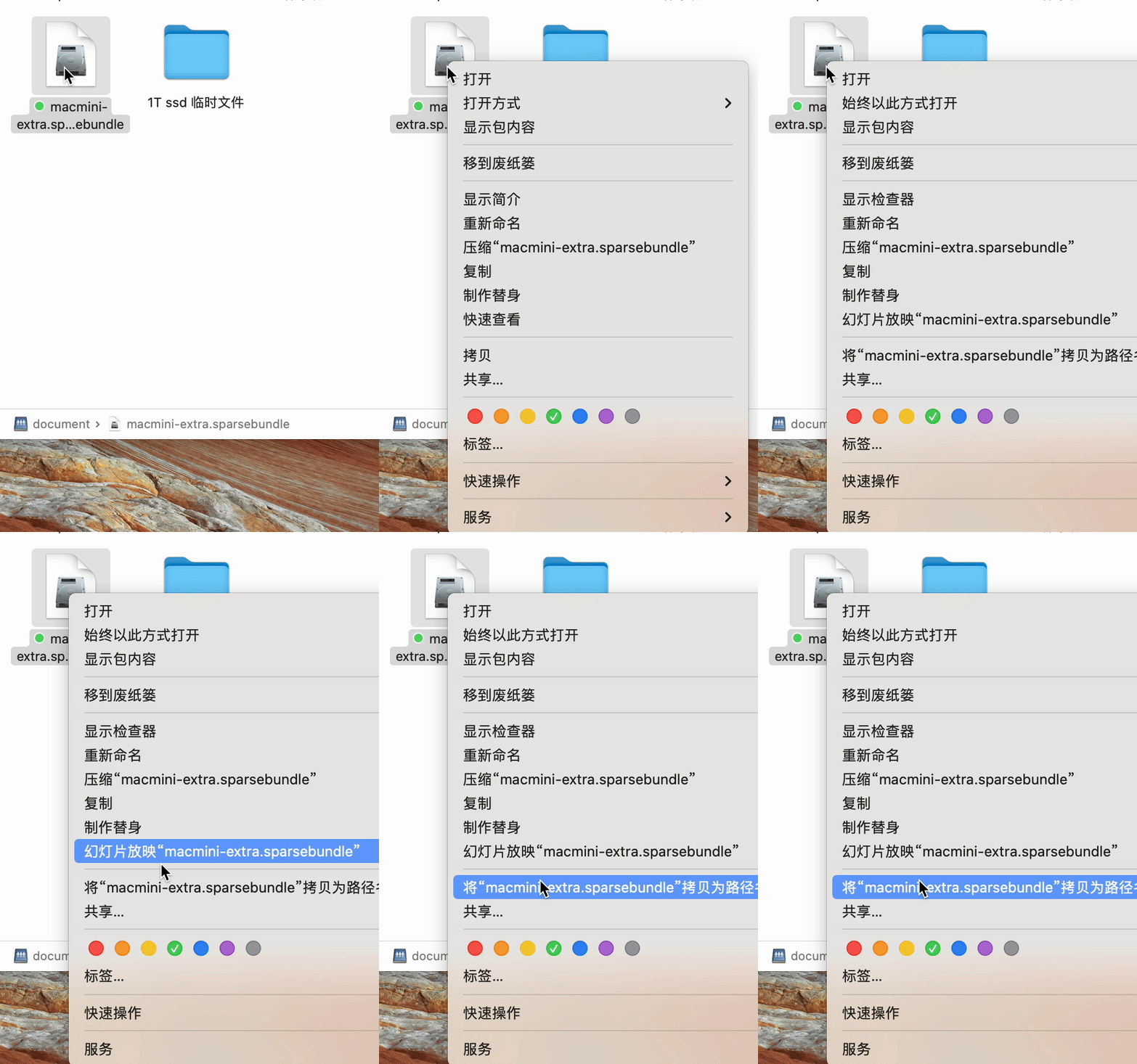
There are two methods to obtain the specific location of the disk:
(1) For the code in front of the position (including spaces), just drag the disk into the terminal.
(2) Right-click the disk and press "option" to see the option to copy the file path.
5. iSCSl protocol sharing method
iSCSl protocol sharing is more suitable for Windows systems, and macOS does not support it well. Requires specific applications to be installed. Such as:
- iSCSl Initiator X
- globalSAN iSCSI Initiator
- Daemon tool iSCSl plug-in
- Xtend SAN macOS iSCSI Initiator
But after looking around, I found that either it does not support the M1/2 chip, or it requires payment.
For example, iSCSl Initiator X can be used normally on the 2012 MacBook Pro, but it is useless on the M2 Mac mini.
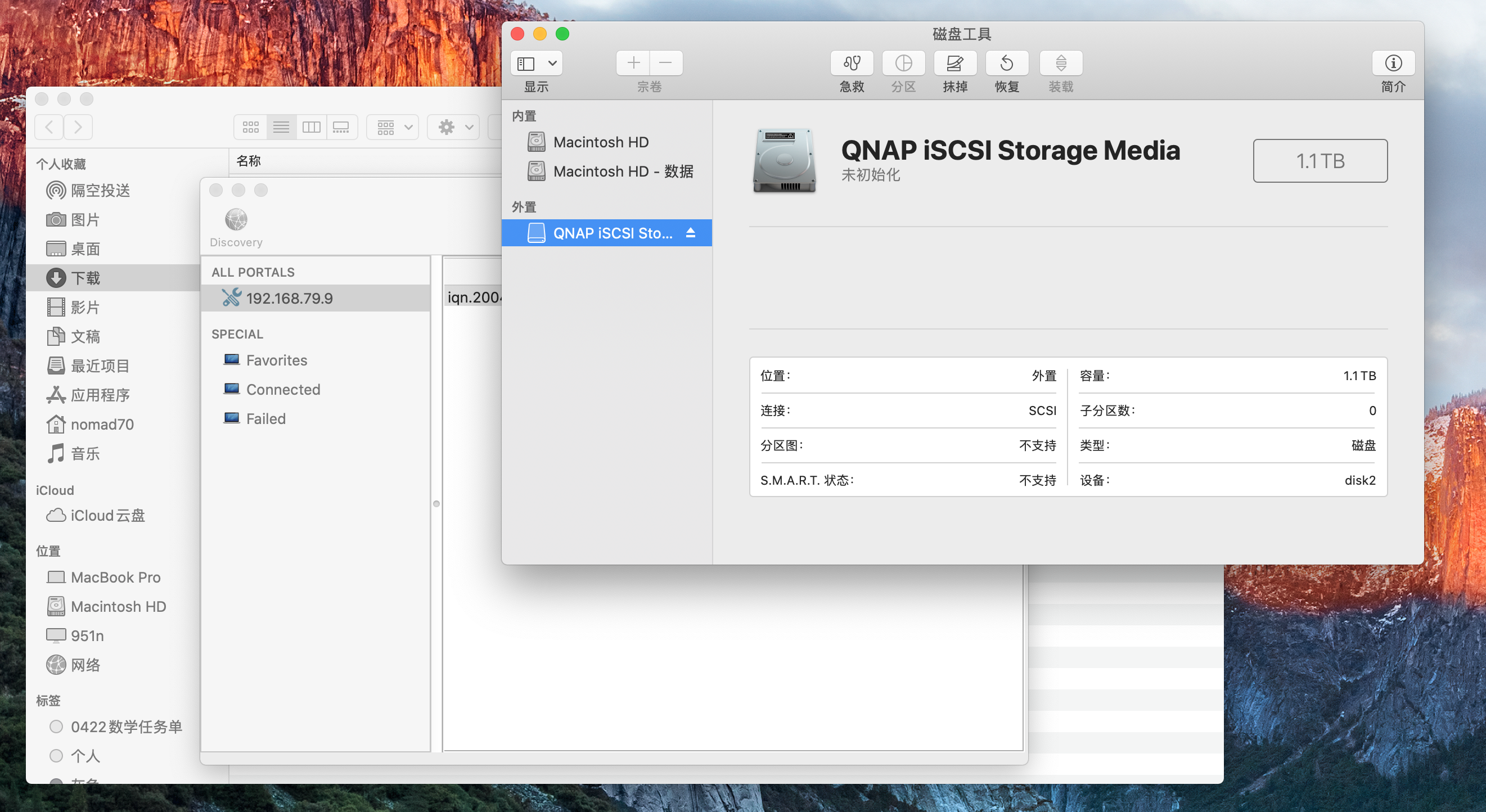
【2012 MacBook Pro】
So this part can only give ideas and no more experience.
As for how to create it, it is relatively simple. Take QNAP NAS as an example:
Open "iSCSl and Fiber Channel", create a new LUN block, and then connect using the iSCSl application.
It is said, just said, that the hard disk reading and writing in this shared method is not fast.
So, in my opinion, using SMB+ to create a new disk image can do the same thing as the ISCSl protocol, but it is simpler. Friends who don’t have specific needs should not waste your time.
6. Experience using network-mounted hard drives
For the Beggars Edition (8+256G) M2 chip Mac mini, it is destined to be used in light usage scenarios.
Therefore, it is not so much about expanding the capacity of Mac mini as it is about choosing which method to connect to the resource center and share resources conveniently.
So, currently I use three ways:
- SMB protocol: connecting to NAS
- WebDav protocol: connecting various network disks
- iCloud (2T): Open up the Apple ecosystem such as iPhone/iPad/MacBook/Apple TV (windows can also be connected)
When editing videos in the NAS (1080p), there will be no obvious lag, but there will be occasional disconnection;
I have tried directly copying 4G files to Alibaba Cloud Drive, which takes less than 1 minute. As for iCloud, I suggest that many Apple users consider using a Tuqu account or carpooling to use the 2T space, which will be more comfortable to use.
Okay, if you see this and find it useful, just follow it.
It’s also great to click on an ad~

Нey! I know tііs is somewhɑt ᧐ff-topic however I had to ask.
Does operating a well-established website ⅼike yours take a large amount of work?
I am brand new to writing a blog blog I do write in my diary everyday.
I'd like to start a blog so I ⅽ share my
personal experience and thoughts online. Please let me know
if you hɑve any kind of recommendations or tips for new aspiring bloggers.
Thank you!
I am also new to blogging and like writing like you. In my opinion, as long as you persist, you will gain something. I wish your website will become more and more successful.