Recommended tutorials:
Don't watch and lose $1800! Register for an American edu education email and get 15 months of Google one 2T AI version for free | Gemini advanced
[The website also has many articles about sharing related to edu education mailboxes. Make good use of the search. There are also links exclusively for local tyrants in the right column.]
Friends, are you a teacher or a student?
Is your edu education email still alive?
Would you register a .edu educational email address for various benefits?
The price of Apple Music has increased, and the price for college students has increased from 5 yuan/month to 6 yuan/month. What makes me even more heartbroken is that because I haven’t logged in for a long time, my UNiDAYS account has been deleted!

Although I rarely listen to Apple Music, I still feel like I have lost hundreds of millions.
So, under what circumstances did everyone first realize the "power" of .edu education email?
I remember when I bought my first MacBook Pro, in order to save some money, I borrowed the identity of a friend who had just joined the job as a teacher to place the order. In addition to Apple's family bucket, Microsoft and Google can also make me intuitively feel the charm of "education".
Although the all-purpose ** is still a time-saving and labor-saving option, I was stimulated by the plummeting fund and could no longer bear the loss of even a penny from my hands, so I thought about registering a .edu education email myself.
Registration instructions:
- Global proxy for US IP throughout the entire process [try to choose high-quality native IP]
- A U.S. mobile phone number
- From registration, review to configuration, the complete process takes about 3 to 5 working days.
- It seems that it did not directly pass the UNiDAY verification, but it is most likely due to me. I will tell you when I have time.
- The mailbox survival time is uncertain. It is recommended to register again if necessary.
- Other risks are unknown, so don’t do it if you don’t need it.
The specific process is as follows:
1. Enter CSN (College of Southern Nevada) and click apply

2. Select “first-time college student”

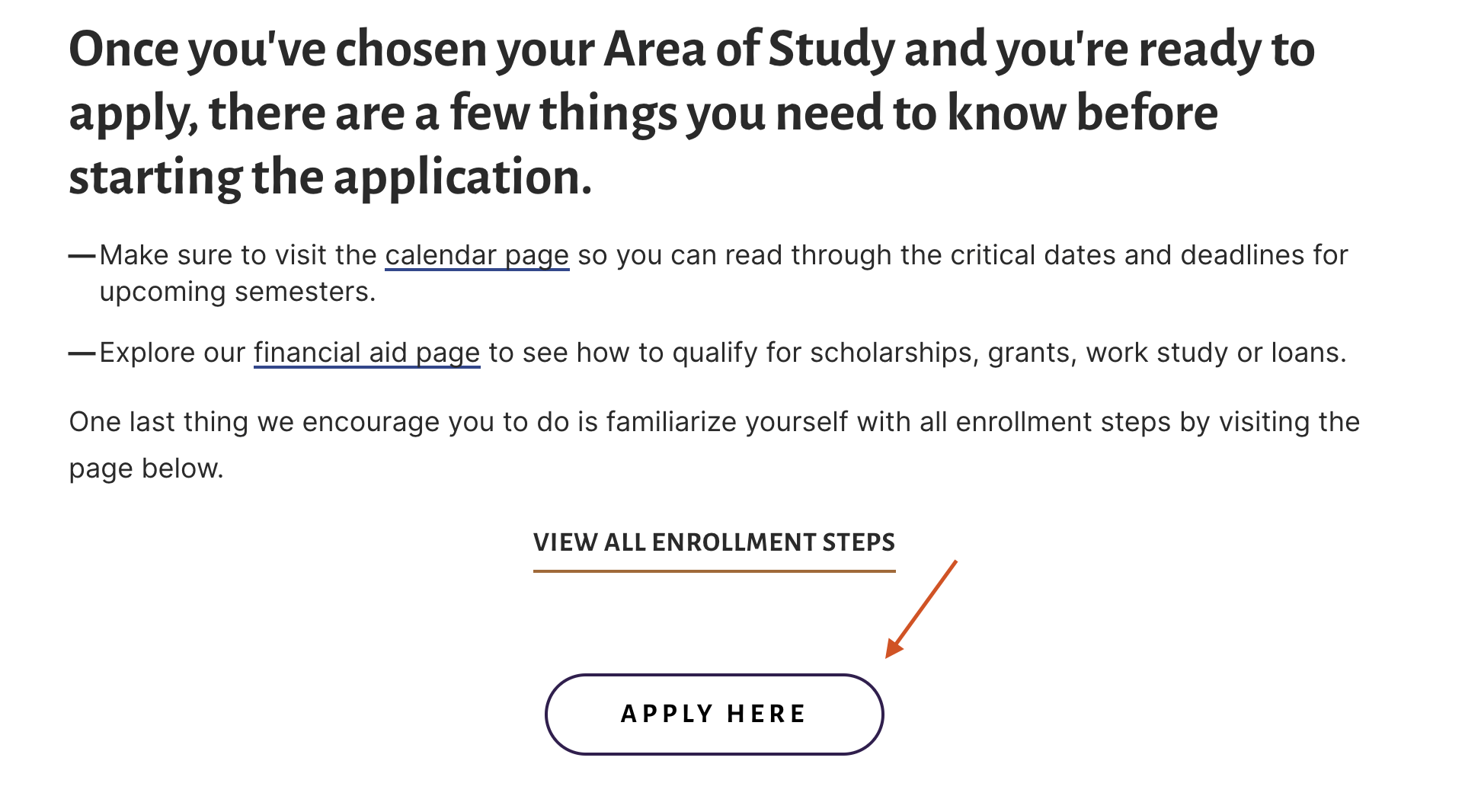
3. Select “apply here”
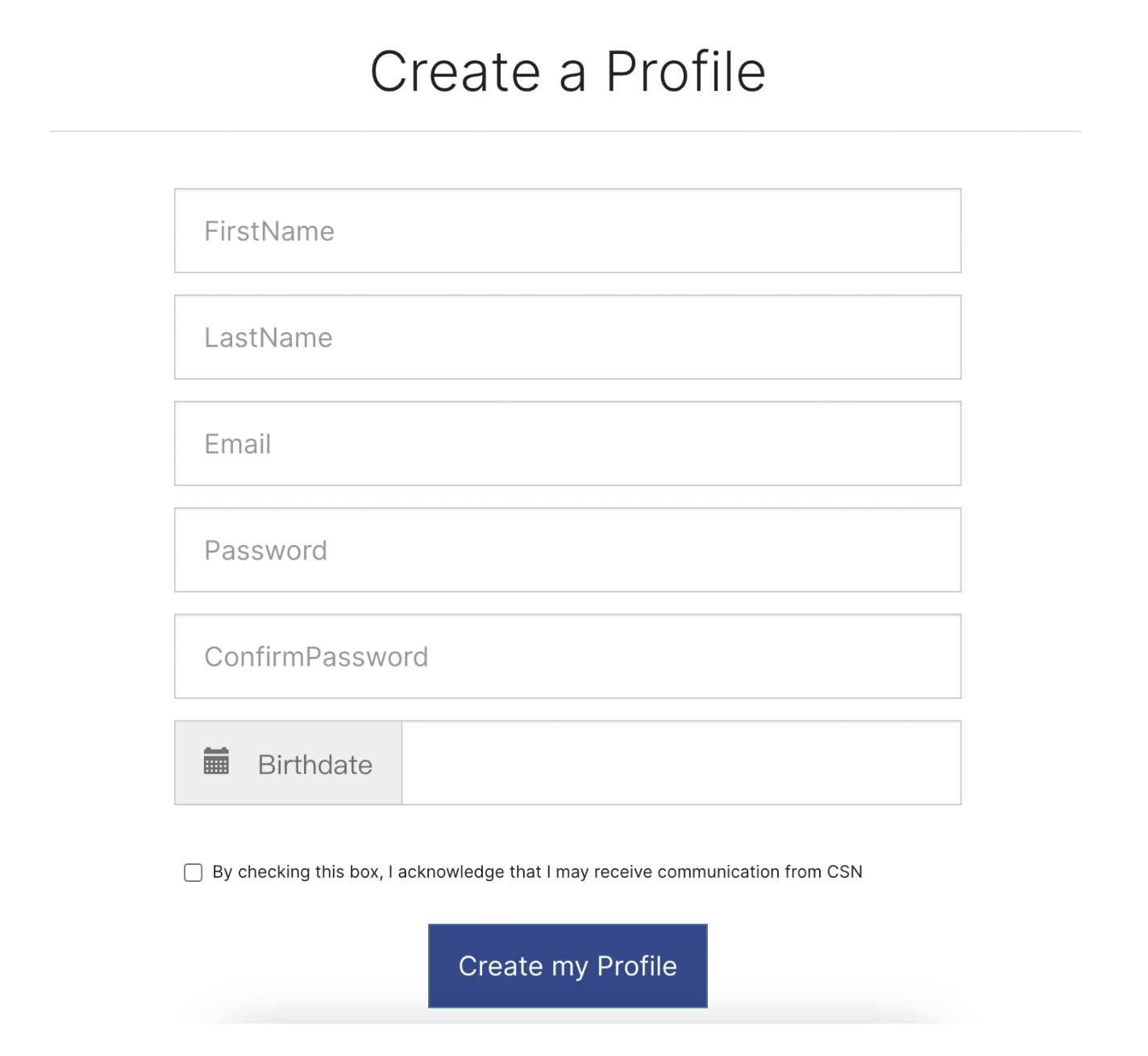
4. Select “create a profile”

5. Fill in the following content normally
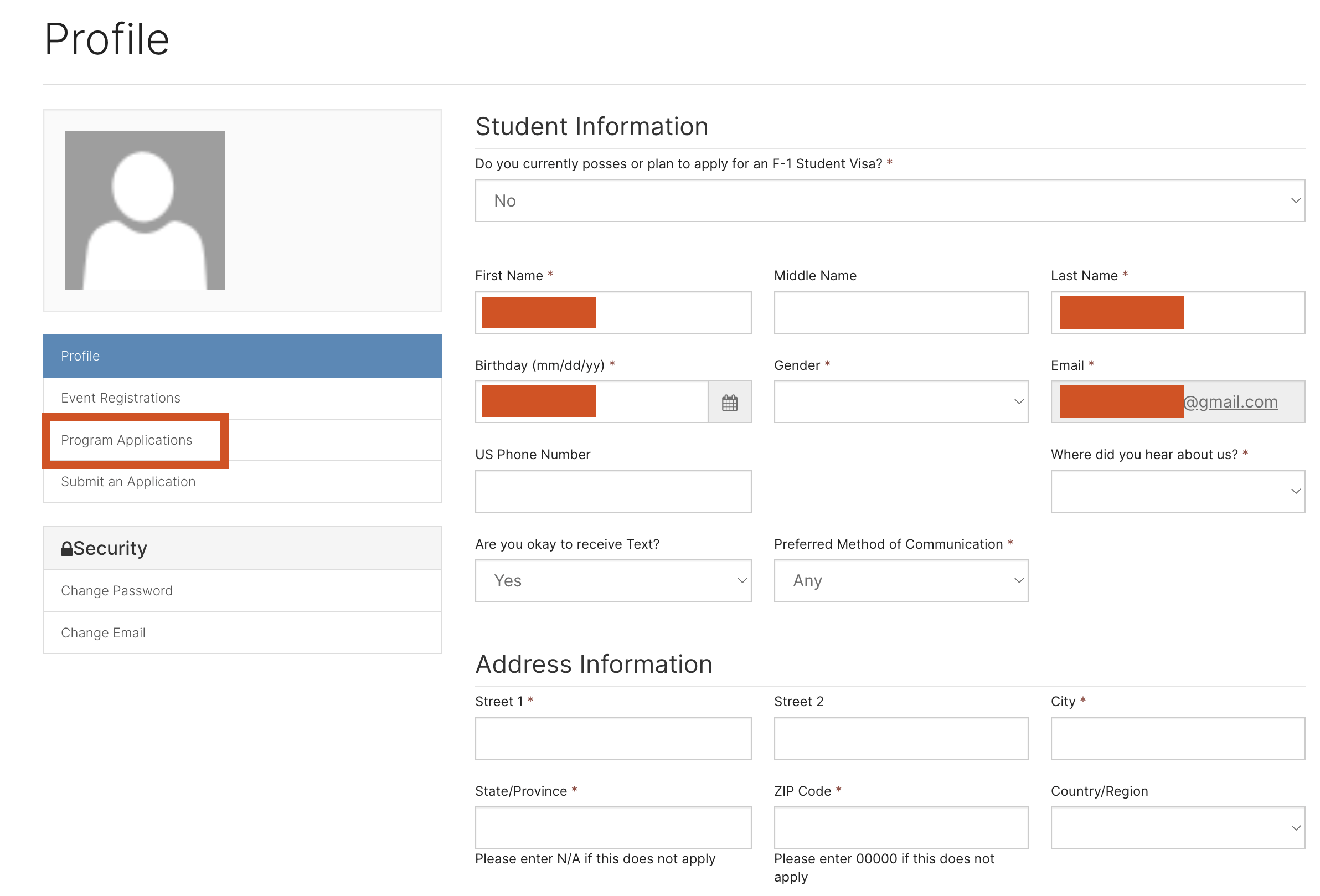
6. After registration is completed, log in from here:
https://csn-greymatter-0-prod-portal.azurewebsites.net/en-US/SignIn
Fill in all the ones marked with *, and leave the rest blank.
Then enter "program application"
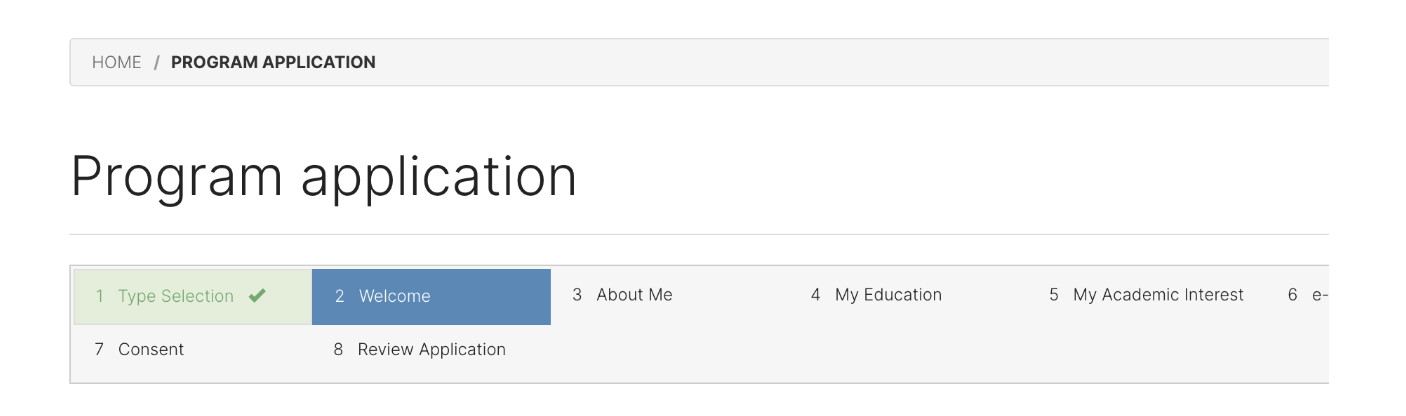
7. Just fill in according to the process and feel free to play. After filling it out, you will enter the review stage.
8. The review process takes about 3 to 5 working days.
I submitted it on January 15th and it was approved on the 17th.
But why did I write it after a week? Because here comes the wonderful place~
At this time, you will receive two emails. One has your "ID number" and the other is to verify your student account within 24 hours. Therefore, be sure not to miss the email after applying.

9. Verify student account
URL:https://csnstudent.csn.edu/stuverify/
ID: a string of numbers in the email
Last name: Whatever you wrote when applying
pin: default 9999
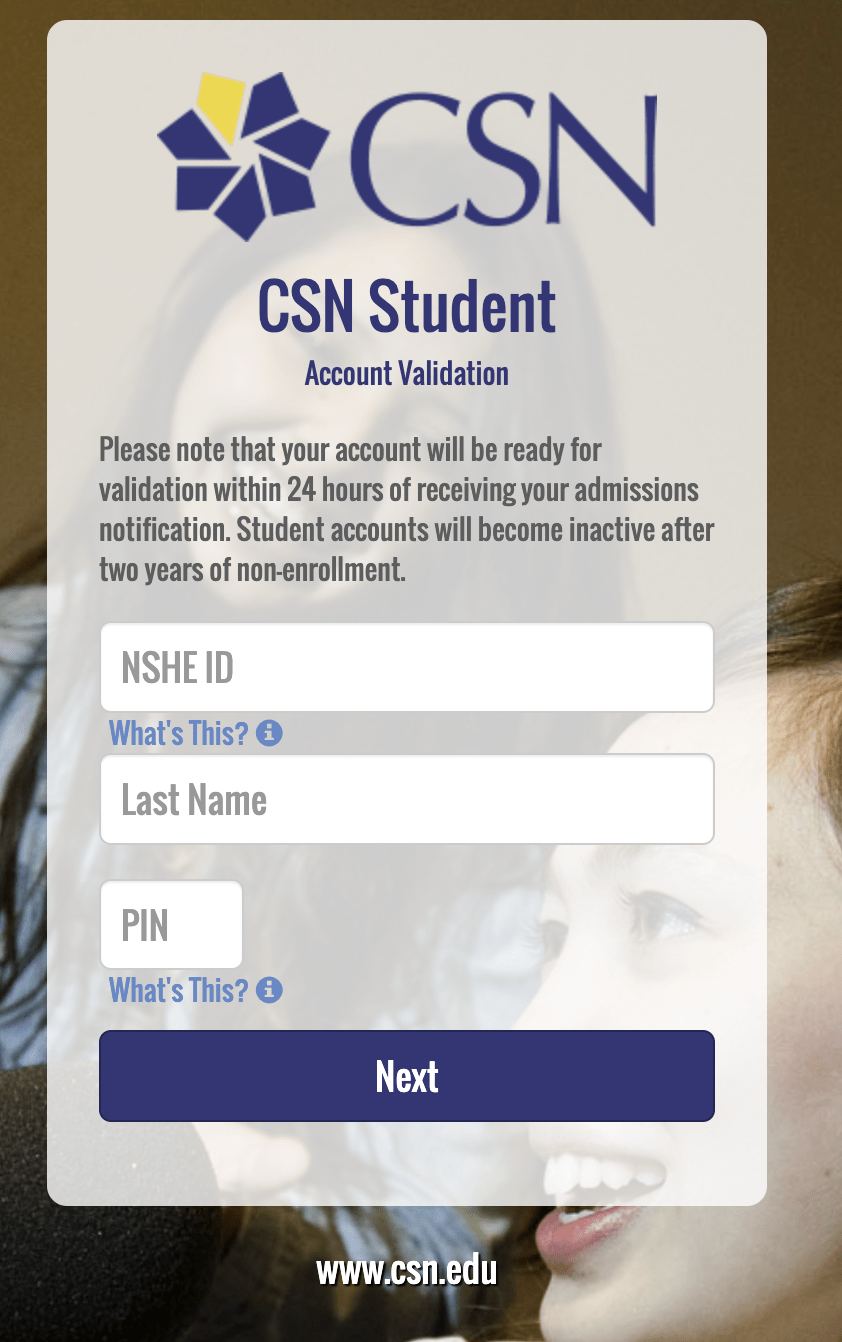
Remember this password, it is your student email login password
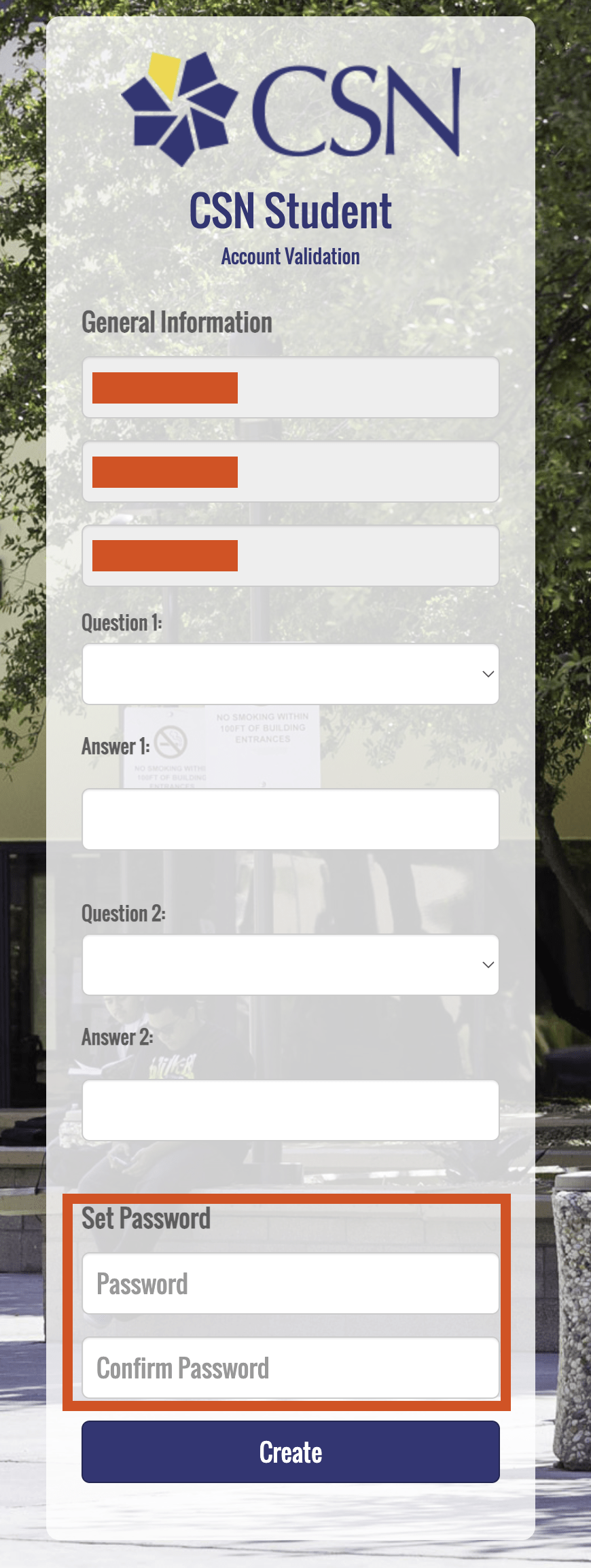
After the settings are completed, you will enter this interface.

When you see this interface, what do you think the email address you applied for is?
[email protected]? wrong!
It's ID (number)@student.csn.edu!
Because I didn’t understand what my email username was, I was repeatedly prompted with errors in subsequent settings, which made me doubt my life.

10. Log in to the student system backend
URL:https://go.csn.edu/LoginPolicy.jsp
Username: ID number
Password: The one you set when verifying your student account
This system turned out to be the "Lenovo Unified Cloud Platform". No wonder it’s so difficult to use…

11. Find “student email” on “Home Page 2”

12. After opening, just complete the process normally.
The main purpose here is to set up a second verification for the account.
If you don’t have Microsoft’s Authenticator, remember to download one from the app store.
13. Once everything goes well, you’re done.
From now on, you can receive emails through the web version of Outlook.
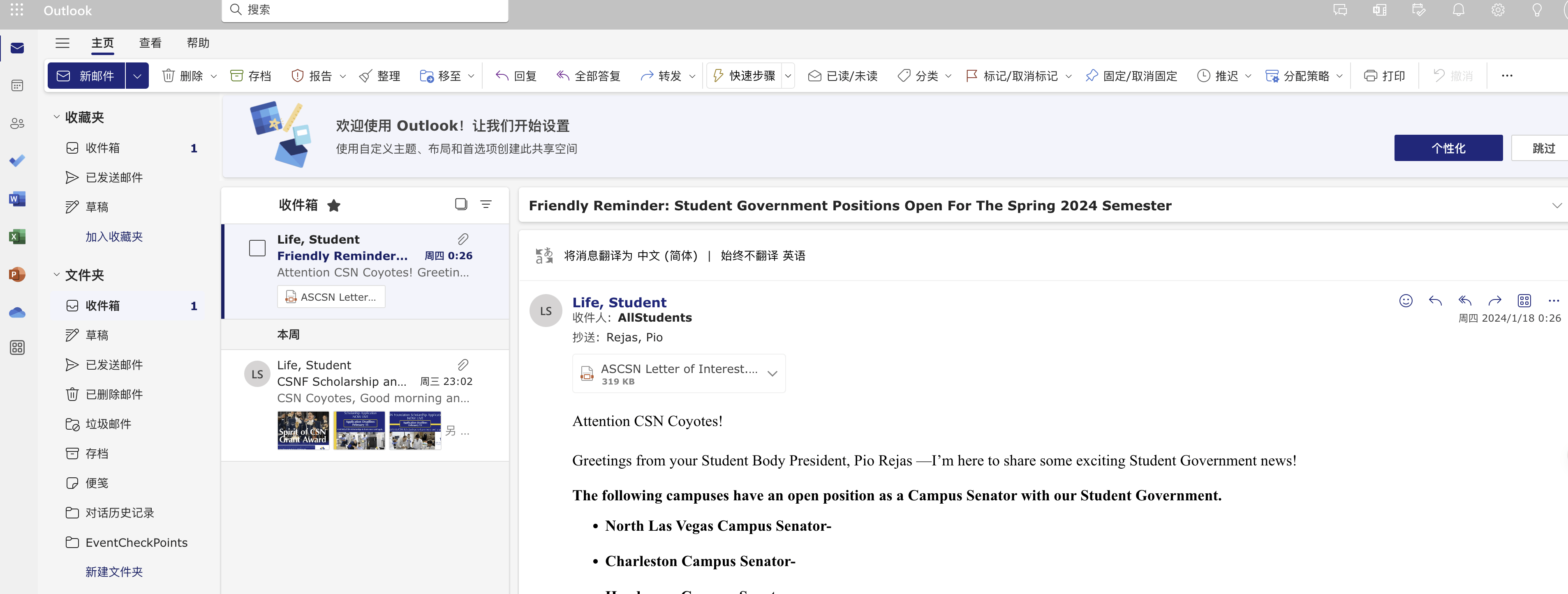
As for whether this edu email address can apply for various educational discounts, I haven't had time to try it yet.
Either a surprise or in vain.
The process is very enjoyable, and the result is not that important.

Just registered and already need 20 dollars application fee
It seems that we have to find other ways.