If you want to get a similar experience to the brand cloud disk VIP when using Alist, the offline download function is indispensable. You can achieve this function by installing aria2 or qBittorrent. When writing this tutorial, I encountered an outrageous thing. Because it was a week later and there was no record, I actually forgot how to install it, which was equivalent to learning it all over again. It's really unbelievable.
This article only takes the installation of aria2 as an example to demonstrate it to you.
There are many tutorials on the Internet about aria2 installation. If you are a code novice like me, don't choose the tutorials that install directly through code. After the installation is completed, such tutorials also need to create and write the aria2 configuration file, and then create the aria2 startup file, which is very easy to make mistakes.
It is recommended to save this one-click installation script. Just select numbers such as 1/2/3 to complete the installation.
1. One-click installation script
Script code:
wget -N --no-check-certificate https://raw.githubusercontent.com/ToyoDAdoubi/doubi/master/aria2.sh && chmod +x aria2.sh && bash aria2.sh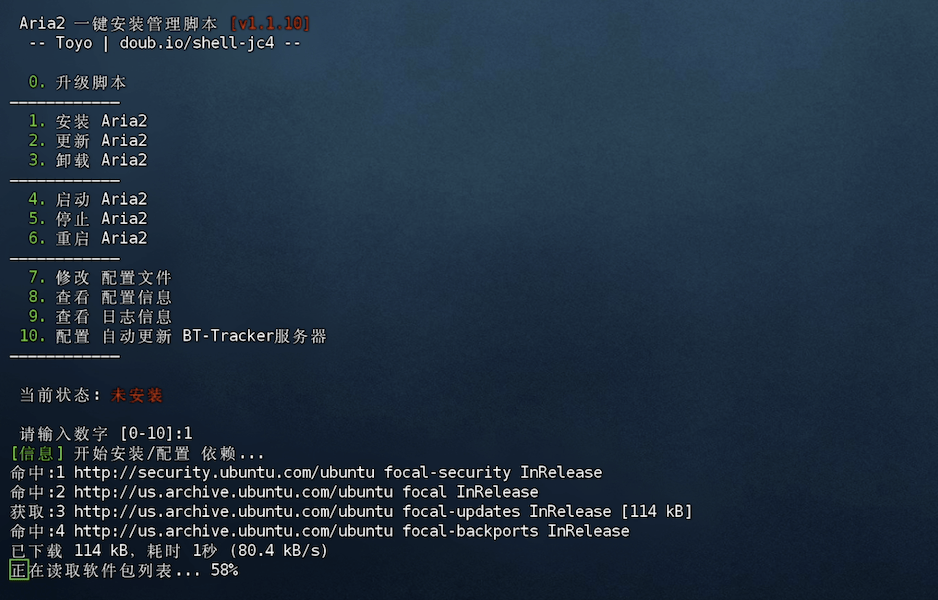
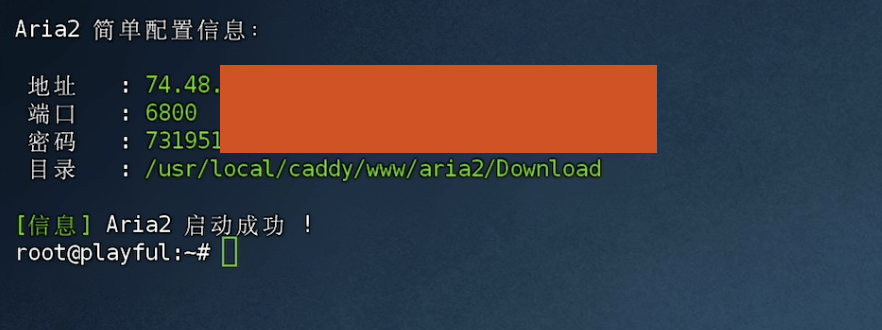
2. Modify basic information
After the installation is complete, there will be basic configuration information of aria2.
It is best to change the password and download directory here.
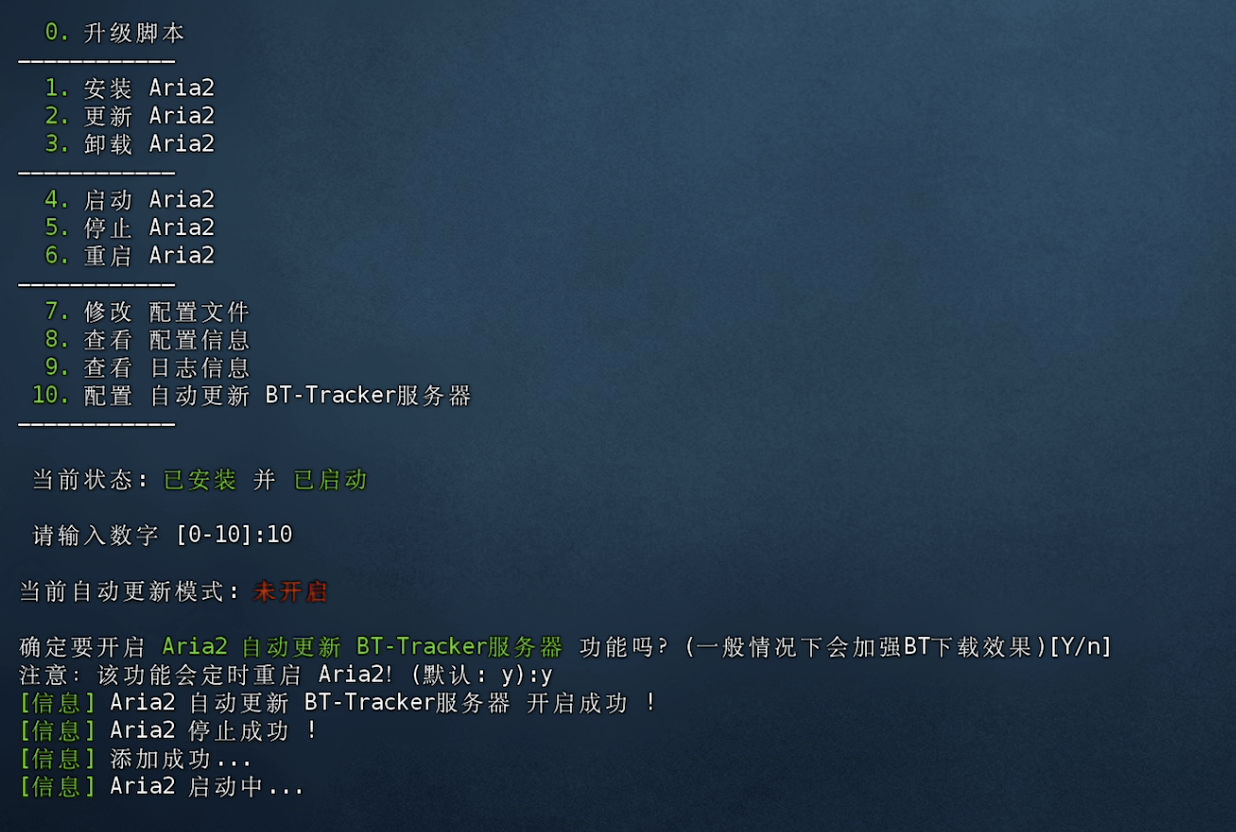
Type: ./aria2.sh
Enter the script again.
Select: 10, turn on the BT-Tracker server so that you can download torrents.
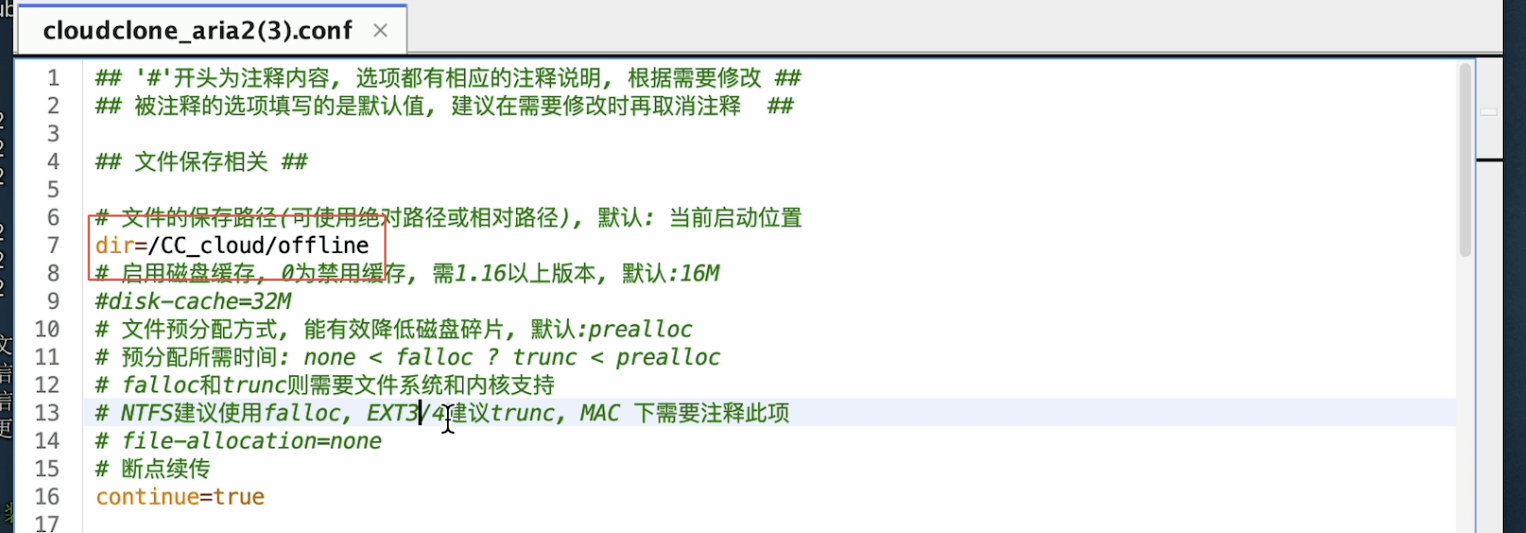
Then, select Modify Profile.
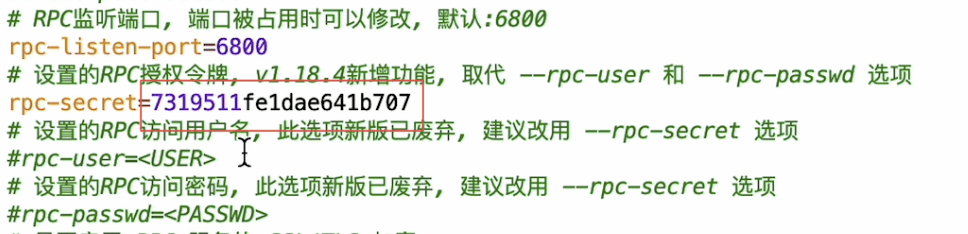
If you use FinalShell to connect to your VPS like me, you can directly open the configuration file in the following path: /root/.aria2/aria2.conf
1. Modify the download address
This address can create any folder in the vps.
2. Modify the RPC token
You can keep the token unchanged, but it is better to change it. It is not a big deal to add or delete a few numbers or letters.
3. Restart aria2
Restart code:
service aria2 restart
3. Configure alist
1. Configure offline download
In "Settings-Others", fill in the aria2 token.
Click "Set up aria2" and a green check mark will appear in the upper right corner, indicating that the configuration is correct.

2. Offline download steps
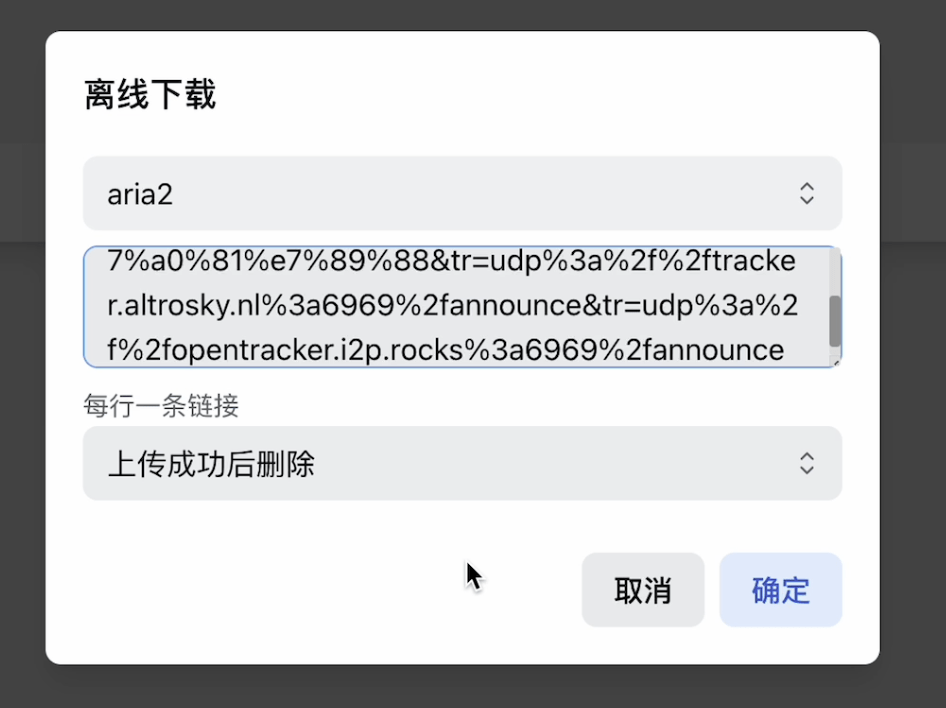
(1) Enter the network disk and select offline download in the lower right corner.

(2) Select "aria2" and enter the magnetic link
(3) In "Task-Offline Download", you can check the completion status
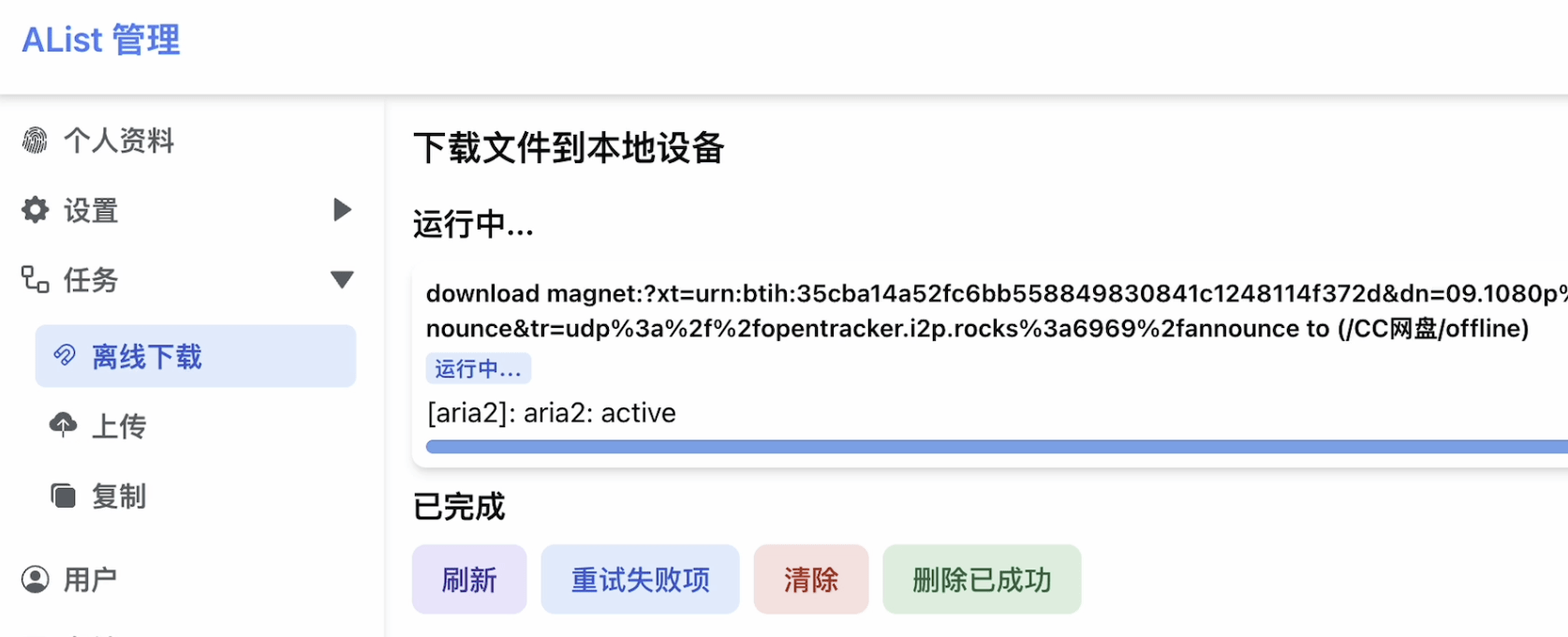
(4) After the offline download is completed, you can watch it online or download it to your local computer.

By combining "VPS+Alist+Aria2", you can get an experience similar to that of a VIP cloud disk. For those who are unwilling to pay for it, you may as well take action.
Okay, if you find it useful, just follow it.
In the next issue, let’s talk about how to solve the 413 problem when uploading files to alist.

Easy to understand, even a novice can watch it