After purchasing a domain name from NameSilo, in order to point to a specific IP address, we need to perform domain name resolution on the newly purchased domain name. Generally speaking, we will not use the DNS resolution of the domain name registrar, but will host it to a well-known third-party service provider, such as foreign Cloudflare, or domestic Alibaba Cloud and Tencent Cloud.
Although this tutorial uses Namesilo and Cloudflare as examples, it is applicable to resolving and modifying DNS services for any other domain name.
Purchase tutorial:"How to choose a domain name"
1. Register for Cloudflare
URL:Cloudflare.com
Whether you want to build a website overseas or circumvent the firewall for free, Cloudflare is a great tool. Because it is free, it is recommended that friends in need register an account.
The entire registration process is very routine and will not be described in detail.
2. Hosted Domain Name
1. After entering the homepage, you can see the "Add Site" option.

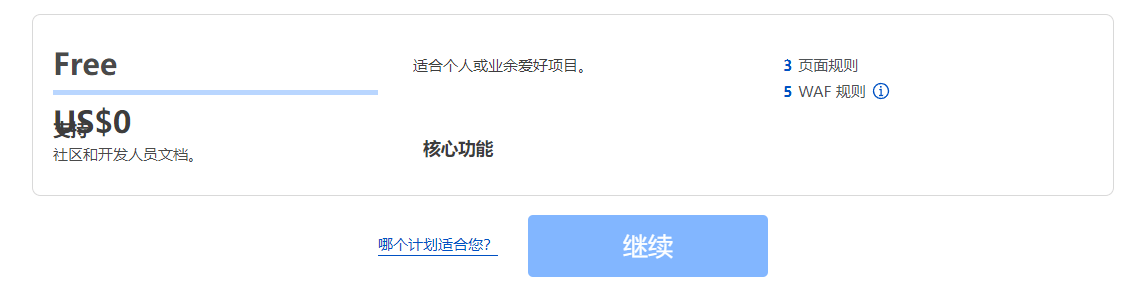
2. Write the domain name you want to host, such as: **.com, and select the "free" plan.
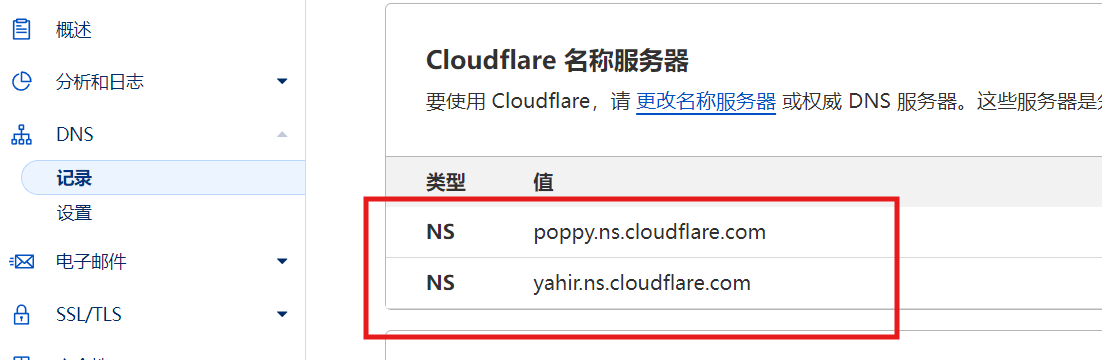
3. Select "DNS" in the left menu and copy the two NS servers marked in red.
4. Enter the Namesilo domain name management interface
There are two places that need to be modified on the new domain name, one is the blue globe icon, and the other is the server icon (the new domain name is the bus icon).

5. Open the blue globe icon and delete all configurations inside
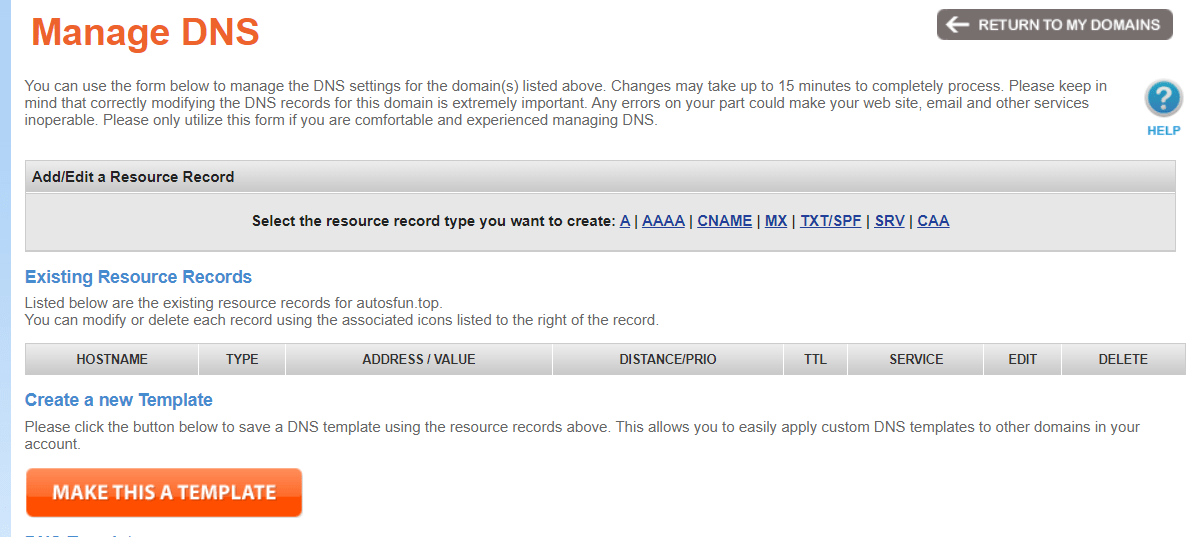
6. Open the bus (server) icon, delete the original server, and fill in Cloudflare’s NS server.
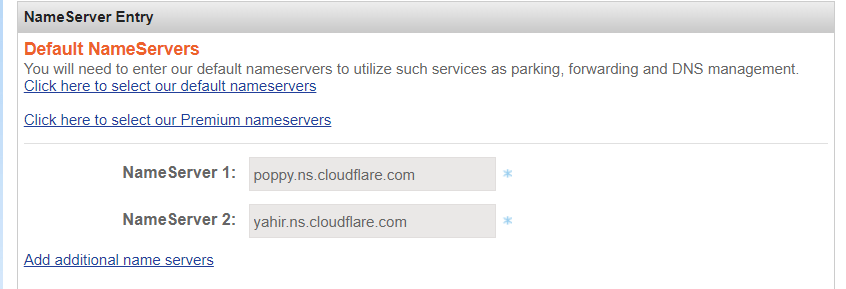
In this way, hosting the domain name on Cloudflare is all work.
Let’s go back to Cloudflare and see something like this:
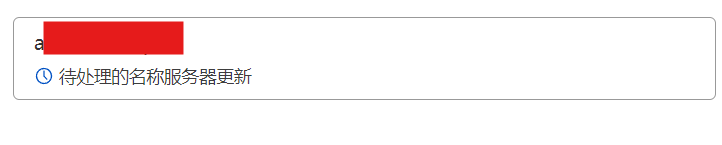
Wait for 5 to 10 minutes and the parsing should be complete.

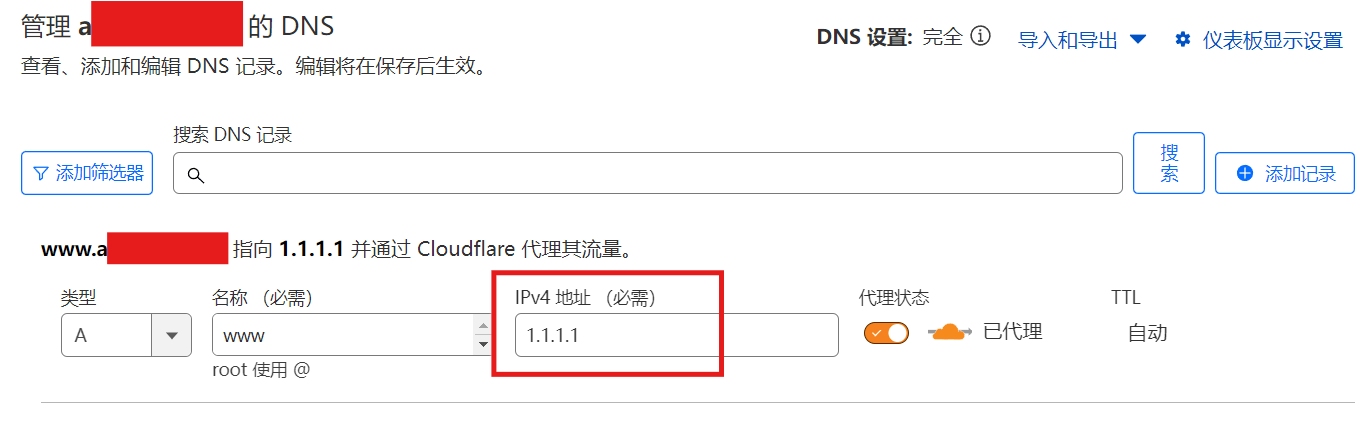
7. At this time, you can open the DNS on the left menu again and add a resolution record.
Type: A refers to ipv4 address, AAAA refers to ipv6 address
Name: You can fill in www or subdomain name
IP address: This is the IP of your VPS server
Proxy status: If there are no special circumstances, turn it on. With the help of Cloudflare's edge servers around the world, you can achieve faster access speeds.
As for how to purchase a VPS server, we will talk about it in the next issue.
"I will put a VPS hyperlink after writing it"
Okay, if you think it’s useful, just click on the ad. It’s not easy to code.

https://landstore.com.ua/
ggbet website https://ggbet-top.pl/ggbet/
Покупка элитной недвижимости — это не только сделка, но и выбор образа жизни. Агентство Федора Калединского помогает найти объекты, где сочетаются престижная локация, качественная архитектура, удобная инфраструктура и атмосфера, соответствующая ожиданиям клиента https://kaledinsky.ru/
Временная регистрация позволяет подтвердить проживание по адресу, если человек временно находится вне места постоянной прописки. В Санкт-Петербурге такой формат часто выбирают при аренде жилья или длительном пребывании. Важно оформлять документы без ошибок и спешки – регистрация в спб
Hi, i read your blog from time to time and i own a similar one and i was just wondering if you get a lot of spam comments? If so how do you protect against it, any plugin or anything you can recommend? I get so much lately it’s driving me crazy so any support is very much appreciated.
Ищешь ключ TF2? tf2 keys выберите подходящее предложение и оформите покупку за несколько минут. Быстрая доставка, безопасная оплата, удобный интерфейс и актуальная информация о наличии ключей.
https://ffwcash.com.ua/
What?s Happening i’m new to this, I stumbled upon this I’ve found It absolutely useful and it has helped me out loads. I hope to contribute & assist other users like its aided me. Good job.
PAGEWOO.COM – POWERFUL DOMAINS FOR SEO
https://telegra.ph/Seks-znakomstva-v-Surgute-intim-vse-chaty-i-vstrechi-18-07-10
Its such as you read my mind! You seem to understand so much about this, such as you wrote the e book in it or something. I believe that you simply could do with a few p.c. to power the message house a little bit, however other than that, that is wonderful blog. A great read. I will definitely be back.