After thinking about it, I have to add another article for mobile phone screencasting, that is, how to mirror the screen of an android phone to a Mac computer.
There are many such software, and students who find it troublesome can directly install AirDrop and AirDrop cast. Among them, AirDrop cast newly supports webcasting. You don’t even need to install the software on the computer. You can directly use the mobile phone software to scan the QR code on the webpage.
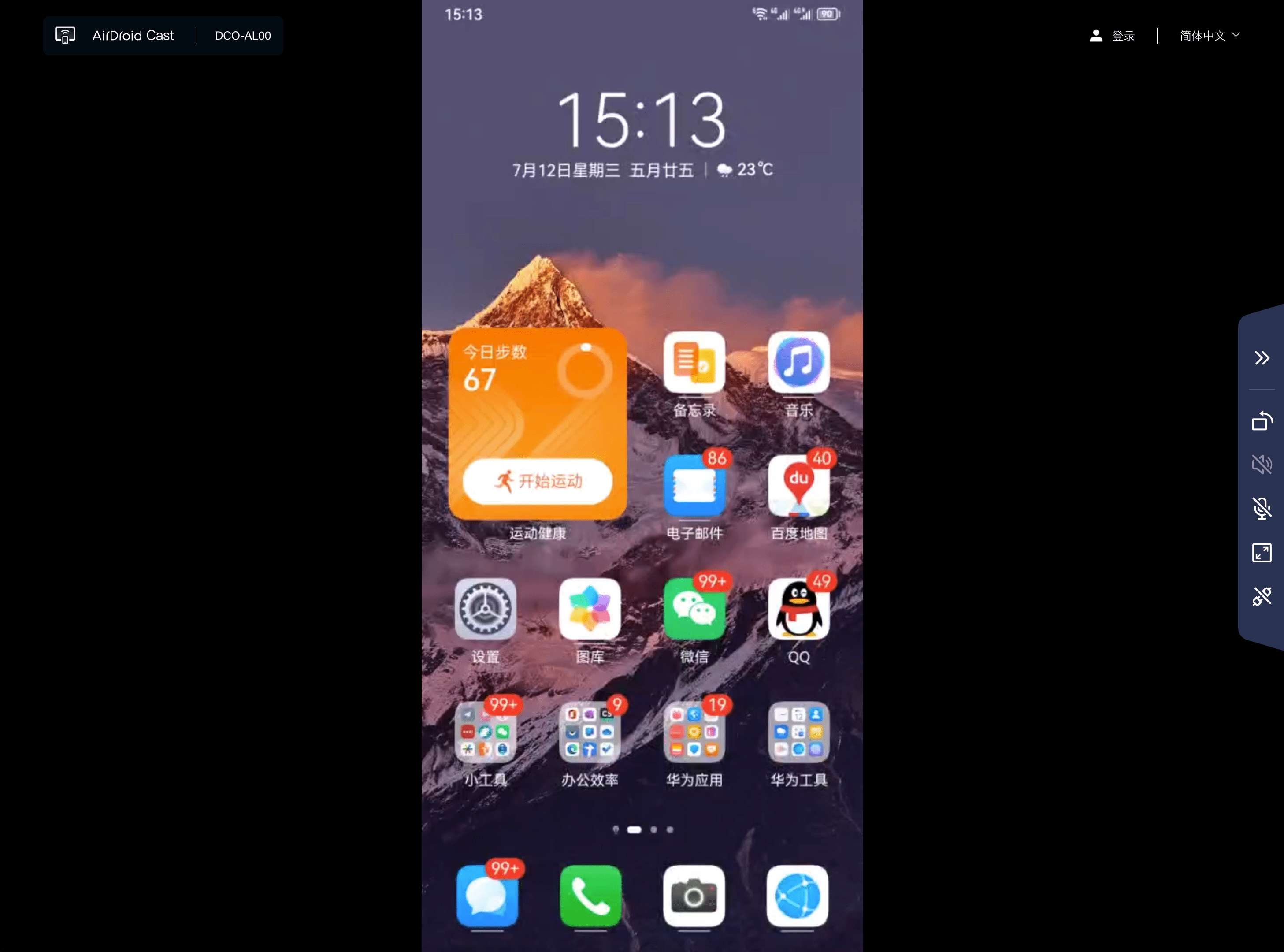
However, like the free version of most paid software, the screen projection clarity and delay are somewhat touching. It works, but it's not easy to use. Therefore, there is an introduction to Scrcpy, an open source free software.
Let’s take a look at its official introduction first:
- Computer can control mobile phone
- Lightweight: native, only displays the device screen
- Performance: 30~120fps, depending on device
- Quality: 1920×1080 or above
- Low latency: 35~70ms
- Low start-up time: Display in about 1 second
- Installation-free: Nothing is installed on your Android device
- User benefits: No account required, no ads, no Internet required
Special feature:
- USB wired and Wi-Fi wireless screen projection methods
- Audio forwarding (Android11 and above)
- recording
- Turn off Android device screen for mirroring
- Copy and paste in both directions
- Configurable quality (should refer to the adjustable screen recording resolution)
- Android device screen as webcam (V4L2) (Linux only)
- Physical keyboard/mouse emulation (HID)
- OTG mode
If you search for "android screen mirroring mac", many articles will point to "scrcpy". However, there is one operation that is more unacceptable in terms of user experience of this software: from starting the software to recording the screen, recording, and other operations, all of them are implemented by writing code. This is not very friendly to us ordinary people.
Until accidentally, I saw someone wrote a GUI specifically for scrcpy. All functions can be "clicked/clicked" within the software, so I thought I could recommend it to everyone.
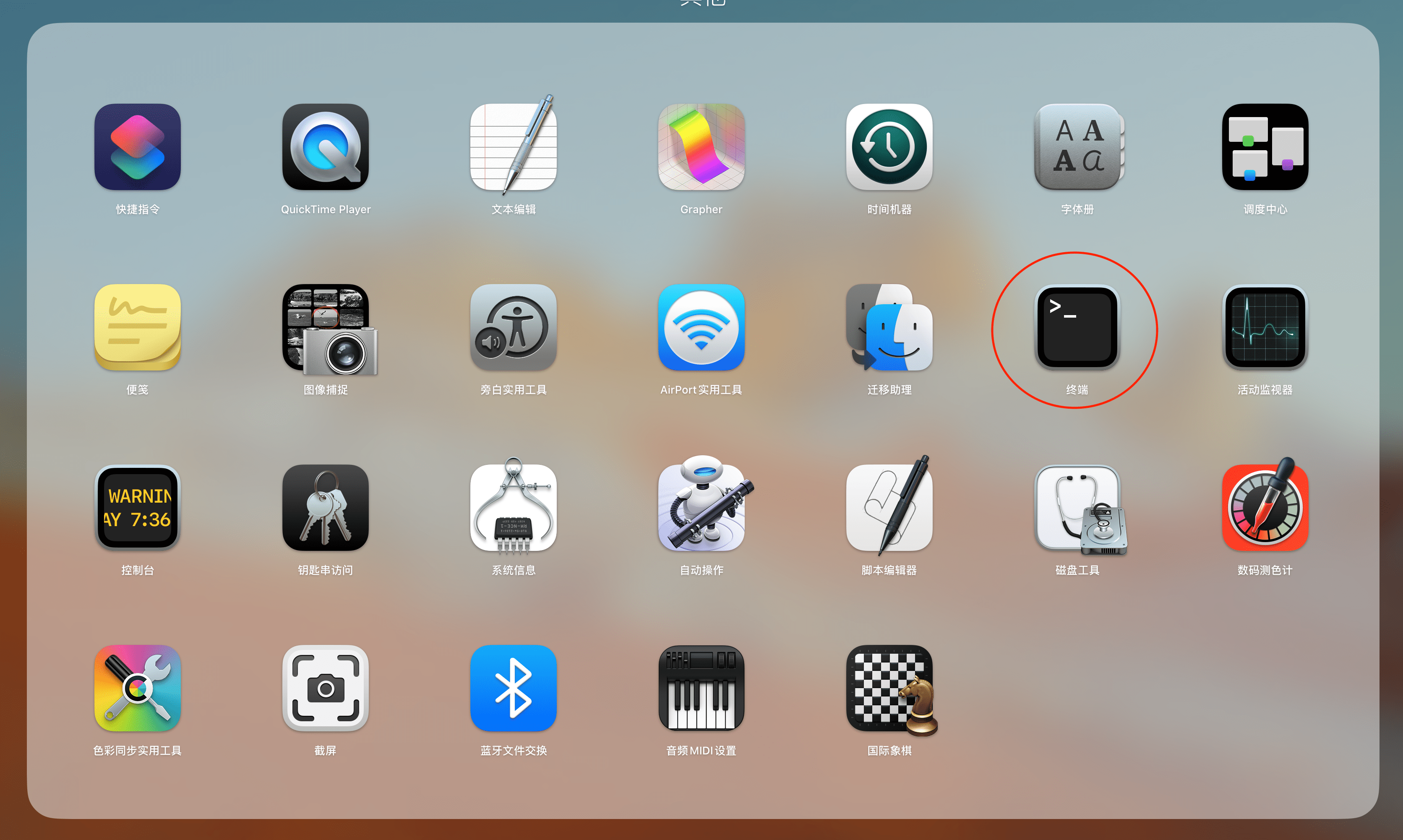
The following codes are entered in the terminal software of the Mac computer. The specific installation process is as follows:
1. Installationhomebrew
Homebrew is an open source software package management system designed to install and manage various software tools on the Mac OS X operating system. It allows users to easily install, update, and uninstall various open source software packages and tools, including developer tools, development libraries, applications, and more, from the terminal command line interface. Homebrew provides a simple and flexible way to manage software packages and helps users easily build their own development environment.
The first installation takes a long time, please be patient.
Installation code:
/bin/bash -c "$(curl -fsSL https://raw.githubusercontent.com/Homebrew/install/master/install.sh)"2. InstallationADB
ADB is a command tool for debugging Android devices.
Installation code:
brew cask install android-platform-tools
3. InstallationScrcpy
Installation code:
brew install scrcpy
4. USB connection
At this point, scrcpy is ready to use.
Just enter "Developer Options" on the mobile phone (students who don't know how to use search), turn on "USB debugging", then connect the computer and mobile phone with a data cable, and then enter the startup command "scrcpy" in the "Terminal", and you are done. The phone is mirrored.
Software startup code:
scrcpy
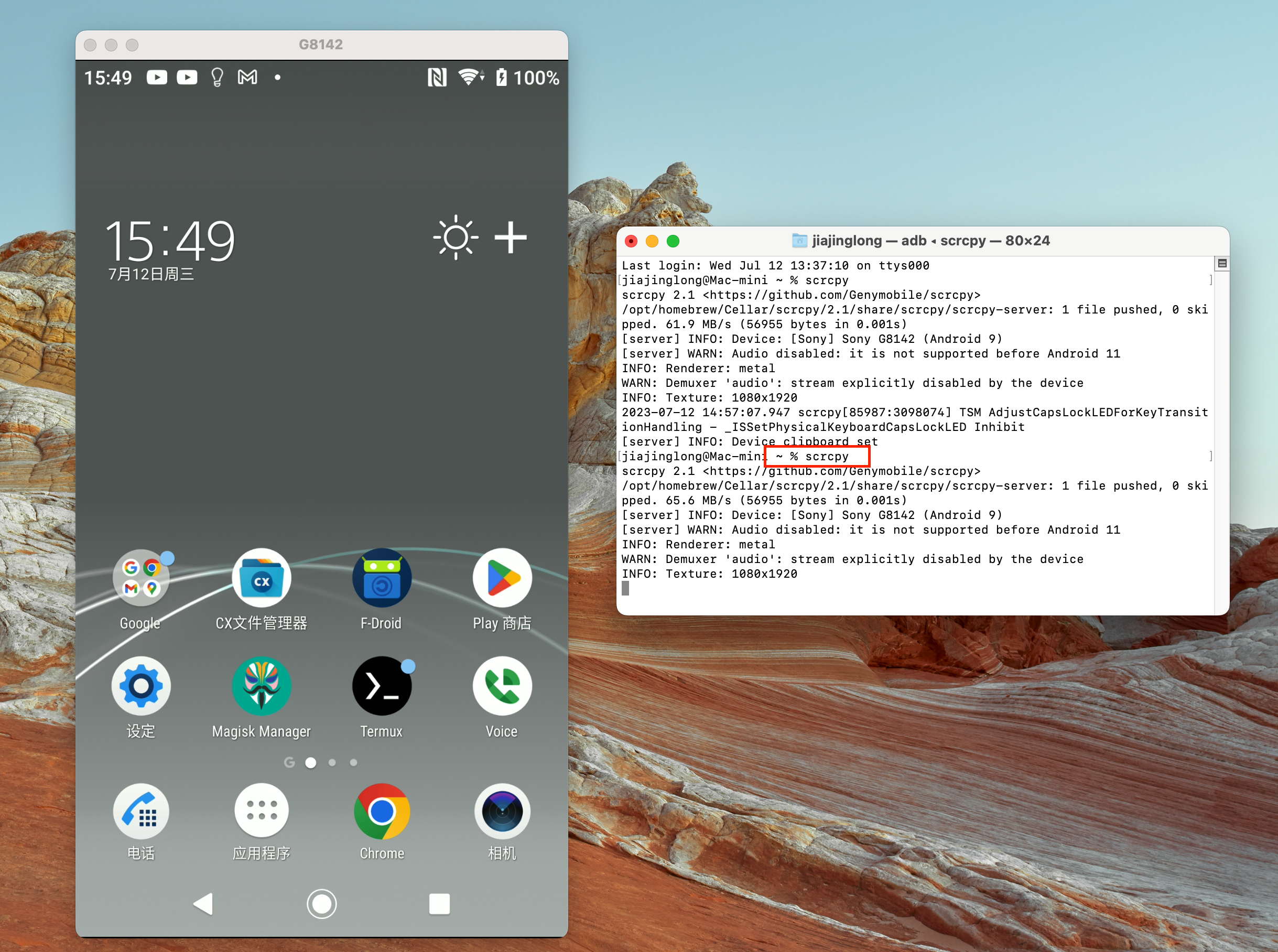
five,Wi-FiConnection settings
If you want to change to a Wi-Fi connection, you can do this:
(1) The mobile phone and computer are connected to the same Wi-Fi
(2) Check the mobile phone IP
(3) Input: adb tcpip 5555(Port is optional)
(4) Connect to mobile phone: adb connect DEVICE_IP:5555
(5) Unplug the USB cable
(6) Start scrcpy
To change from Wi-Fi to USB connection, write down this line of code:
adb usb
If you often perform screencasting presentations at work or out and about, I recommend using a USB connection, which is more stable.
6. Adjust the resolution:
The default code rate for screencasting is 8M, so if the routing performance is not good, the Wi-Fi connection may be stuck. You can use the following code to adjust it:
scrcpy --bit-rate 2M --max-size 800
Or abbreviation:
scrcpy -b2M -m800
Among them: 2M is the code rate, 800 is the resolution
seven, Visual UI
The GitHub one has not been updated for a long time. It is recommended to use this: Qtscrcpy UI project address:
https://gitee.com/Barryda/QtScrcpy/releases
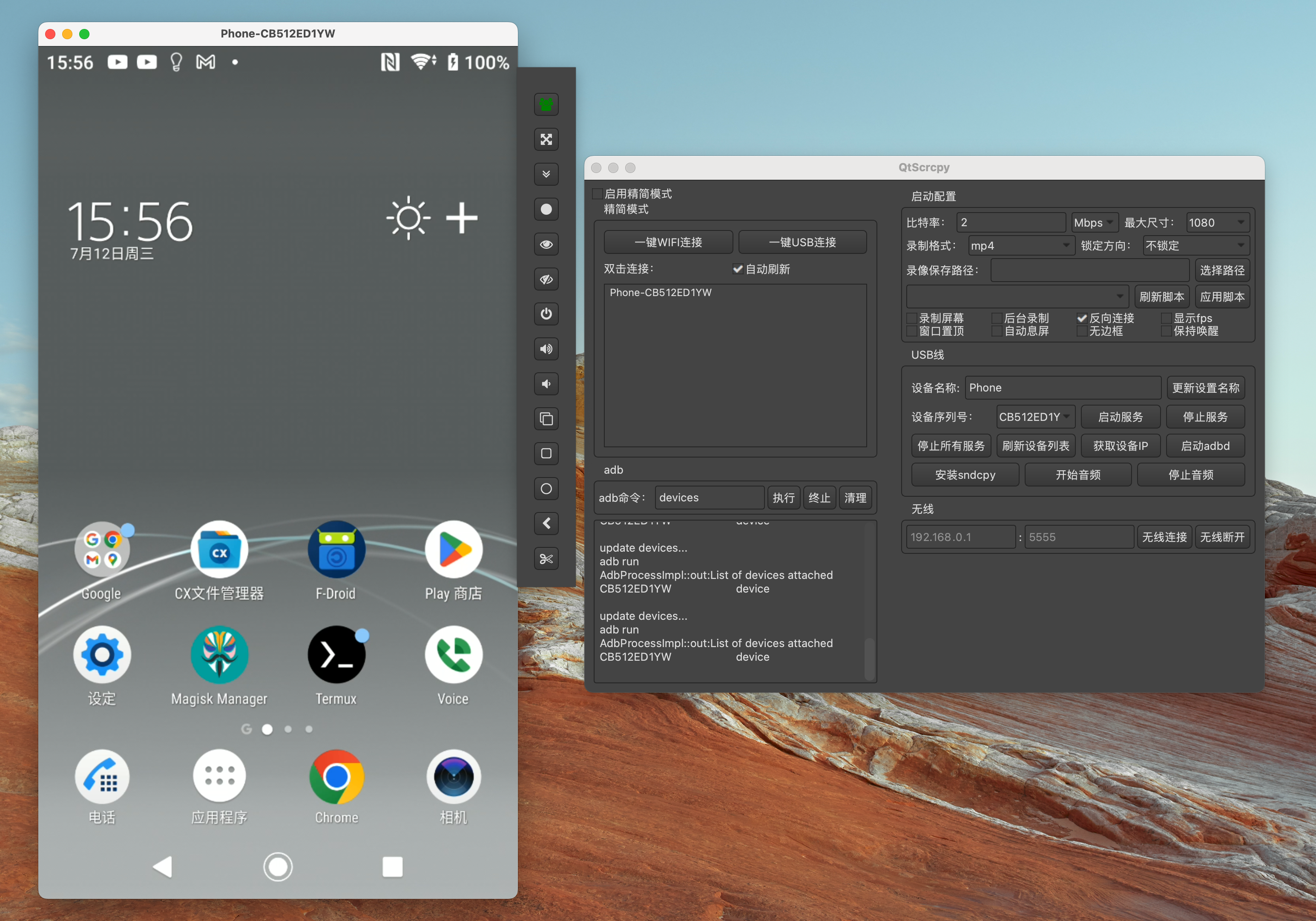
As a reminder, this is just a UI interface, and the related software modifications above need to be installed.
eight, command andshortcut key
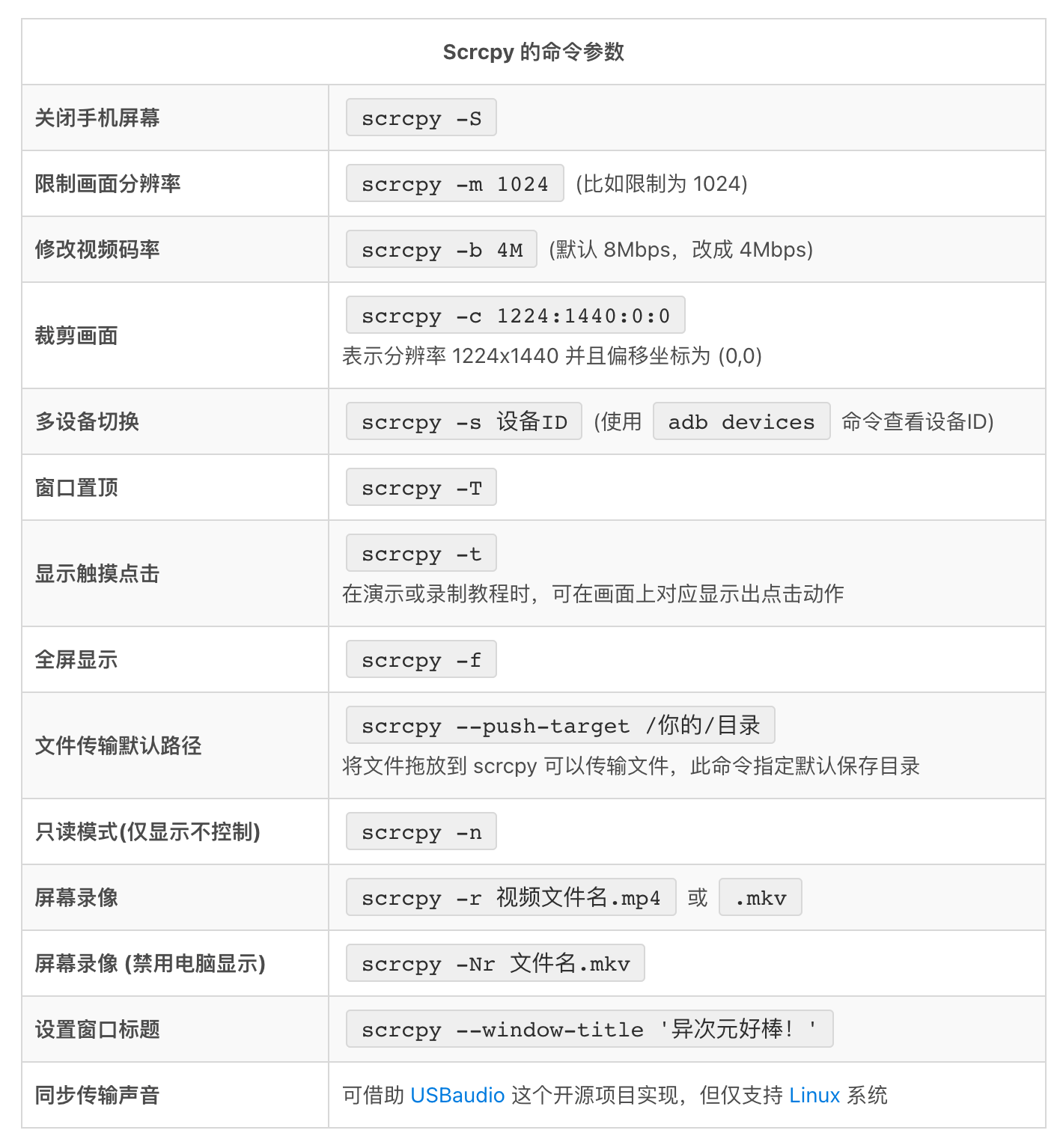
After seeing these commands, you should know why scrcpy is so good, but I still rarely use it. If there is no GUI, every time you use the software, you have to bring a reference book...
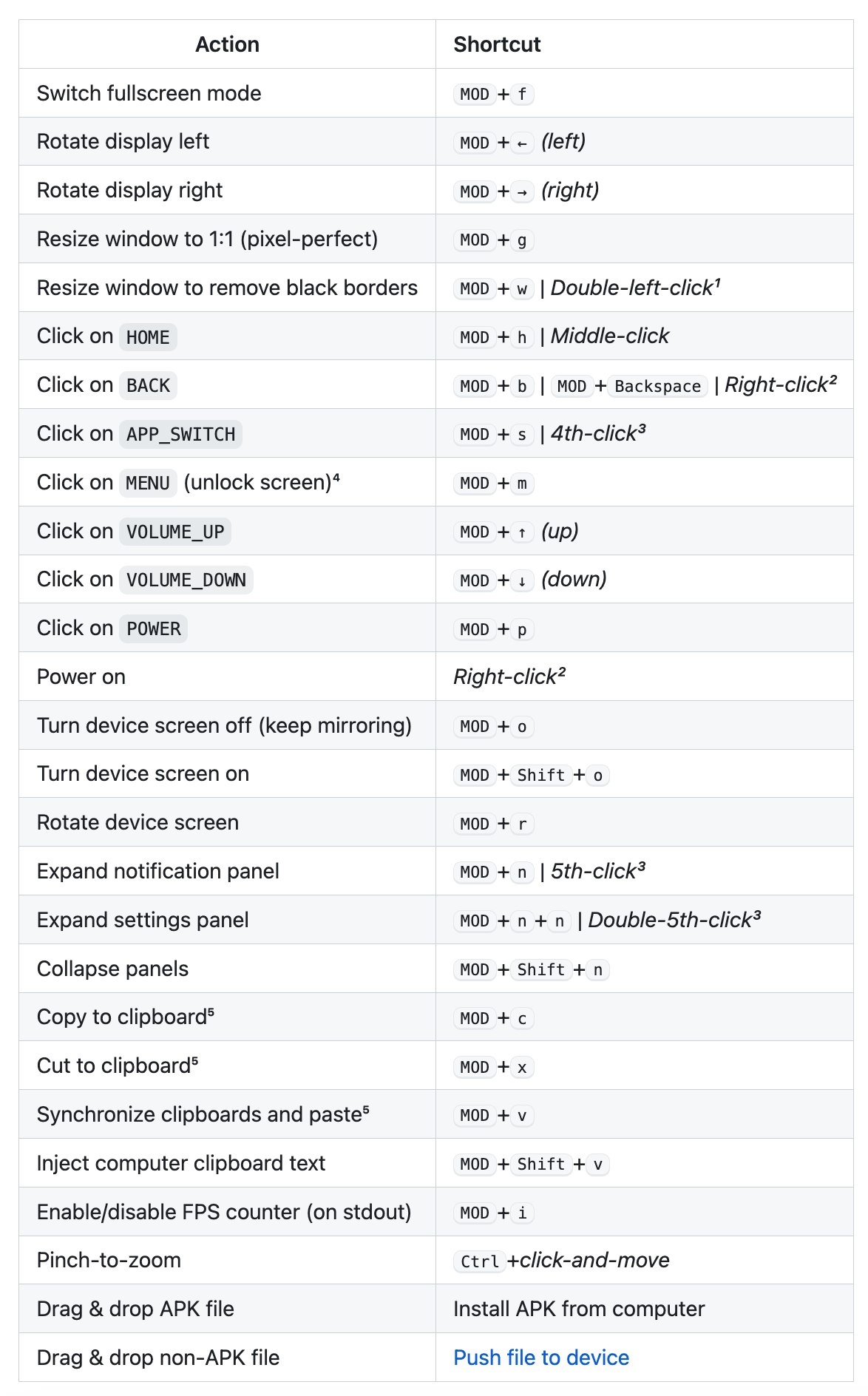
Shortcut key address:https://github.com/Genymobile/scrcpy/blob/master/doc/shortcuts.md
Mods are usually win/ctrl/alt/cmd, etc. Try it yourself.
I don't like using it and I can't remember it.
Nine,project address
Scrcpy project GitHub address:https://github.com/Genymobile/scrcpy
If you want to know the detailed software operation and help, you can read here.
Finally, let’s talk about the installation and use of scrcpy for one day:
- Network problems: Many installation errors are related to the inability to access the Internet scientifically;
- Installation source replacement: Although there are many ways to solve network problems on the Internet by replacing the installation source, more bugs will follow. Therefore, if you are not very familiar with this type of operation, solving network problems is easier than changing the installation source. [To solve network problems, you can reply: warp]
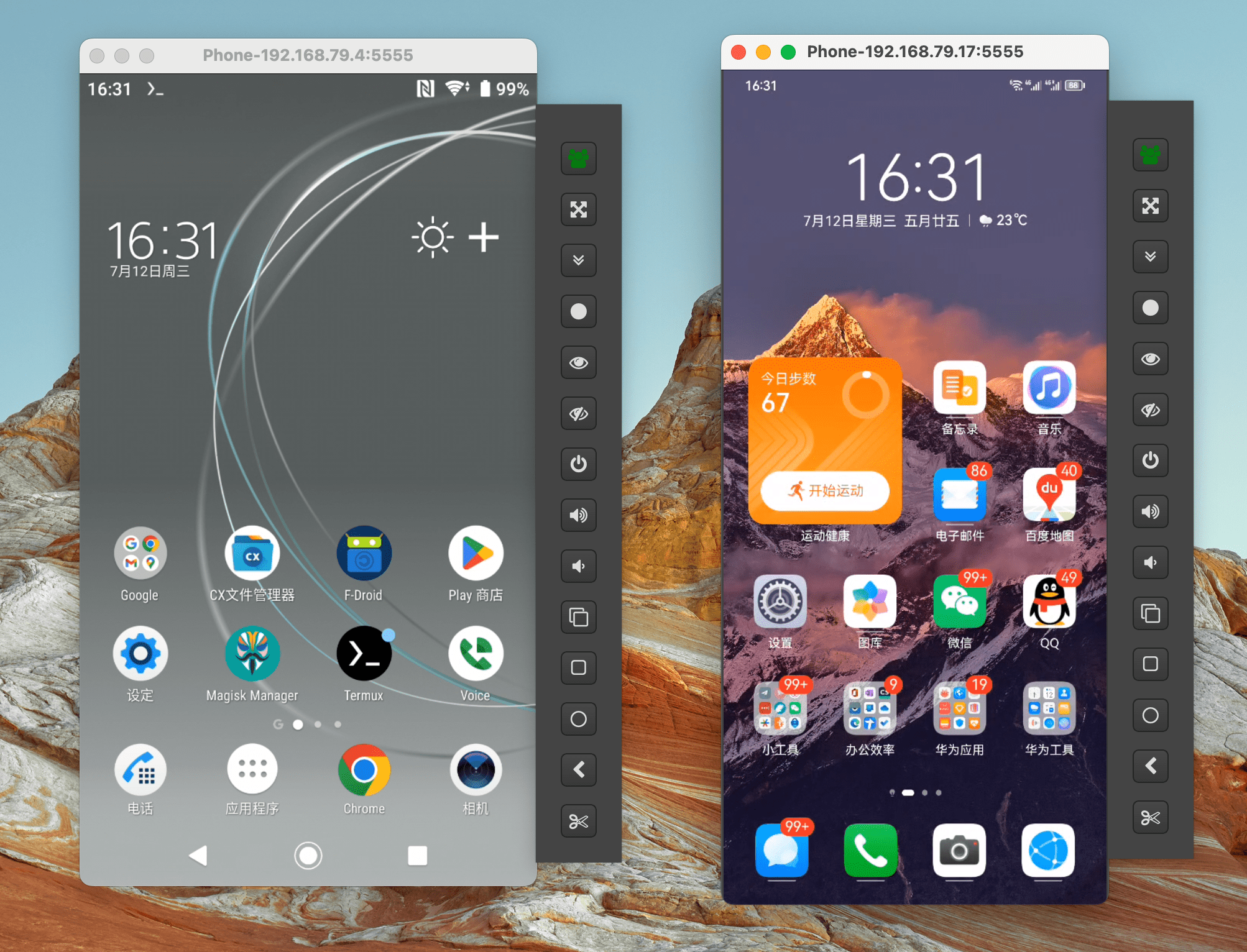
- Multi-mobile phone screencasting: scrcpy not only supports one mobile phone screencasting, I tried to cast the screen on two mobile phones at the same time. This should extend to more application scenarios.
- Multi-system support: In addition to supporting Mac computer screencasting, scrcpy can also be used for Windows and Linux.
Okay, if you see this and find it useful, just follow my official account: What’s fun?
