While watching YouTube videos, I accidentally discovered an interesting operation by an UP owner. When using Google Bard, you can quickly change the input Chinese into English. As we all know, although generative AI tools such as ChatGPT and Bard can support Chinese, their understanding of Chinese, response speed, and generated results are not satisfactory.
Before this, in order to obtain more accurate results, it was often necessary to use translation tools and repeatedly copy and paste the Chinese and English results of questions and answers, which was very annoying. And the operation of this YouTube UP master can’t help but stimulate my desire to explore.
This translation tool is "Immersive Translation", a browser plug-in that supports Chrome, Safari, Firefox and other browsers. It also has apps on macOS and iOS, and can also be installed through Oil Monkey, which can be regarded as rich in application scenarios.
What makes me speechless is that this plug-in is in my browser, but I don't know that it has a shortcut key for translation. Just enter "//Chinese content" and press the space bar three times to directly translate it. Chinese content translated into English.
Of course, it’s not necessary to just add this bit of content to an entire article.
When you subsequently use the "immersive translation" plug-in, by configuring deeplx, you can use DeepL's API for free to obtain better translation content, which is worth recording. For those who want to use DeepL translation services for free, it is worth a look.
1. DeepL translation: more in line with the context More accurate
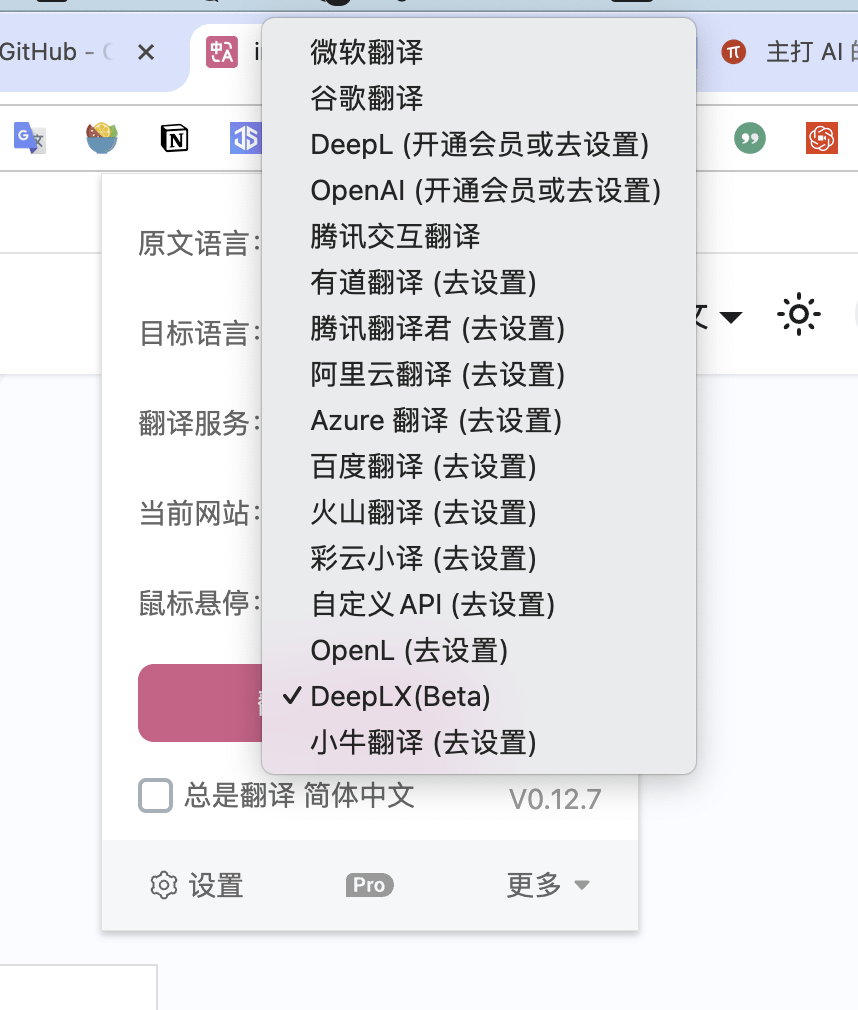
The immersive translation plug-in supports 16 translation services including goggle translation, Microsoft Translate, and DeepL. So why choose DeepL translation? We can take a look at the comparison online:

If you want to know more about the translation advantages of DeepL, you can go to its official website. But among the machine translation services currently available on the market, DeepL is indeed "far ahead".
Although DeepL has a free API usage quota, the biggest obstacle to registration is that it requires a foreign credit card, which is not friendly to domestic users. One solution is to apply for a virtual credit card. For example: you can use this application
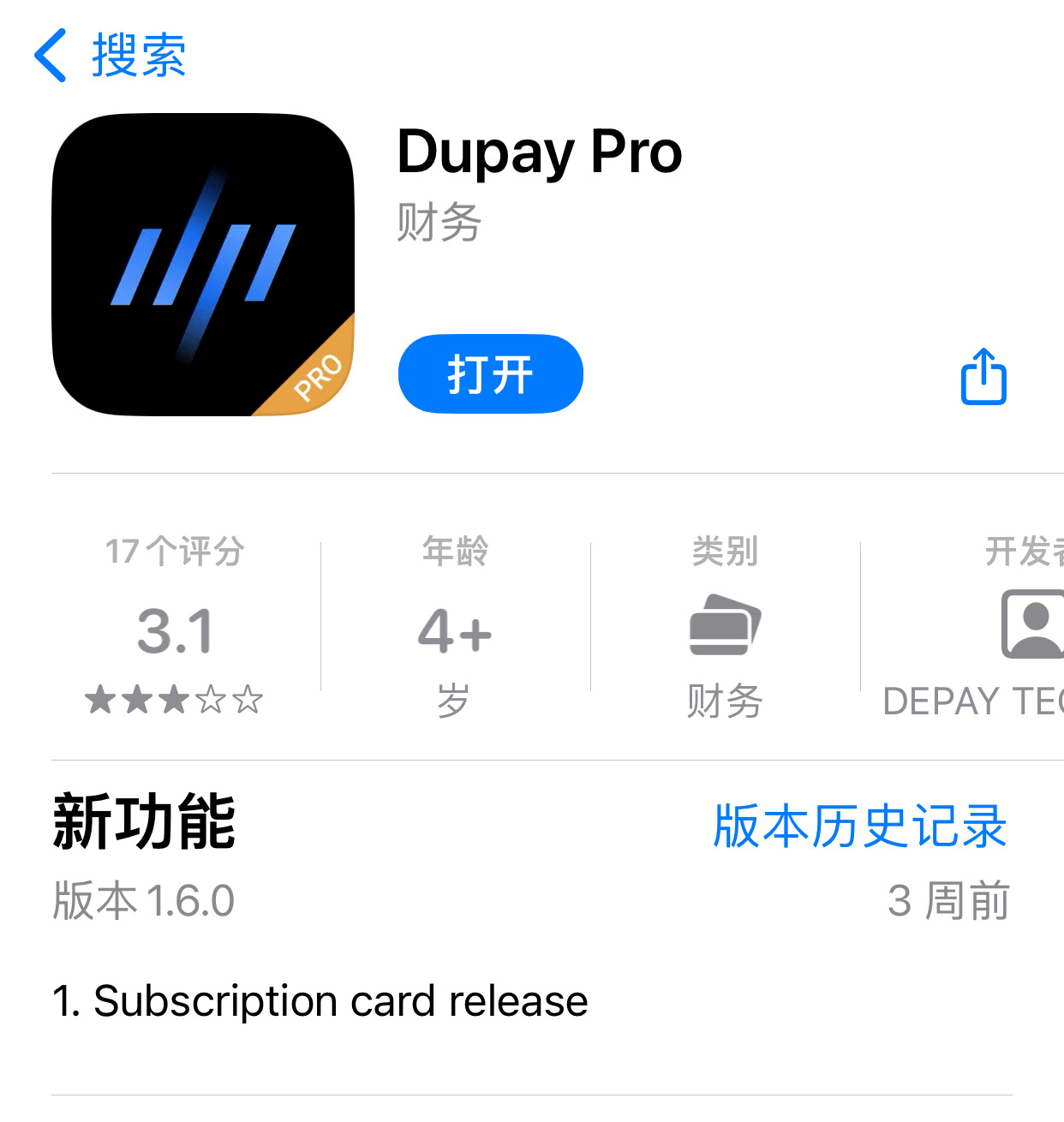
Dupay pro【Searchable in Apple store, but not found. Change US ID】
Invitation code:454948
Registered address:click here
Well-meaning friends may wish to register, there is no charge if you don’t open a card. Help me gather the heads.
Of course, the biggest obstacle to using this type of virtual credit card is that it needs to be recharged with cryptocurrency. Like Dupay, USDT is required.
If not, you may need to accumulate some knowledge about opening, recharging, and transferring cryptocurrency accounts.
In addition, by the way, there are also some virtual credit card platforms that support Alipay/WeChat recharge, such as nobe, but the safety and service are hard to describe. Read more reviews and feedback, and use them with caution.
If none of the above is possible, there is actually an alternative, and that is the DeepLX service.
2. DeepLX: Compromise using DeepL for free API
DeepLX is an open source project on GitHub. It is based on the DeepL free service and converts it into a local API for use by third-party programs, such as immersive translation and Bob (macOS users can consider using it).
On the Internet, there are many tutorials about Bob's use of deepl, most of which are about zu1K. This big brother has deleted the library, so it cannot be used. So I have to read the deeplx tutorial about owo.
The installation and usage process is as follows:

3. DeepLX installation process
I tried two methods, one is to install it locally on the Mac computer, and the other is to install it on the VPS server. Originally, I wanted to install it in the Docker of the NAS so that different system devices can be shared. Unfortunately, the CPU of my NAS is Intel. DeePLX only supports Linux/arm64/amd64.
1, Mac computer
If you want to install DeepLX on a Mac computer, the first choice is to install homebrew.
Open the terminal and enter (need to bypass the firewall):
/bin/bash -c "$(curl -fsSL https://raw.githubusercontent.com/Homebrew/install/master/install.sh)"
Then enter these three lines of code one after another:
brew tap owo-network/brew
brew install deeplx
brew services start owo-network/brew/deeplx
Update to the latest version:brew update
brew upgrade deeplx
brew services restart owo-network/brew/deeplx
Check the currently installed version:
brew list –versions deeplx
2. Server installation
This is relatively simple. First connect to the server using ssh, and then copy the code:
bash <(curl -Ls https://raw.githubusercontent.com/OwO-Network/DeepLX/main/install.sh)
Then wait for the installation to complete.
Four, Translation service configuration
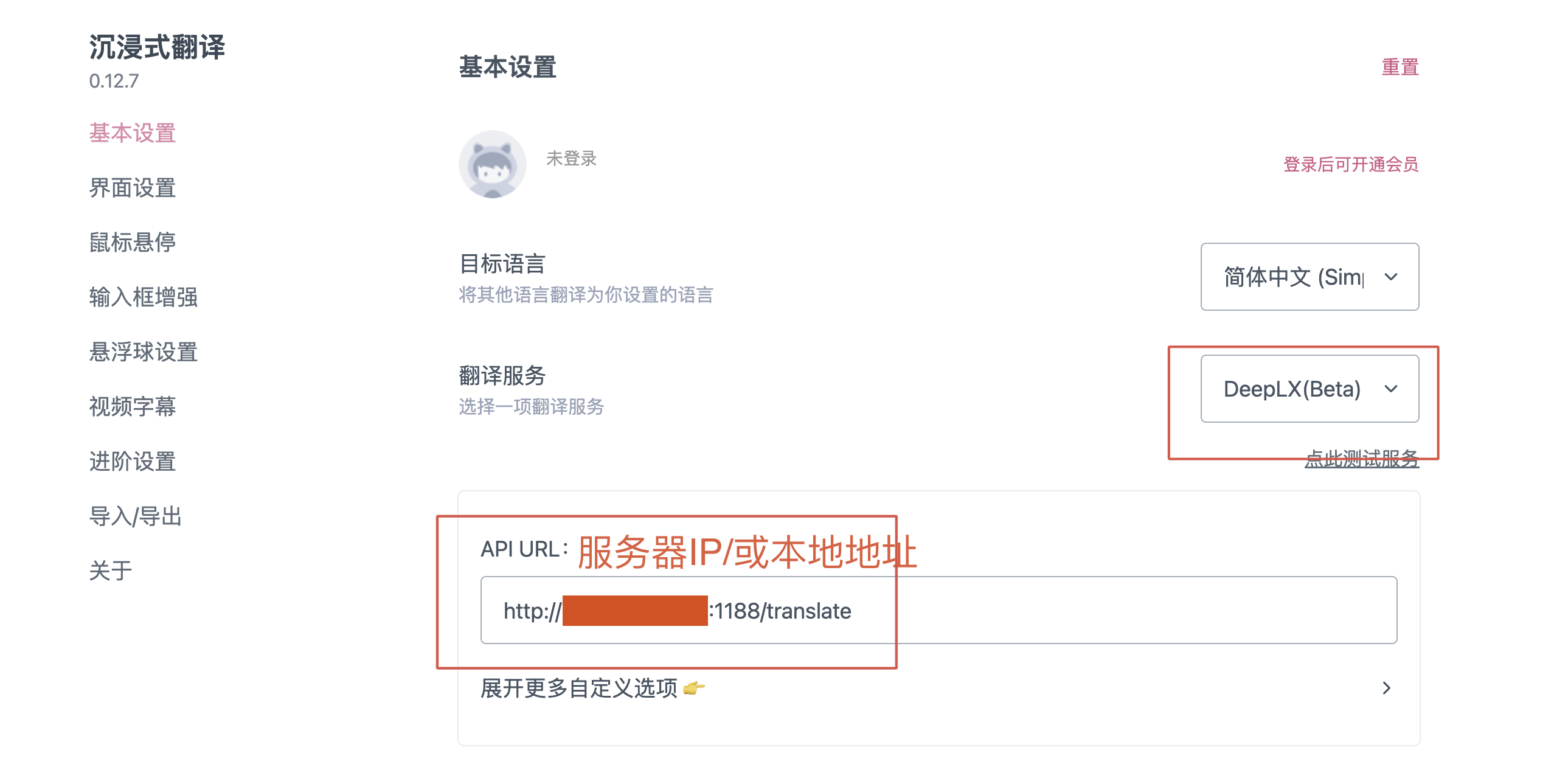
Here you need to remember the API URLs of the two installation methods:
Local installation (such as macOS): http://localhost:1188/translate
Server or docker installation: http://server IP or docker IP:1188/translate
1, immersive translation plug-in
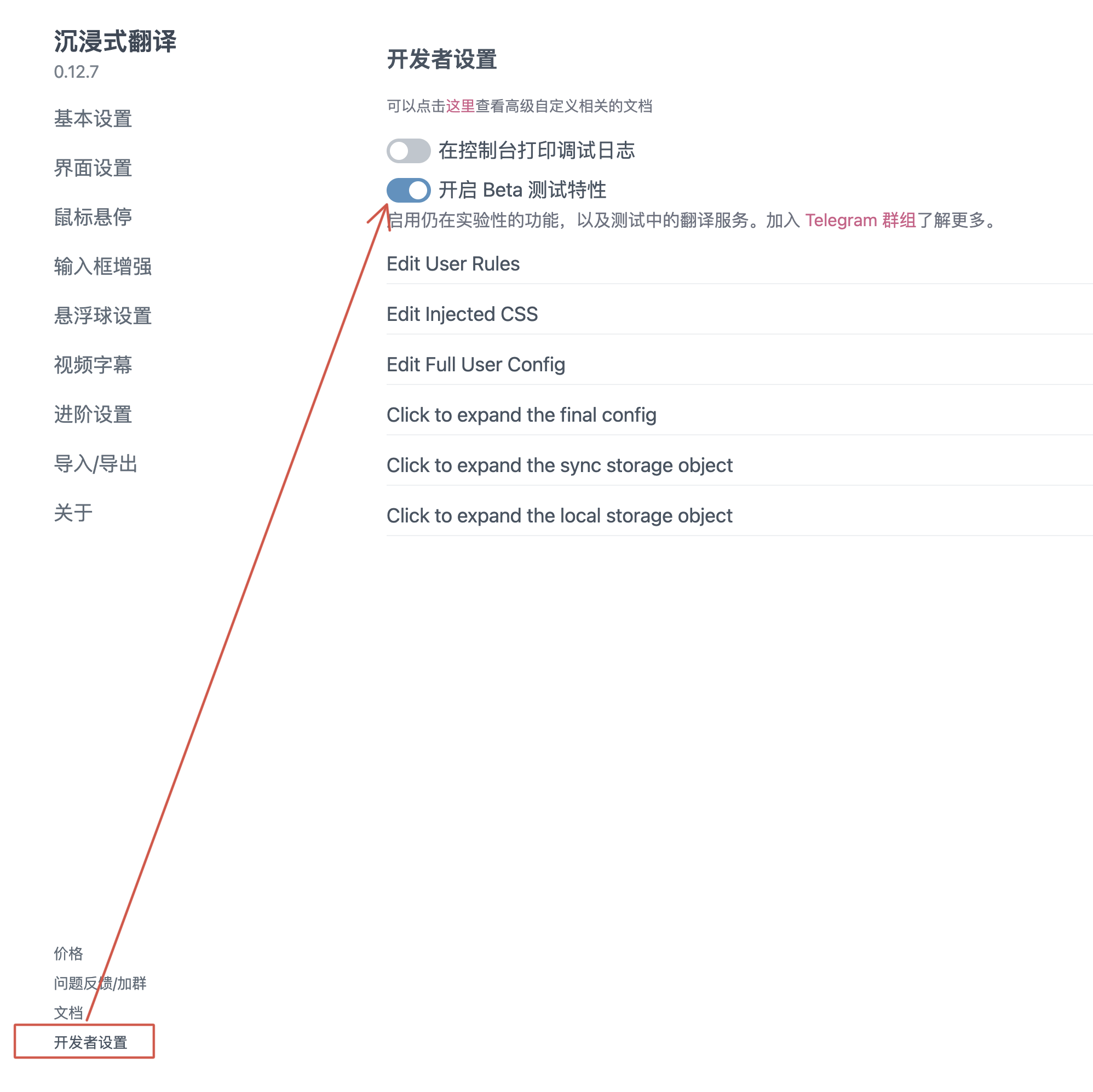
(1) First upgrade to the latest version, and then open "Developer Settings" in settings
(2) Enter API URL
2. bob translation software
If you are using a Mac computer, in addition to the immersive translation browser plug-in, you can also consider installing bob translation software in the App Store.
However, if you want to use deeplx, you also need to install a deeplx plug-in.
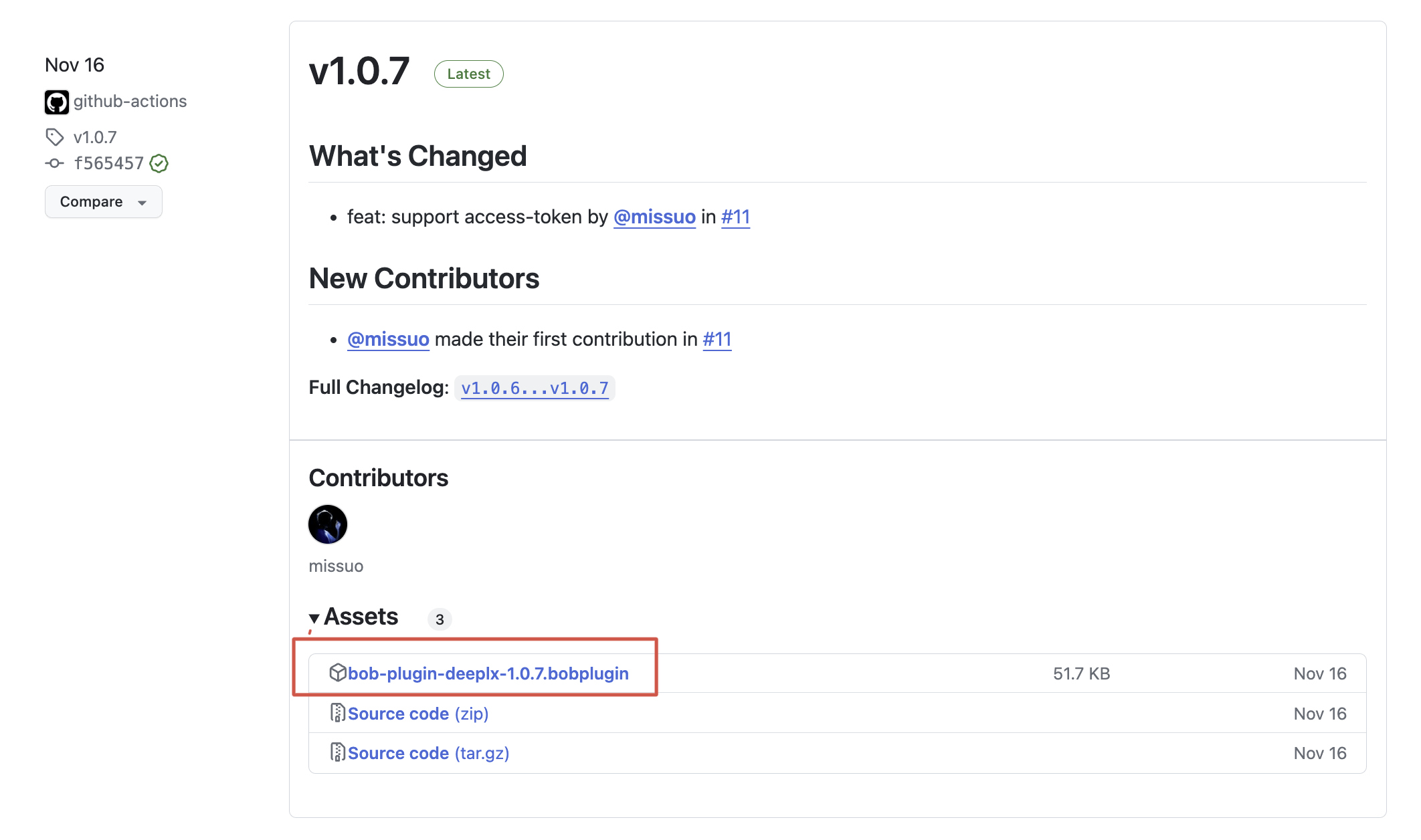
(1) Download the deeplx plug-in
address:https://github.com/missuo/bob-plugin-deeplx/releases
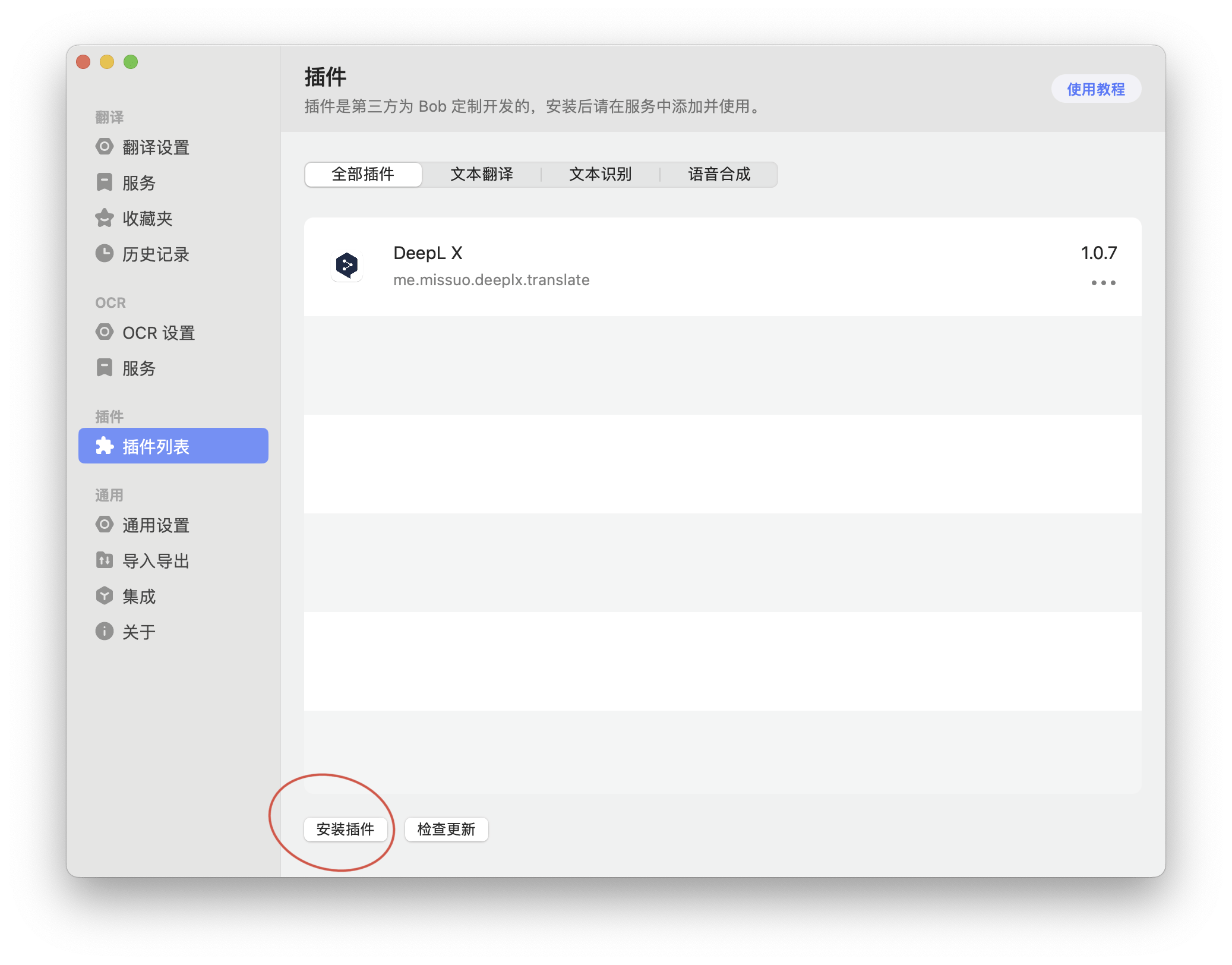
(2) Install deeplx plug-in
(3) Configure deeplx plug-in
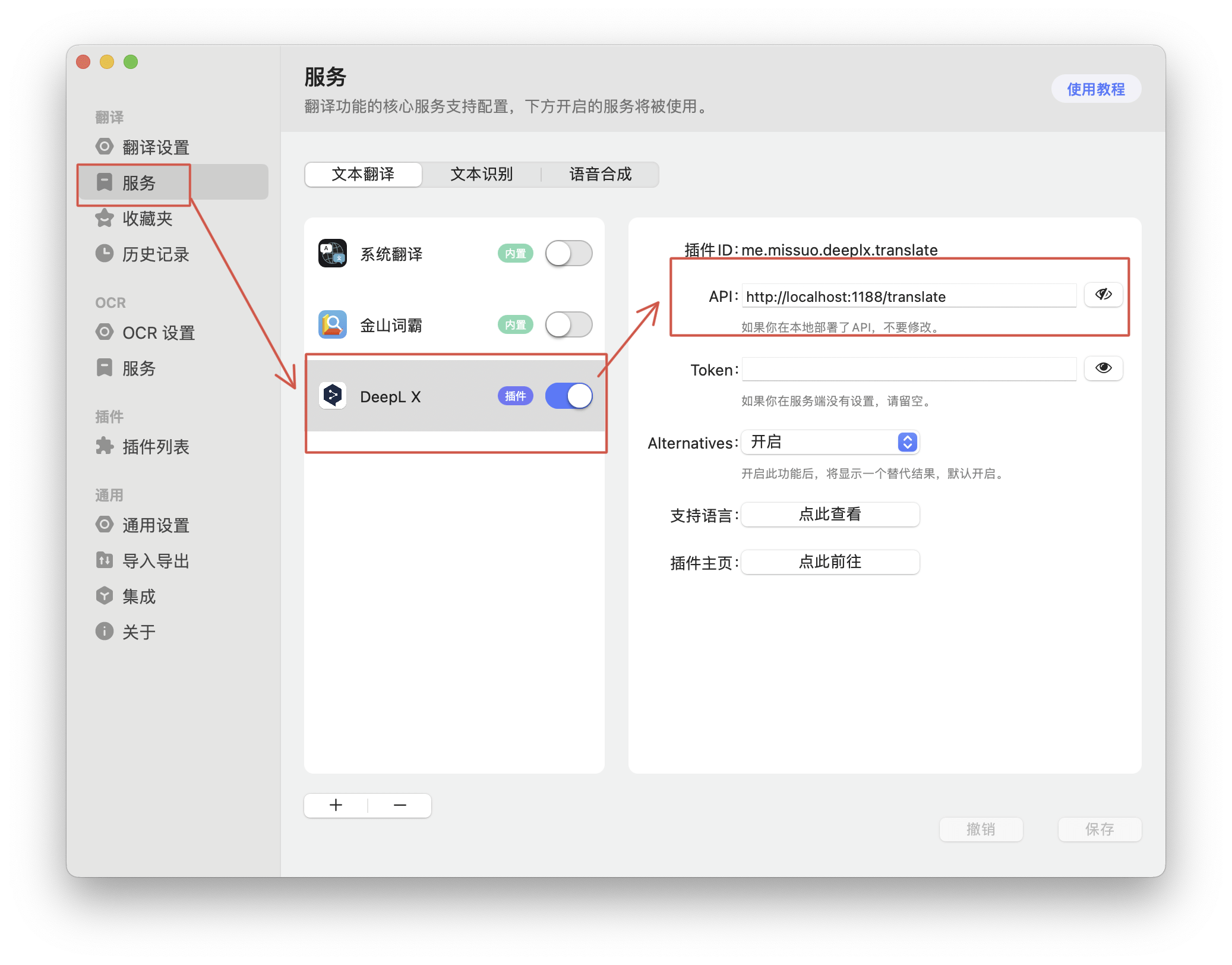
When using the bob-depplx plug-in, if it is installed locally, the configuration here is the default http://localhost:1188/translate, and there is no need to modify it.
I don’t know if everyone has the same feeling. With the emergence of various efficiency tools, especially AIGC, we are faced with various fragmented plug-ins and apps. The cost of learning has not decreased but has increased. The efficiency of learning and work seems to have also increased. in this way. The knowledge gap has not been filled by software, but has become deeper and deeper.
Just like ChatGPT, whether you can use it or not makes a difference, but whether you can make good use of ChatGPT Plus plug-ins and prompts is the key.
It is rumored that Google Gemini Pro will be integrated into the new generation of Pixel9 mobile phones, and many computer brands have also begun to launch AiPC. I hope that the day of "all in one" at the system level will come soon.
Okay, if you find it useful, just follow it.
It would be better if you could click on the ads at the end of the text~

Very good!