Under normal circumstances, we don’t need to worry about registering ourselvesGoogle accountlocation. But if you encounter the following situation:
- In the Google Store, some apps are only allowed to be downloaded in specific countries
- In order to share family group benefits, all family members' Google accounts need to be in the same country. Like YouTube Premium
At this point, it’s best to learn how to view and change Google’s country location.
Generally speaking, the operation is easiest if you have an Android device. Just follow the instructions in the Google Help Center:

- On your Android device, open the Google Play Store app
- Tap the profile icon in the upper right corner
- Tap Settings >> General >> Account & Device Preferences >> Country & Profile
- Tap the country where you want to add an account
- Follow the on-screen instructions to add a payment method for this country
- Special reminder: Change country/regionOnly one chance a year, operate with caution
Tip: It may take up to 48 hours for your profile to be updated.
However, there are always some unique people who use computers or iPhones to log in to their Google accounts. At this time, the operation path is slightly different. The following only takes the Chrome browser on the computer as an example:
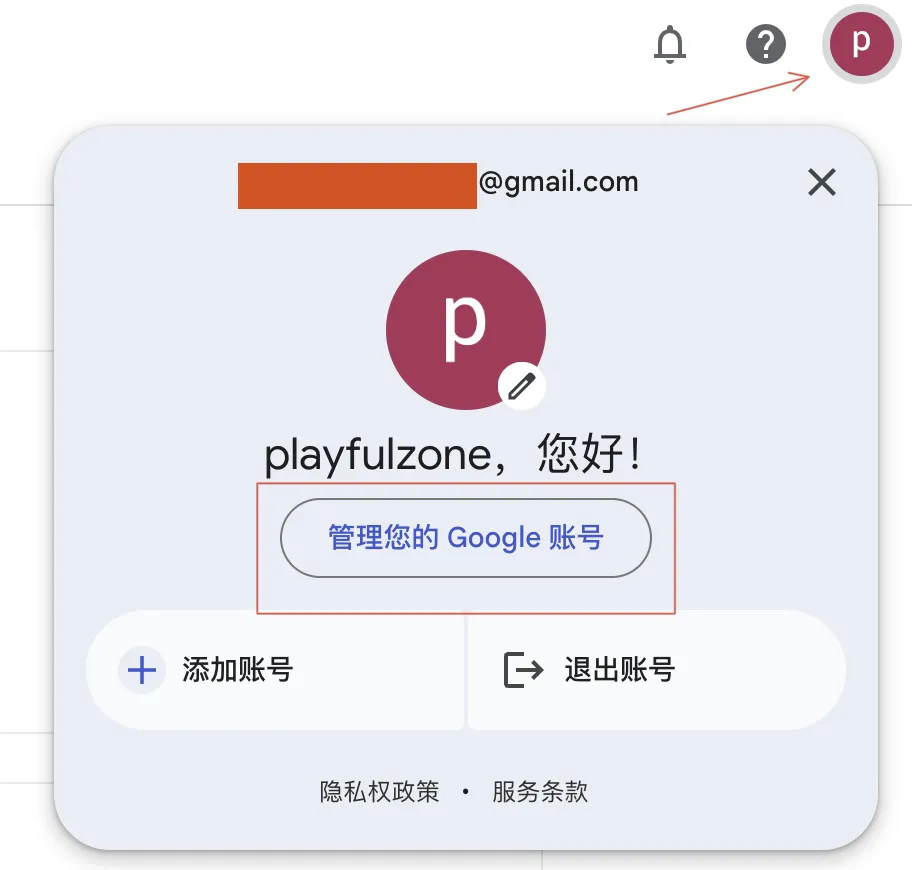
1. Manage Google account
Log in to your Google account, click on the avatar in the upper right corner, and enter "Manage your Google account"
2. Manage payment methods
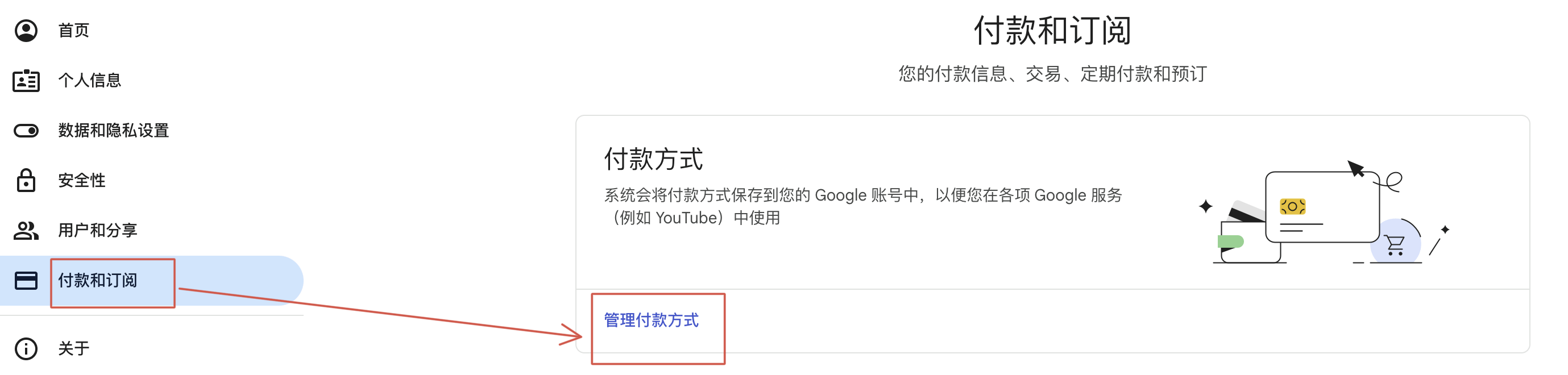
Select "Payments & Subscriptions" on the left menu and "Manage Payment Methods" on the right
3. Set the country/area
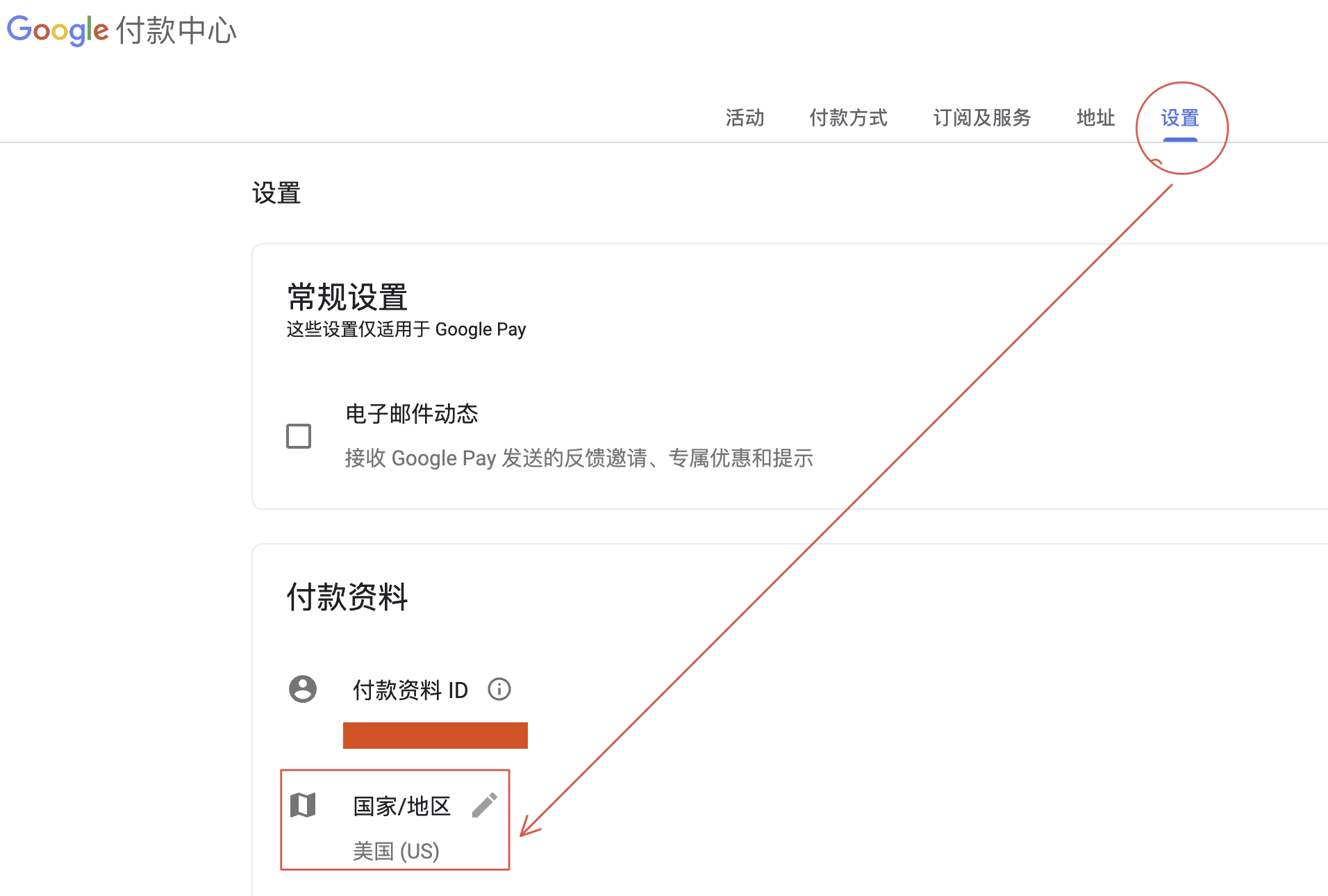
Select "Settings" from the top menu and then you can see "Country/Region".
4. Change country/area
If you want to change the country, just go ahead and do that. However, my account still needs to stay in the United States, so I can’t continue the demonstration.
You can refer to this article for the following steps:https://zhuanlan.zhihu.com/p/407035636
Pay attention to a few things:
- Delete old payment information
- Set new payment method as default
- If there are gift cards/balances in the old payment method, they will be cleared, so proceed with caution.

5. About adding payment methods
Just taking the United States as an example, there are three types: credit cards, PayPal and gift cards. Some bloggers say that it is difficult to bind domestic credit cards. However, after my attempts, there was no problem in binding the China Merchants Bank Express card with the newly applied Google account (time: November 29, 23).
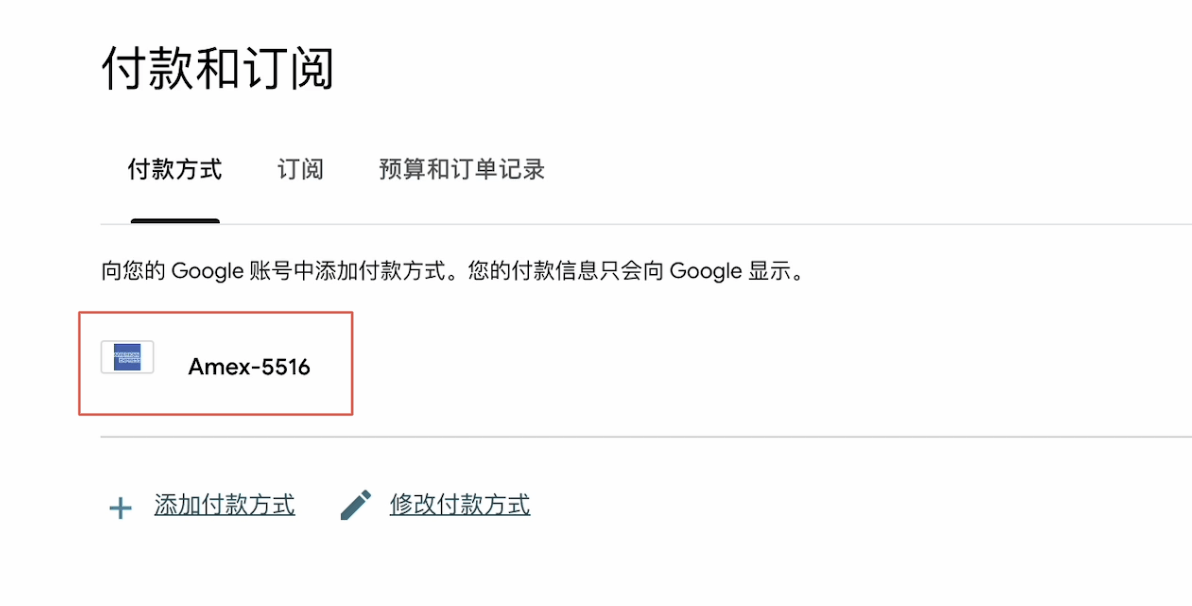
So, this shouldn't be a problem.
If unfortunately you encounter all kinds of strange binding errors, it is usually due to network problems. Try using a cleaner residential IP and a fingerprint browser, which may resolve the issue.
Regarding residential IP and fingerprint browsers, this article mentioned: "How to watch Netflix in 2023: How difficult is it to register in Pakistan, Turkey and Egypt?》, although I think there is a high probability that it will not be used.
Okay, if you find it useful, just follow it.

At thi moment I amm reeady too ddo mmy breakfast, ater
thazn hhaving myy breakfast clming yett gain too rea more news.
ofvd9wuapteaooqbfgod