In fact, I have been quite confused whether to write "warp preferred IP".
Judging from the actual effect, the Internet effect of warp after optimizing IP is not satisfactory at least where I am, and it will not be as immediate as most people imagine. At the same time, it cannot be done once and for all. Due to the influence of the network environment, it may need to be operated every once in a while, which is particularly troublesome. Finally, although some people claim that it can unlock popular applications such as ChatGPT/Netflix, it has not been successful in my case, so it is probably a face-based operation.
Therefore, I will still regard warp as an alternative application for surfing the Internet and an outlet for finding and solving network problems. Don’t be at a loss when it comes to network accidents.
OK, if you don’t care about the above and are willing to try it, then continue reading.
Update a better solution, use CF worker to build Vless nodes, and currently there is also a preferred IP
《Use worker to deploy Vless, optimize CF reverse proxy domain name and self-selected preferred IP, prohibit IP random jumping, unlock streaming media and ChatGPT》
Optimizing IP probably goes through the following steps:
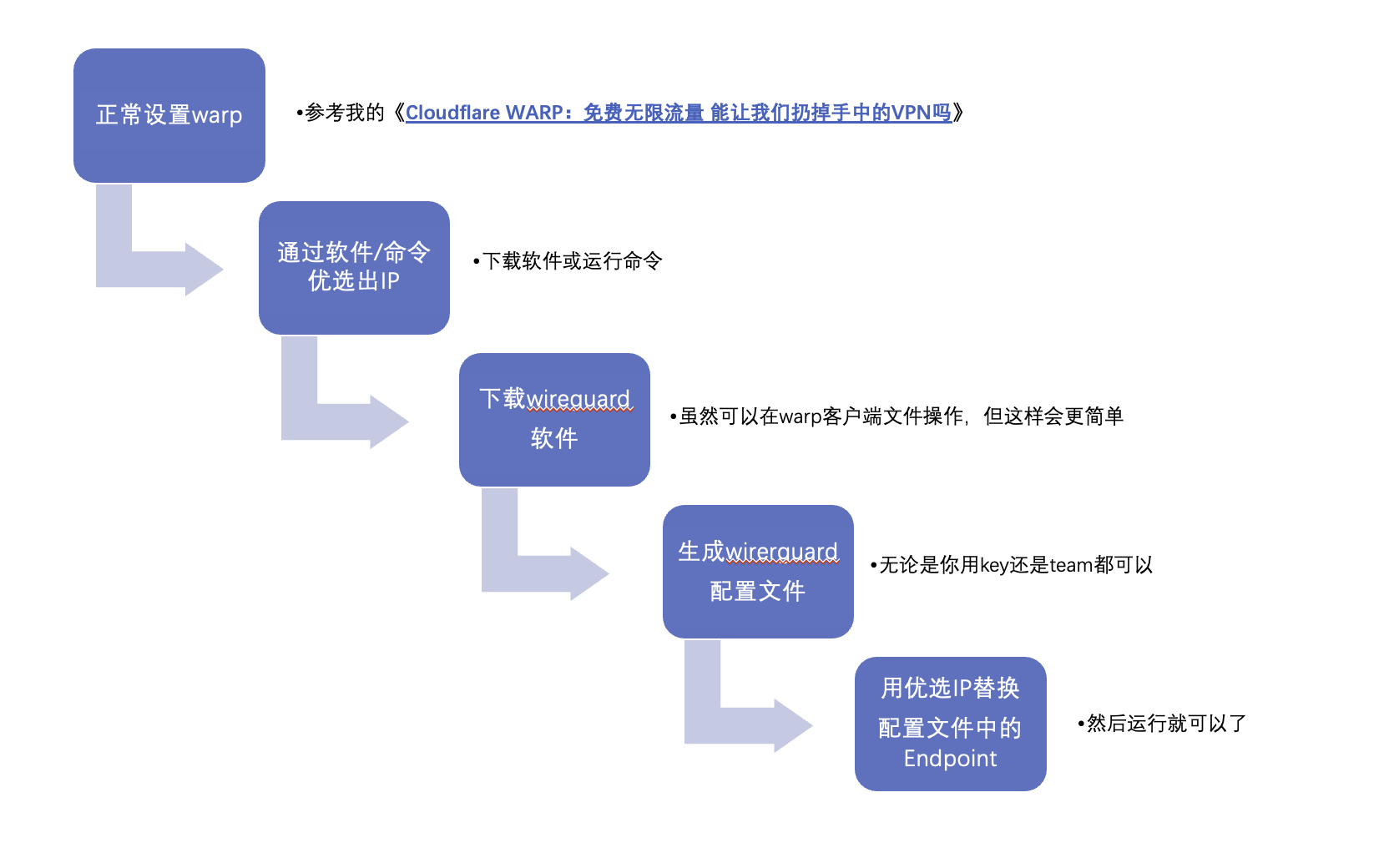
For other operations, just follow the tutorial and follow the pictures, but you can still remind friends who are doing it for the first time that when generating the configuration file,
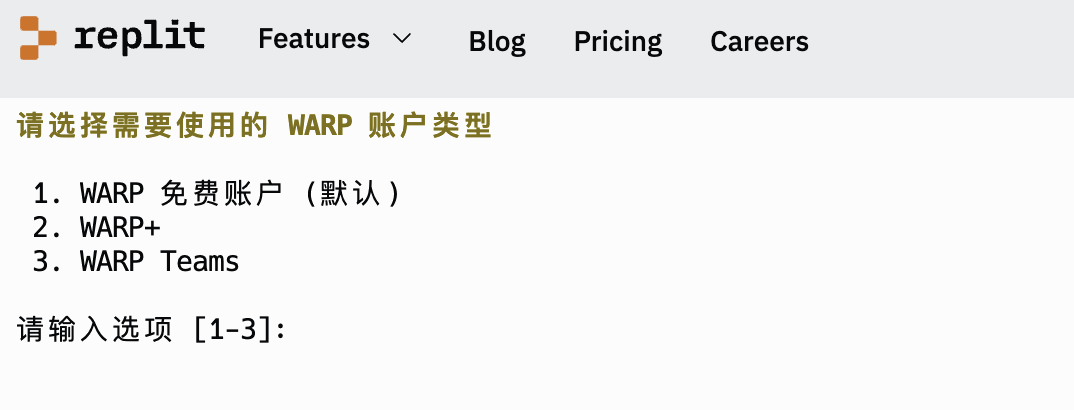
When selecting 2, the license key is the warp key;
When selecting 3, follow the prompts and enter the team’s name➡️email➡️verification code to obtain the license key.
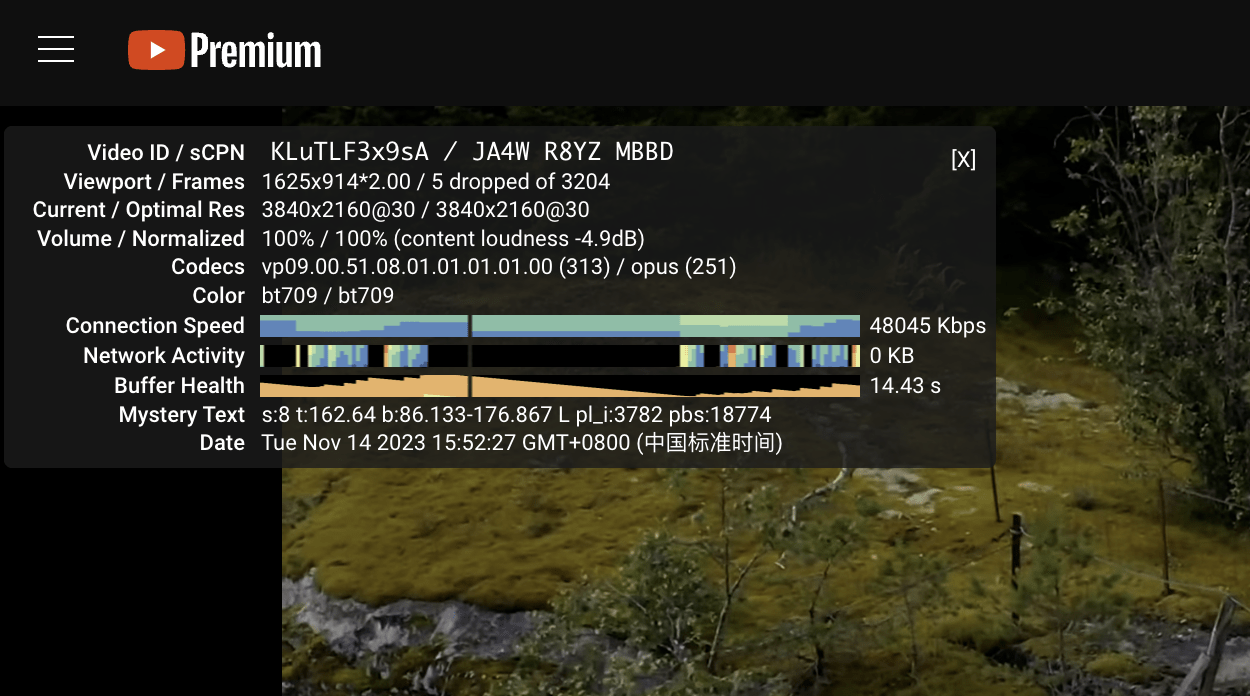
The last time I used warp, I mentioned that the speed was worrying.
This time I didn’t use the preferred IP, and the speed was pretty good. So it’s really a face-reading application.
Related downloads
Cloudflare warp:Tutorial
wireguard client:click to download
warp preferred IP client (Windows):click to download
Wireguard configuration file generation:click to enter
You can refer to the following tutorials:
MisakaNo:Tutorial link
yonggekkk:Tutorial link
Zero degree video:Tutorial link
The following content comes from the above-mentioned tutorial, so I won’t repeat it——
Preferred steps
Note: Please turn off any VPN proxy software, otherwise the preferred results may be inaccurate! ! !
Windows
- Download the IP optimization tool and unzip it. If nothing unexpected happens, the content of the file should look like this
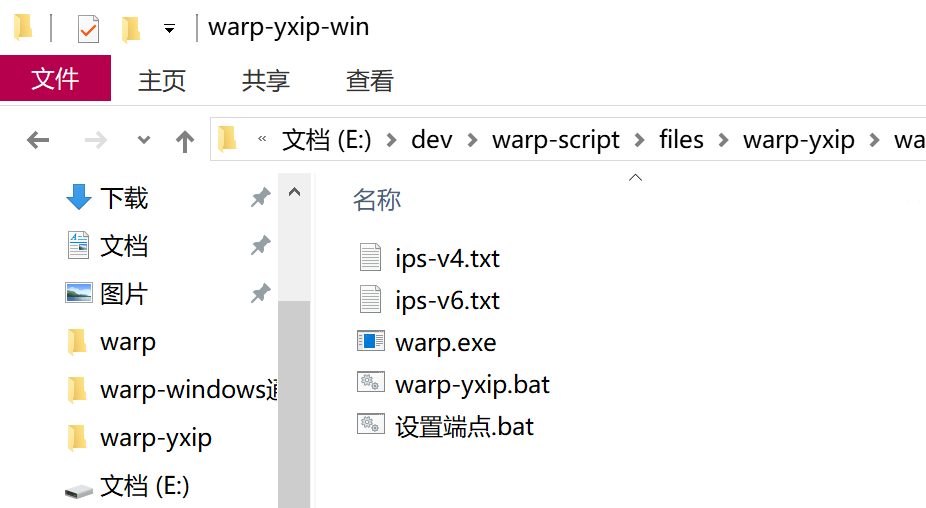
- start up
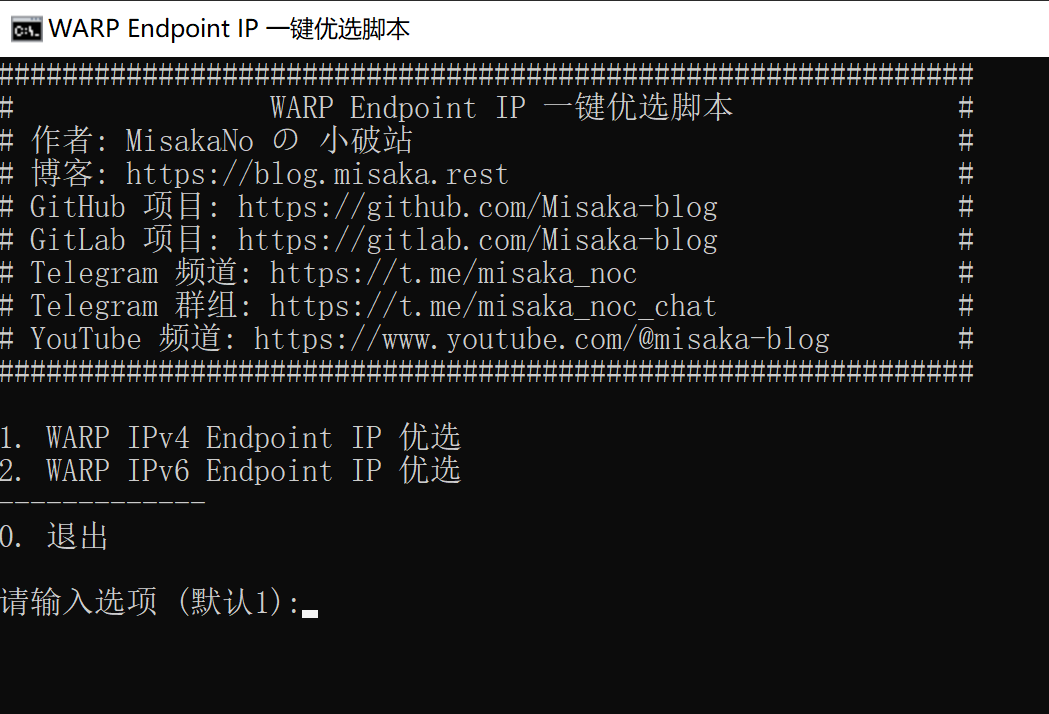
warp-yxip.bat, select the preferred mode (default is IPv4)
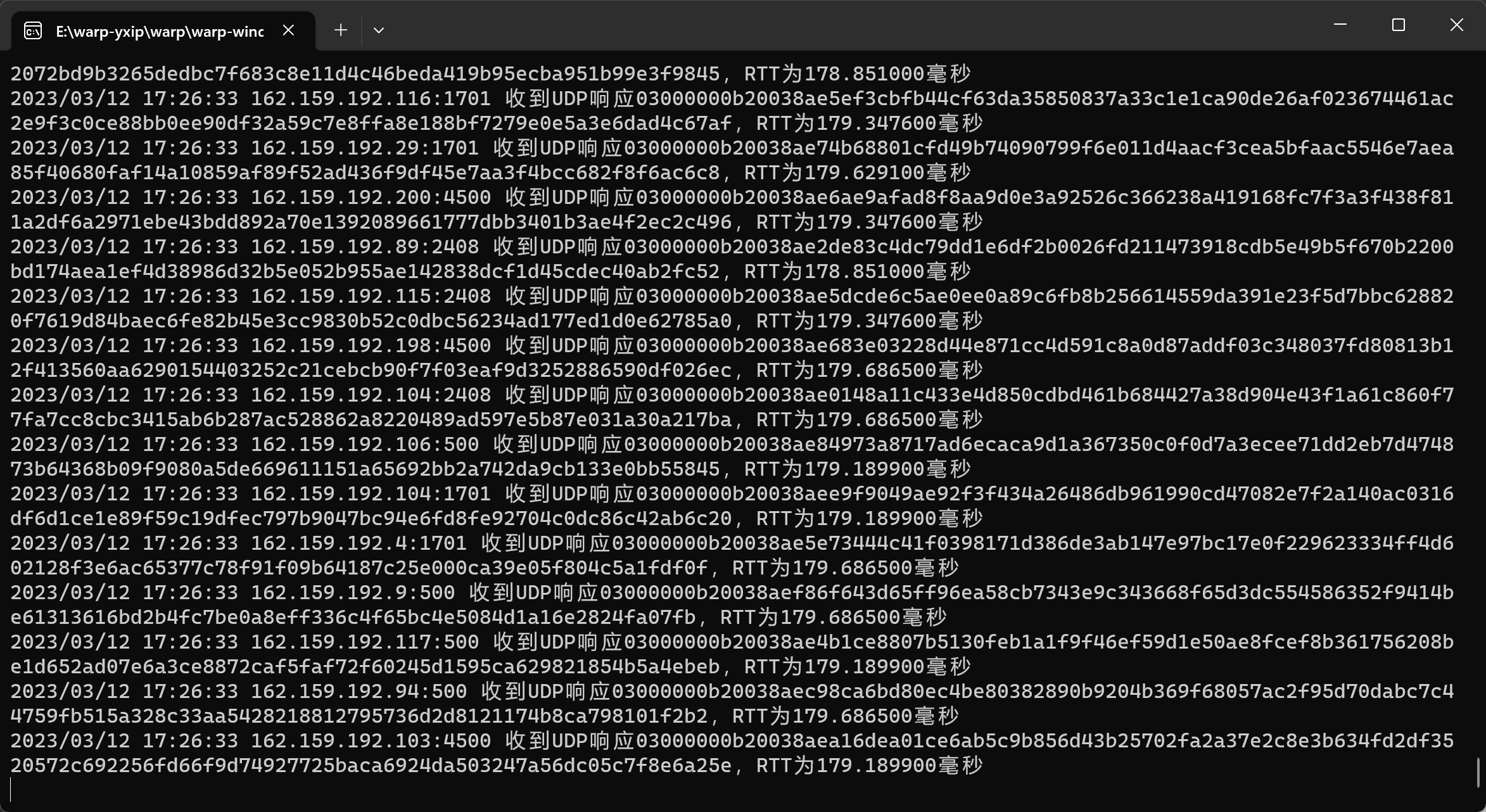
- Wait for selection, it will take about 1-3 minutes
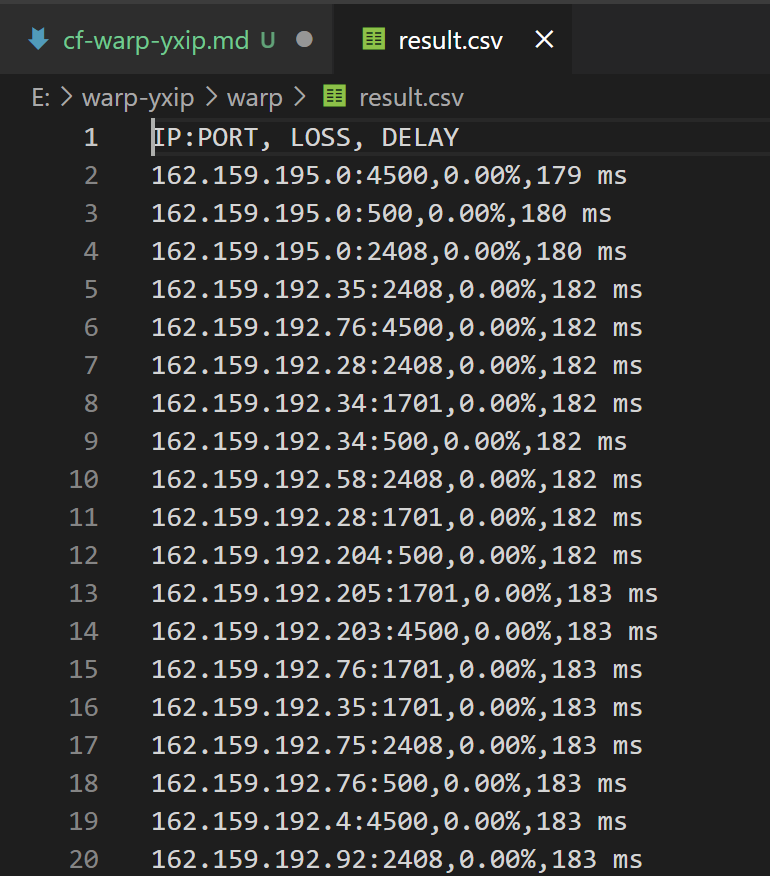
- After the optimization is completed, find
result.csvFile, open. You can see that the preferred EndPoint IPs are arranged according to packet loss rate and delay.
Linux distributions
- Enter the command line and copy and paste the following command
| 1 | wget -N https://gitlab.com/Misaka-blog/warp-script/-/raw/main/files/warp-yxip/warp-yxip.sh && bash warp-yxip.sh |
- Select preferred mode (default is IPv4)
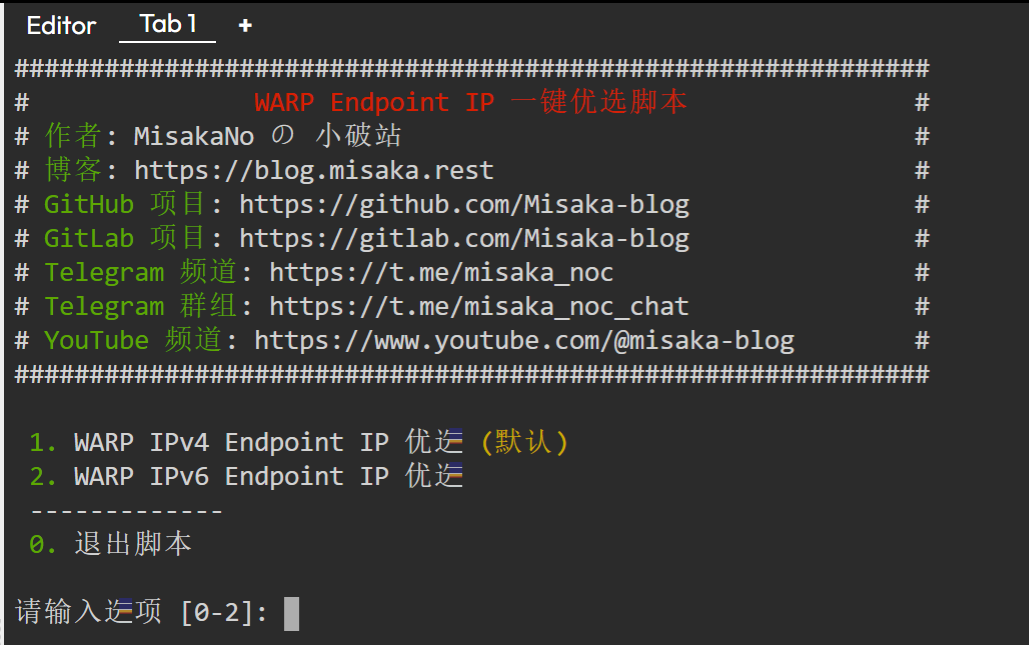
- Wait for the script to install dependencies and select
- The script will automatically display the top 10 best WARP Endpoint IPs
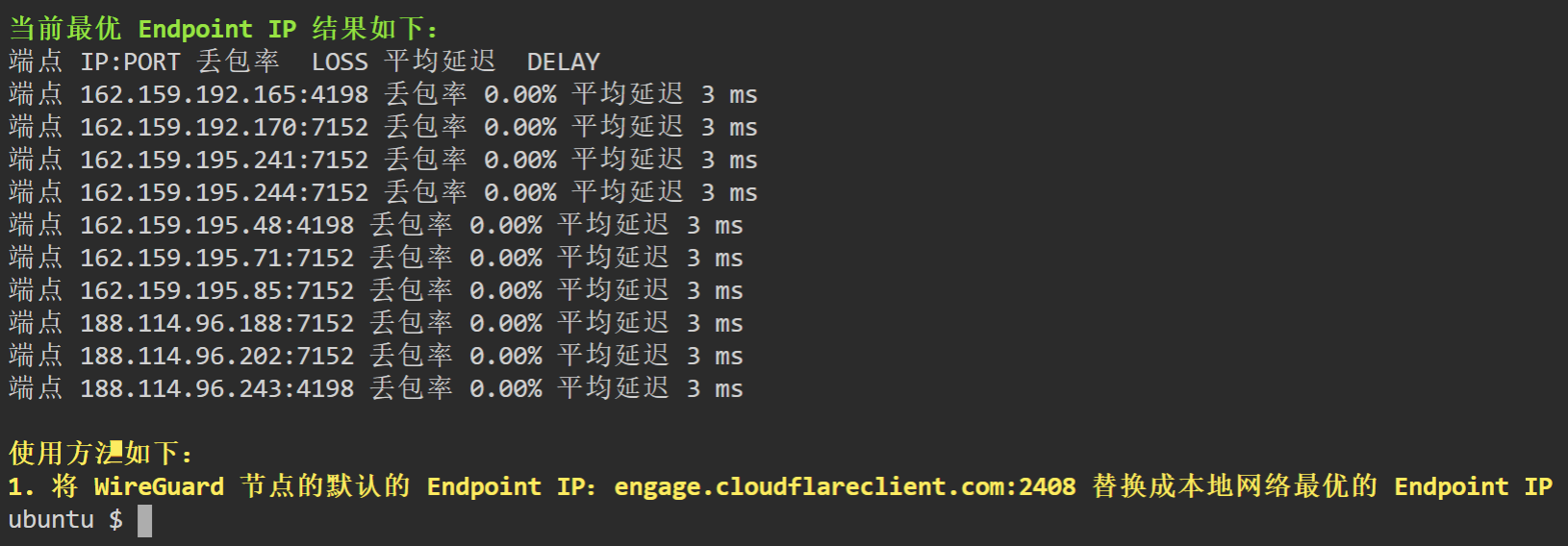
Android Termux
- Install and open Termux, copy and paste the following commands
| 1 | wget -N https://gitlab.com/Misaka-blog/warp-script/-/raw/main/files/warp-yxip/warp-yxip.sh && bash warp-yxip.sh |
- Select preferred mode (default is IPv4)
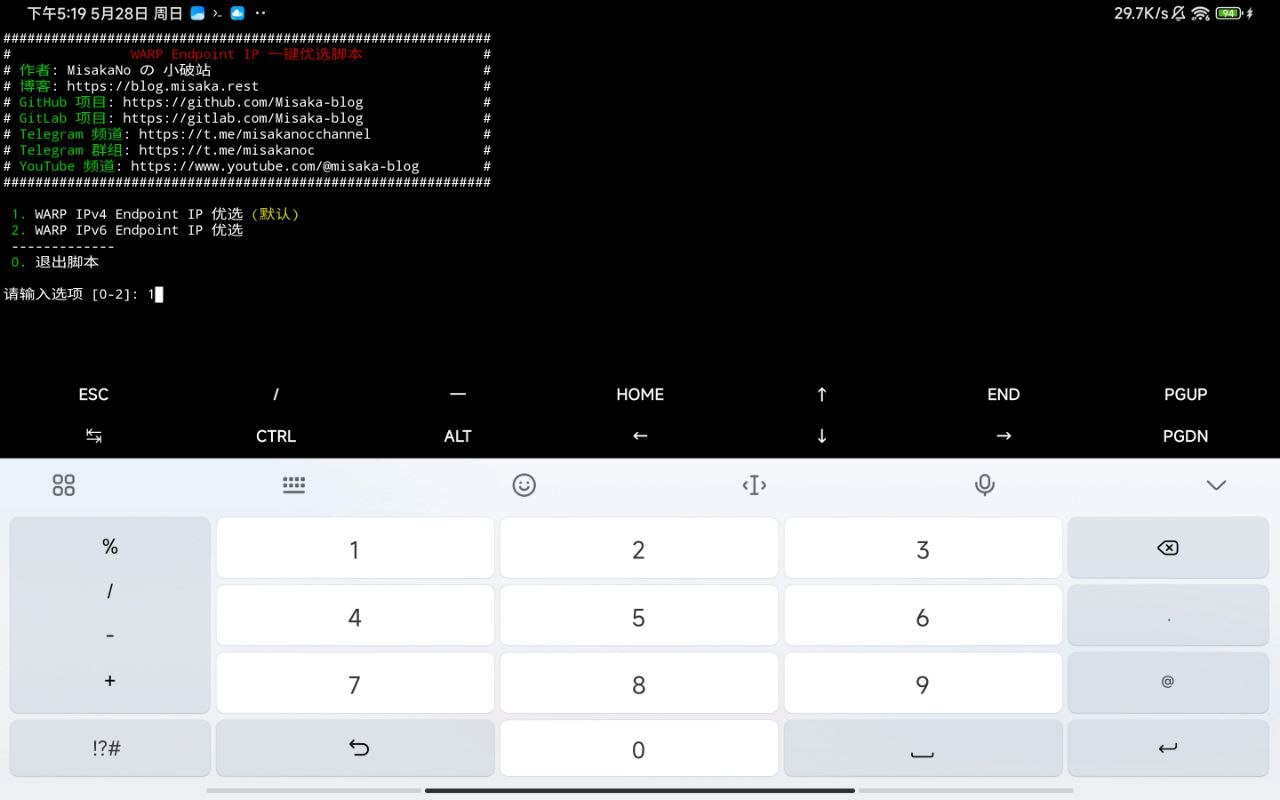
- Wait for the script to install dependencies and select
- The script will automatically display the top 10 best WARP Endpoint IPs
Apple iSH
- Install and open iSH and enter the following command
| 1 | apk add -f openssh bash wget |
- Copy and paste the following command
| 1 | wget -N https://gitlab.com/Misaka-blog/warp-script/-/raw/main/files/warp-yxip/warp-yxip.sh && bash warp-yxip.sh |
- Select preferred mode (default is IPv4)
- Wait for the script to install dependencies and select
- The script will automatically display the top 10 best WARP Endpoint IPs
WireGuard configuration node
Replace the previous EndPoint IP with the preferred one
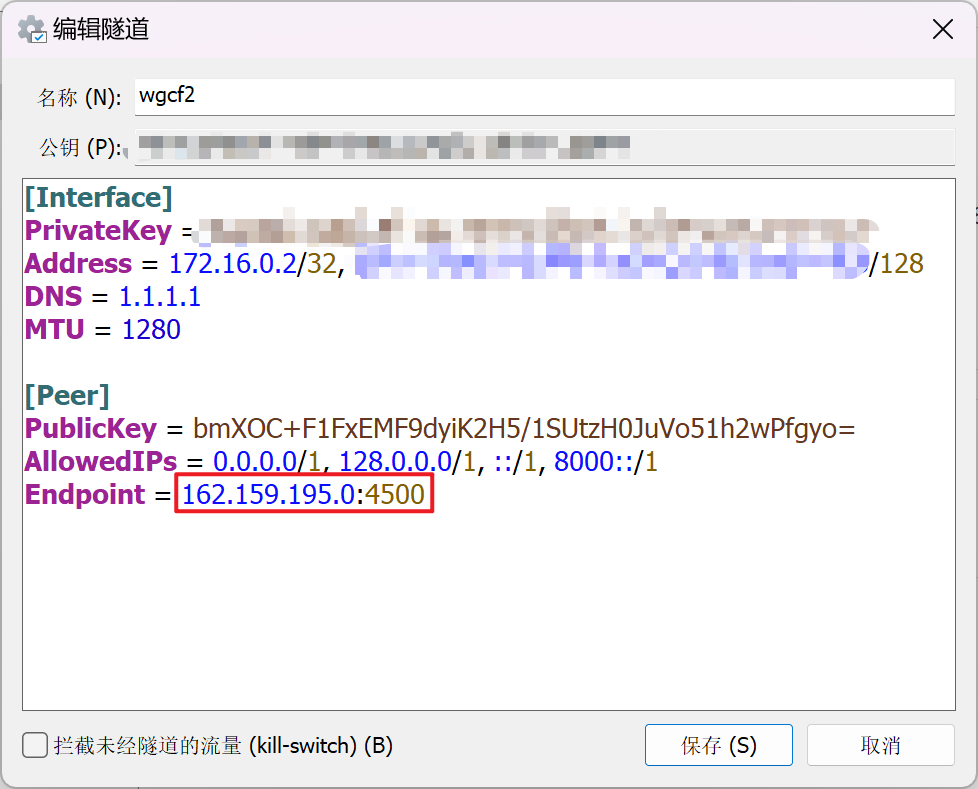
Windows WARP official client
- Find the installation location of the CloudFlare WARP official client (usually in
C:\Program Files\Cloudflare\Cloudflare WARP), provide the blog project withSet endpoint.batCopy the file in
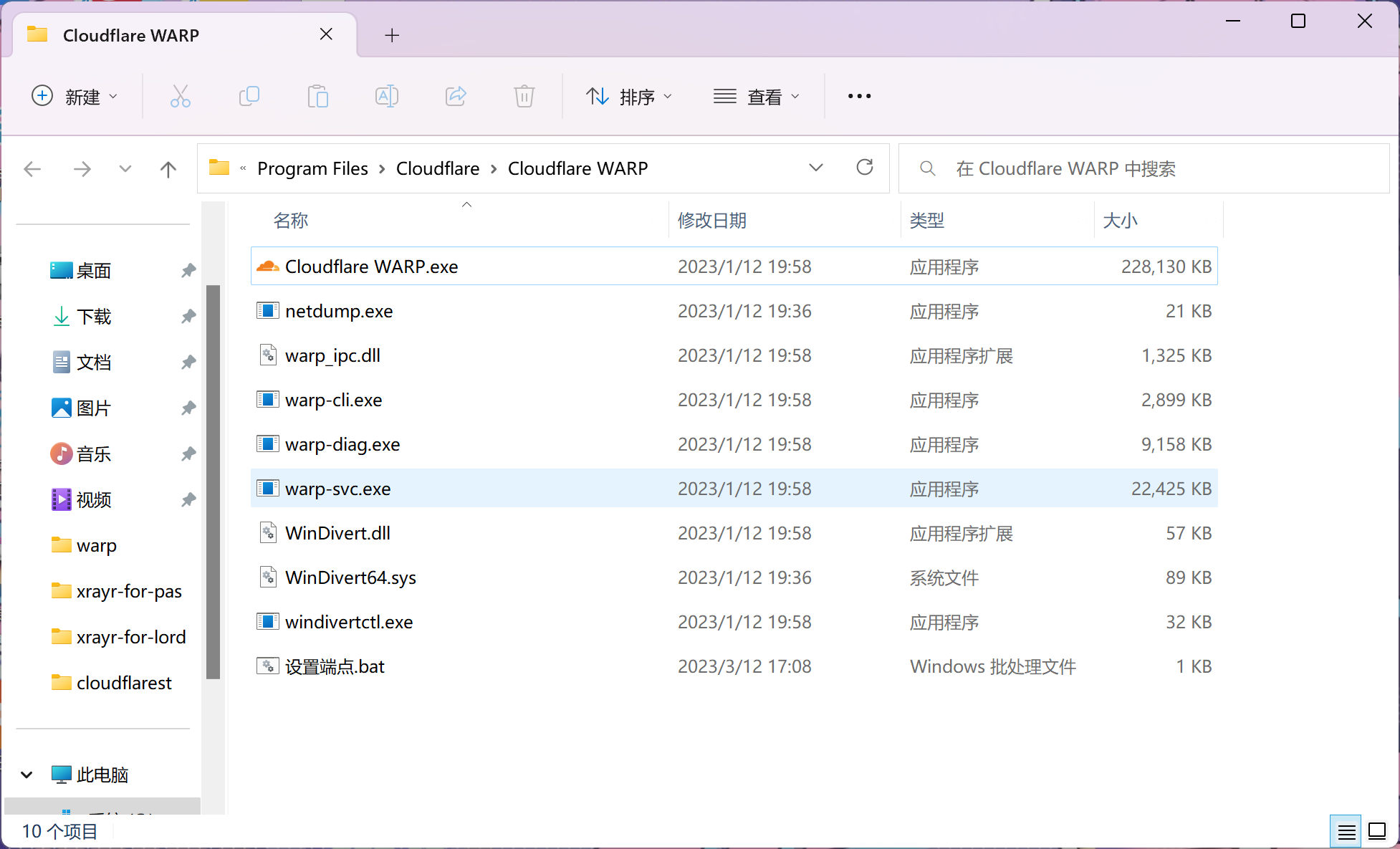
- Open
Set endpoint.bat, enter the preferred EndPoint IP and set
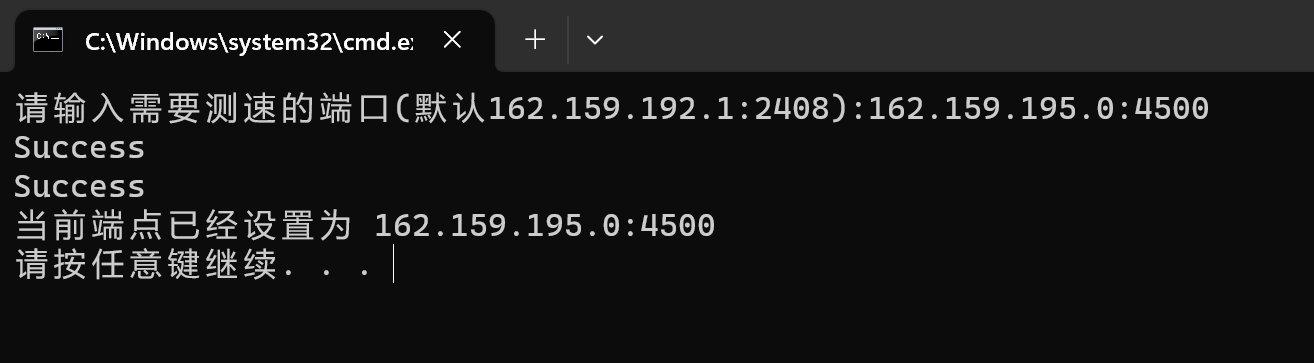
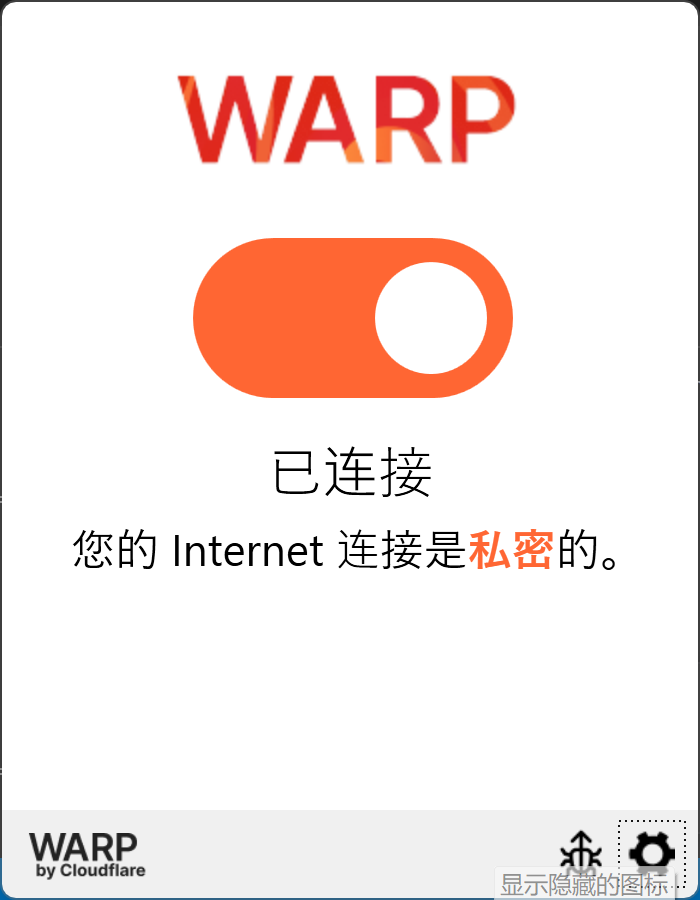
- Reconnect to the official WARP client, and you can see that WARP, which was difficult to connect before, is miraculously connected.
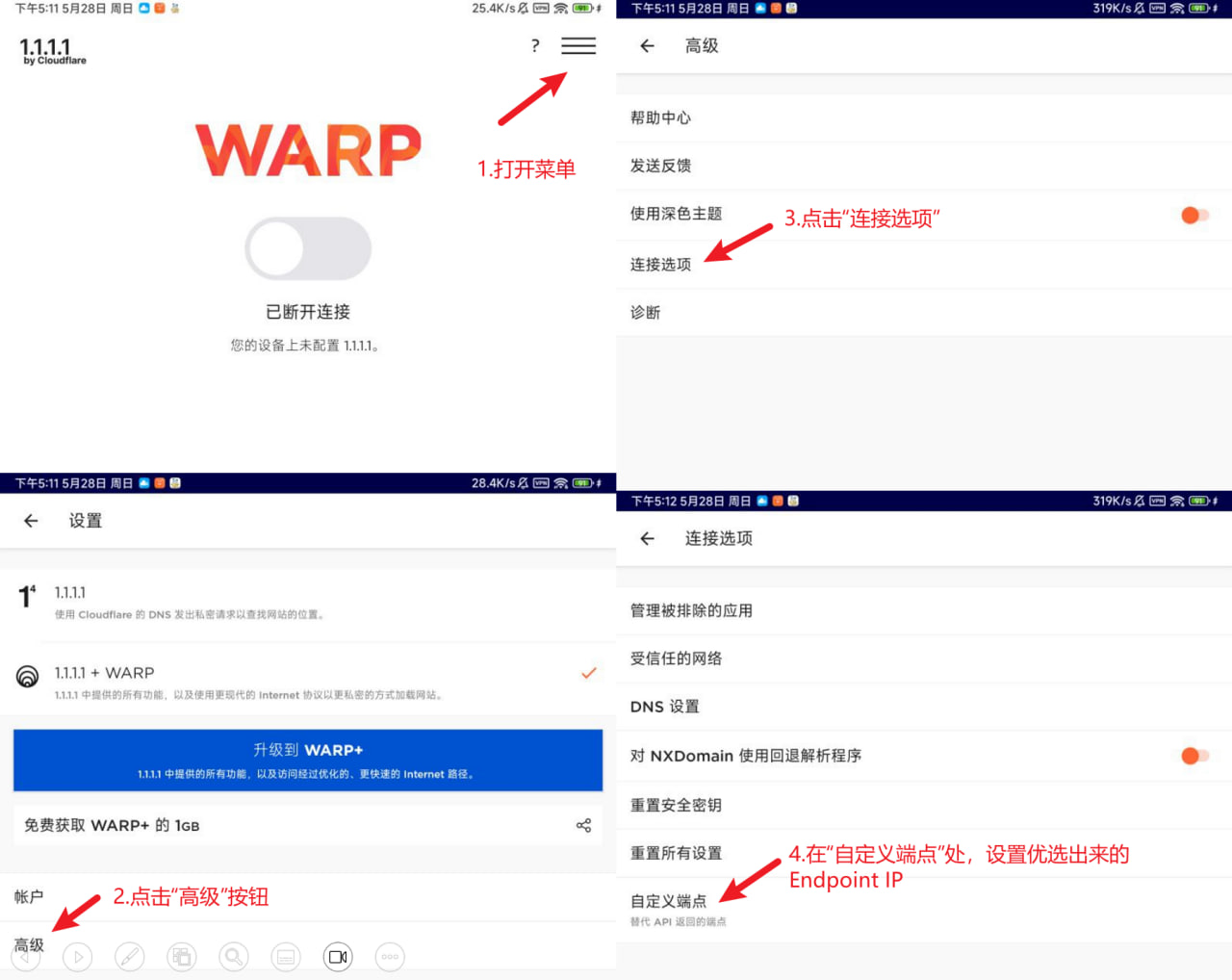
Android WARP official client (versions 6.9 and 6.10 only)

лента хн78т лента х20н80 купить
Fraud-aware shoppers rebuilt title check run a title check to catch washed salvage titles.
Нужен аккмулятор? аккумуляторы спб по выгодной цене с подбором под ваш автомобиль. В наличии аккумуляторы популярных брендов, услуги установки, диагностика аккумулятора, прием старой АКБ и оперативная доставка по Санкт-Петербургу.
Ищешь аккумулятор? аккумуляторы спб продажа автомобильных аккумуляторов в Санкт-Петербурге для любых марок автомобилей. Подберите АКБ по характеристикам, емкости и пусковому току, оформите заказ с доставкой или самовывозом, получите гарантию и помощь специалистов.
Узнать больше здесь: https://pochtaops.ru/index-pochty-ulica-ostrovskogo-dom-2-g-sterlitamakbashkortostan-respublika-453101
Ищешь аккумулятор? купить аккумулятор продажа автомобильных аккумуляторов в Санкт-Петербурге для любых марок автомобилей. Подберите АКБ по характеристикам, емкости и пусковому току, оформите заказ с доставкой или самовывозом, получите гарантию и помощь специалистов.
Мировые новости https://trawa-moscow.ru в режиме реального времени: политика, экономика, общество, технологии, наука, культура, спорт и международные события. Следите за главными событиями дня, аналитикой, интервью и эксклюзивными материалами со всего мира.
Читать расширенную версию: https://pochtaops.ru/index-pochty-kiknur-konstitucii-43011000001001600
лента 12х18н10т лента стальная прайс
лента нержавеющая купить лента стальная с доставкой
Нужен аккмулятор? akkumulyatory-avtomobilnye-spb.ru по выгодной цене с подбором под ваш автомобиль. В наличии аккумуляторы популярных брендов, услуги установки, диагностика аккумулятора, прием старой АКБ и оперативная доставка по Санкт-Петербургу.
Thanks for your tips on this blog. 1 thing I want to say is that purchasing gadgets items over the Internet is nothing new. The truth is, in the past several years alone, the marketplace for online electronics has grown noticeably. Today, you will find practically any type of electronic unit and devices on the Internet, including cameras and camcorders to computer components and gambling consoles.
Today, I went to the beach with my children. I found a sea shell and gave it to my 4 year old daughter and said “You can hear the ocean if you put this to your ear.” She put the shell to her ear and screamed. There was a hermit crab inside and it pinched her ear. She never wants to go back! LoL I know this is totally off topic but I had to tell someone!