Why mention how to download CCTV videos?
Because I found that among all the websites that wanted to download videos, CCTV was the one that took me the most time and left me the most speechless. Whether it is Aiyouten or YouTube, it can usually be solved with an online URL conversion, IDM or tampermonkey script.
But CCTV did it: you can download my videos, but it will never let you watch them comfortably.
Even if you use the CCTV video client, you can only watch it normally in the App after downloading it, but you cannot extract the video for secondary processing. The video after downloading by conventional and non-standard means is like this:

Therefore, if you need to download and edit CCTV videos for internal communication, you can consider the following four methods:
1. CCTV App

It goes without saying that the official App is convenient.
If you only need to download the complete video without secondary editing, this is the easiest way.
But if you want to edit video, you need the following method.
2. Screen recording software
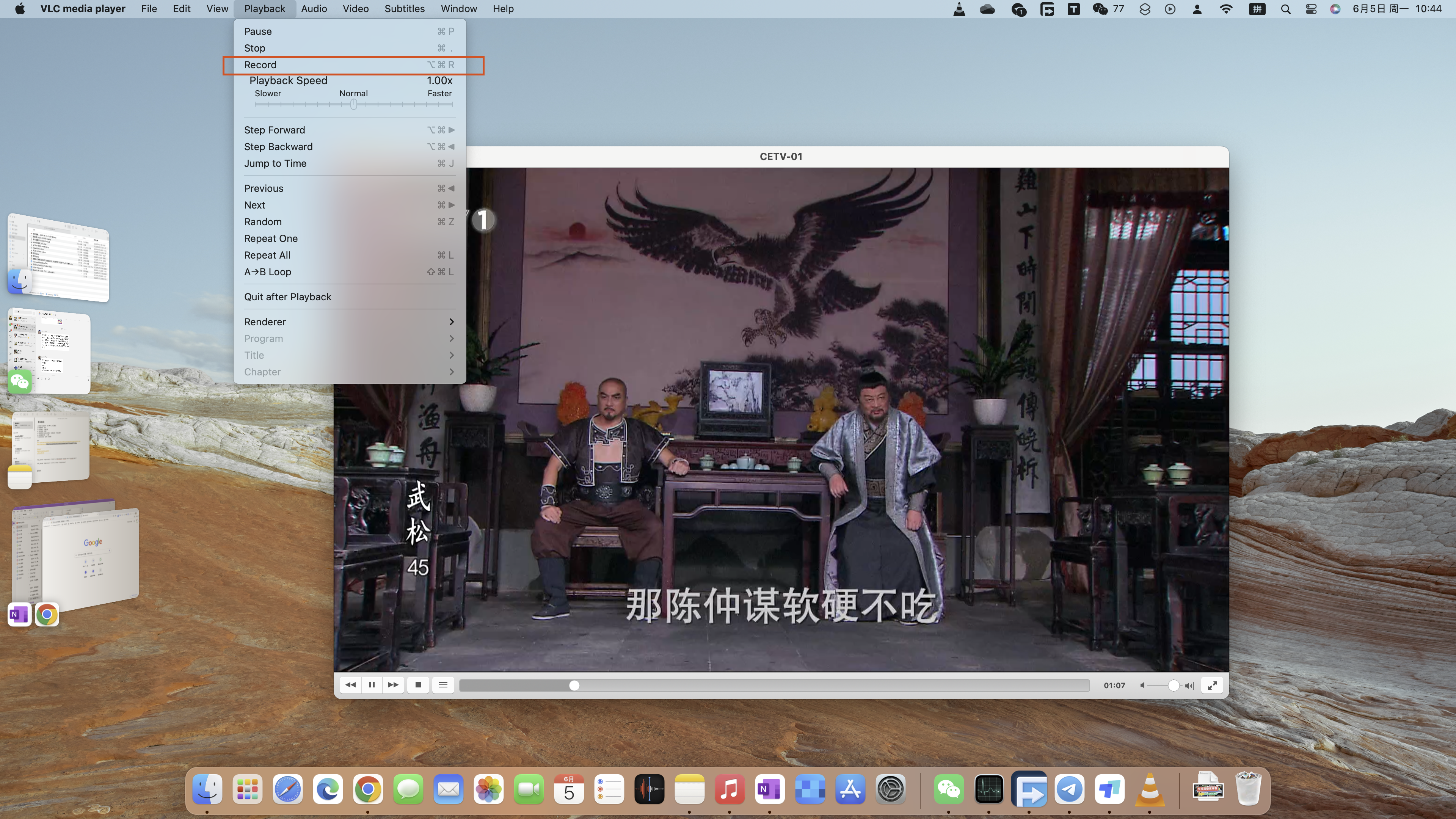
This is a stupid method, but it works.
As long as your computer can broadcast it, you can use some screen recording software and it has wide applicability.
Players including VLC that can play live TV sources can also support real-time screen recording.
3. Scheduled recording
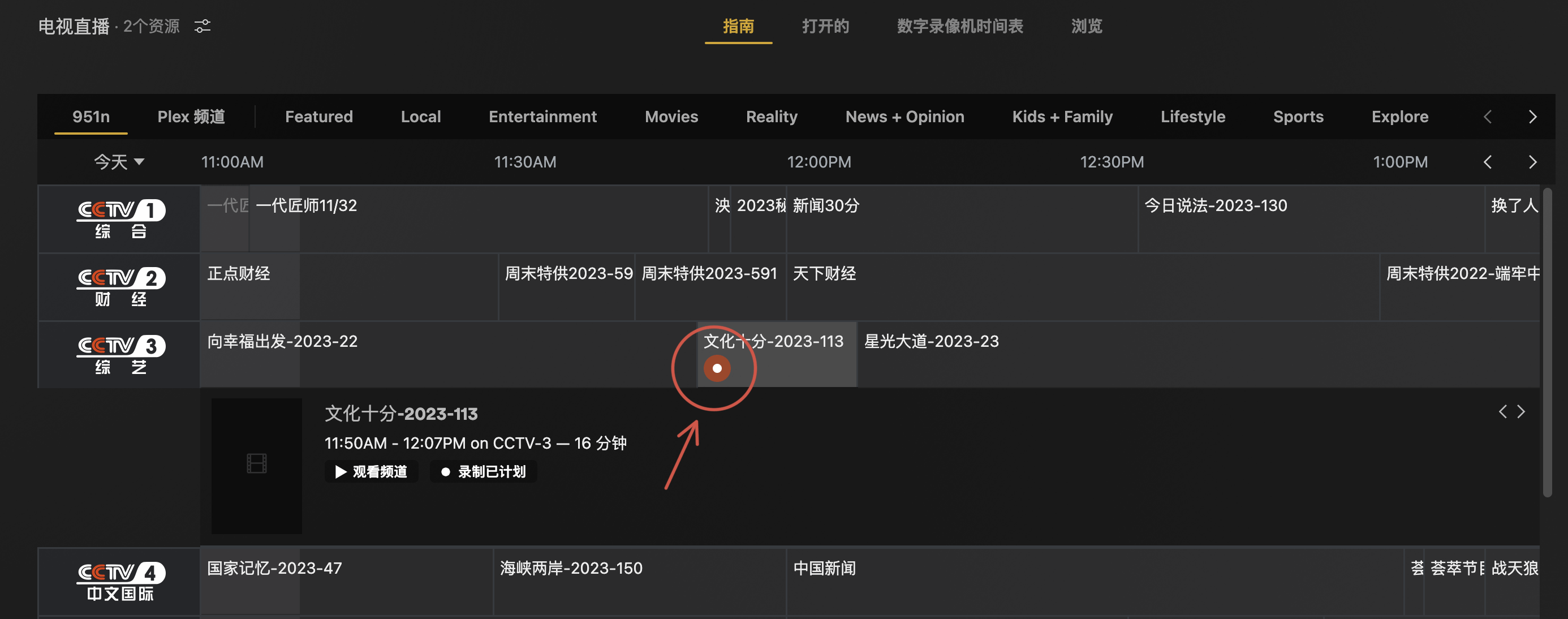
That's right, it's time to talk about Plex again.
The disadvantage of the above two methods is that if you want to record a live program, someone must complete specific recording actions at a specific time. And many times, we just don’t have time or it’s not convenient to do it at the current time. This reflects the benefits of scheduled recording.
As long as you set the recording schedule in the program guide, Plex can complete the program recording. After the program is played, it can be copied directly from the NAS.
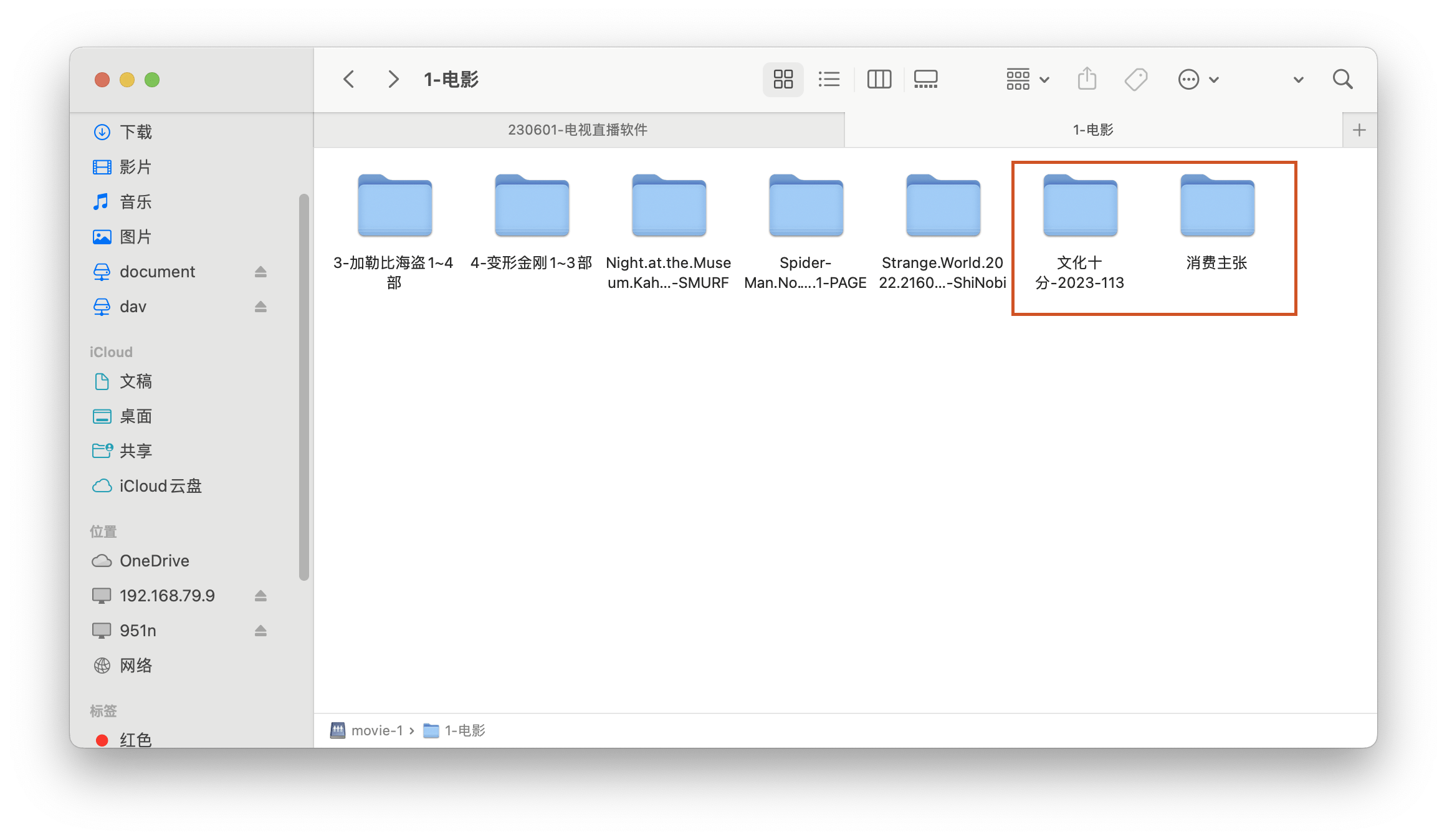
However, the problem with using Plex is that the software payment and Xteve and live broadcast settings are cumbersome and not friendly to ordinary people. If you only need to record CCTV videos occasionally, there is no need to spend a lot of time. So you can use the following method.
4. Network disk tools
Let’s get straight to the point: Quark mobile version (available for free)
I don't like downloading software as long as it can be replaced with like. But the Quark app still occupies a place on my phone. That’s because its function of transferring web videos to a network disk is so convenient. It doesn’t matter other videos. It’s really convenient to put them on CCTV videos.
The specific operations are as follows:

Copy the CCTV video URL to Quark Browser and open it;
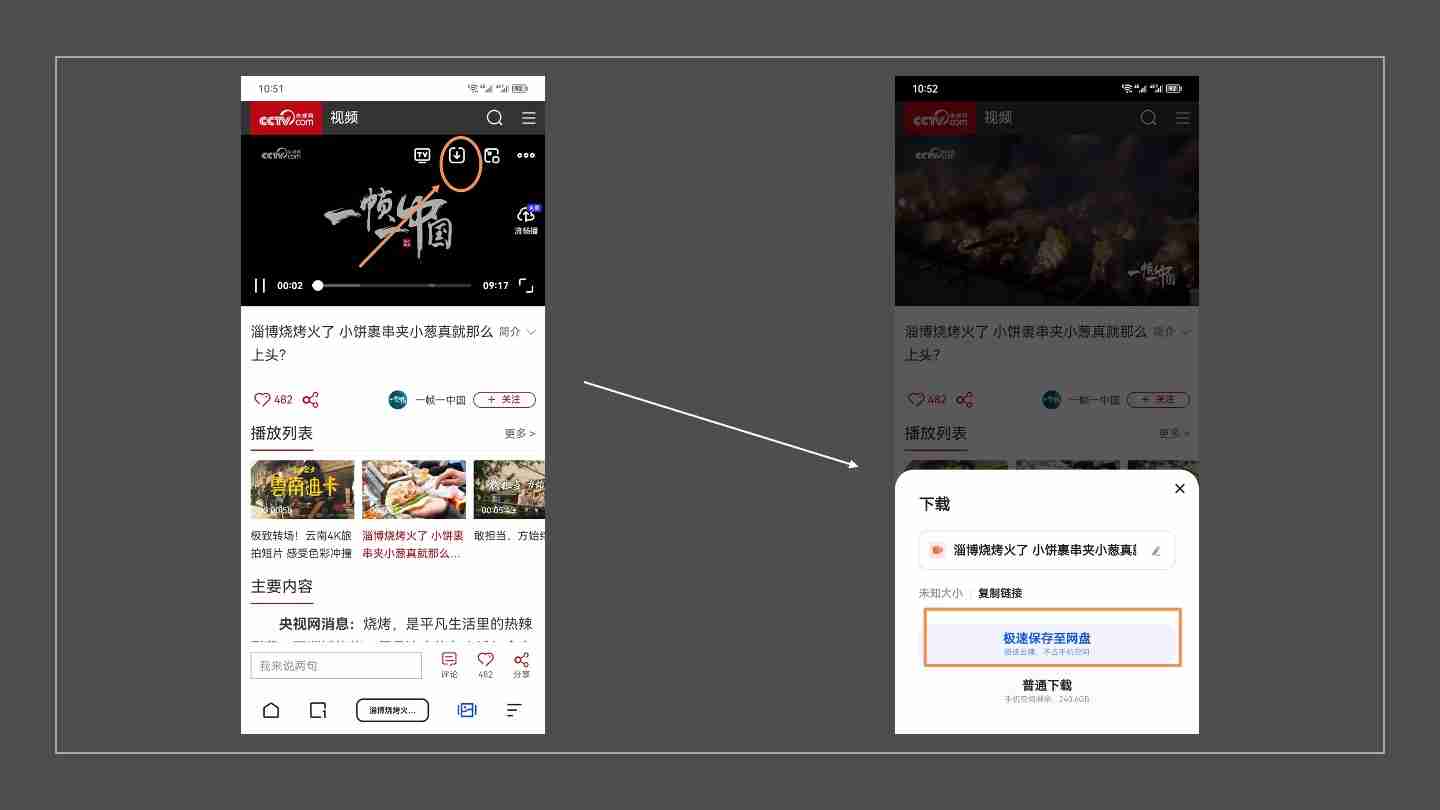
Click the download button and transfer to the network disk;

Enter the network disk, download the video, and watch it normally.
Okay, if you find this useful, just pay attention.
Regarding the editing and sorting of live TV sources, I will definitely do it next time ~
Recommended reading
