This is the third article about live TV: How to modify the live source, so as to better meet your viewing needs.

When writing this article, I systematically organized my own live broadcast sources, updated the content of the "live broadcast source URL" in the network disk, and added all the tools mentioned in this article. If you have already obtained it, you may wish to update it. See the end of the article for how to obtain it.

修改直播源

This article will solve the problem of using live broadcast sources from the following aspects:

  • About 40 netizens use live broadcast sources for their own use;
  • Live source search engine
  • How to detect and edit live broadcast sources
  • Tools for converting live source formats locally and online
  • Method to convert local files of live broadcast source to online URL

But what this article and the future will not cover:

  • Capture and production of live broadcast sources

Through search, you can find high-quality live broadcast sources and simply perform secondary processing, which is a time-saving and labor-saving approach. I hope everyone will not spend too much energy on the tool level.


Apple released a revolutionary VR product, and I had no choice but to fill the gap of live TV that no one watched.

If you want to watch live TV comfortably, it is very important to be able to modify the live broadcast source.

Although we can search various live broadcast sources from the Internet, the quality varies. Sometimes after using it for a while, it becomes stuck and ineffective.

If you are a friend who has the habit of organizing, you may not be used to the number, sorting, and classification of ready-made live broadcast sources... I hope you can edit the live broadcast sources to better suit your own or your family's viewing habits.

Therefore, it is necessary to dabble in methods such as searching, detecting, editing, and format conversion of live broadcast sources, so as to "customize" live broadcast sources that you are satisfied with.

1. Understand the content specifications of live broadcast sources

图2:直播源文件的格式

In fact, I have only used m3u, and I only learned about other formats after looking at the live broadcast source file format conversion tool. Of course, what I mean by "file format" is not this, but the file content of m3u: the code of a channel consists of several parts. After all, if you want to edit the live broadcast source, you must first understand what you want to change in the live broadcast source.

Open a common live broadcast source on the Internet. His channel content consists of the following parts:

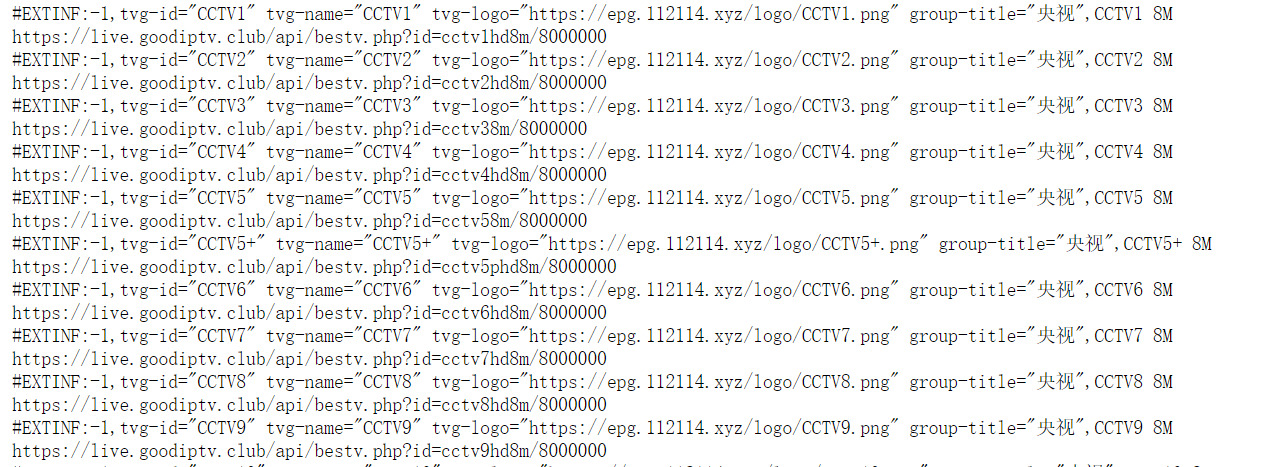
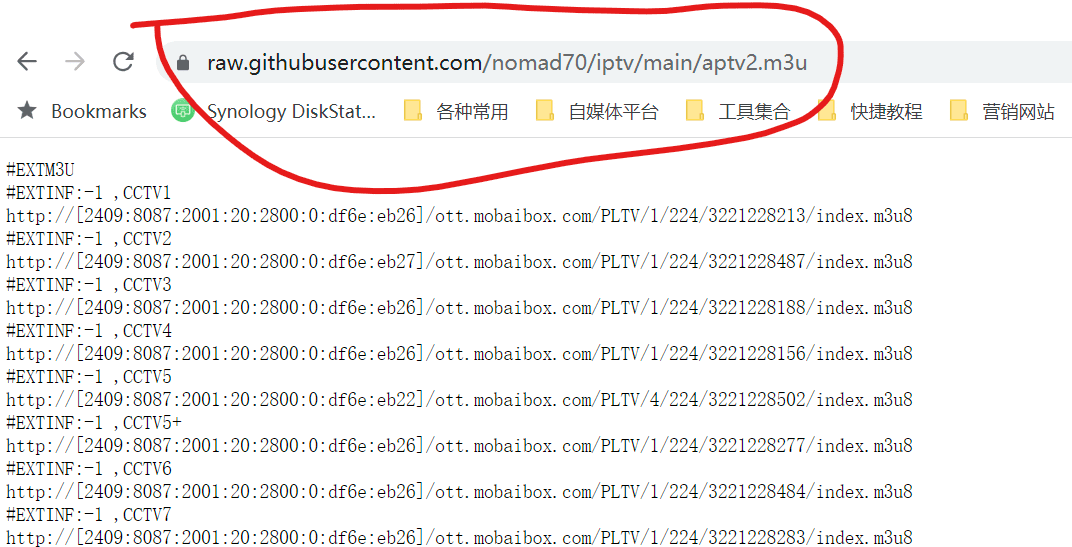
图3:直播源格式截图

#EXTINF:-1

tvg-id=”CCTV1″ tvg-name=”CCTV1″

tvg-logo=”https://epg.112114.xyz/logo/CCTV1.png”

group-title=”CCTV”

These are channel sorting, name, logo and classification information, the default is enough; and a simple live broadcast source can only have "channel name + English comma + URL", similar to this:

图4:直播源简单格式

Therefore, if the live broadcast source found is very simple and we want to match it with the channel logo and EPG program list, we can use this website:

http://epg.51zmt.top:8000/

Just upload the file and then download it.

2. Convert live source format

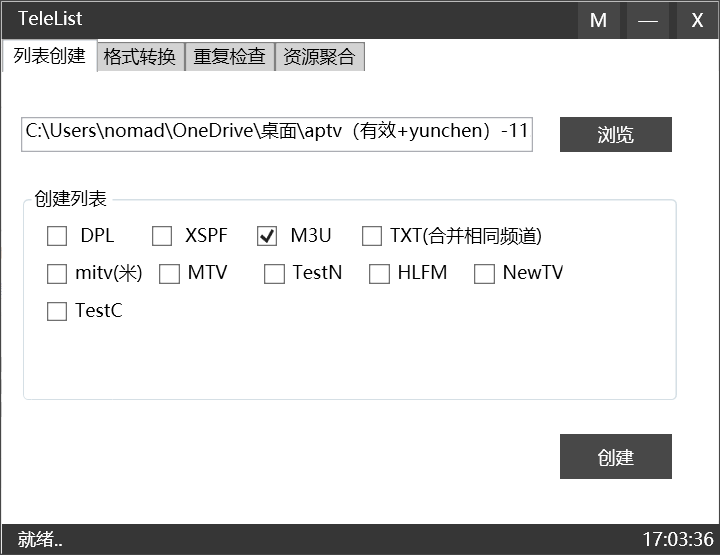
图5:软件截图

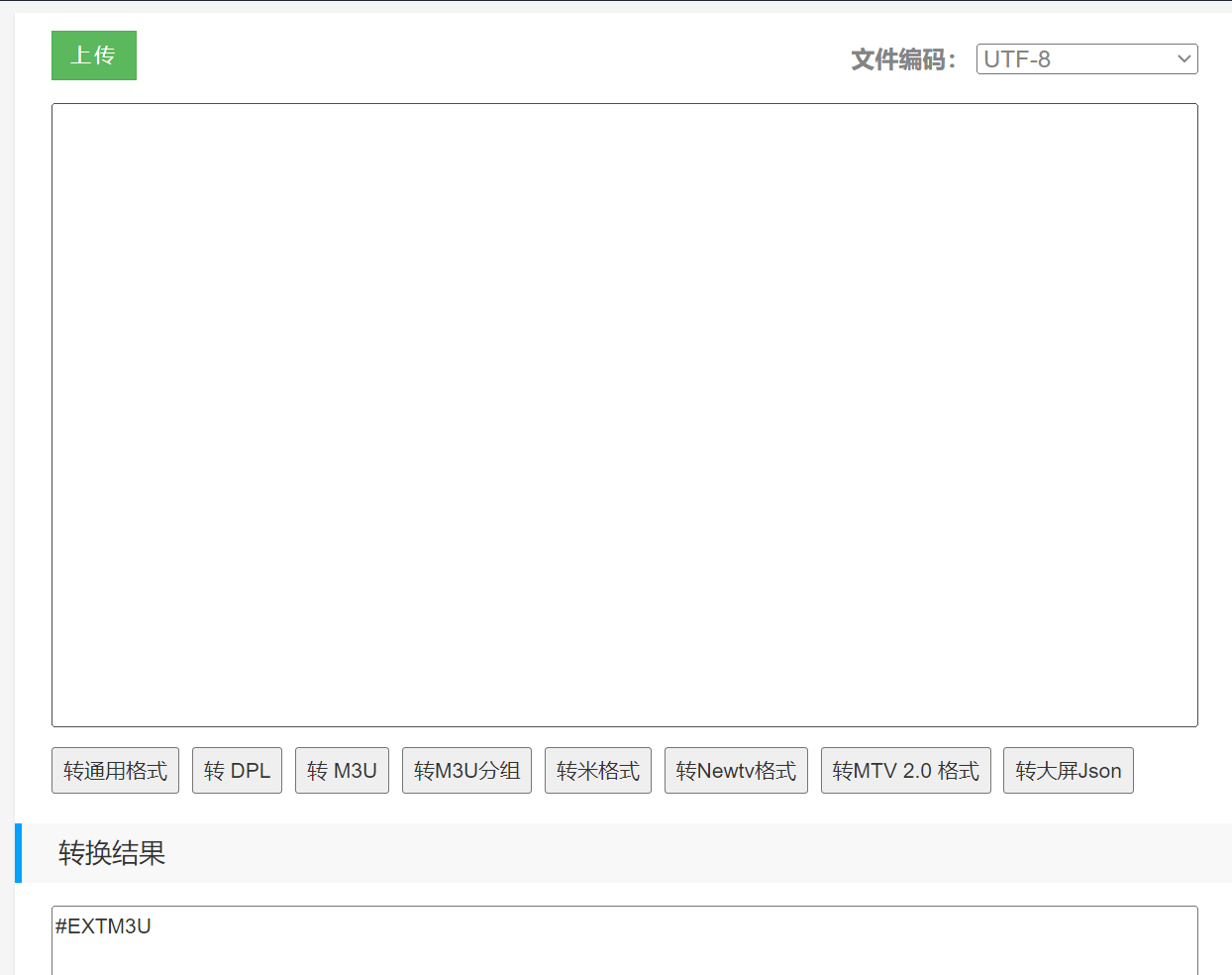
The live broadcast source file format we usually use is m3u or txt. But if the player you are using requires other formats, you need to use the conversion tool Telelist (it will alert you to viruses, so you can decide whether to use it or not).

Mac computer users can use online conversion tools, such as this one:

Live source conversion tool (online version)

https://guihet.com/tvlistconvert.html

3. Check the validity of the live broadcast source

iptv checker软件截图

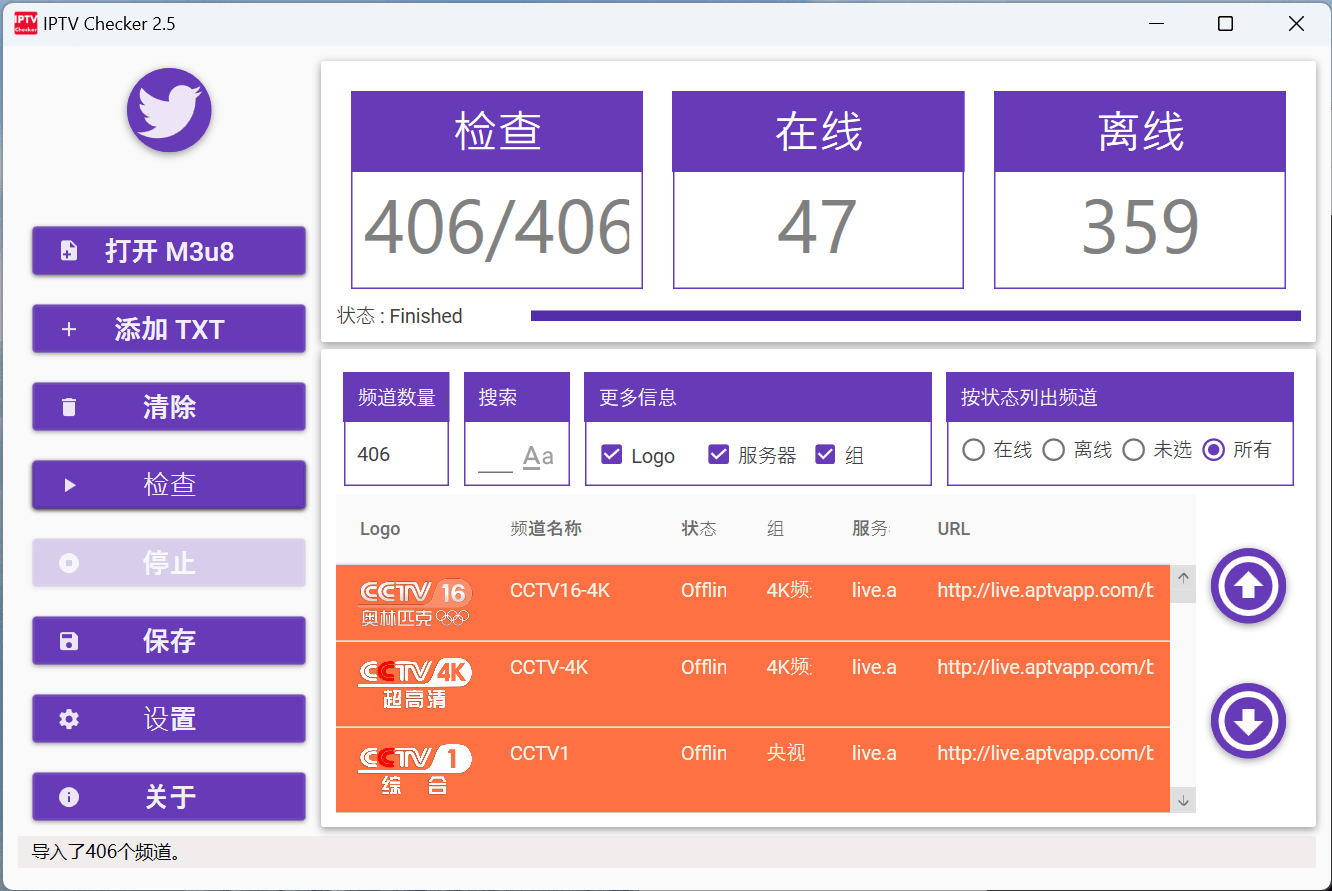
When searching for live broadcast sources, the files provided by some big guys often contain hundreds or thousands of channels. As time goes by, if they are not maintained in time, there will be a large number of invalid channels. Therefore, at this time, we can use the IPTV checker tool to detect which live broadcast sources can no longer be played, and only save valid live broadcast sources.

4. Edit live broadcast source files

Whether it is txt, m3u, or other formats of live broadcast source files, you can open them with Notepad and then edit them.

If we find multiple live broadcast sources, after completing the validity check, we can combine the multiple live broadcast sources into one.

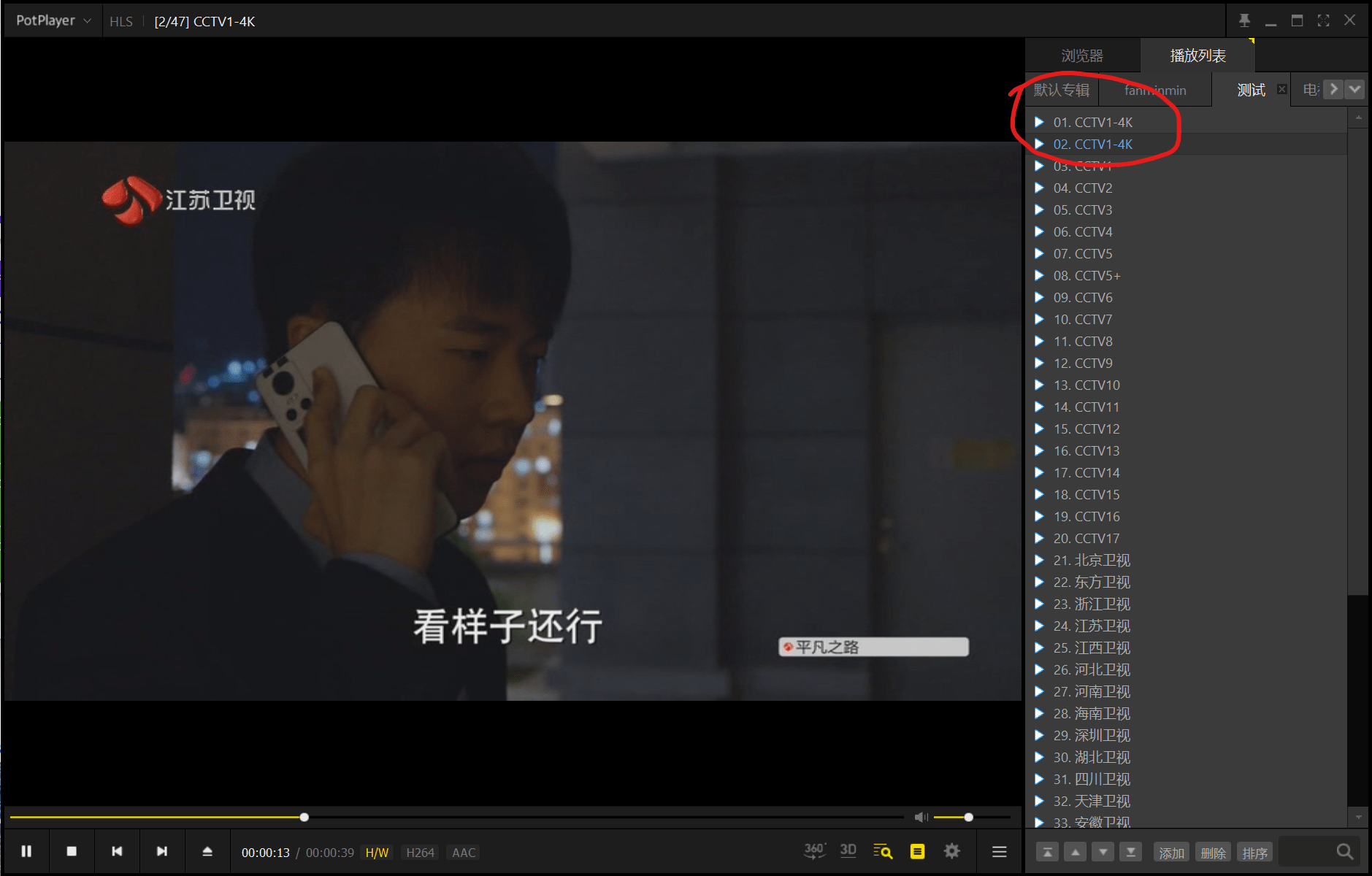
There may be a situation here: the channel names of some live broadcast sources do not match the playback addresses, and the file content may need to be modified manually.

图7:频道名称与内容不匹配

As shown in the picture above, the channel name is CCTV4K, but the actual broadcast is Jiangsu Satellite TV.

In addition, although Telelist can eliminate duplicates, if the channel names are the same but the playback addresses are different, they will still be regarded as different sources. If you have obsessive-compulsive disorder, you need to manually eliminate weight. This will test your EXCEL level.

5. Add channel live source separately

直播源搜索引擎网址

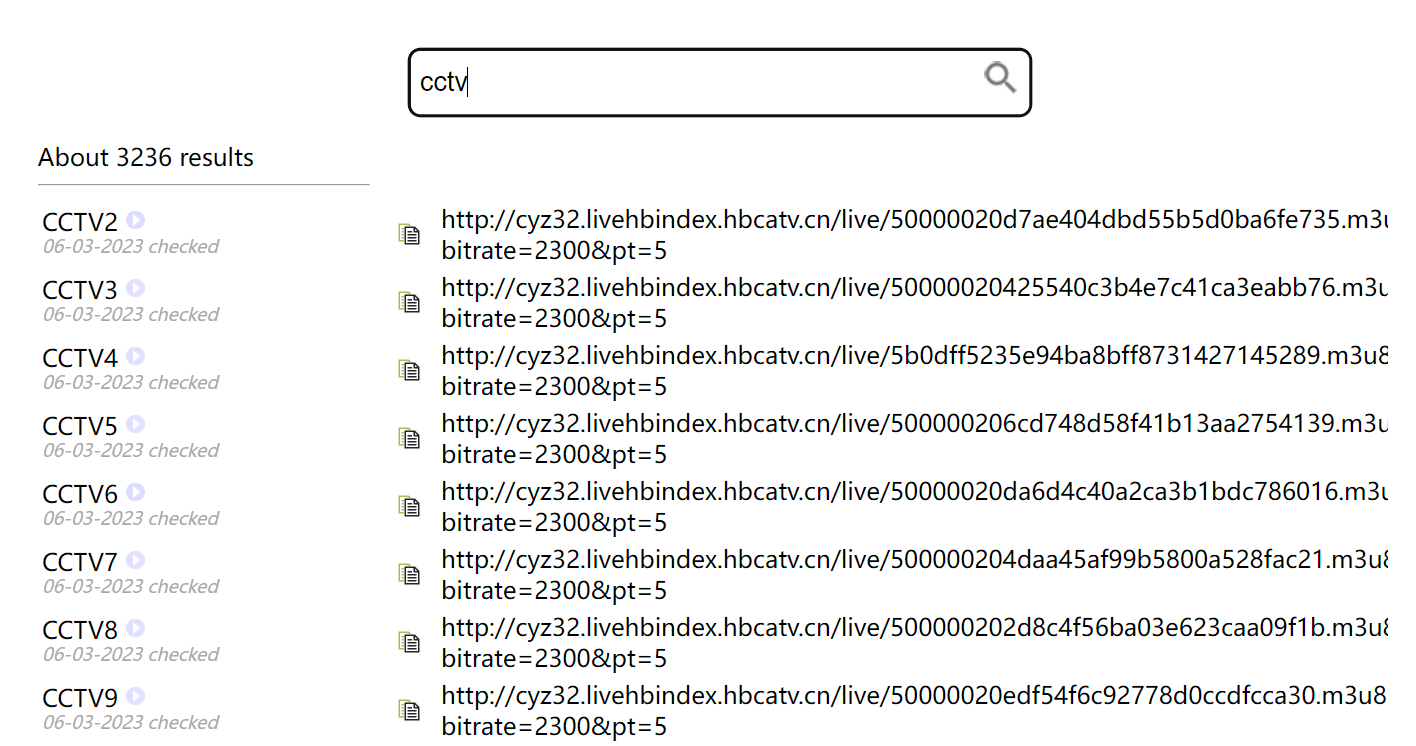
When editing the live broadcast source we need, we may encounter a situation where the playback quality of a single channel is not good and the playback URL needs to be changed. At this time, you can use the live broadcast source search engine below to select a URL with better playback quality.

Live broadcast source search engine URL:http://tonkiang.us

6. Convert local files to online URLs

Ordinarily, this should be the end of writing. However, there are still many inconveniences in converting live broadcast sources into local files. Whether it is importing to TV or mobile phone, it is very troublesome. I wonder if there are any friends who have used QNAP to build Xteve. Did the feeling of not being able to find the absolute address of the local file come over immediately? !

Most live broadcast sources on the Internet are online URLs, so how do we convert local files into online files and generate online URLs?

This requires the use of the online software source code hosting service platform GitHub or Code Cloud, choose either one.

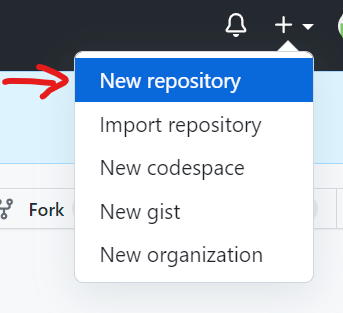
Taking GitHub as an example, register first and create a repository

GitHub创建repository

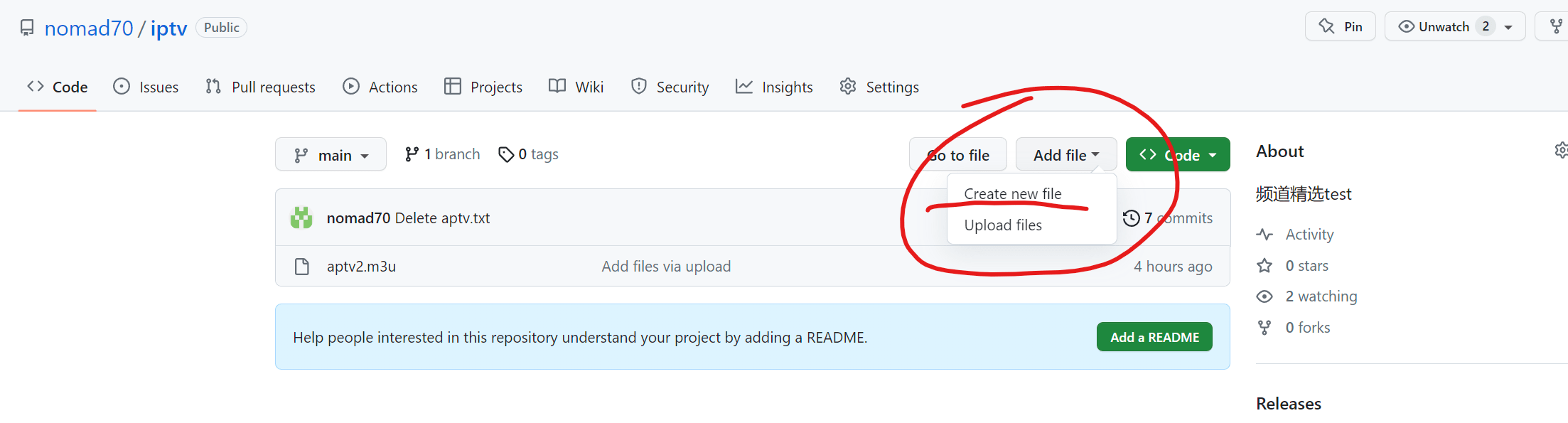
Then upload the m3u file you edited. Do not write the file name in Chinese, otherwise the URL will be garbled and unrecognizable.

GitHub创建repository

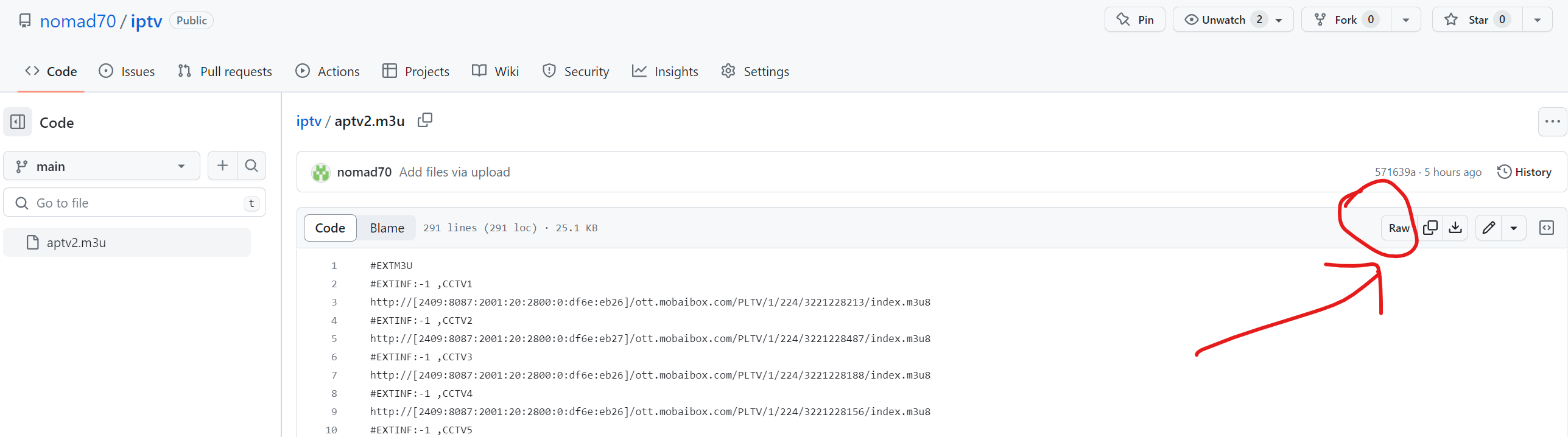
After the upload is completed, click on the uploaded file and then click "Raw" to see the URL (https://raw.githubusercontent.com/nomad70/iptv/main/aptv2.m3u).

GitHub创建repository
GitHub创建repository

By the way, if you encounter that the live broadcast source from GitHub cannot be opened, you can consider adding a proxy URL (https://ghproxy.com/) in front of the link, which may work wonders.

Don't ask, I don't know even if you ask, -_-||.

To obtain the live broadcast sources and software tools mentioned in the text, please go to the backend of the "What's Fun" official account to reply: Live TV

Okay, if you see this and find it useful, just follow it.

The next issue may record my tortuous experience of using QNAP to set up Xteve and Plex to watch live TV. The versatility is not strong, so don’t expect it.

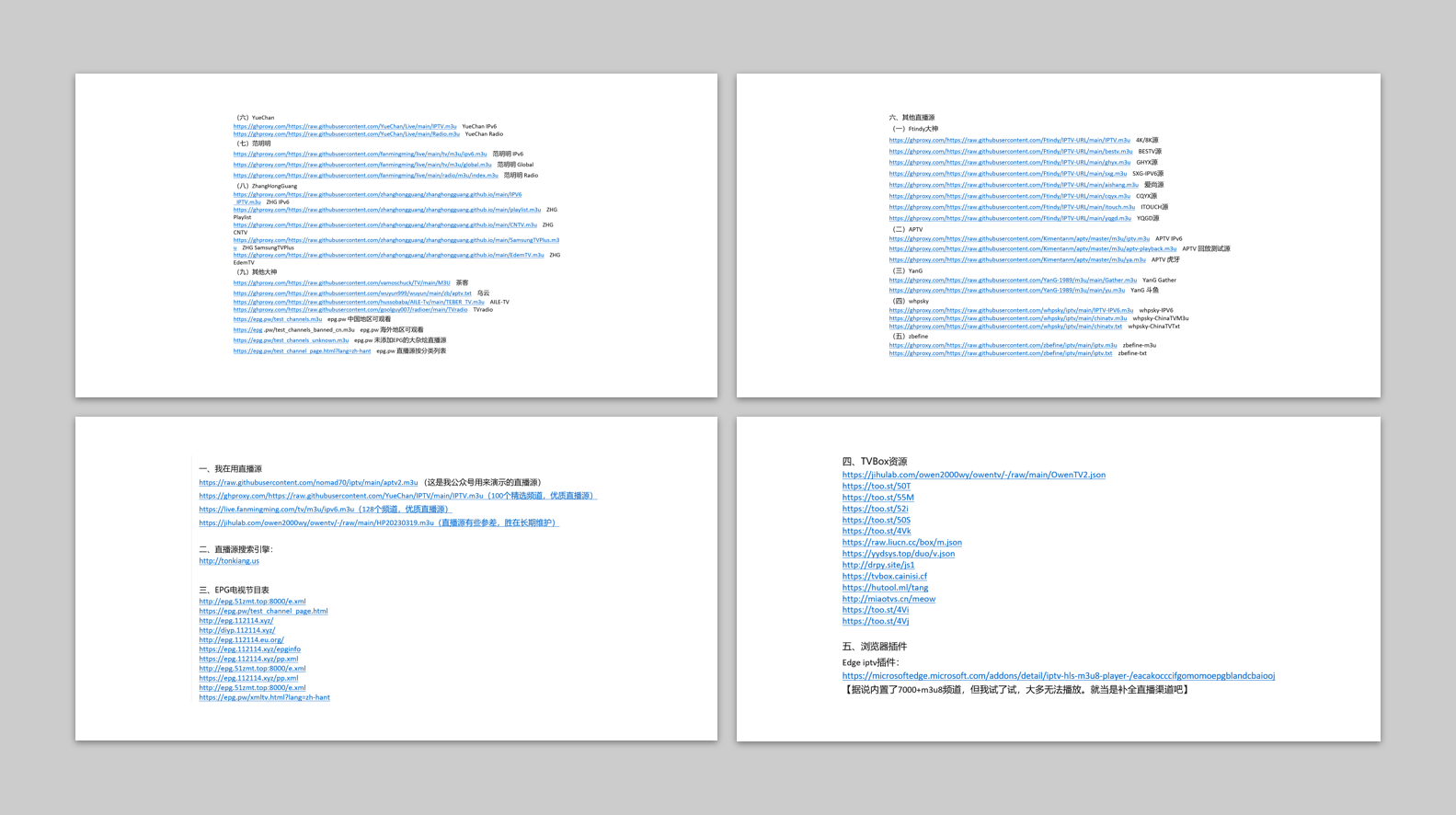
The following are some live streaming sources and tools mentioned in the text

Thank you to everyone on the Internet for your hard work~

1. I am using the live broadcast source

https://raw.githubusercontent.com/nomad70/iptv/main/aptv2.m3u (This is the live broadcast source used by my official account for demonstration)

https://ghproxy.com/https://raw.githubusercontent.com/YueChan/IPTV/main/IPTV.m3u (100 selected channels, high-quality live broadcast source)

https://live.fanmingming.com/tv/m3u/ipv6.m3u (128 channels, high-quality live source)

https://jihulab.com/owen2000wy/owentv/-/raw/main/HP20230319.m3u (The live source is a bit uneven, but it is better in long-term maintenance)

2. Live broadcast source search engine:

http://tonkiang.us

3. EPG TV program schedule

http://epg.51zmt.top:8000/e.xml

https://epg.pw/test_channel_page.html

http://epg.112114.xyz/

http://diyp.112114.xyz/

http://epg.112114.eu.org/

https://epg.112114.xyz/epginfo

https://epg.112114.xyz/pp.xml

http://epg.51zmt.top:8000/e.xml

https://epg.112114.xyz/pp.xml

http://epg.51zmt.top:8000/e.xml

https://epg.pw/xmltv.html?lang=zh-hant

4. TVBox resources

https://jihulab.com/owen2000wy/owentv/-/raw/main/OwenTV2.json

https://too.st/50T

https://too.st/55M

https://too.st/52i

https://too.st/50S

https://too.st/4Vk

https://raw.liucn.cc/box/m.json

https://yydsys.top/duo/v.json

http://drpy.site/js1

https://tvbox.cainisi.cf

https://hutool.ml/tang

http://miaotvs.cn/meow

https://too.st/4Vi

https://too.st/4Vj

5. Browser plug-ins

Edge iptv plug-in:

https://microsoftedge.microsoft.com/addons/detail/iptv-hls-m3u8-player-/eacakocccifgomomoepgblandcbaiooj

[It is said that there are 7000+m3u8 channels built-in, but I tried it and most of them cannot be played. Just think of it as supplementing the live broadcast channels]

6. Other live broadcast sources

(1) Master Ftindy

https://ghproxy.com/https://raw.githubusercontent.com/Ftindy/IPTV-URL/main/IPTV.m3u    4K/8K source

https://ghproxy.com/https://raw.githubusercontent.com/Ftindy/IPTV-URL/main/bestv.m3u    BESTV source

https://ghproxy.com/https://raw.githubusercontent.com/Ftindy/IPTV-URL/main/ghyx.m3u    GHYX source

https://ghproxy.com/https://raw.githubusercontent.com/Ftindy/IPTV-URL/main/sxg.m3u    SXG-IPV6 source

https://ghproxy.com/https://raw.githubusercontent.com/Ftindy/IPTV-URL/main/aishang.m3u    Aishangyuan

https://ghproxy.com/https://raw.githubusercontent.com/Ftindy/IPTV-URL/main/cqyx.m3u    CQYX source

https://ghproxy.com/https://raw.githubusercontent.com/Ftindy/IPTV-URL/main/itouch.m3u    ITOUCH source

https://ghproxy.com/https://raw.githubusercontent.com/Ftindy/IPTV-URL/main/yqgd.m3u    YQGD source

(2) APTV

https://ghproxy.com/https://raw.githubusercontent.com/Kimentanm/aptv/master/m3u/iptv.m3u    APTV IPv6

https://ghproxy.com/https://raw.githubusercontent.com/Kimentanm/aptv/master/m3u/aptv-playback.m3u    APTV playback test source

https://ghproxy.com/https://raw.githubusercontent.com/Kimentanm/aptv/master/m3u/ya.m3u    APTV Huya

(3) YanG

https://ghproxy.com/https://raw.githubusercontent.com/YanG-1989/m3u/main/Gather.m3u    YanG Gather

https://ghproxy.com/https://raw.githubusercontent.com/YanG-1989/m3u/main/yu.m3u    YanG Douyu

(4) whpsky

https://ghproxy.com/https://raw.githubusercontent.com/whpsky/iptv/main/IPTV-IPV6.m3u    whpsky-IPV6

https://ghproxy.com/https://raw.githubusercontent.com/whpsky/iptv/main/chinatv.m3u    whpsky-ChinaTVM3u

https://ghproxy.com/https://raw.githubusercontent.com/whpsky/iptv/main/chinatv.txt    whpsky-ChinaTVTxt

(5) zbefine

https://ghproxy.com/https://raw.githubusercontent.com/zbefine/iptv/main/iptv.m3u    zbefine-m3u

https://ghproxy.com/https://raw.githubusercontent.com/zbefine/iptv/main/iptv.txt    zbefine-txt

(6) YueChan

https://ghproxy.com/https://raw.githubusercontent.com/YueChan/Live/main/IPTV.m3u    YueChan IPv6

https://ghproxy.com/https://raw.githubusercontent.com/YueChan/Live/main/Radio.m3u    YueChan Radio

(7) Fan Mingming

https://ghproxy.com/https://raw.githubusercontent.com/fanmingming/live/main/tv/m3u/ipv6.m3u    Fan Mingming IPv6

https://ghproxy.com/https://raw.githubusercontent.com/fanmingming/live/main/tv/m3u/global.m3u    Fan MingmingGlobal

https://ghproxy.com/https://raw.githubusercontent.com/fanmingming/live/main/radio/m3u/index.m3u    Fan MingmingRadio

(8) ZhangHongGuang

https://ghproxy.com/https://raw.githubusercontent.com/zhanghongguang/zhanghongguang.github.io/main/IPV6_IPTV.m3u    ZHG IPv6

https://ghproxy.com/https://raw.githubusercontent.com/zhanghongguang/zhanghongguang.github.io/main/playlist.m3u    ZHG Playlist

https://ghproxy.com/https://raw.githubusercontent.com/zhanghongguang/zhanghongguang.github.io/main/CNTV.m3u    ZHGCNTV

https://ghproxy.com/https://raw.githubusercontent.com/zhanghongguang/zhanghongguang.github.io/main/SamsungTVPlus.m3u    ZHG SamsungTVPlus

https://ghproxy.com/https://raw.githubusercontent.com/zhanghongguang/zhanghongguang.github.io/main/EdemTV.m3u    ZHG EdemTV

(9) Other great gods

https://ghproxy.com/https://raw.githubusercontent.com/vamoschuck/TV/main/M3U    tea guest

https://ghproxy.com/https://raw.githubusercontent.com/wuyun999/wuyun/main/zb/aptv.txt    dark clouds

https://ghproxy.com/https://raw.githubusercontent.com/hussobaba/AILE-Tv/main/TEBER_TV.m3u    AILE-TV

https://ghproxy.com/https://raw.githubusercontent.com/goolguy007/radioer/main/TVradio    TVradio

https://epg.pw/test_channels.m3u    epg.pw can be viewed in China

https://epg .pw/test_channels_banned_cn.m3u epg.pw Available in overseas regions

https://epg.pw/test_channels_unknown.m3u    epg.pw A hodgepodge of live broadcast sources without adding EPG

https://epg.pw/test_channel_page.html?lang=zh-hant    epg.pw live broadcast source list by category

The above resources are all from free resources on the Internet. Thank you for your efforts.


Some tools organized, you can take a look if you need them

1. Create a pure network environment

1,Fingerprint Browser: Registration link, Invitation code: u73626Nx

2. Residential IP:Registration link

3. Enable domestic mobile phones to support eSIM: Registration link Coupon code: playsoul

2. Overseas bank cards that can be applied for with a passport

1. Wise:Registration link

Registration and deposit tutorial:https://dlj.playfulzone.top/6tuvu4

2. N26:Registration link Invitation code: jinglonj3130

3. Digital Currency Trading Platform

1. Binance:Registration link

2. Bybit:Registration link Invite code: R3PMVVV

4. Self-use VPS

1. Unlimited data

XT: $2/month

2. 3TB of data for $10

CC: Registration link

RN: Registration Link

3. High-quality lines

DMIT: Registration Link

4. Unblock streaming media

GC: Registration link

5. Other tools

SMS code receiving platform: Registration link

Personal streaming carpool (Telegram): @playfulsoulnet

Netflix and other streaming media/AI ride-sharing platforms: 10% discount code: playful

Education Email: Registration link


By Loogn sir

An ordinary person who likes to use fun to resist mediocrity; often writes about his own interests; so you will see technology, digital, entertainment, credit cards, Internet... Refuse to be high-sounding and don't be a pseudo-expert; make professional life-like and biochemistry interesting; well, that's it~
Leave a Reply

Your email address will not be published. Required fields are marked *

Share via
Copy link