Among various solutions, cross-system and cross-platform situations usually cause headaches.
I don’t know how many people are like me and often need to switch between a Mac host and a Windows laptop. Before this, I have been using remote control software to solve the problem. I have used VNC that comes with Mac, Microsoft's Remote Desktop, Chrome Remote Desktop and Todesk. Picture clarity and latency aside, the differences in shortcut keys between the two systems often lead to operational errors, often making people irritable.
With nothing to do, I was thinking again, if I want to use a keyboard and mouse to control Mac and Windows, is there a software similar to mouse without borders between Windows systems? So I searched for Synergy.
After two days of use, I feel good. Friends who have the same needs may wish to give it a try.
In my opinion, Synergy has several advantages:
1. Simple configuration
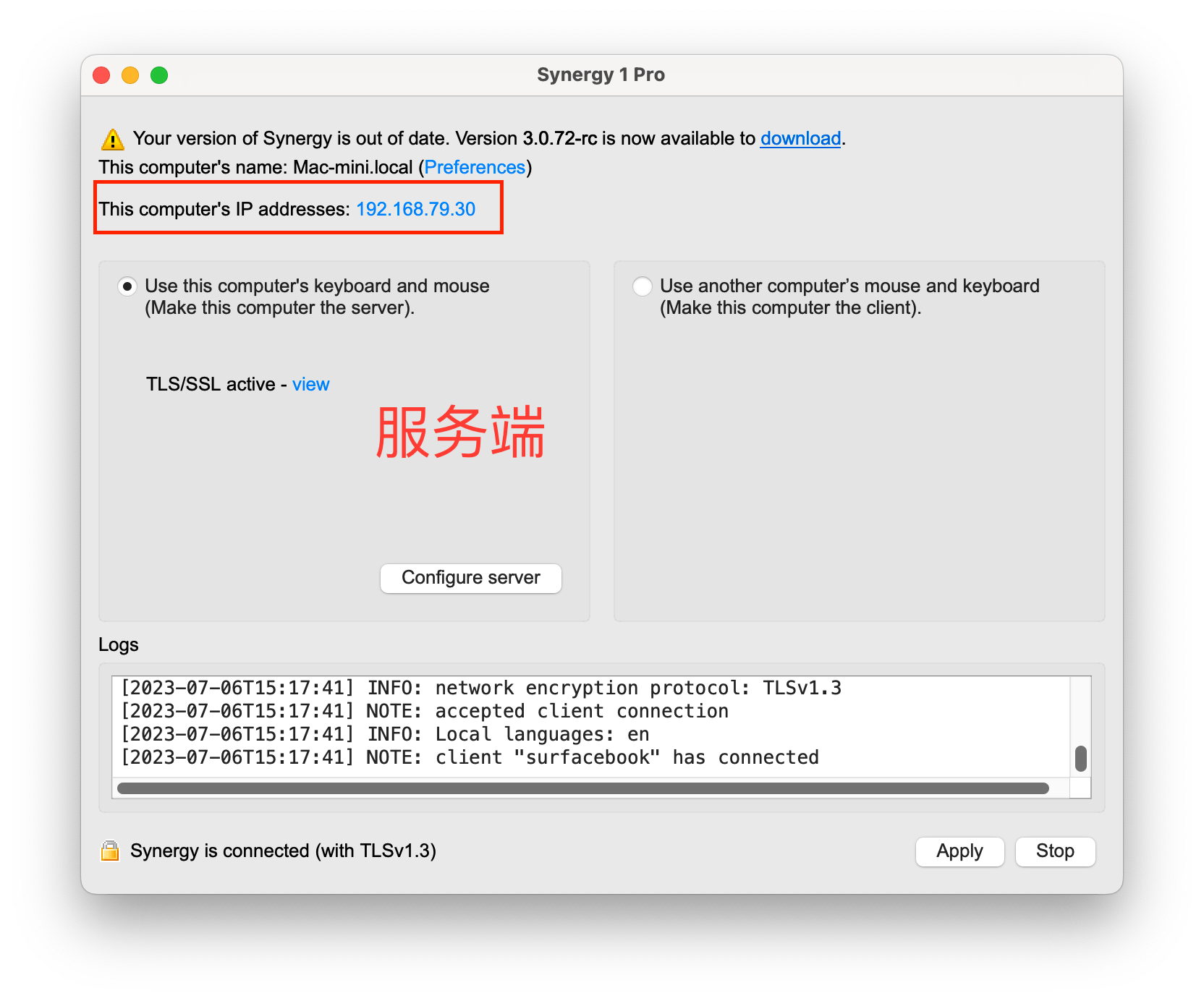
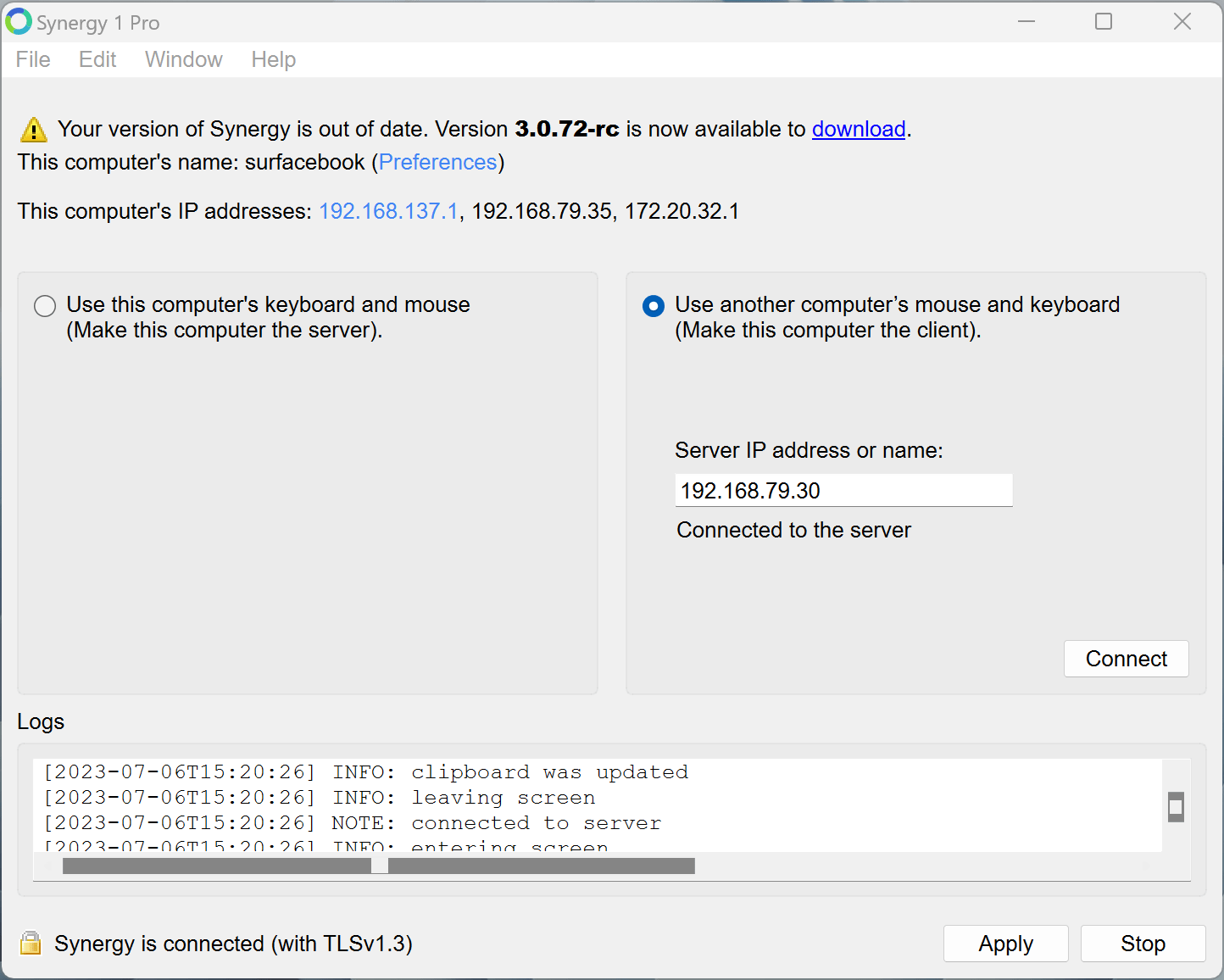
Compared with mouse without borders, Synergy configuration will be simpler. Just set one computer as the server, enter the LAN IP of the first computer on the other computer, and join it to complete the entire configuration.
2. Low cross-screen latency
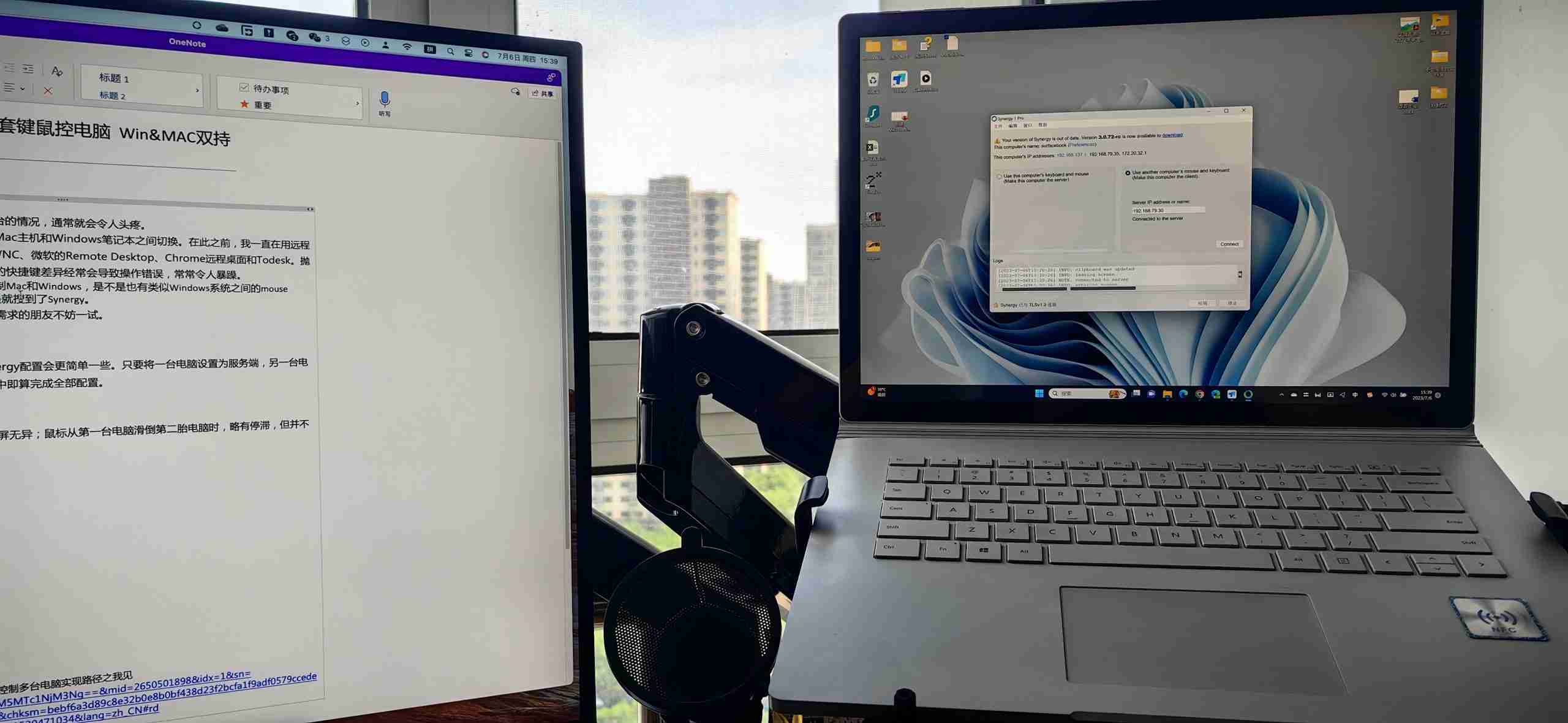
From the perspective of operating experience, typing on the keyboard is no different from using the extended screen; when the mouse slides from the first computer to the second computer, there is basically no stagnation.
three, Dual system shortcut keys automatically switch
When using todesk, the biggest headache for me is that I can't use shortcut keys in the two systems. For example, to copy and paste, you can only use the right mouse button, but cannot use "cmd+C/cmd+V".
After using Synergy, I can use "cmd+C" to copy on a Mac computer and use "ctrl+V" to paste on a Windows computer without having to consider key switching, which is very good.
In addition, there is a problem using Synergy that is not a problem. Maybe it is my problem?
That is: My mouse is a Logitech master2S. When I switch computers, the Bluetooth will also switch. Although the keyboard can still type, the mouse occasionally cannot return to the first computer from the second computer. A little movement and a lot of force can do wonders. So, the solution is to cancel the Bluetooth connection of other computers.
Finally, let’s talk about how to obtain Synergy.
Since this is a paid software, the download link for the software requires an account and password to obtain. After some searching, I foundluoxx bloggerThe website found selfless sharing, including software and activation codes.
synergy software and activation code
As for other methods of controlling multiple computers with one set of keyboard and mouse, I have listed them in detail in this manuscript. Please read them here:
Okay, if you see this and find it useful, just follow it.
