If you have seen the relevant recommendations of Opera browser, you will definitely be attracted by its built-in free unlimited VPN function. At first, so did I.
However, after actually using it on different devices such as computers, mobile phones, tablets, etc., I found that the usage scenarios of this VPN are very limited. It can still have a place as a backup browser and cannot replace other scientific Internet tools.
Tips for installation and use Downloading over the firewall is essential
The free VPN function of Opera browser cannot be used just by downloading it. There are many precautions on the download source:
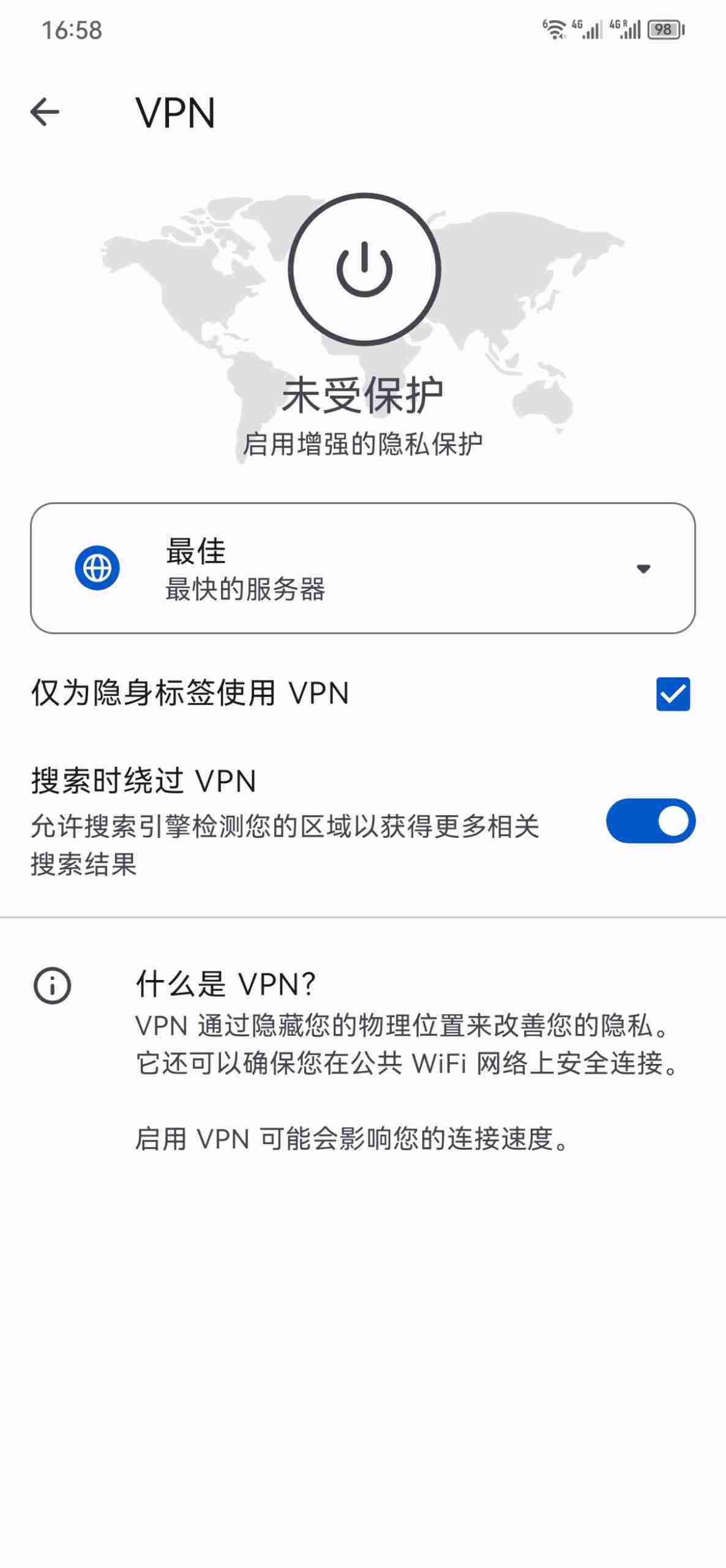
1. Android: Yes, but not available yet. Although downloaded from the Google Store, the VPN function can be found through "Settings-Search VPN", but it cannot be started.
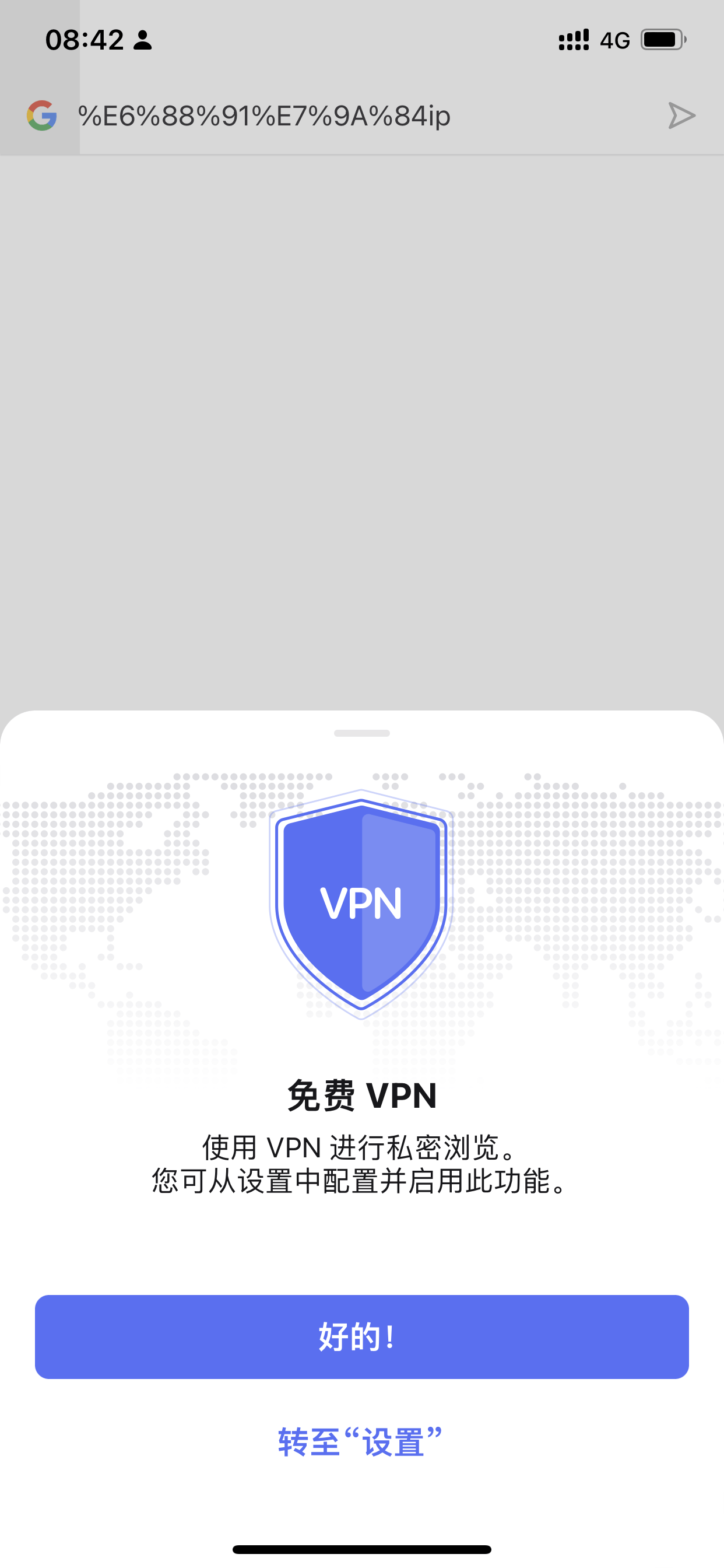
2. iOS/iPad: It can be used and is very convenient. It is recommended to use a US account to download.
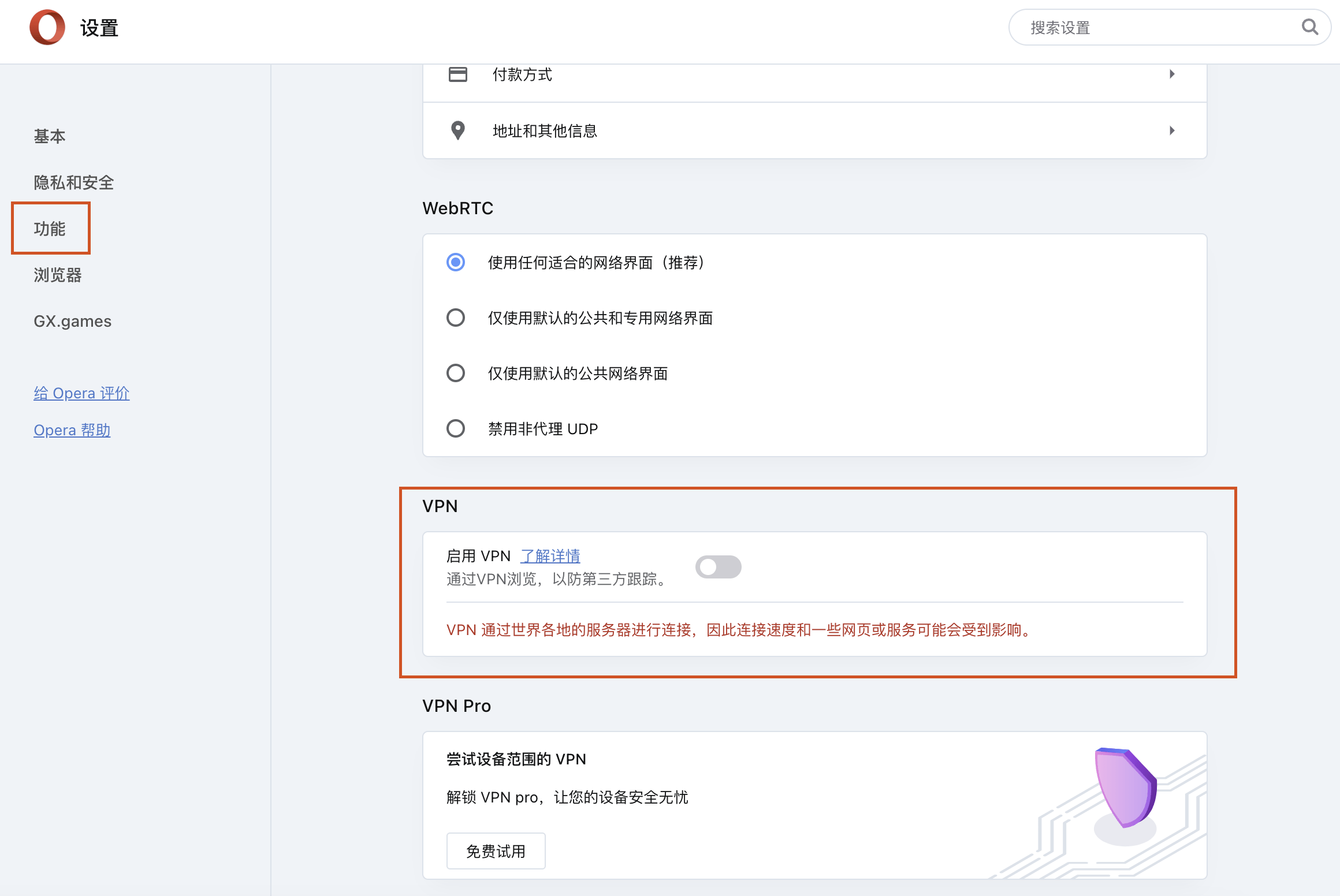
3. Windows/Mac computers: basically unusable. You need to know how to surf the Internet before you can find the (free) VPN function in the "Function" menu, otherwise you will only see "VPN pro", which is paid. What is disappointing is that even if you successfully start the free VPN, the same server cannot open web pages on your computer.
Therefore, Opera’s free VPN function can actually only be used on iPhone and iPad. Friends who do not have these devices should give up.
Fewer but better servers Unlocking streaming media is surprising but not surprising
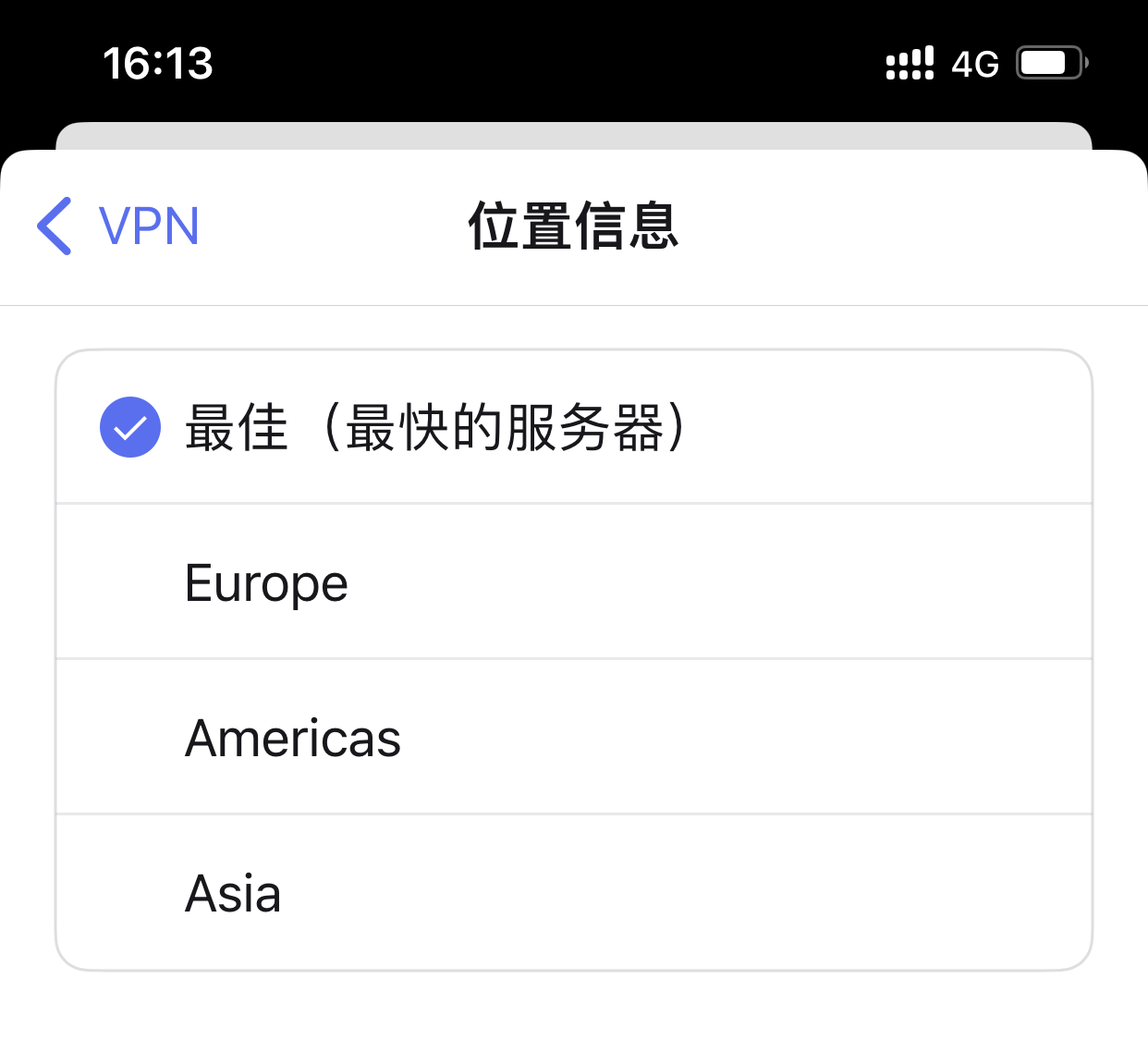
Opera’s free VPN is only available in three major regions: America, Europe, and Asia, and cannot target specific countries. At the same time, VPN provides the "fastest server" option, which to a certain extent ensures the smoothness of browsing the web.
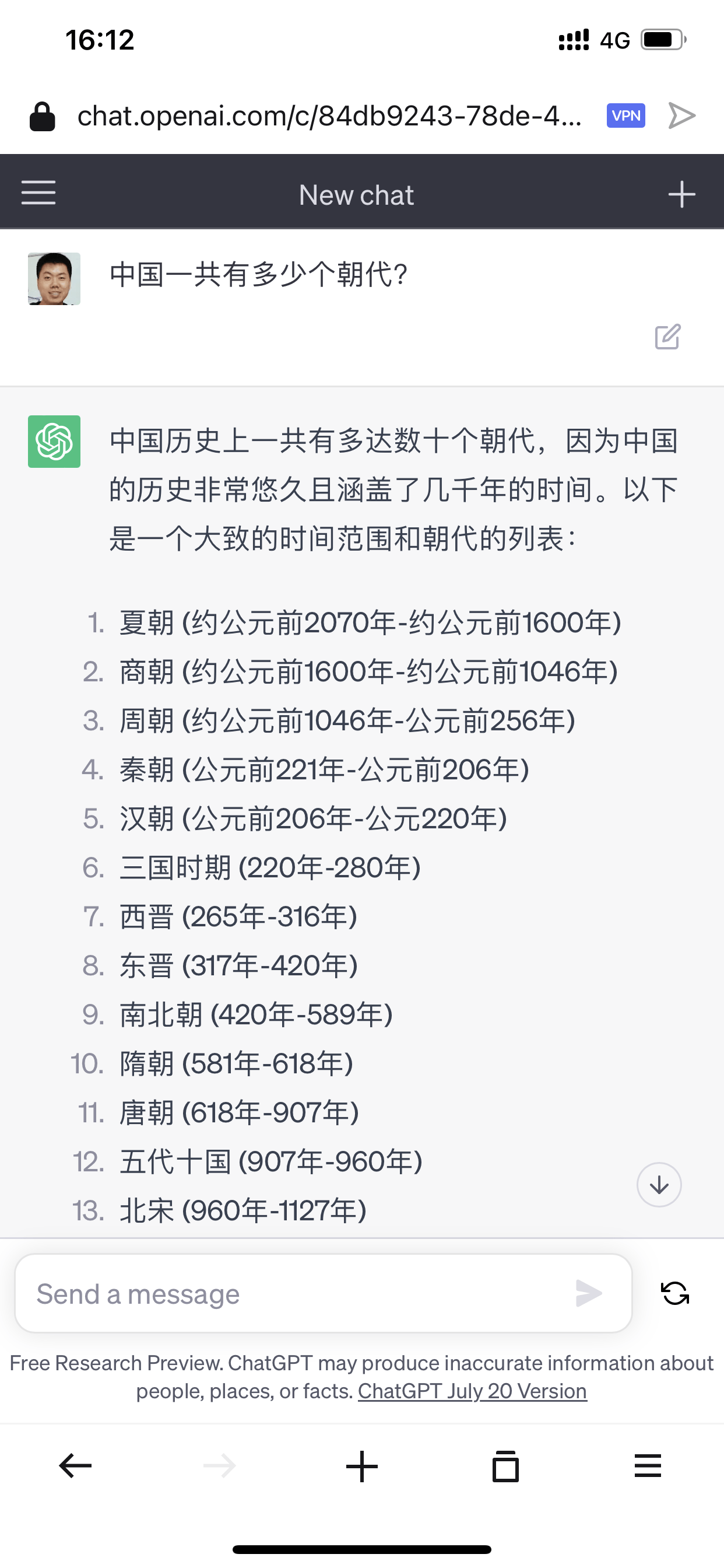
Opera is a pleasant surprise when it comes to unlocking AI services and streaming media. Related services, led by ChatGPT and Netflix, have been strictly restricting VPN and computer room IP user logins. After using Opera’s free VPN, you can successfully unlock these two services. In addition, according to foreign media reviews, Hulu and HBO Max can also be successfully unlocked, but Amazon Prime Video and Disney+ cannot.
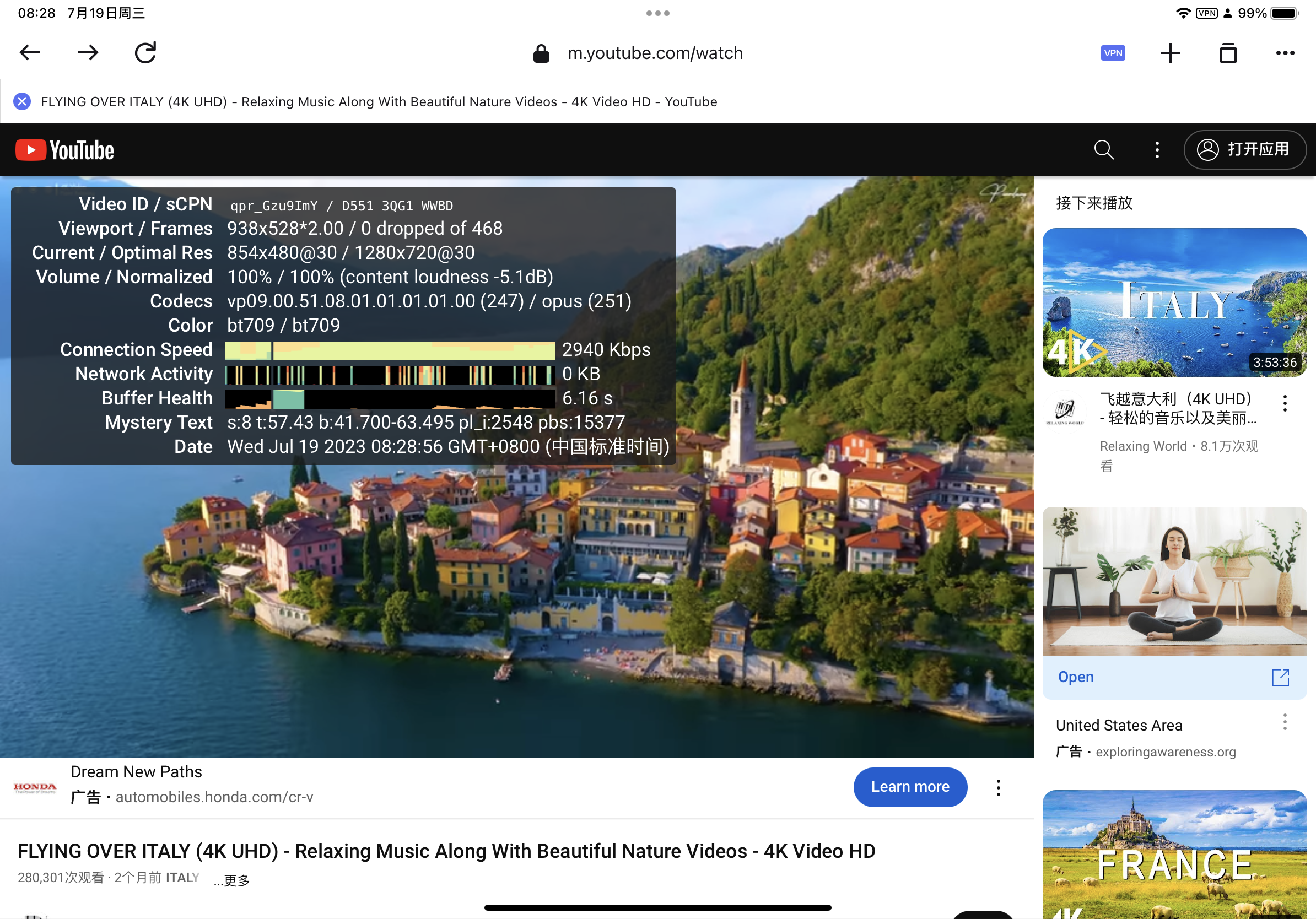
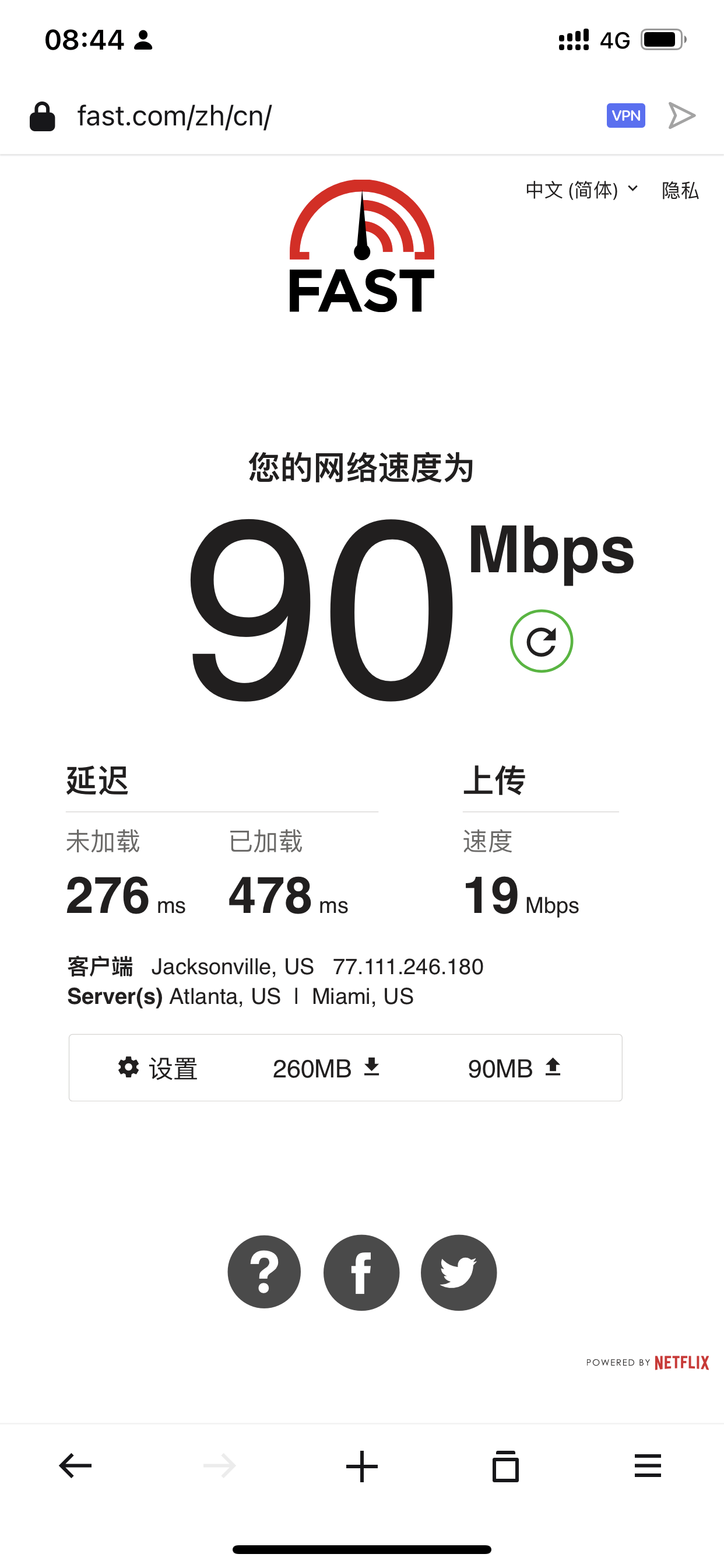
However, if you use Opera’s free VPN to watch streaming media, you may take it for granted. The picture above is watching YouTube on iPad, and the picture below is Netflix speed test on iPhone. You can feel it:
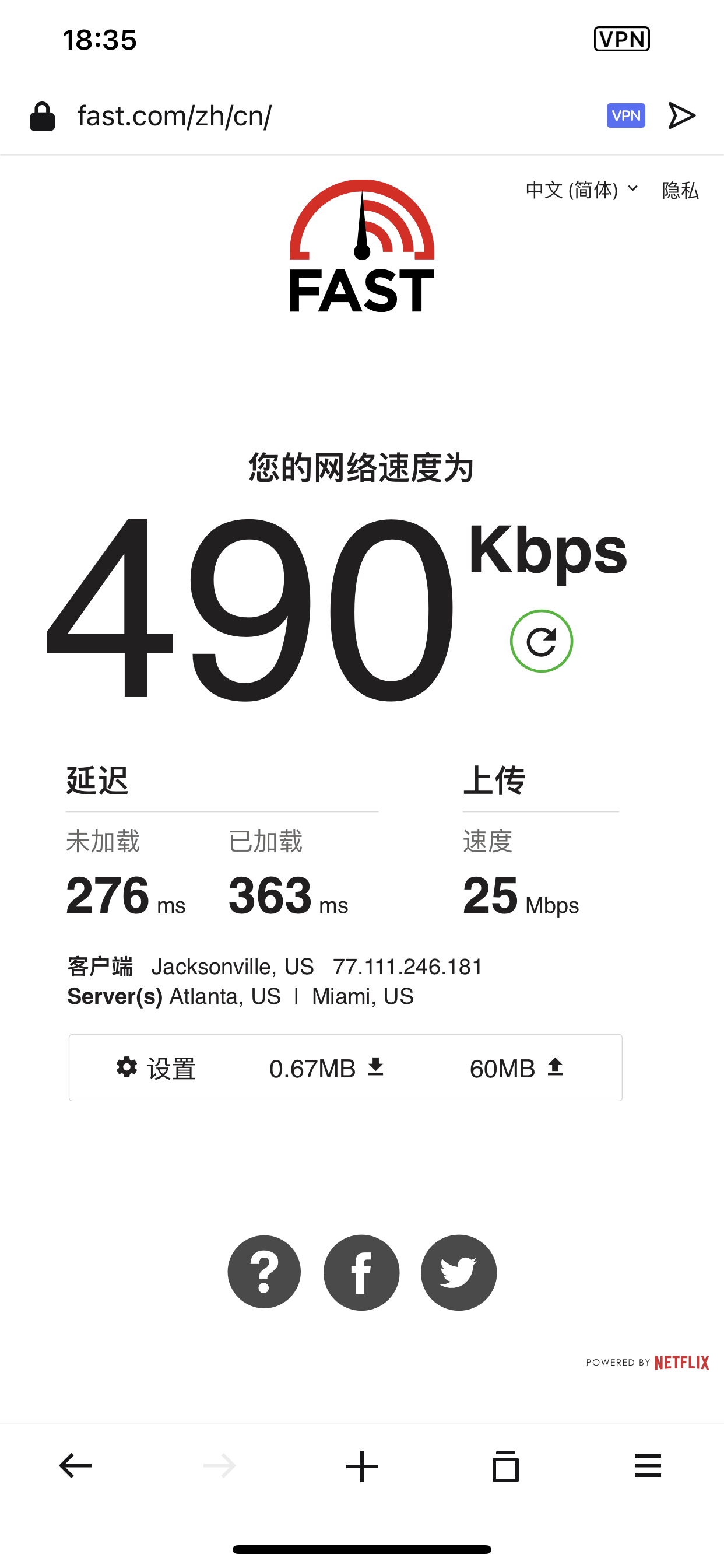
If you can accept the image quality of 720P or 480P, maybe Opera can be used. It is worth mentioning that Opera Free VPN once reached 100 Mbps speed on iPhone, but unfortunately it did not happen again later.
In addition to the free VPN function, Opera browser also has two special functions that you can learn about.
Sidebar AI: Bow left and right Efficient social livestock breeding
On the computer side, Opera's sidebar integrates many functions: workspace, AI services, chat tools, Apple music, etc. This is somewhat similar to the Edge browser sidebar, but obviously has more functions.

When I saw the free proxy and ChatGPT built into the Opera browser, I originally thought it was a convenient tool for using AI services. However, since free proxies are basically unavailable on Windows and Mac, there is no gap with browsers such as Chrome and Edge.
However, if you frequently use ChatGPT, WhatsApp, Telegram, Twitter, Instagram, TikTok and other software, integrating them in the sidebar is an efficient way to read or work.
Flow: Device information synchronization
Opera's Flow is similar to Edge's Drop, supporting message synchronization between mobile phones (android/iPhone), tablets and computers (windows/Mac). Supported content includes: text, pictures, web links and files, etc., but the file size must be within 10M, and the synchronized content will be deleted after 30 days.
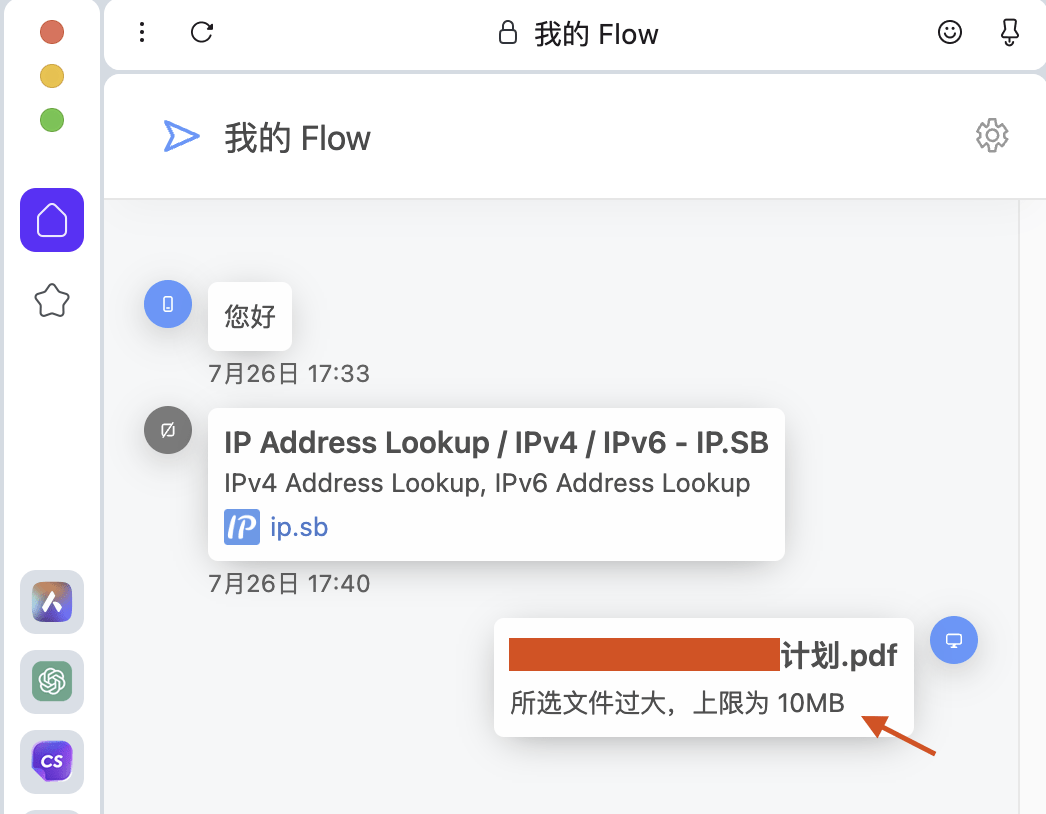
Therefore, if you want to synchronize messages and files across platforms, Opera browser is also one of the choices.
But regarding the linking method between devices, I still want to complain: unlike the Edge browser, which can be synchronized by logging in to your account, on Opera, you not only need to register and log in to your account first, but also scan a QR code every time you connect a device.
Friends who hold multiple devices and want to use this function must read on: When your computer wants to connect to a second mobile phone, you cannot scan the QR code from the browser menu "Flow". Instead, you have to scan the QR code at this URL. Scan, remember!
To sum up, Opera Free VPN is still very friendly to iPhone or iPad users. I just don’t like having a VPN on my phone. If you only temporarily bypass the wall to access the Internet, Opera is indeed very good and is extremely stable than the computer version. So, it deserves a place on iPhone and iPad.
Okay, if you see this and find it useful, just save it.
