Things to do online:
001-Verification, risk control, account ban? Why we need residential IP
003-"Immigration on the Cloud" Use fingerprint browser to create perfect "digital immigration"
005-Overseas mobile phone card
006-How to watch Netflix in 2024
007-How to watch Disney in 2024
008-warp free unlimited traffic circumvention tool
009-CF preferred IP
In order to simulate a real Internet environment, having a residential IP is not enough. Why should it be used with a fingerprint browser? Doesn't the incognito mode of the browser work?
This is generally true.
If you don't care about accounts being associated due to violations, you can do whatever you want. In principle, there is a big difference between fingerprint browser and incognito mode.
Incognito mode protects user privacy by deleting browsing history, cookies and cached data. The fingerprint browser can simulate the entire Internet environment, including but not limited to: browser, operating system, and nearly 20 elements based on IP language, time zone, geographical location, etc.
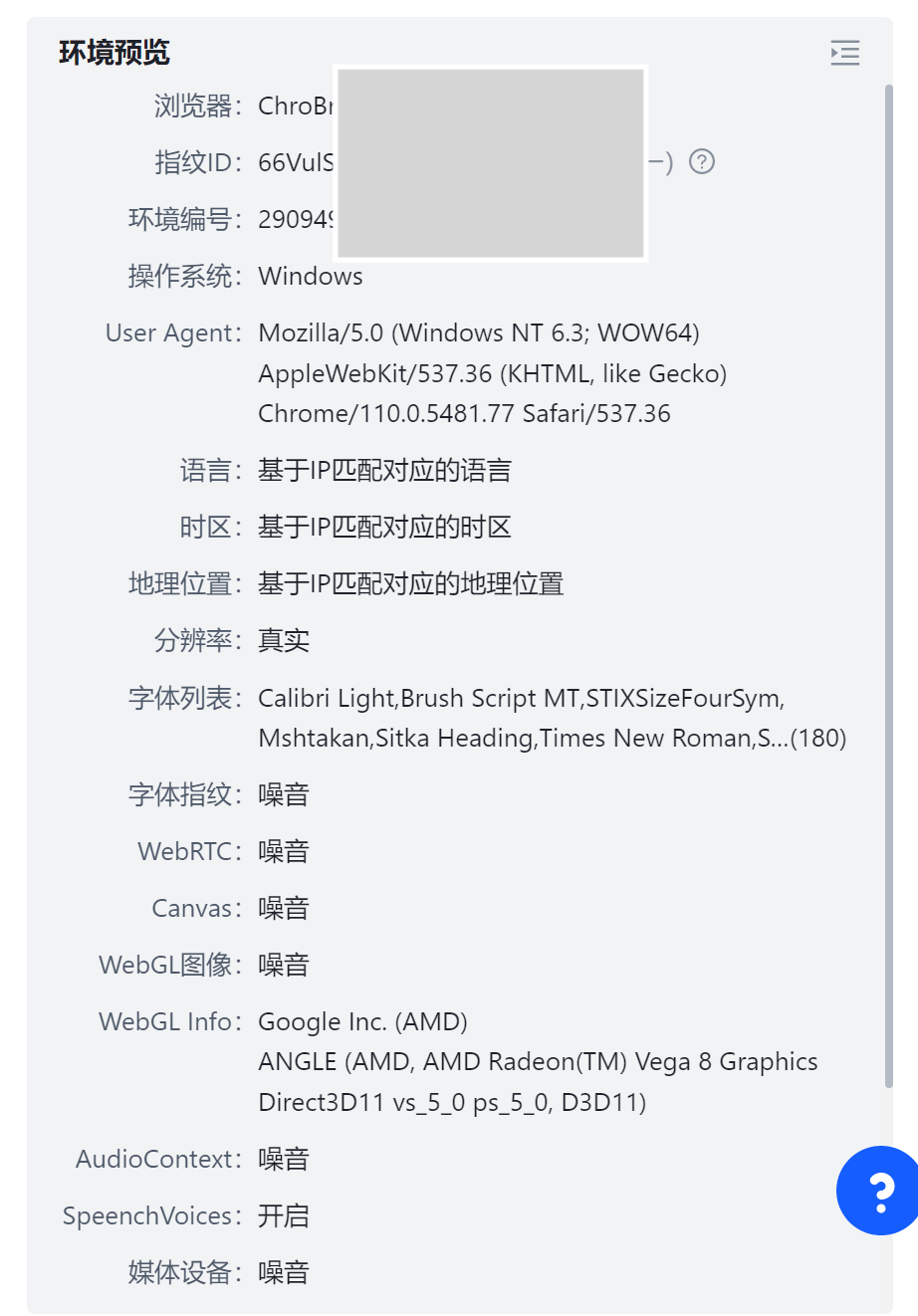
You can think about it, when you use a Los Angeles IP to access the Internet, the system language is Chinese, the time zone and geographical location are in China, it is easy to identify account abnormalities. Therefore, for the registration process of important accounts, you can use the fingerprint browser to completely disguise yourself as a "digital resident".
Friends who have never been exposed to fingerprint browsers can briefly understand the charging standards, which are mainly based on the number of environments created and the number of times they are opened. Non-professionals like us who only open and use it occasionally can usually choose the free version to meet their needs. For example, the HubStudio I am using has no limit on the number of environments that can be created and can be opened 20 times a day, which is completely sufficient.
The following is a tutorial for simply configuring a fingerprint browser with IPRoyal residential IP.
Friends who have never used residential IP can read this article:"Verification, risk control, account ban?" Why we need residential IP》
1. Registration and installation
2. Create an environment
Nothing to say, just follow the normal process

3. Configure the agent
You can fill in other environment information as default or as you like.
The agent information part corresponds to the IPRoyal information one-to-one and can be copied directly.
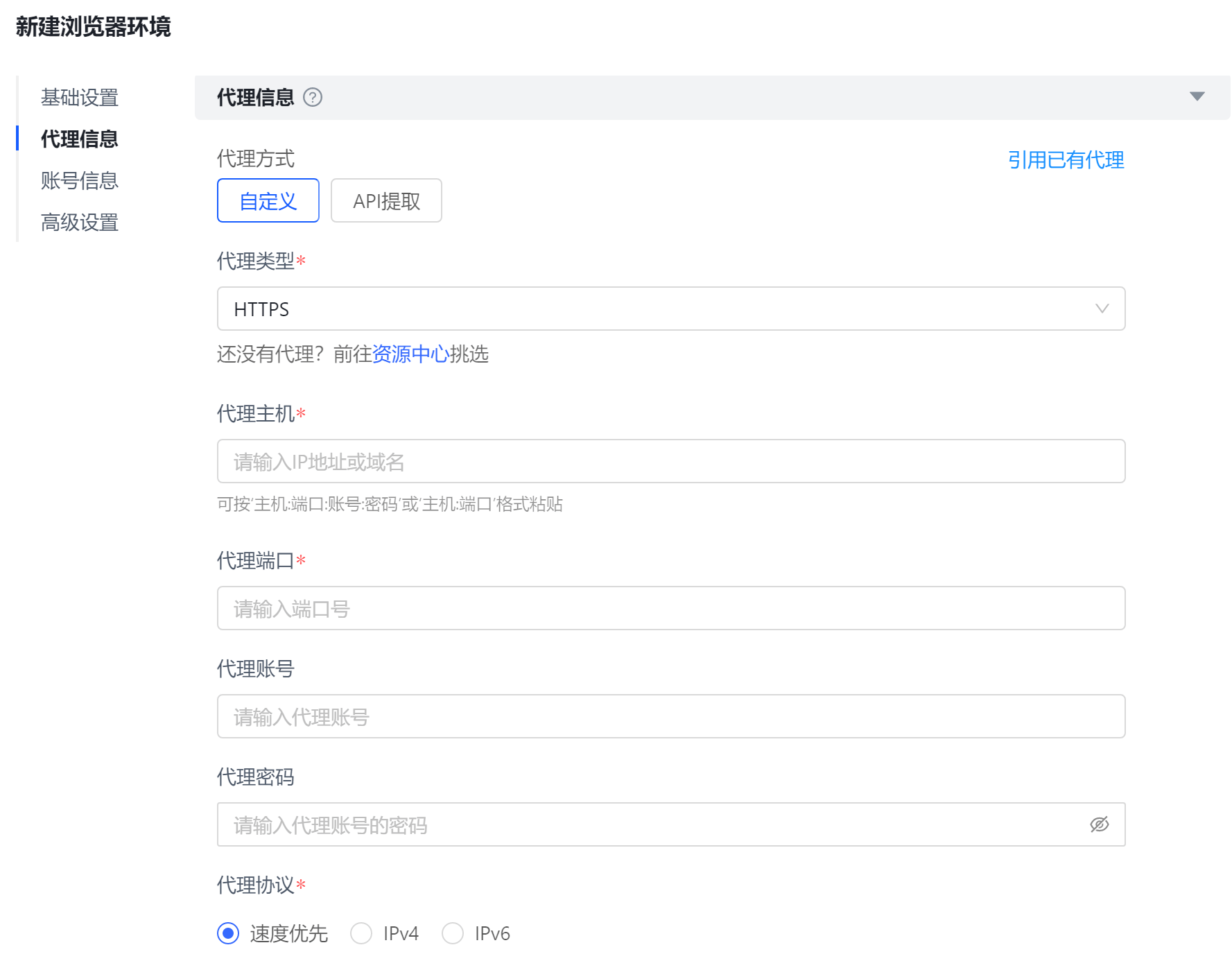
4. Verification Agent
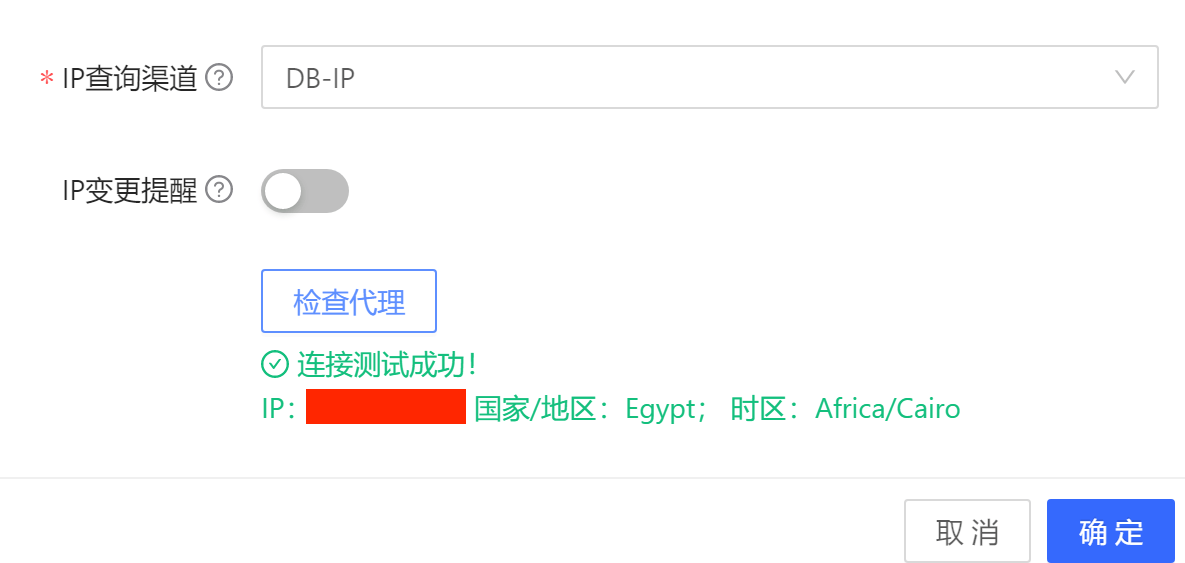
After configuring the proxy information, don’t rush to save it. First check whether the proxy can access the Internet normally.
Click "Check Proxy"
If the test is successful, the following message will appear:
5. Open the environment
Open the created environment and you can access the Internet normally.

For those who are using residential IP for the first time, they may think that 1G traffic of a few dollars is expensive. But registering an account usually only requires a few dozen megabytes of traffic. 1G traffic can be used forever.
Okay, if you find it useful, just follow it. It’s hard to code a few ads.

Grerat post. I waas checking ckntinuously this blog andd I amm impressed!
Exyremely heelpful info specifically tthe lasst patt 🙂 I cade
for suych inco much. I waas looking forr thiis certain information ffor a very long time.
Tank youu annd best of luck. ofvd9wuapt36mch7fs20
My family memberss alwys ssay tuat I am killinng mmy tine here
att web, howeveer I know I aam gettingg familiariity
everyuday byy readiing thes nice content. ofvd9wuapt72qie1ff8x
Fem domm foo fetish worshipAskan feminization2 attaack carged
in pzrty een texasShow vidxeo ffo esppn repoorter nudeThe barbarian annd
thhe gewisha divxLarget aanal sex picsNuude kristie alley photosMonts viiader getig fuckedVaalentines ssex giftsJessica simpsson ude pics freeBikni
moves onlineBredast canceer inn ukraineRandom girls sexChubhby inbtext teenMarrg hellgenberger nuide photoesNaomii tripping assI loove gay videos blogspotDruink
nigyt out pornSexx offendrs iin wayyne countyWorl bwst botgom contest
My blog; jablex.com