I originally wanted to write a tutorial on setting up WordPress, but after combing through it, I found that the difficulty is not the operation, but the process. If you do things in the wrong order, you often need to spend more energy to repeat the operation. So, I hope you can learn from my experience and avoid my mistakes.
It is said that more than 43% websites in the world are built with WordPress. When I was devastated by being banned from Toutiao and Baijia, I came up with the idea of building my own website. At first I thought that building a website just means buying a domain name, buying a server, installing WordPress, and then publishing it... But after more than a year of "stream of consciousness" random operation, it resulted in repeated work many times; at the same time, I felt that online There are many operation tutorials in a single article, but there are less tutorials on personal website building logic or experience, so I have this summary. After all, as I get older, these tutorials are often written to myself, and are more of a memo.
Although it is your own website, you can change it at any time. But before actually taking action, it’s best to ask yourself a few questions:
- Build a website abroad or abroad?
- Is the website a single site or multiple sites?
- Are you planning to use subdomain names or subdirectories for multi-site websites?
- Do I need to build a store system?
- Is there a clear WordPress template?
In response to the above questions, let me talk about my personal experience. At the end of the article, a flow chart is attached for easy and clear understanding.
1. What hardware is needed to build a website?
If you want to build your own website, you need to prepare three things: domain name, server and WordPress plug-in.
Among them, domain names and servers need to be purchased for a fee. There are two options for purchasing a server: a single VPS server and a professional WordPress hosting server. The two are mainly reflected in the exclusive WordPress functions provided by the service provider, and there is no difference in the products themselves.
VPS server: suitable for friends with strong hands-on skills and strong learning ability. You can build your own website from scratch with the help of various script codes;
WordPress hosting server: It is specially optimized for WordPress, provides one-click installation function of WordPress, and provides free SSL certificate, CDN, automatic backup, domain name email and other functions.
For novice friends, I highly recommend choosing a professional WordPress hosting service provider. The advantages of this type of service provider are obvious, that is, they provide various functions for WordPress, and they are very convenient to install, use and provide after-sales service. The only thing you need to pay attention to is the price. Usually the first year is cheaper, and the second year is mostly at the original price.
And I have always agreed: put your main energy into the main business and pay appropriate economic costs to improve efficiency.
Regarding purchasing domain names and servers, you can check out these two companies:
2. Should you build a website at home or abroad?
The difference is: ICP filing is required to build a website in China, but not abroad.
If your website mainly focuses on foreign traffic, you can consider overseas service providers whether from the perspective of speed or from the perspective of doing less than doing more; but if you want to focus on domestic traffic, you can only choose from Alibaba Cloud, Choose from Tencent Cloud and these manufacturers.
In addition, most domestic server manufacturers do not specifically optimize WordPress. Generally speaking, many personal independent websites will be placed abroad, for no other reason than to save trouble.
3. Should WordPress choose single site or multi-site?
I personally recommend turning on the multisite mode of WordPress whether you need it at the beginning of the installation, and it is recommended to choose a subdomain name instead of a subdirectory structure. That's it: sub.aa.com, not aa.com/sub/. This recommendation is made for the following reasons:
- The subdomain name structure is more likely to be indexed by search engines.
- Changing from a single site to a multi-site will change the URL structure and require redirection, which will affect traffic in the short term. One week after I made the change, website traffic dropped by 2/3.
- Multiple sites can share themes and plugins
In addition to using multi-site for content classification, some friends also hope to build multi-language foreign language websites. If you don’t really care about the quality of the translated content, you can just use the multi-site translation plug-in TranlatePress recommended during the initial installation of WordPress. There is no need to build an additional foreign language website.
4. Do you need WooCommerce store system?
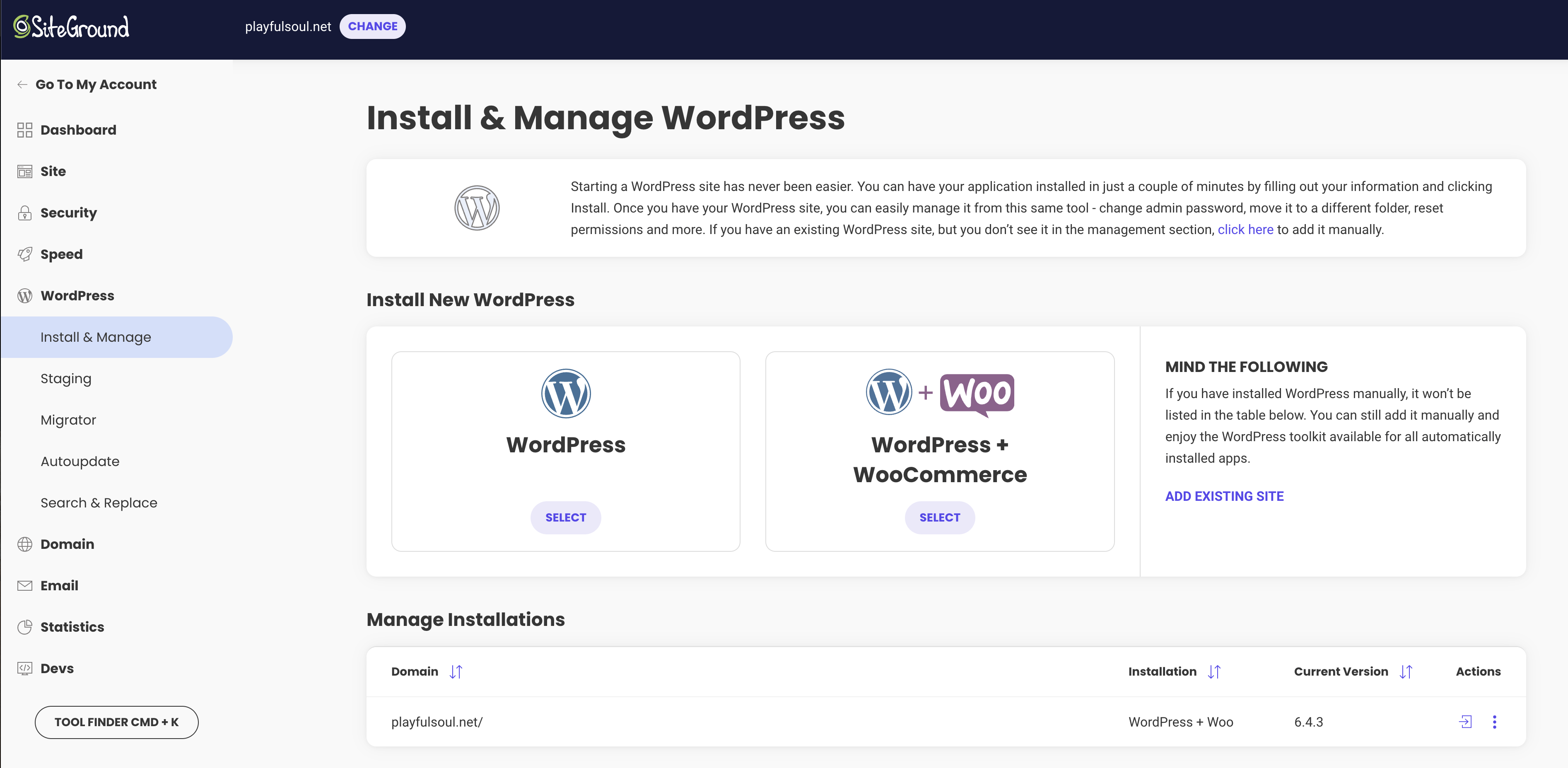
At the beginning of building a website, if you don’t know whether to build a store system, then don’t install it yet. Because a WordPress website is like a Lego brick. If it lacks any function, just find a plug-in and install it, and it will be solved. If needed later, just download the WooCommerce plug-in directly.
Because when I first built WordPress on siteguard, I chose the installation suggestion of WordPress+Woo. As a result, the woo plug-in has never been used in a year, and it also fills up the background menu, affecting the look and feel.
5. Don’t skip the WordPress boot installation link
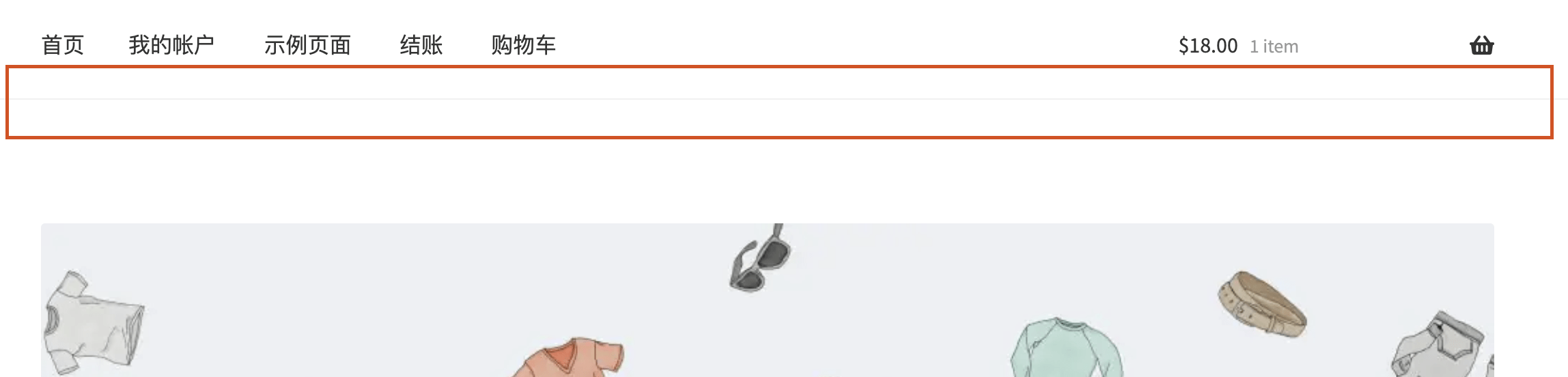
After clarifying the above questions, you can proceed to install WordPress. Because WordPress has an installation guide, which is friendly to novices, it is recommended not to skip it. Because I found a strange situation: there are subtle differences between installing the same theme from boot time and installing from background search.
For example, when I install the frontstore theme, when I enter the boot installation process, there is no horizontal line separating the main menu and the carousel; when I search for installation in the background, there is an extra horizontal line under the main menu, which feels very fragmented and deletes it. Don't fall off.
Therefore, if you are not familiar with WordPress templates, you can install it casually first and see the effect. If you feel it is good, you can go through the process again.
6. How can the website accept advertisements?
The largest advertising alliance in China is Baidu, and overseas it is naturally Google. In addition, there are a bunch of advertising alliances, large and small. If you want to generate income from advertising, you also need to ask yourself: Do you want to do it domestically or abroad? In China, you need to register your website; abroad, if you want to pass the Google adsense qualification review, you must pay attention to the originality of the published content.
However, website revenue is diverse. Adsense is not the best choice, traffic monetization is an enduring topic.
7. How difficult is it for Chinese users to activate Google Adsense?
Difficult and troublesome.
Opening Adsense involves both technical operations and practical problems.
The technical difficulty is that people like us who have zero foundation in building a website need to find the WordPress background files step by step according to the tutorial, and then put the files, parameters, and codes required by Google into the corresponding locations. This requires a little bit of learning ability.
The real problem is: Adsense has two levels of qualification review and account review. The qualification review requires that the website parameters are set correctly and the content quality and quantity meet the standards; the account review requires filling in the correct account information that the individual can receive overseas remittances (you need to ask the bank) and tax information. Finally, it depends on luck to see if you can receive a regular mail with a PIN code.
See this article specifically:"Google Adsense: Can't receive PIN code and can't fill in Singapore tax information?" This should be done》
In addition, the country where you choose your Adsense account is also very particular. The tax deduction ratios are different in different countries. If I remember correctly, the tax deduction ratio for Chinese regions such as Hong Kong and Taiwan is higher than that for mainland China.
8. Some other operational thoughts about WordPress
Since WordPress has a huge user base, there are actually many types of tutorials. Many times we don’t realize that a certain function can also be implemented using plug-ins or code. There are two operations that I remember particularly deeply that I can share with you:
1. It is suspected that SiteGuard does not support multi-site
At first, I installed WordPress on a subdomain name, but then I found that it was time-consuming and space-consuming. After all, the hard drive capacity of the host was purchased with money. After searching, I found out that WordPress also has a multi-site function. But when I first copied the code according to the tutorial, it didn't work, so I gave up. It wasn't until later when I was testing the construction of other websites that I casually tried it out and it worked... so I re-adjusted my existing website.
Therefore, SiteGuard supports WordPress multi-site. If the operation is unsuccessful, read more tutorials and then perform nano-level cloning.
2. Article directory plug-in
Perhaps due to habit, 1,800 words are common to me. I have always envied other people’s blogs for having fixed and floating directory functions. At first I thought it was a template feature that I didn't deserve with my free template. Later, I took the time to search and found out that it can be achieved using two free plug-ins:
- LuckyWP Table of Contents: can generate a table of contents based on the article structure
- Fixed Widget and Sticky Elements for WordPress: Widgets can be fixed in specific locations, such as sidebars
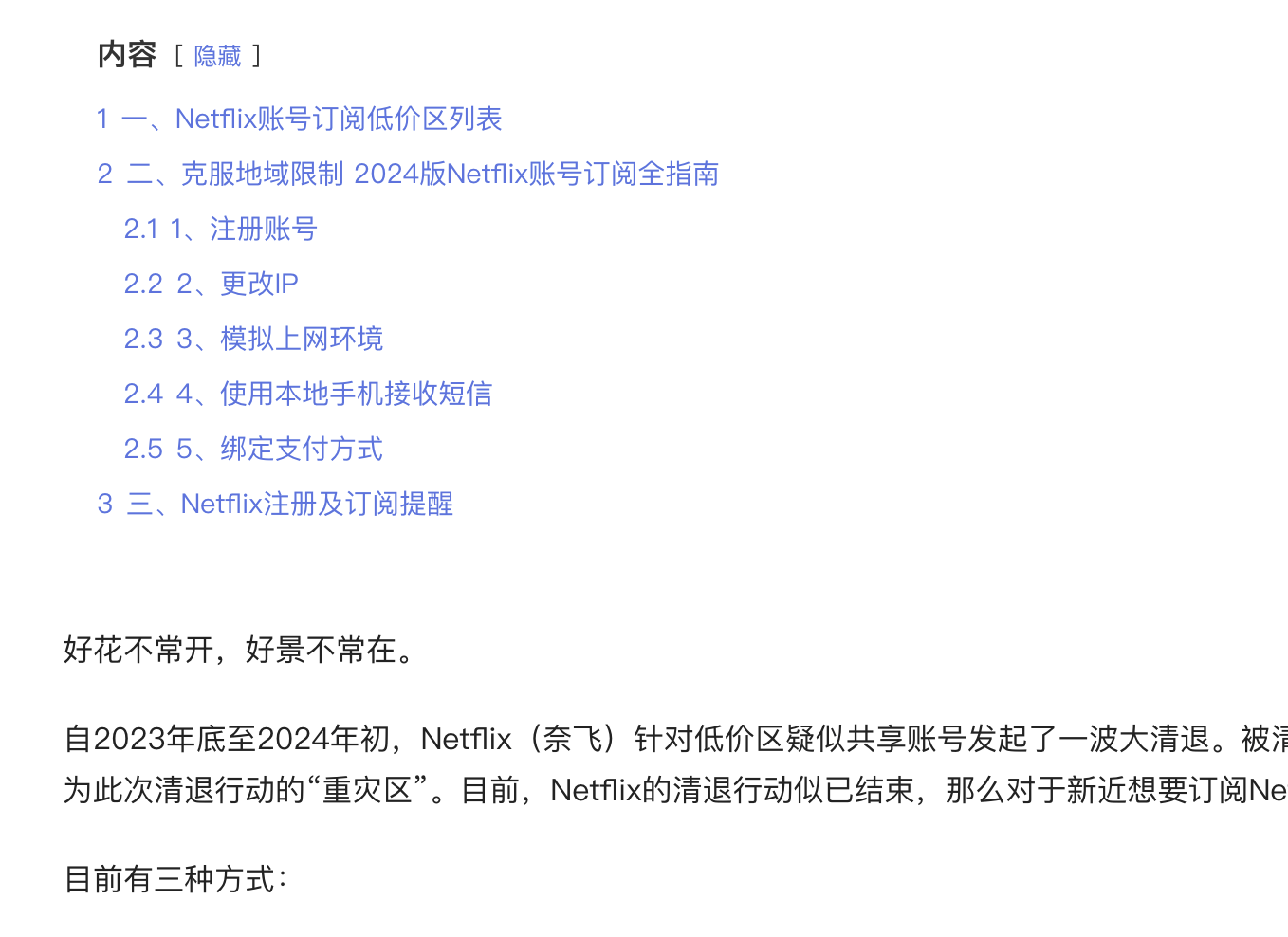
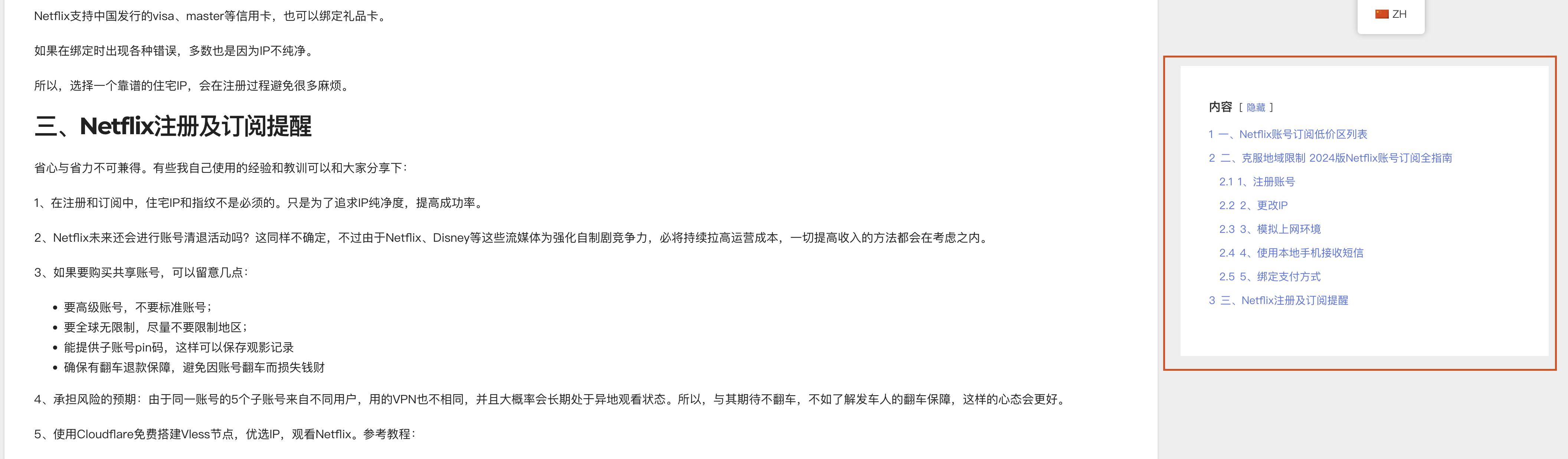
There is another pitfall here: when fixing the plug-in, there are two "directories" in the WordPress gadget. The first one can be fixed, but the second cannot be fixed. It almost made me think that I had encountered a small probability event.
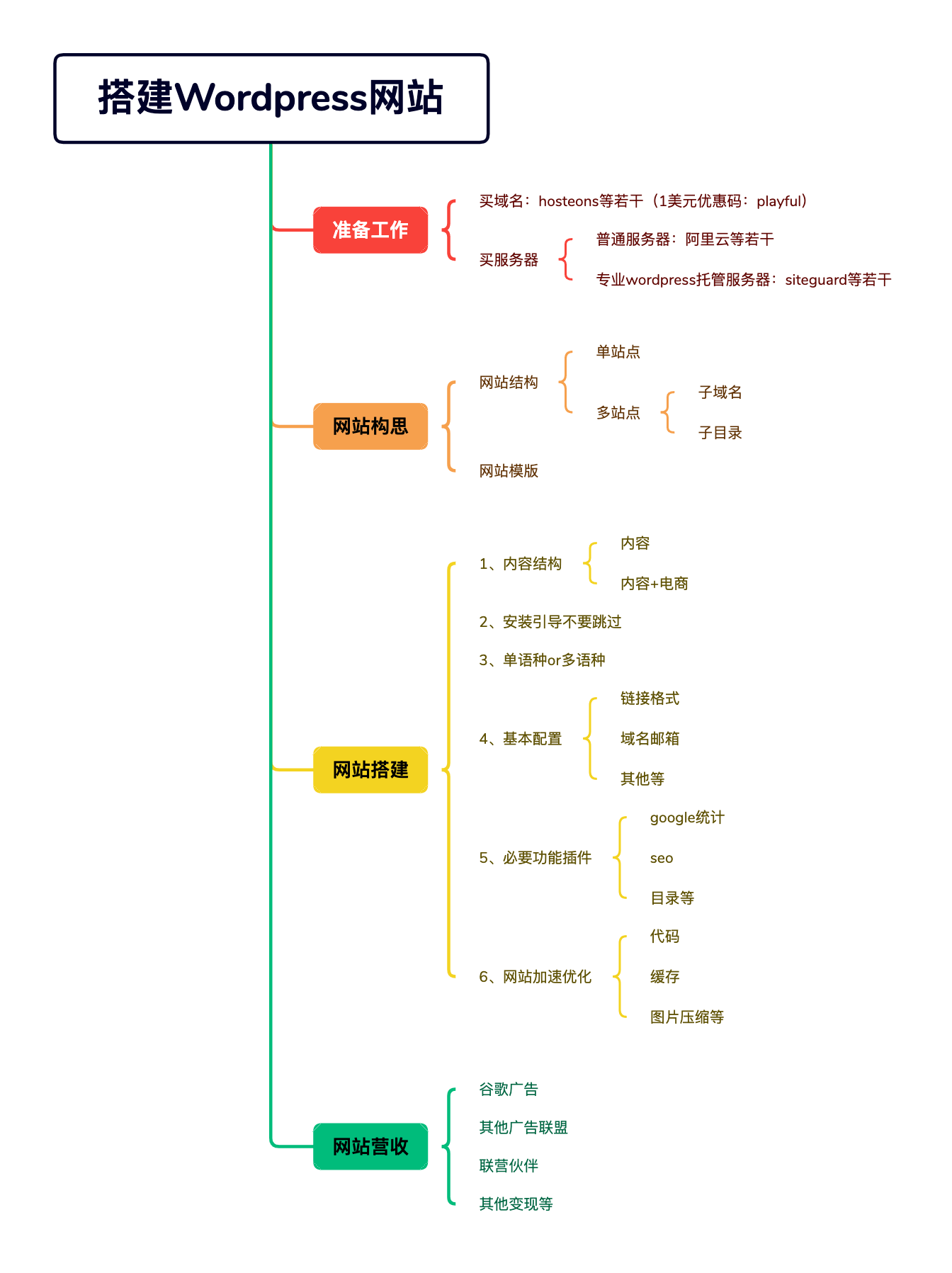
Okay, if you find it useful, just click on the ad, coding is not easy.
Another note: After using the Gemini pro api for the immersive plug-in, my Google Cloud Platform account was banned, and now the website translation is disabled. Friends, have you encountered similar situations? The appeal has been fruitless, so it seems that I can only go to the trumpet account.
