pass"VPS+ Alist" combination can get an experience similar to that of a VIP member of the network disk. However, if you use Nginx port forwarding (reverse proxy) to log in to Alist through the domain name, you will encounter the following error code 413 when uploading files directly:

This is because the default upload file size of Nginx is 1M. If you search for keywords such as "alist 413 code", there are actually a lot of tutorials. But there is a common problem in these tutorials, which are that they only have key codes, but it is assumed that everyone knows the name of the Nginx configuration file, the file path, and the location where the code should be filled.
This is not very friendly to us amateurs. So there is this elementary school tutorial that anyone can understand.
1. Connect to VPS through finalshell
This allows you to directly view the files in the vps without having to operate through code;
2. Open the Nginx configuration file
File path: /etc/nginx/
Configuration file name: Nginx.conf
3. Add code
client_max_body_size 1024m; # sets the upload file size (write whatever you want)
4. Code location
In the curly braces of http, as shown in the figure.
After adding, just save it and the file will be automatically uploaded and overwritten.
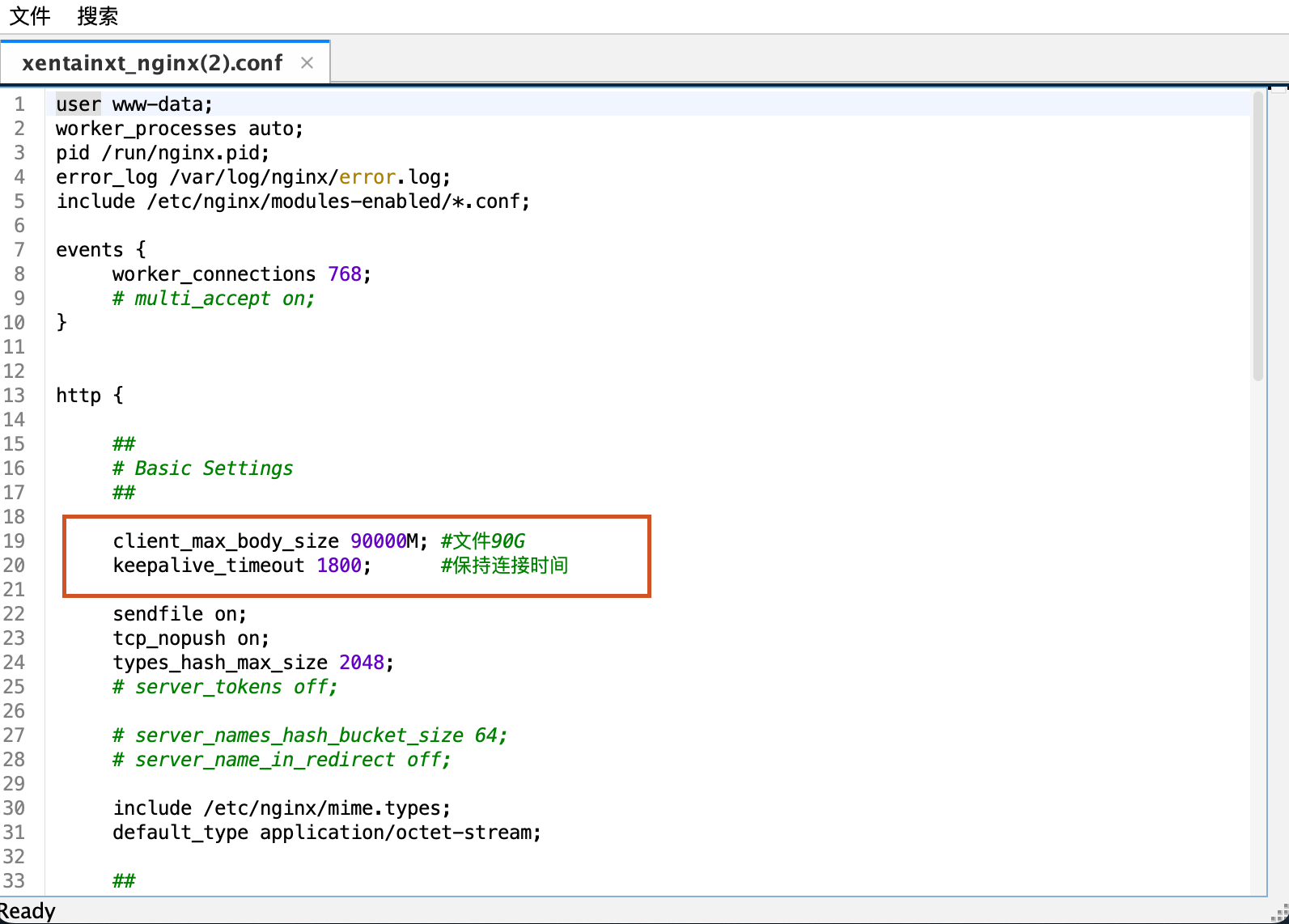
After completing the above operations, you can upload files normally.
Okay, if you find it useful, just follow it.
In the next issue, let’s talk about how to use emby in qnap to help plex obtain the cache file address of alist.

If you use the free plan for a domain accelerated by Cloudflare, the maximum upload file size is limited to 100 MB
Indeed. You can consider using only CF domain name resolution without acceleration (turn off the cloud). If you have any successful friends, please leave a message, I won't verify it...
Still confirmed, there are two ways:
1. If you are unwilling to give up the domain name reverse acceleration settings and have files larger than 100M, continue to log in using [IP: port number] and upload normally;
2. If you have files larger than 100 MB uploaded for a long time, you can turn off the reverse proxy (cloud) and only use the domain name resolution function of CF;
Add the third method:
Since large files are easily disconnected when they are directly uploaded via the web, it is recommended that you upload large files to the alist server first, and then transfer and share them by mounting them as local files.
1