Alist cooperationPlex, to a certain extent, can be regarded as a killer weapon in media and entertainment management.
But when configuring Qnap's Plex server, we may encounter a problem: we cannot find the address of Alist's network disk. Of course, if you have called Plex, you can directly use infuse to connect to Alist. But I have already mentioned it in the first article.《Alist丨Look first and then use six types of installation methods to choose from》I have explained my own ideas for using it, so I will not repeat them here.
So, in a series of coincidences, I found the file address of Alist's network disk through Emby. Then, I copied the file address to the Plex library and was able to import the media resources normally.
In the following operation, you need to prepare the following software:
- Install Qnap's Plex server
- Install Qnap's Emby server
- Will use Qnap's built-in HybirdMount file-based cloud gateway
1. HybirdMount: Mount Alist
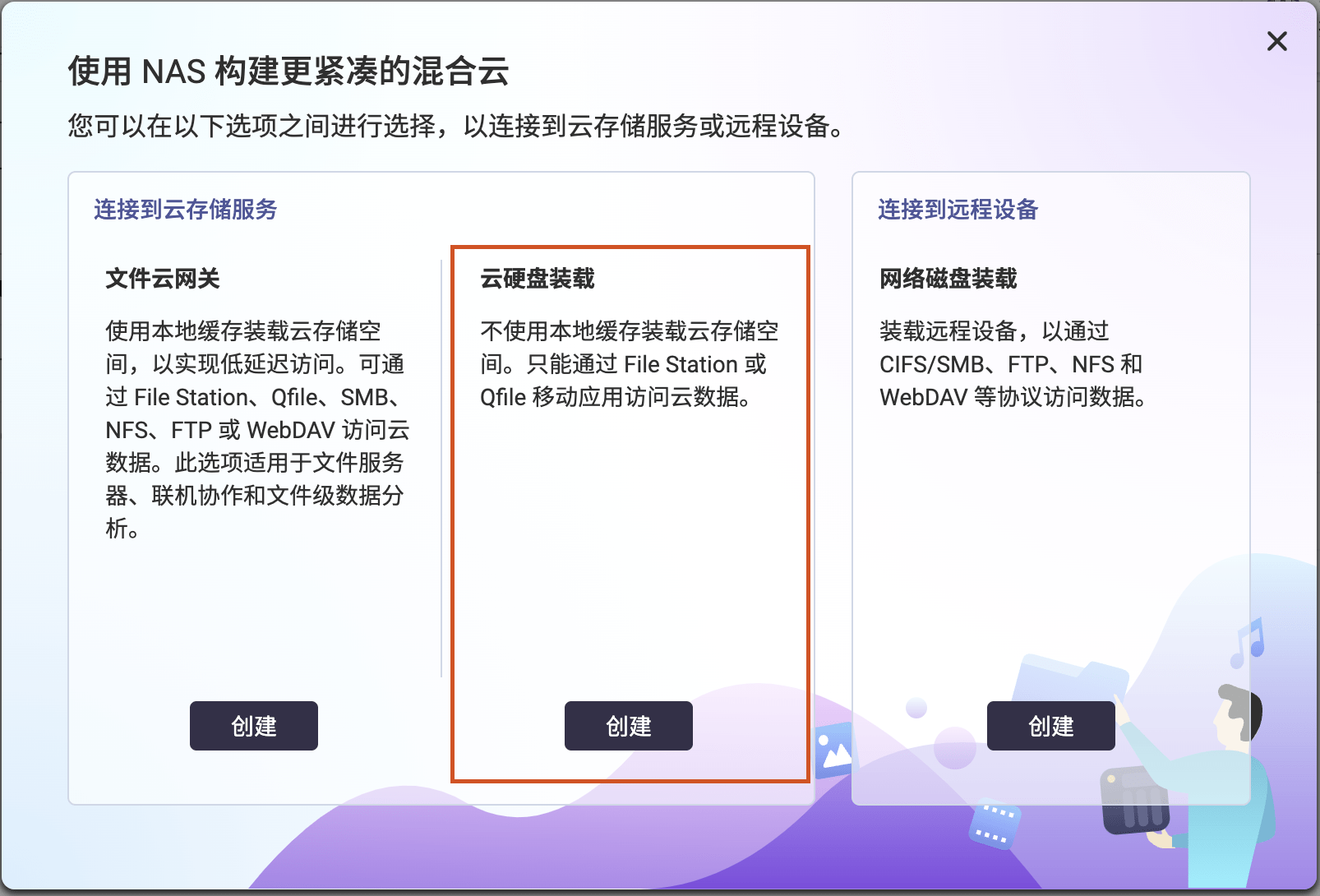
In "Create Remote Mount", select "Cloud Disk Mount"
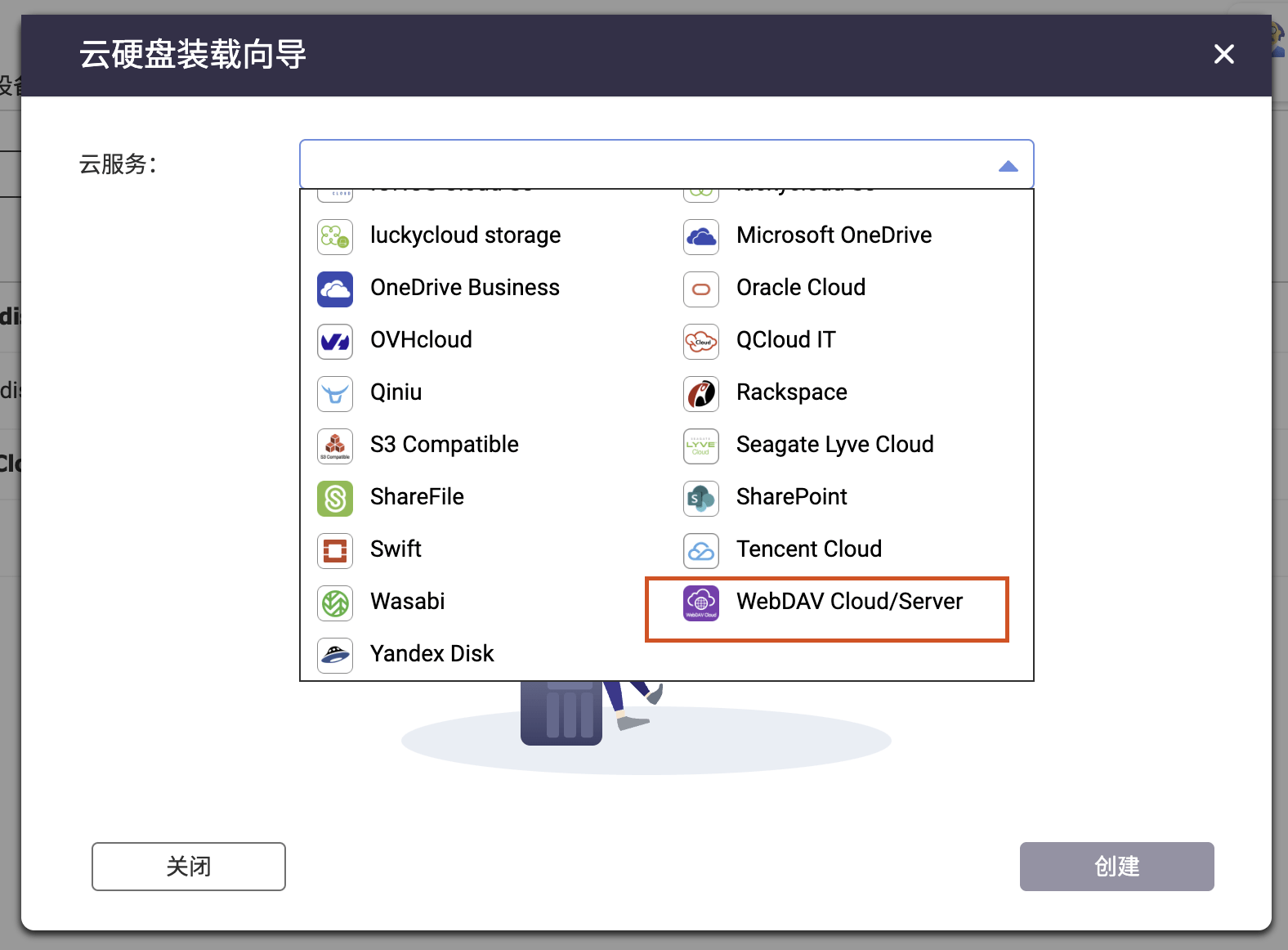
Select "WebDAV Cloud/Server" in the cloud service
- Server URL: http://ip:port number/dav [use ip+port number regardless of whether it is bound to a domain name]
- Account: alist account
- Password: alist password
- Connection name: Any
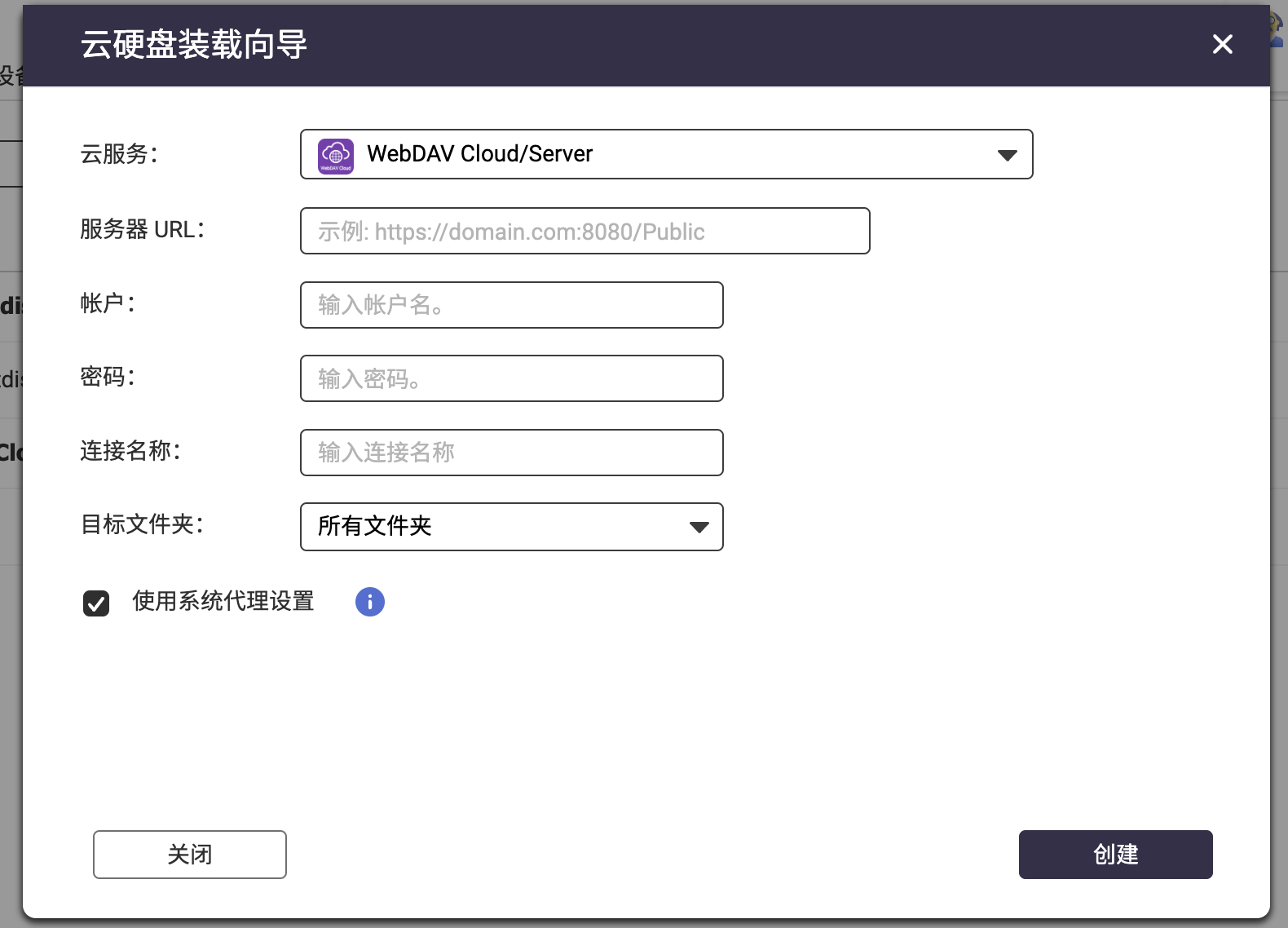
After clicking Create, it will display "Loading", which means it is successful.

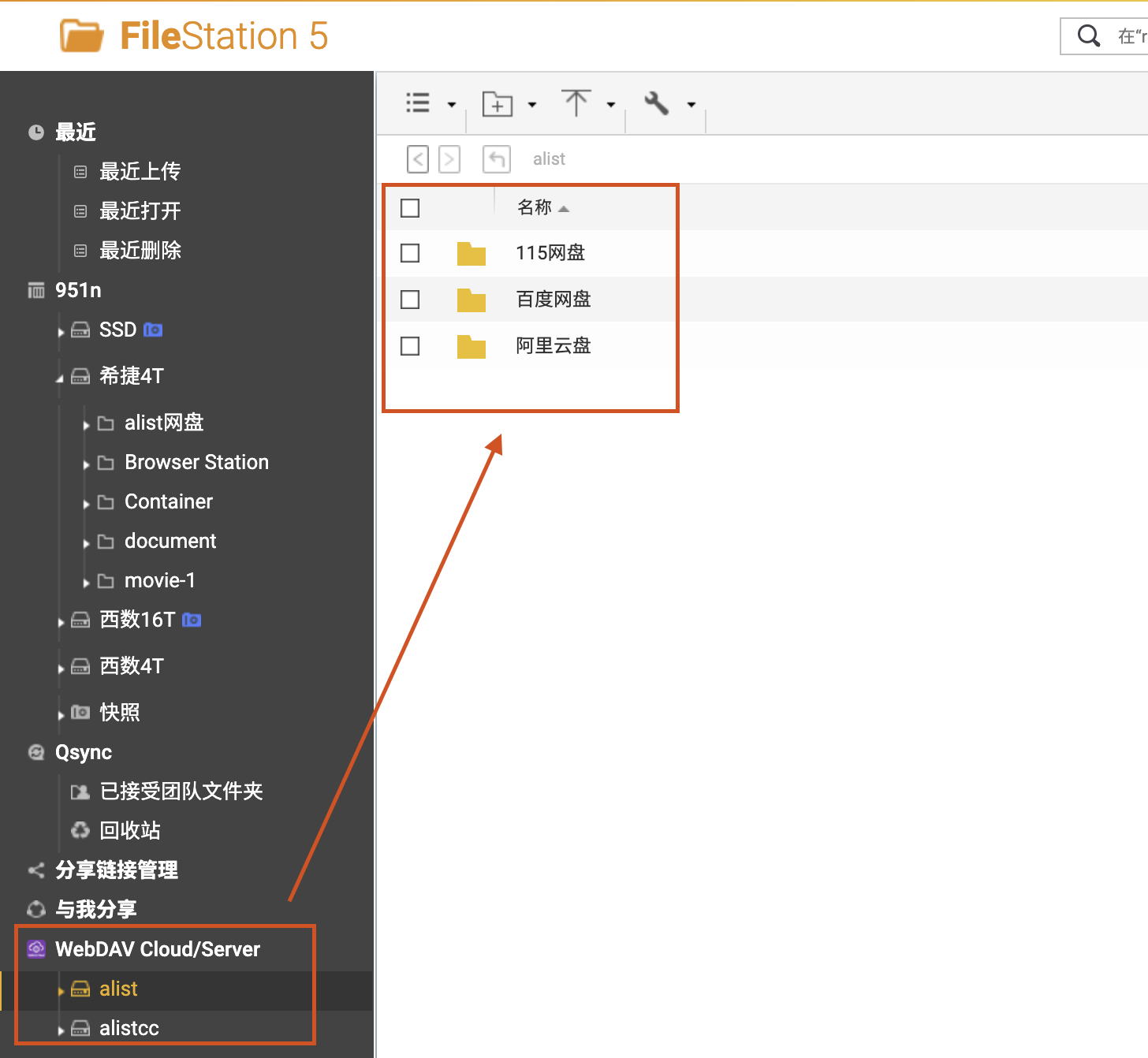
In the "File Station File Manager", you can see the corresponding files:
2. View the file address in Emby
The basic usage of Emby is not difficult. If you really don’t know how to use it, just search for tutorials. Let’s start by adding a new data source from “Settings – Database”:
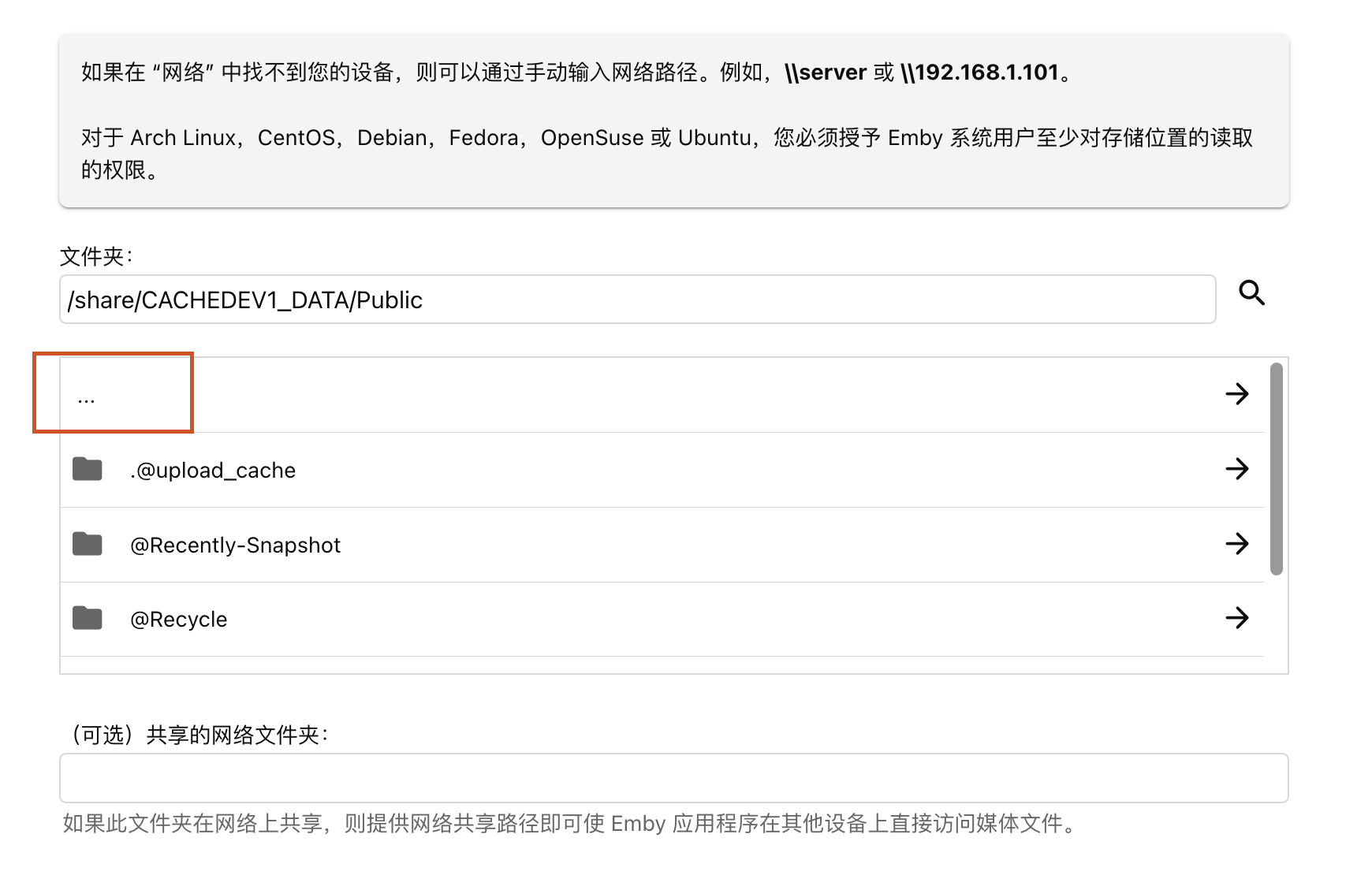
Click "..." to return to the "/share" folder
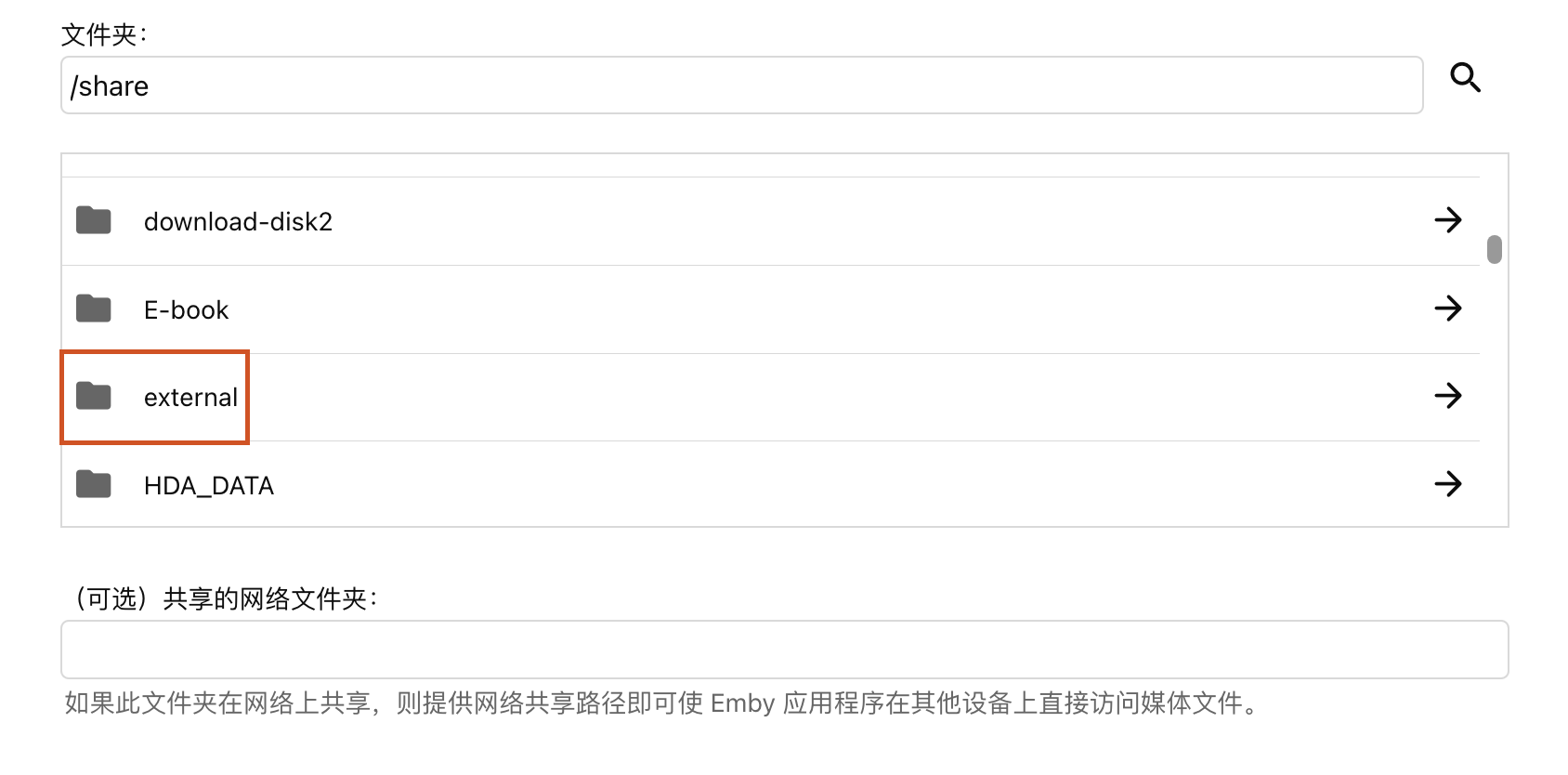
Select the "external" folder
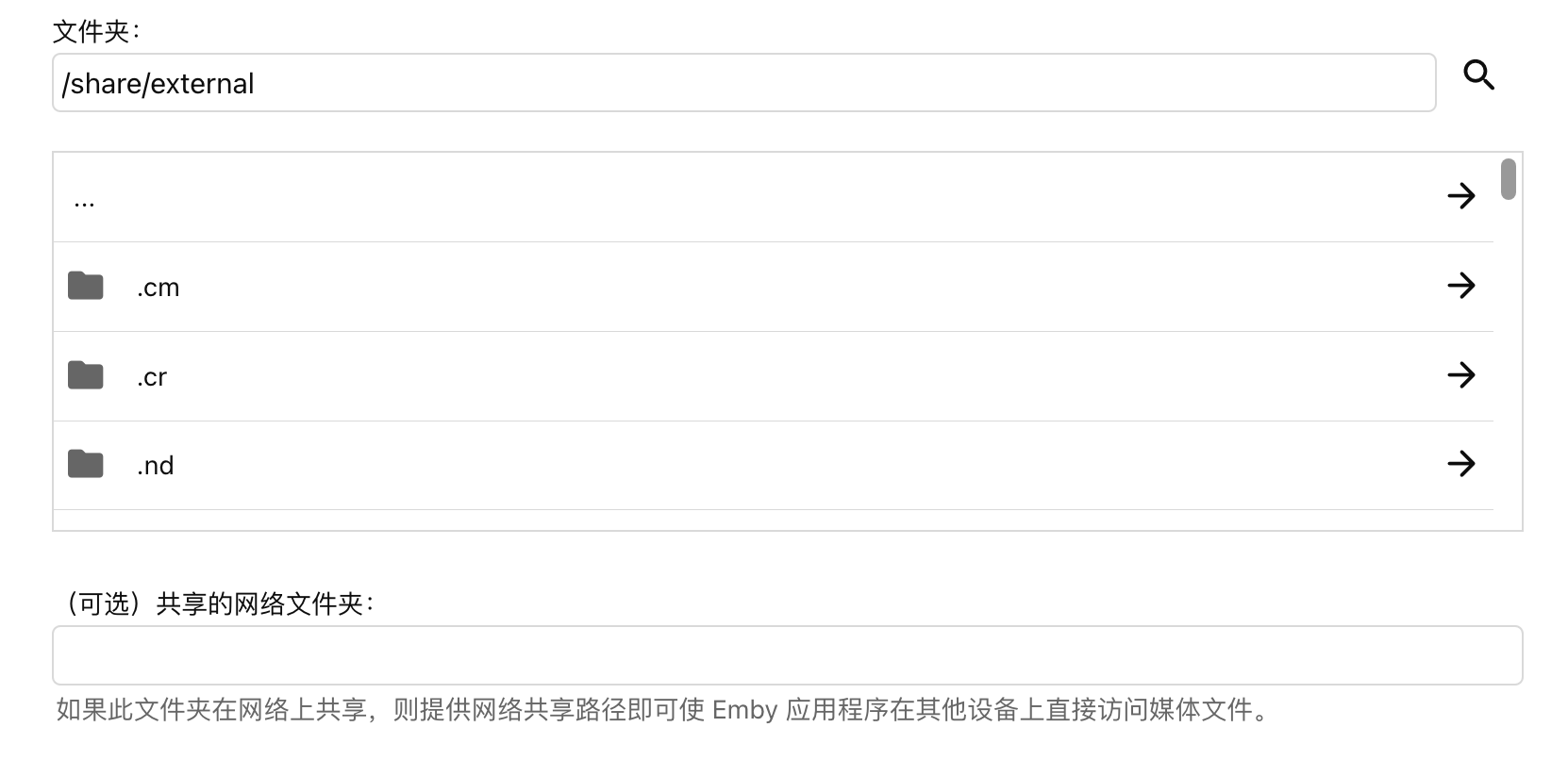
Pull down to the top and select the ".cm" folder
Select the "1000" folder
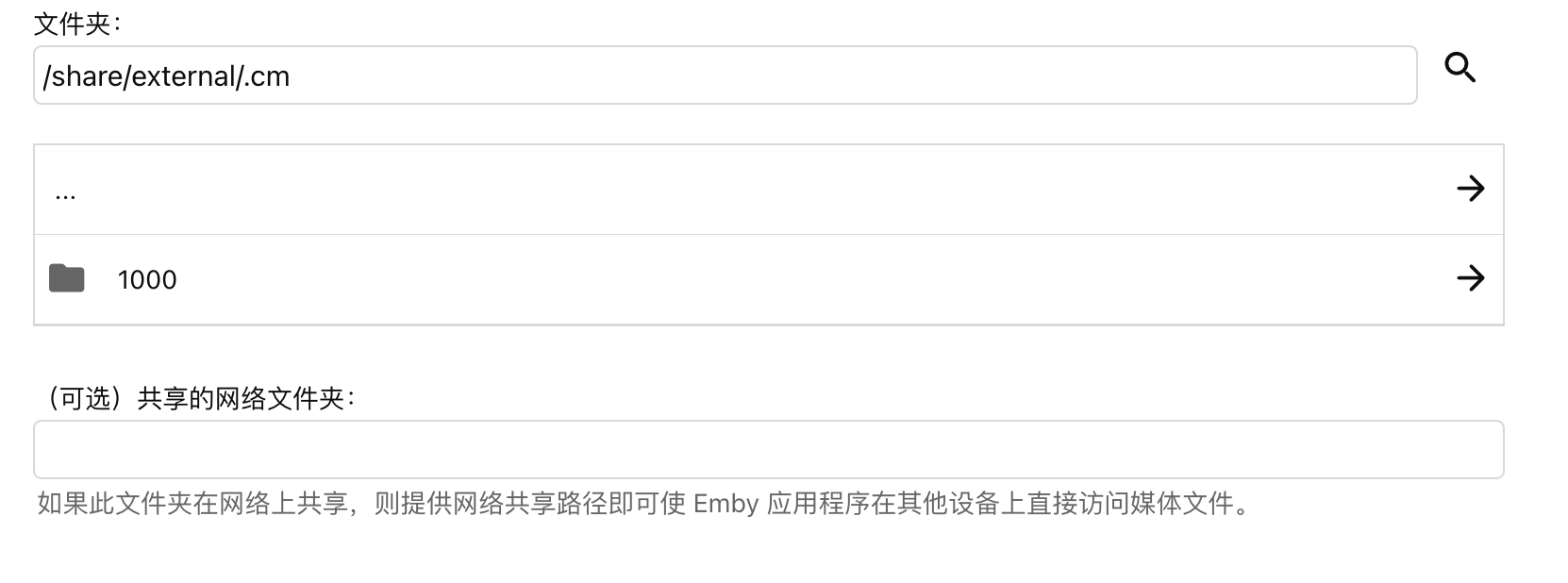
You will see several folders here, all of which are external network disks. You need to try them one by one to see which one is Alist. But if you only have alist installed, you may only see one folder.
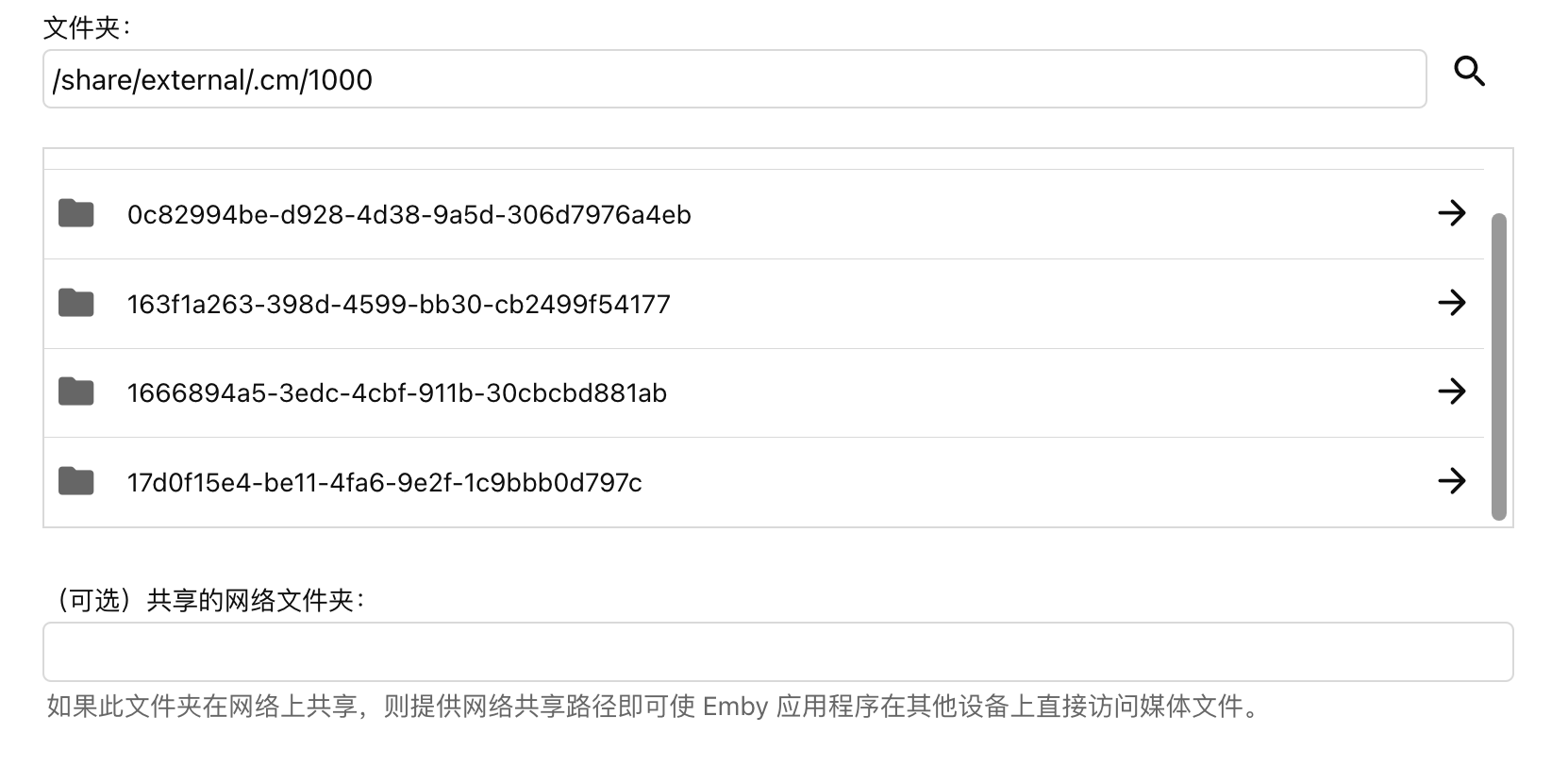
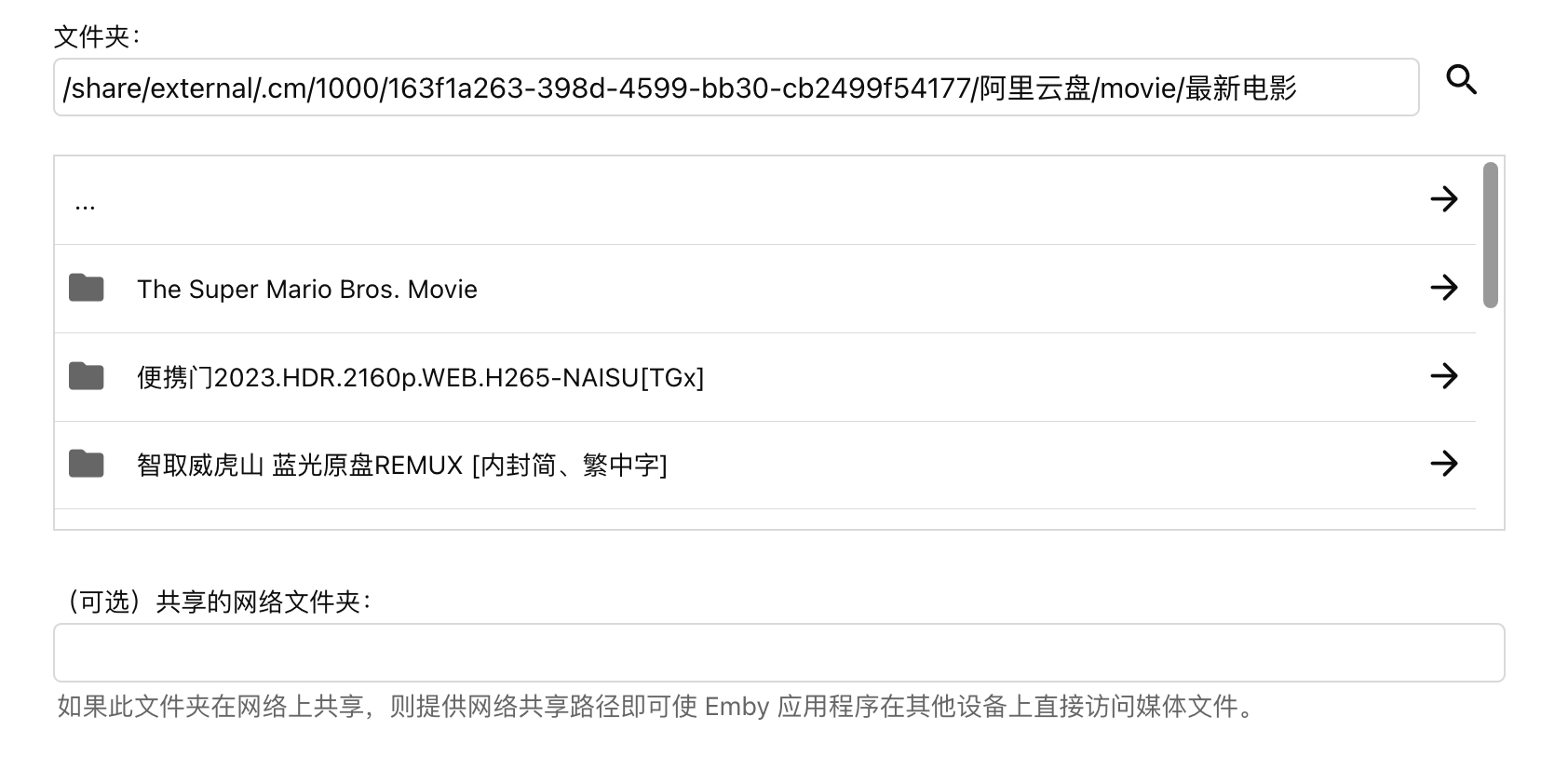
Then select the folder you want to import. For example, if I need to import the "latest movies in Alibaba Cloud Disk" into Plex, I will copy this folder address: "/share/**** (see screenshot)/latest movies"
3. Plex: Add to library
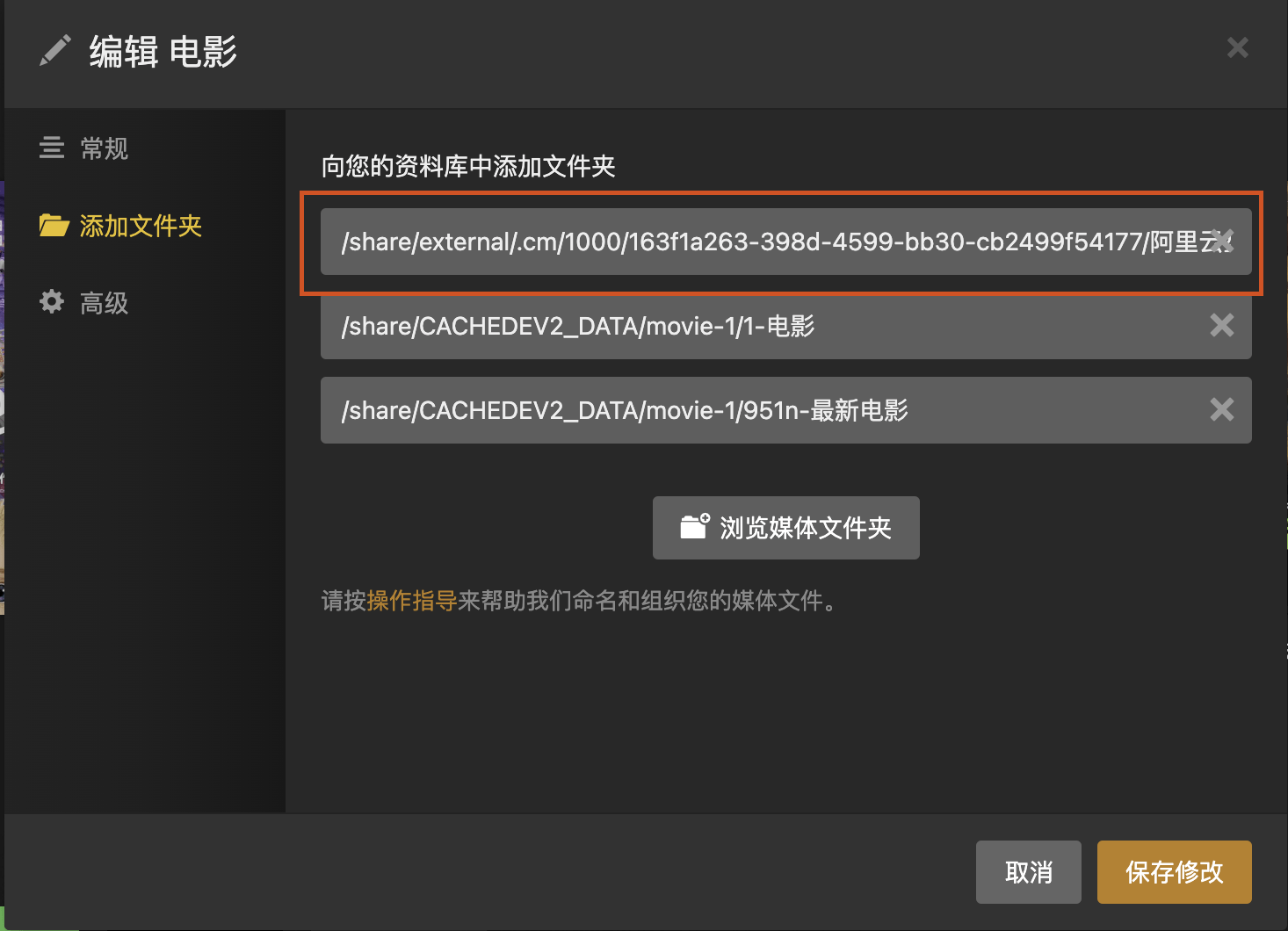
Copy the file address into the plex database, and you can import the network disk resources normally.
This is the end of the introduction to the use of Alist. I hope this series will help you use Alist better and enjoy the audio-visual experience brought by various software.
Well, if you find it useful, just click on the ad.
