Other pixel related tutorials can be seen:pixel
A friend of mine asked me how to open WeChat and Pixel Fold at the same time. When I wanted to reply, I couldn't find the platform. So I wrote this tutorial.
I have also made some tutorials on how to open two applications at the same time, especially social software such as WeChat. Because Chinese people pay too much attention to this kind of demand, even many domestic systems have similar functions built in. For example, the "application clone" in Huawei's Hongmeng system. If you still want to open three or four applications, you can also install virtual machine apps and install them again. Such as Gbox, Refining Demon Pot, Parallel Space, Cloneapp, etc. If you think your mobile phone has powerful performance, you can even play some nesting doll operations.
However, in the native Android system, there is no similar function at first glance, and it seems that you need to download additional software, but in fact there is a secret hidden. That is the "private space" function.
1. Installation Path
Settings - Security and Privacy - Private Space
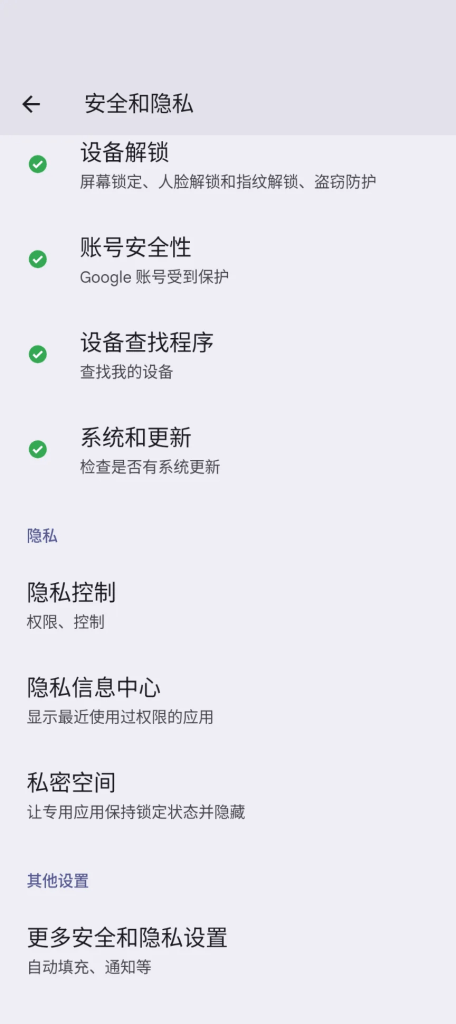
This feature was originally designed to hide private applications. It uses the multi-user profiles of the Android system. Compared with installing a virtual machine, it uses less resources and has a smoother performance experience.
The actual effect is equivalent to logging into two Android systems at the same time in one mobile phone, running simultaneously and completely isolated.
2. Page Display
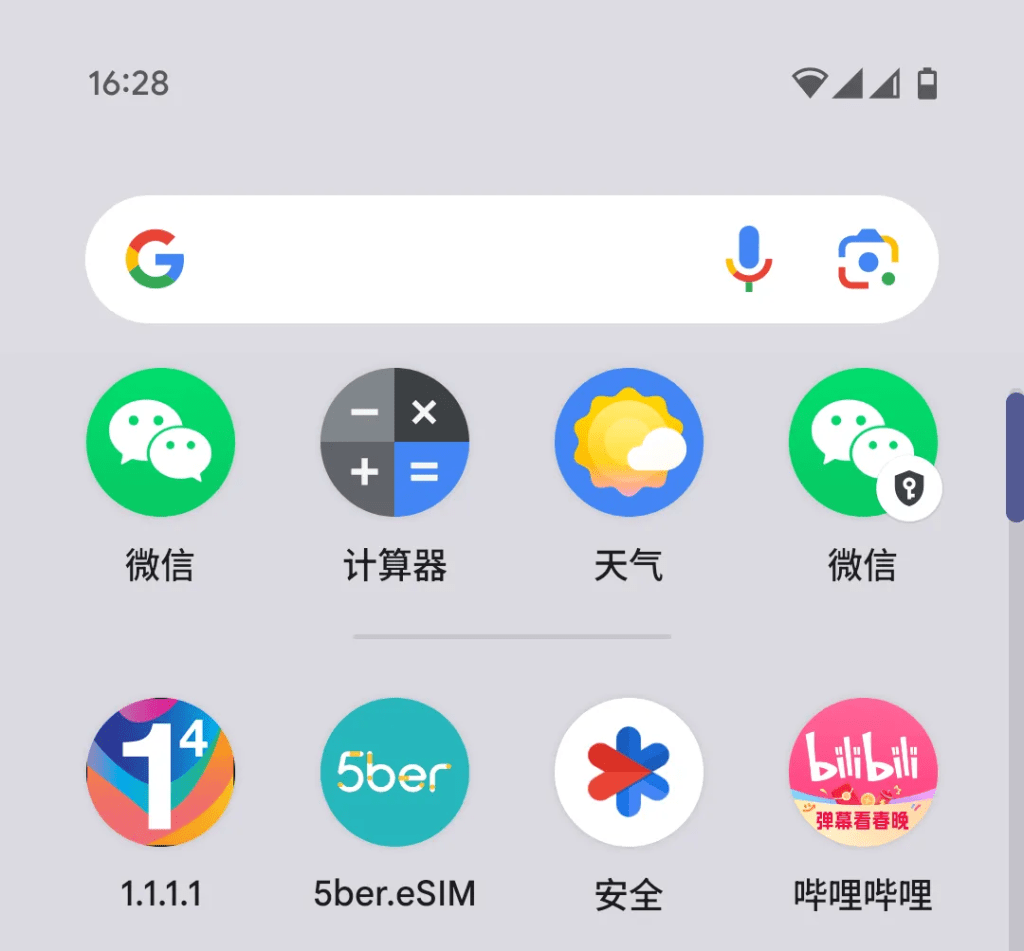
Pixle9 and Flod's presentation is slightly different.
After entering the app drawer page, Pixel 9 (pro/XL) and other candy-bar models need to scroll down to the bottom of the page and unlock the private space first. Download the relevant app in the Google Store.
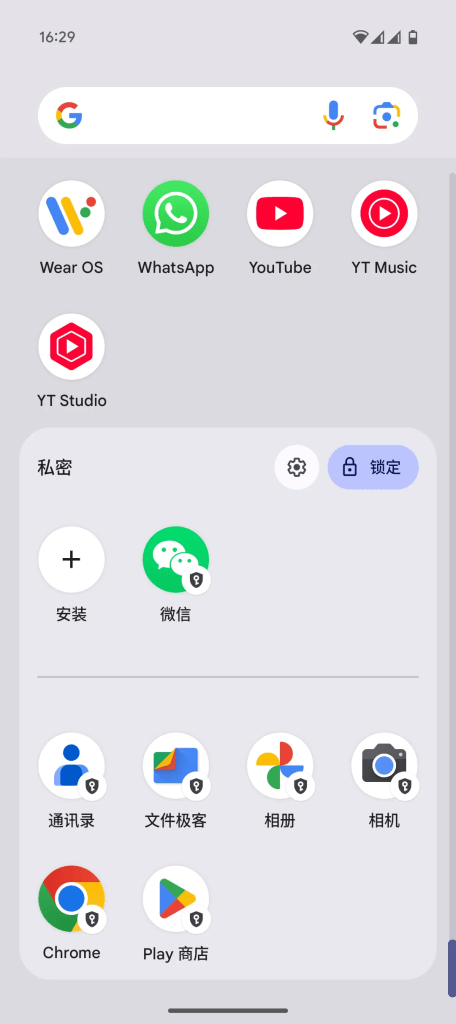
If you want to log in to multiple accounts on apps like WeChat, X, Facebook, Telegram or WhatsApp, you can do this.
Of course, apps like X can switch between multiple accounts directly, so why do we need to isolate them? People who have worked in social media and cross-border e-commerce promotion should understand how painful it is to have your account blocked. In addition, if you want to browse something privately, you don’t want your family and friends to “accidentally touch” it and let it go.
Another benefit of "dual opening" apps in this way is that you don't have to worry about your account being blocked for violating the rules.
If it is a foldable phone like Pixel Fold, the drawer interface should directly use labels to display personal and private spaces. I really envy my friends who have Fold.
3. Space Occupancy
Private space is very useful, but I probably won’t use it because I don’t need to open two apps at the same time, and I think it’s a bit of a waste of storage space.
While enjoying the isolation and convenience of an independent space, the price that comes with it is that it takes up more storage space.
To create a private space, you need to create additional applications such as Play Store, Chrome Browser, Camera, Photo Album, Contacts, File Geek, and some system built-in applications, which requires about 4.5G.
In addition, since they are completely isolated, the files and albums between the two accounts cannot be connected, which is a bit of a hassle. If you want to share photos, you can consider logging in to the same Google account and syncing the albums to Google Drive. Or you can create a family group for the two Google accounts and create a shared album.
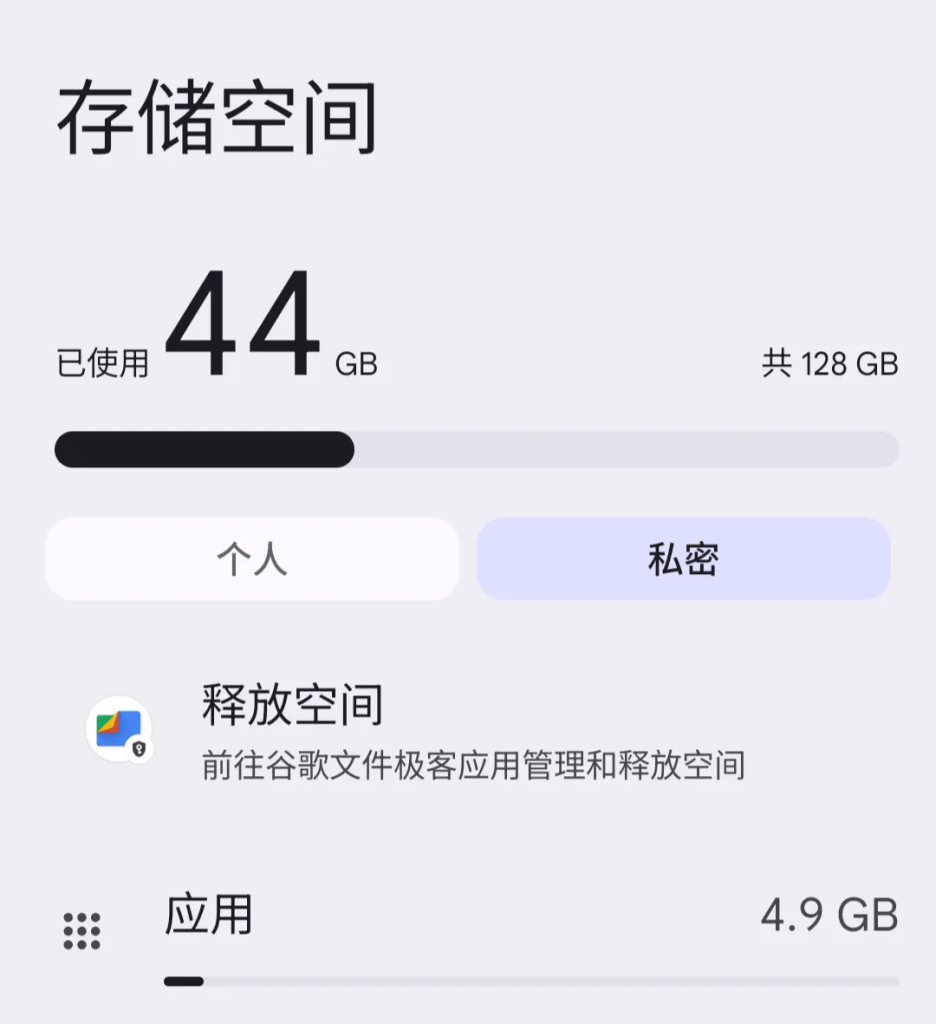
This capacity is not very friendly to my small 128G Karami phone, after all, it is just a backup phone.
Okay, if you find it useful, just follow it.
By the way, there is also a Pixel 9 battery life experience, which is only 1 minute long, so I won’t just start it. If you want to know more, just take a look.

1