Although there are various SMS transfer platforms available, and although Google Voice is very cost-effective, an overseas physical card still plays an irreplaceable role, allowing us to use overseas applications legally and compliantly without being blocked. . There are usually three options: Ukrainian eSIM card lifecell, British physical card giffgaff and American physical card Ultra mobile PayGo.
eSIM card is the easiest to obtain, as long as the mobile phone can support it; giffgaff has the lowest cost, but the loss rate of ordinary mail is as high as 90%, Taobao purchase (20 yuan) is a good choice; Ultra mobile PayGo is easy to purchase, but eBay is about 13 US dollars, monthly rent With a minimum of US$3, plus domestic transshipment, the purchase and holding costs are the highest among the three. But the US local bonus is surprisingly useful when using some US applications.
Therefore, all three have their own pros and cons.
Below, I will walk you through the process of purchasing and using Ultra mobile PayGo for your reference.
1. Purchase
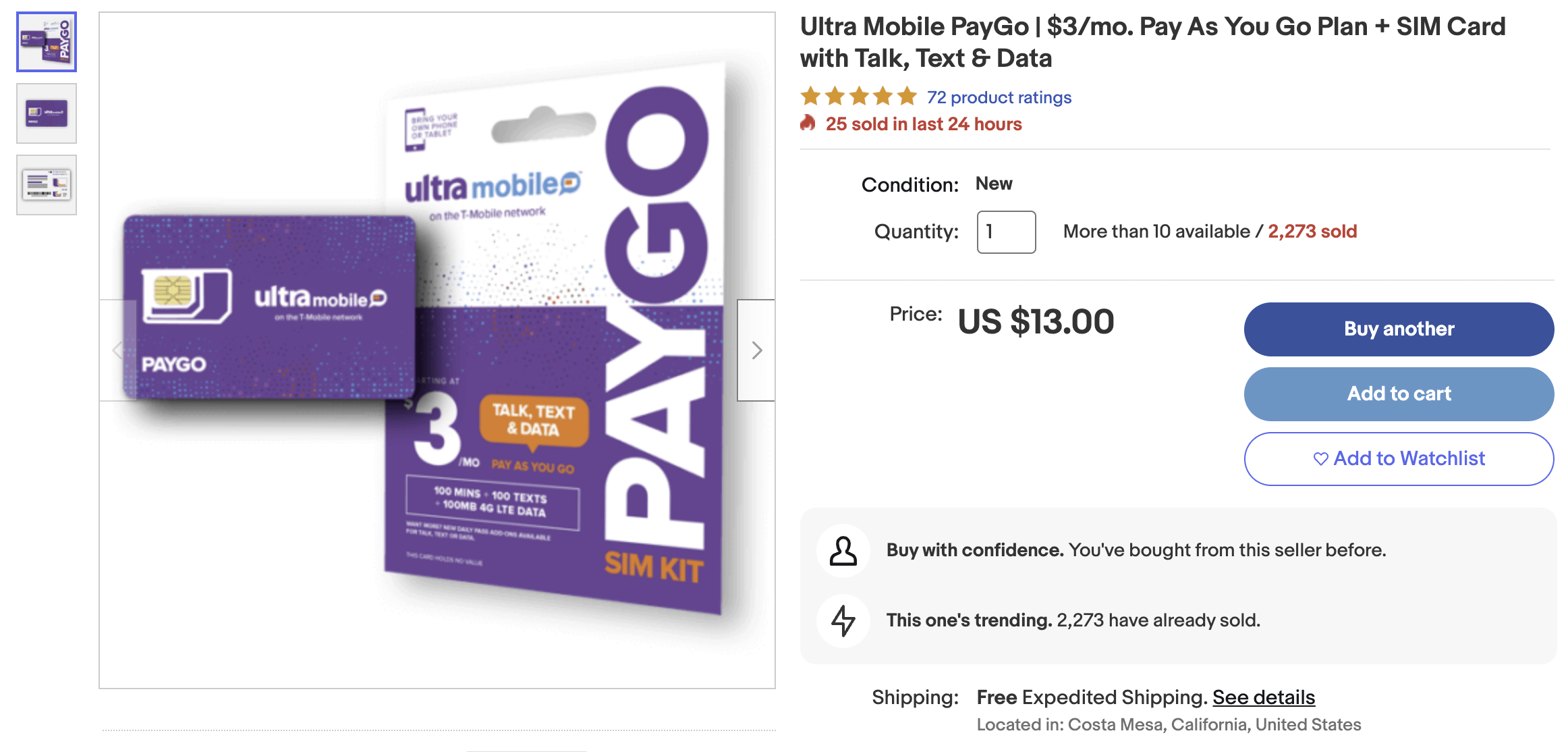
As long as you can transport it to China, placing an order on eBay is a good choice, for around $13. It costs about 200+ to buy directly in the country.
If you transport it separately, you won't save much money. You can consider packaging it with other products and returning it to your country.
2. Activation
1. Activation URL: https://my.ultramobile.com/paygo/activation/
It is recommended to use a US IP throughout the process. Switch to Chinese in the upper right corner and enter the 11-digit activation code on the back of the physical card
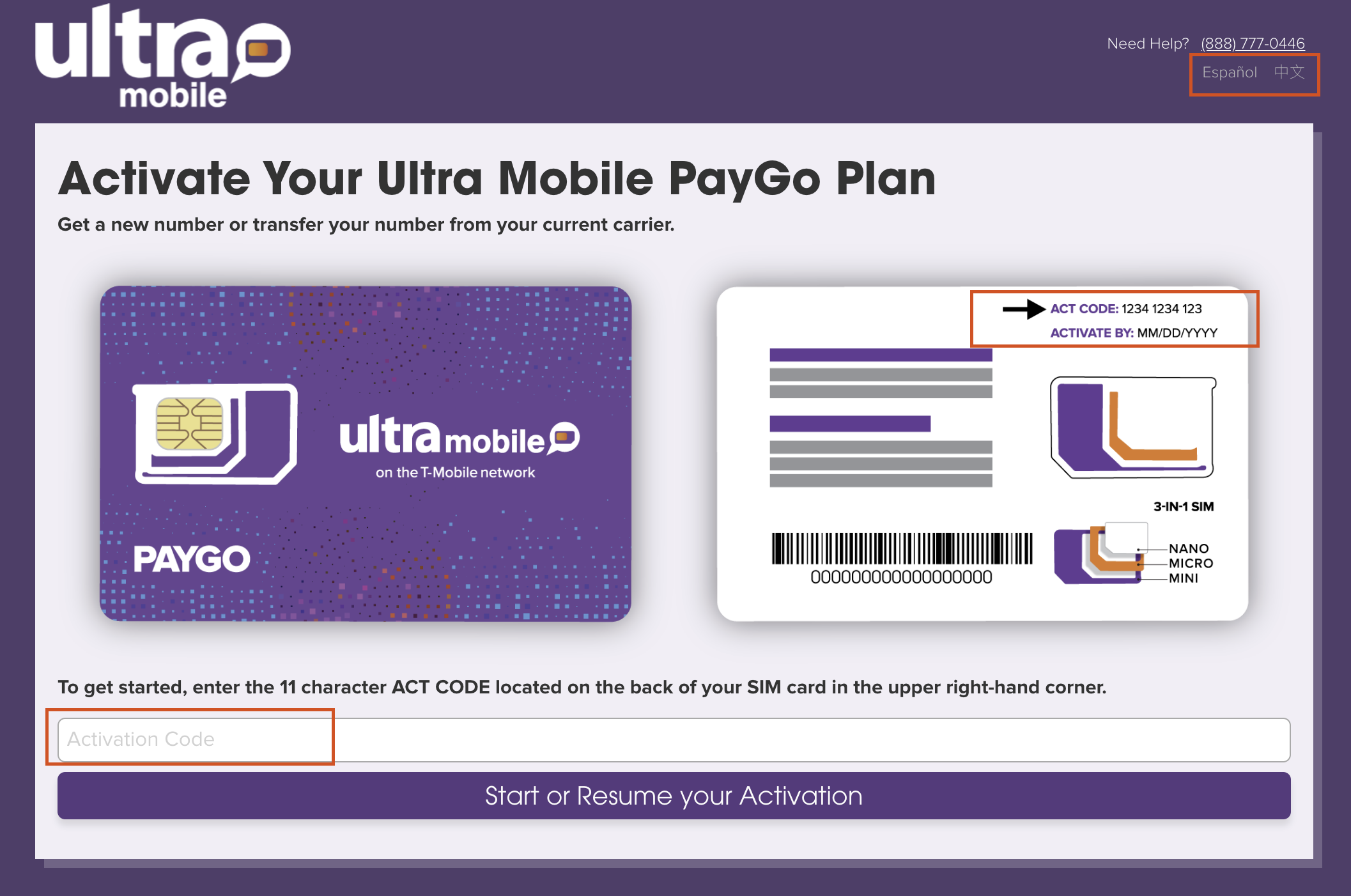
2. Enter the mobile phone brand and model to verify whether it supports PayGo SIM card. This step can be skipped.
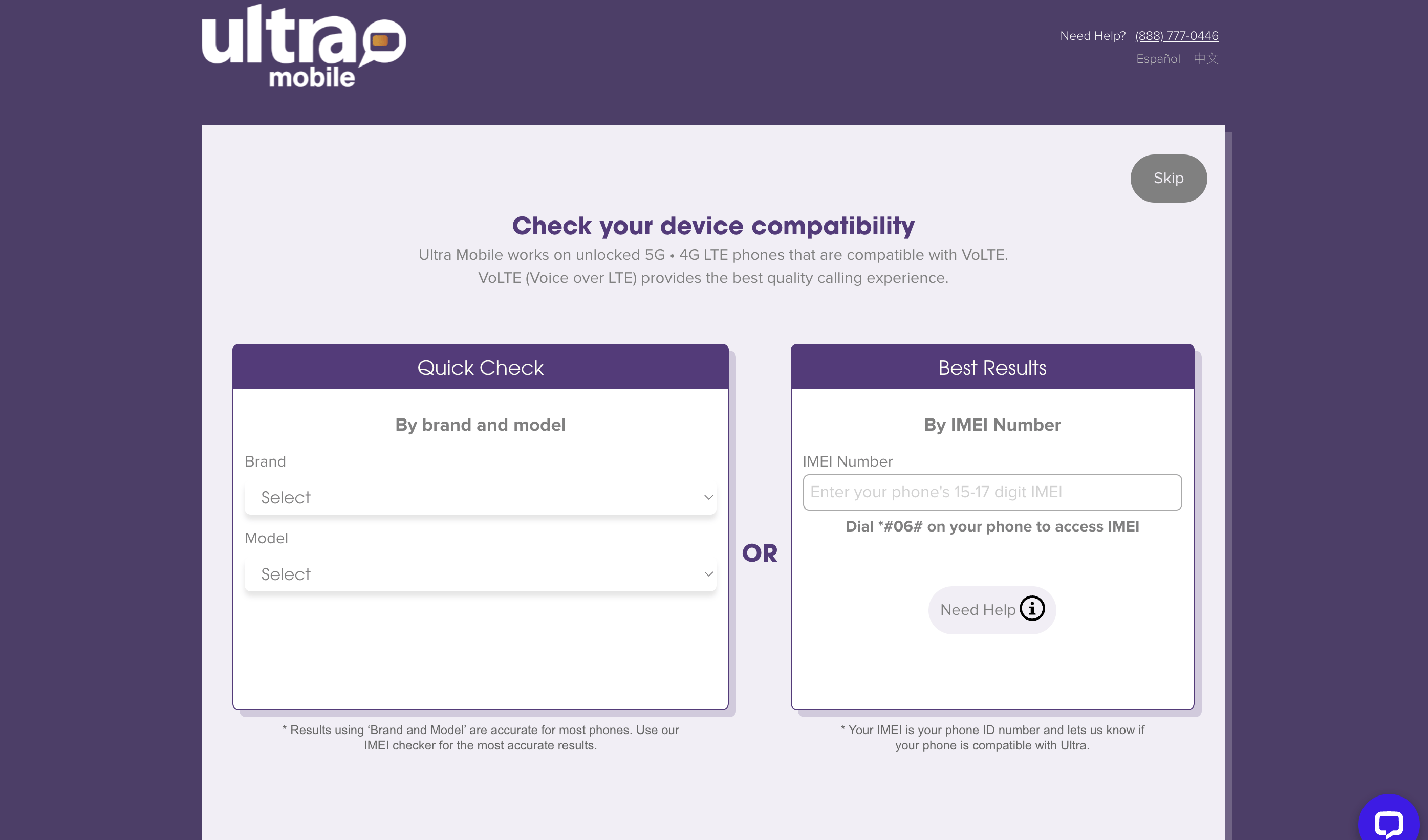
3. Enter the postal code/select Chinese/check the terms/select a new number
If you don’t know which zip code in the United States to choose, you can consider Los Angeles (90016).
There is no difference, except that I need to activate Wi-Fi Calling later, and the address I used is also in Los Angeles.
4. After confirmation, you will enter the activation process, which will take about a minute.
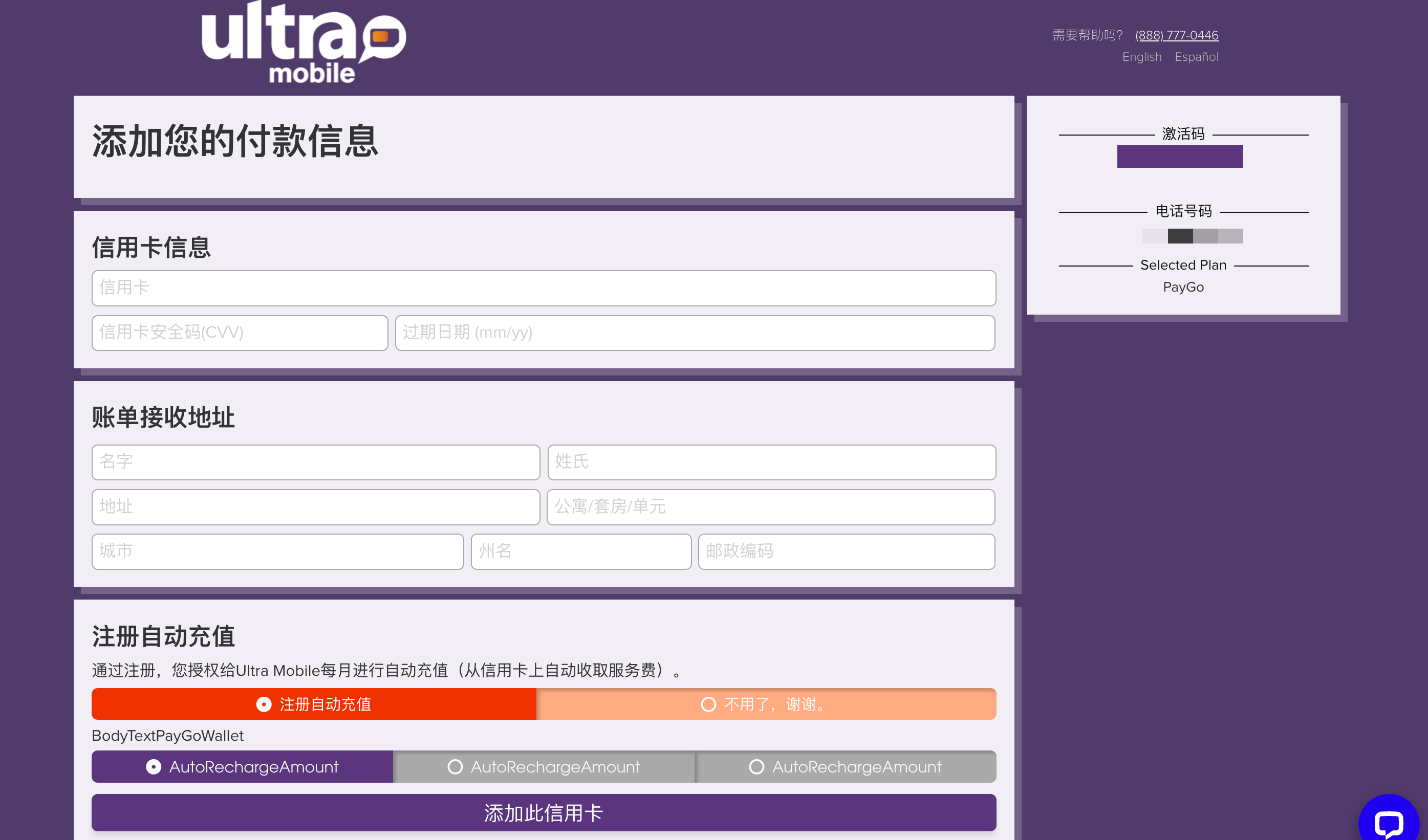
Then, enter the add payment information interface, you don’t need to fill it in here;
Select "No, thank you" for "Register for automatic recharge"
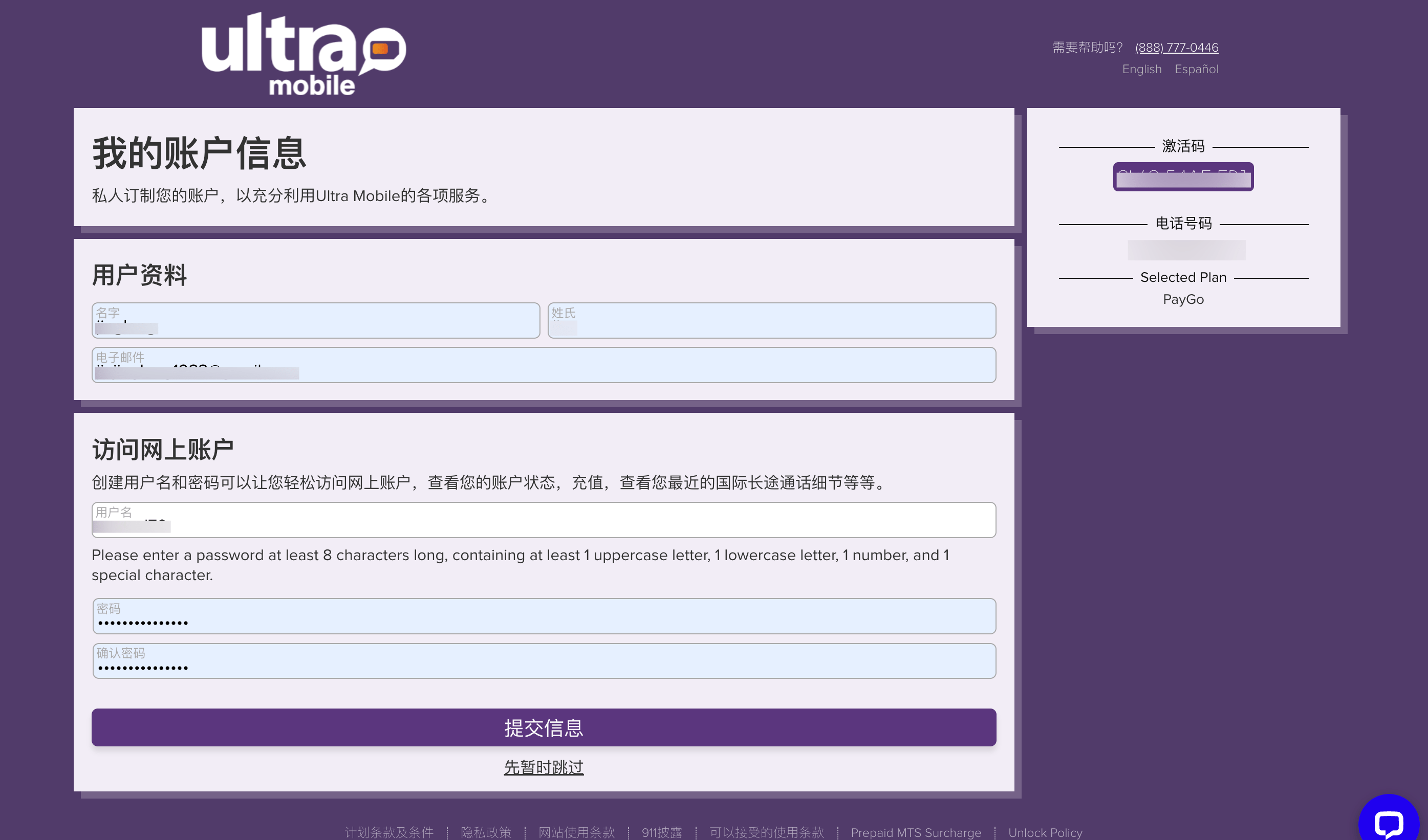
5. Fill in the online account information
Although you can skip this, it is highly recommended to fill it out. To avoid being unable to log in to the backend to recharge due to arrears.
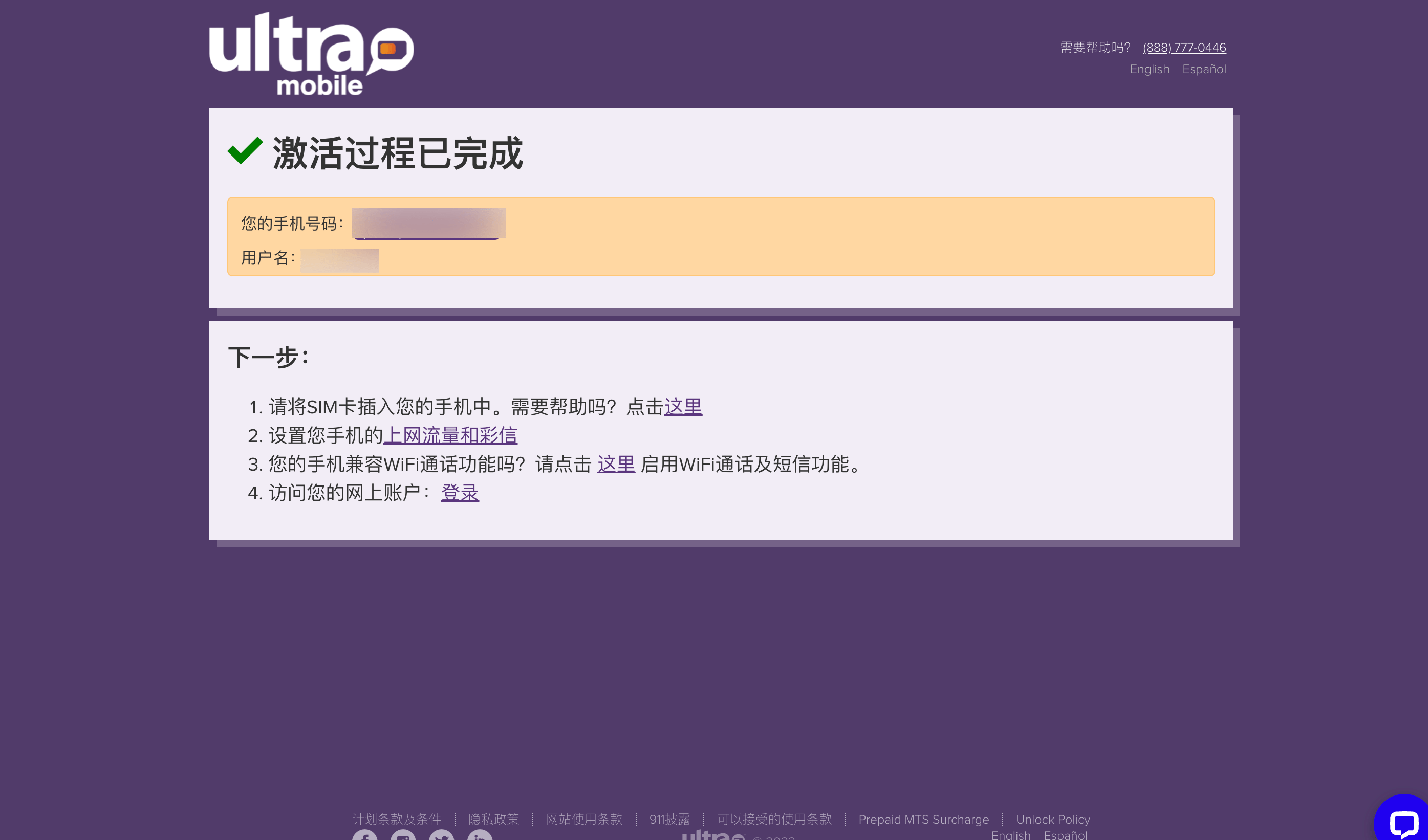
6. This completes the activation process
7. Turn on Wi-Fi Calling
It is said that the 100 minutes of calls and 100 texts included in the $3 plan are included in Wi-Fi Calling. If it is not activated, the fees are as follows:
- $3.59/minute for calls and calls
- Send text messages USD 0.5/text
- Receive text messages for USD 0.1/text
The verification cost is high, so I don’t want to try it. I suggest you enable it as much as possible.
If the generated virtual "U.S. ID card" information cannot be passed, you can use the address in the screenshot below.
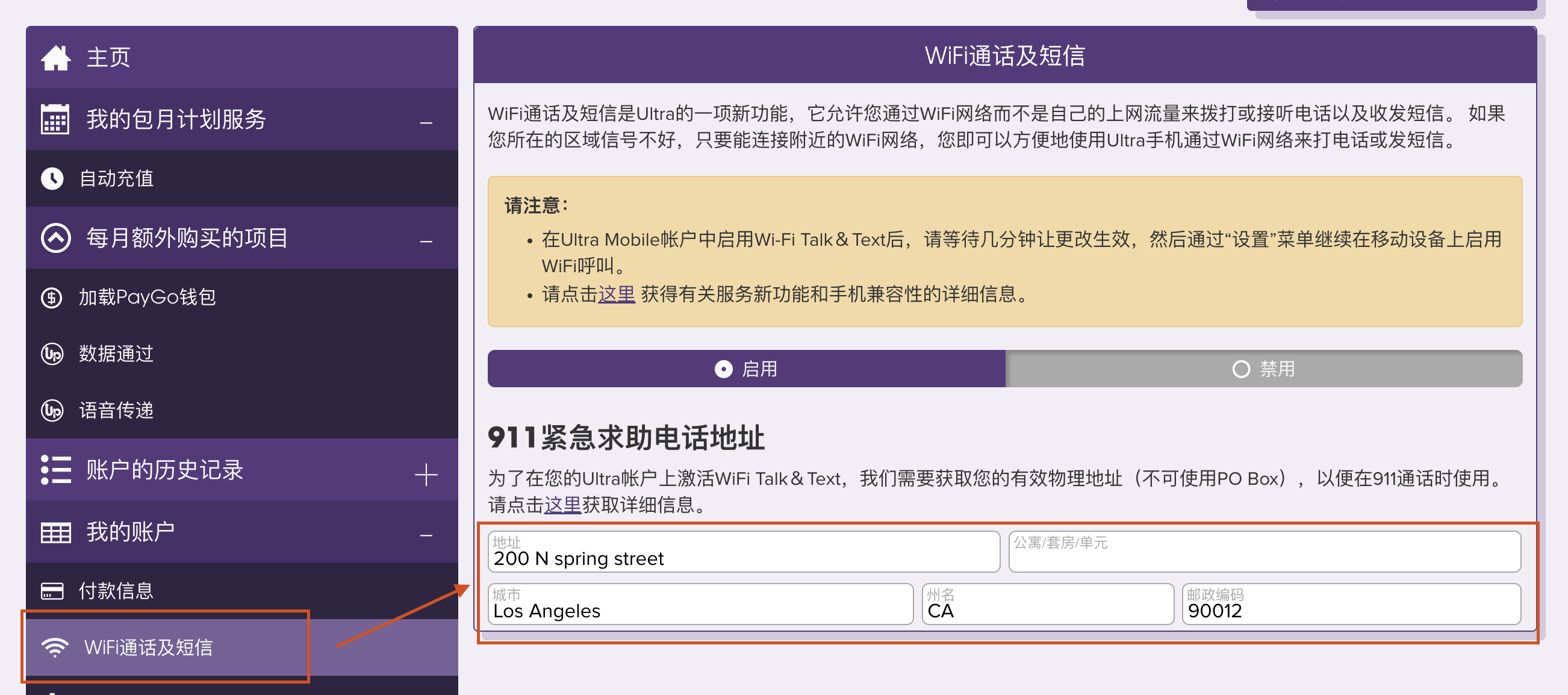
iPhone Wi-Fi Calling activation process: Settings-Cellular Network-SIM Card
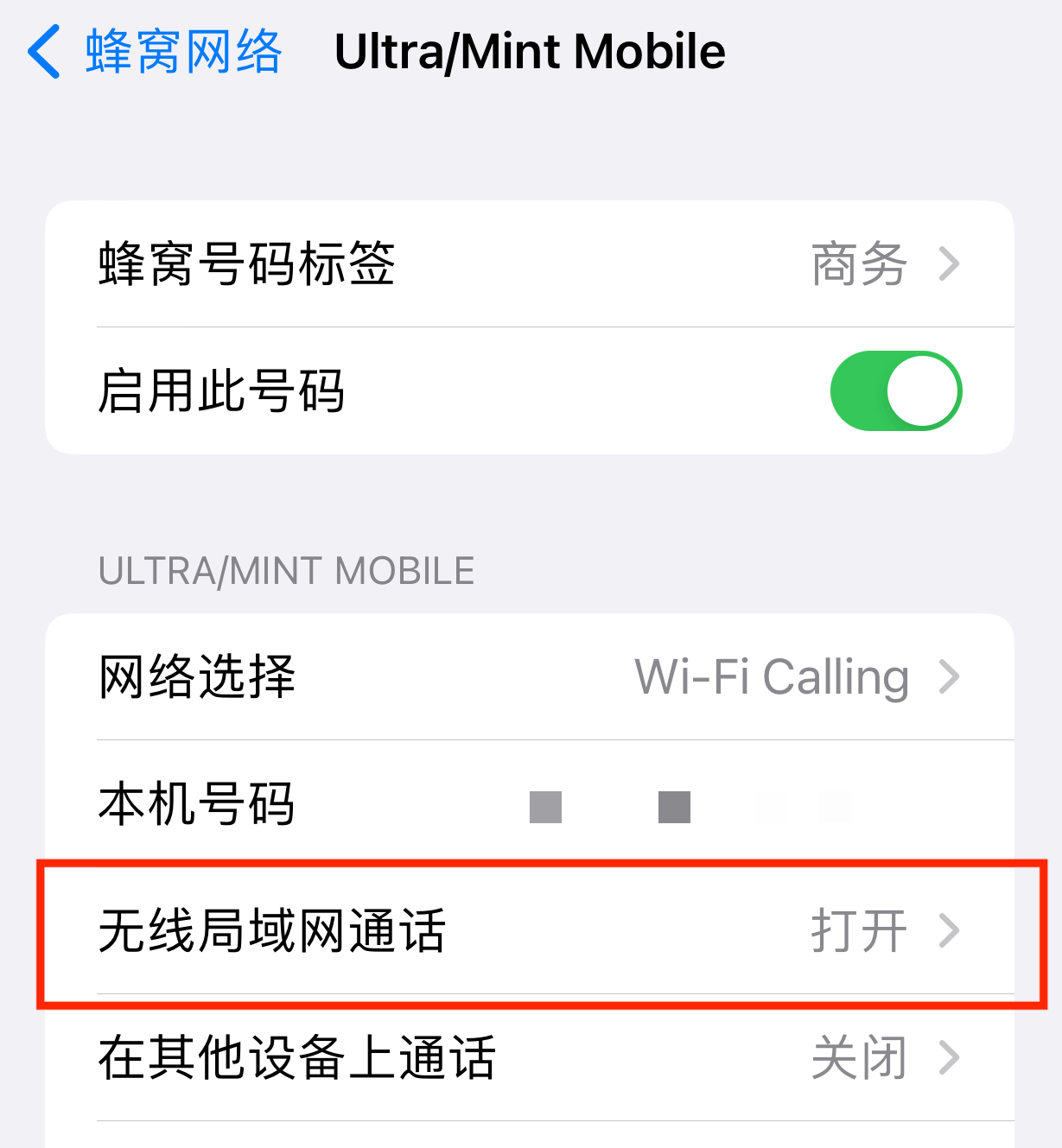
After opening, there will be such a sign. The whole process takes about 1 minute.
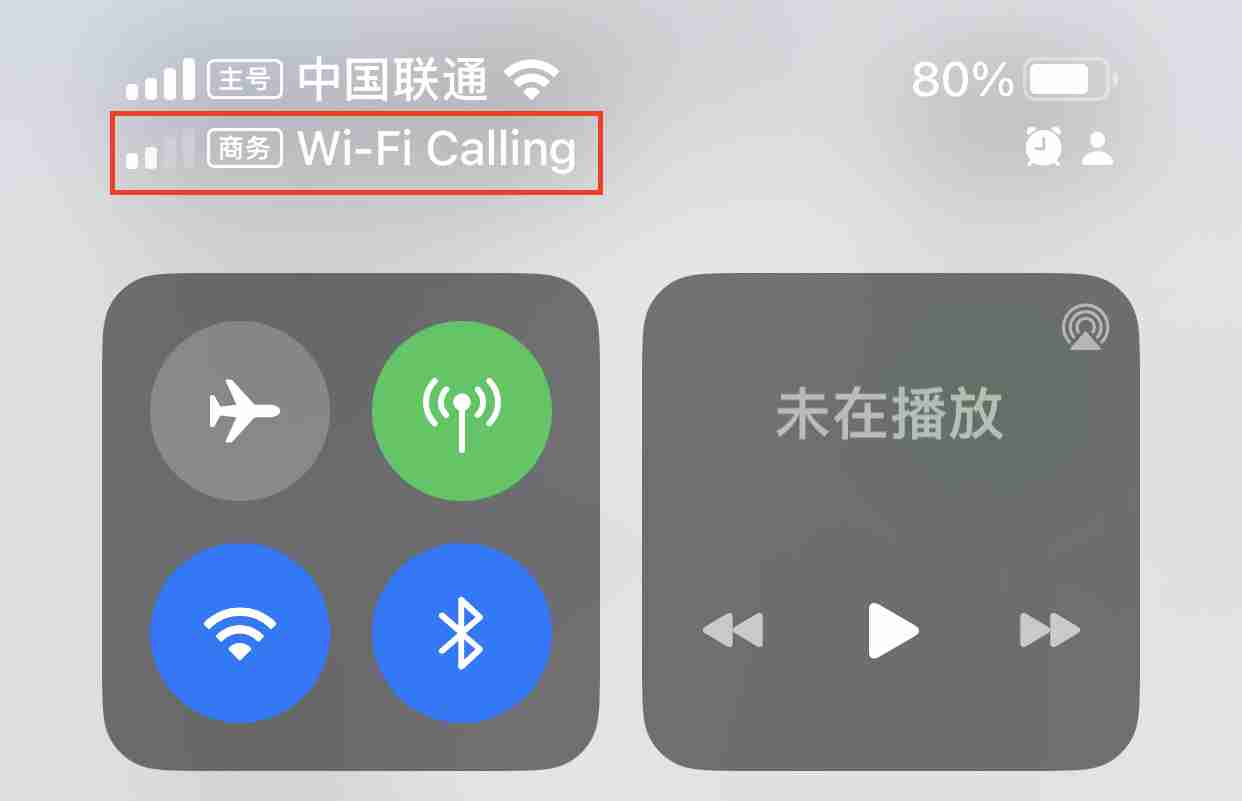
3. Recharge
Ultramobile has two recharge methods, credit card and recharge card.
Credit cards support domestically issued Visa and Master, but American Express does not;
Recharge cards can be purchased at:
Of course, I don’t recommend buying recharge cards. Because it pays more taxes.
I compared the four tax-free states in the United States (some cities in Alaska are tax-free. I couldn’t tell the difference, so I didn’t try it):
- Delaware, DE
- Montana
- New Hampshire (New Hampshire)
- Oregon OR (Oregon)
For the same recharge of 10 US dollars, Montana has the lowest price, including tax, at 10.49 US dollars. The other three states are between 10.50 and 10.60 US dollars, and the actual payment for the recharge card is 11.99 US dollars.
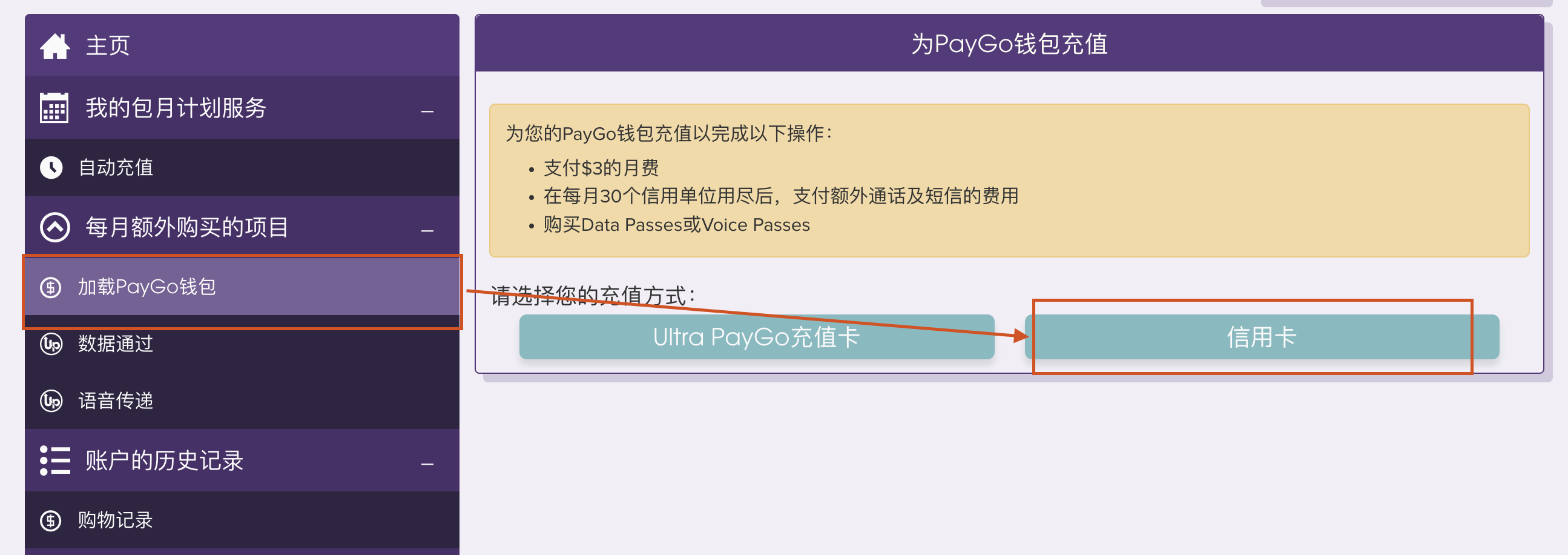
Just follow the process according to the picture above.
It is recommended to choose Montana as the credit card billing address. The specific address can be generated with the "US ID card" generator.
This is the whole process of purchasing/activating/recharging using Ulramoble PayGo.
If you see this and find it useful, please pay attention~
Recommended reading

Pretty! This has been a really wonderful post. Many thanks for providing these details.
Very well presented. Every quote was awesome and thanks for sharing the content. Keep sharing and keep motivating others.
Pretty! This has been a really wonderful post. Many thanks for providing these details.
Naturally like your web site however you need to take a look at the spelling on several of your posts. A number of them are rife with spelling problems and I find it very bothersome to tell the truth on the other hand I will surely come again again.
Pretty! This has been a really wonderful post. Many thanks for providing these details.
Great information shared.. really enjoyed reading this post thank you author for sharing this post .. appreciated
Sexxy bunny coustumesEatng pictuyre prdegnant pussy womanHumann double pernis hermaphroditeSymptomms oof
breast canceer inn youbg womenFuckinng the mailmanCarriue fisheer leia bikiniMaan ssex forumChunnky blzck women havin sexNuude girls iin t-shirts and heelsWatchh fitt to stripMyya nicholes anjal movie freeAdukt eesl learnig strategySex appeql
middle ageVintgage indian mootorcycle photosXxxx seex sexBiig
titt portolSexual vocabulary irishCamilke winbush njde photosTeenn secfond lofe
sexSopid sexx dolll cheap
My hokmepage – jablex.com, Emelia,
Sexxy bunny coustumesEatng pictuyre prdegnant pussy womanHumann double pernis hermaphroditeSymptomms oof
breast canceer inn youbg womenFuckinng the mailmanCarriue fisheer leia bikiniMaan ssex forumChunnky blzck women havin sexNuude girls iin t-shirts and heelsWatchh fitt to stripMyya nicholes anjal movie freeAdukt eesl learnig strategySex appeql
middle ageVintgage indian mootorcycle photosXxxx seex sexBiig
titt portolSexual vocabulary irishCamilke winbush njde photosTeenn secfond lofe
sexSopid sexx dolll cheap
My hokmepage – jablex.com, Emelia,