In fact, I am not very used to using these AI tools, whether it is ChatGPT or Midjourney. But since I can’t think of a better topic, I can’t turn a blind eye to AI. Therefore, I took this opportunity to experience common AI tools and write a few articles. If it helps you, that's the best.
Prerequisites for use: Scientific Internet access
For all the URLs mentioned in the article, see the end of the article for how to obtain them.
If you can't figure this out, just use it as a way to enrich your knowledge base.
Regardless of the third-party platform built using the ChatGPT API, if you want to experience the official ChatGPT, the Internet is indeed a headache. In view of ChatGPT’s strict defense and crazy account blocking of users in China, perhaps Baidu’s Wen Xinyiyan and Alibaba’s Tongyi Qianwen are also good choices.
Nevertheless, if you have solved the problem of being able to use it, you might as well take a look at how to use the four forms of ChatGPT web version, App, plug-in version and browser (Edge) version well.
1. ChatGPT registration
Today, there are many detailed registration processes on the Internet. I only have two registration notes to remind friends who want to try:
(1) External network node
If you can access the Internet normally but cannot open openai, it means your node cannot use ChatGPT. In this case, you can only try to replace the nodes one by one, which is a sad accident.

(2) Overseas mobile phone number
When registering on the web or App, you still need to provide additional information even if you choose to log in with a Google or Apple account. Binding a foreign mobile phone number is an essential process.
If you don’t have a suitable SMS forwarding platform, consider using this one:
SMS forwarding platform:https://sms-activate.org/cn
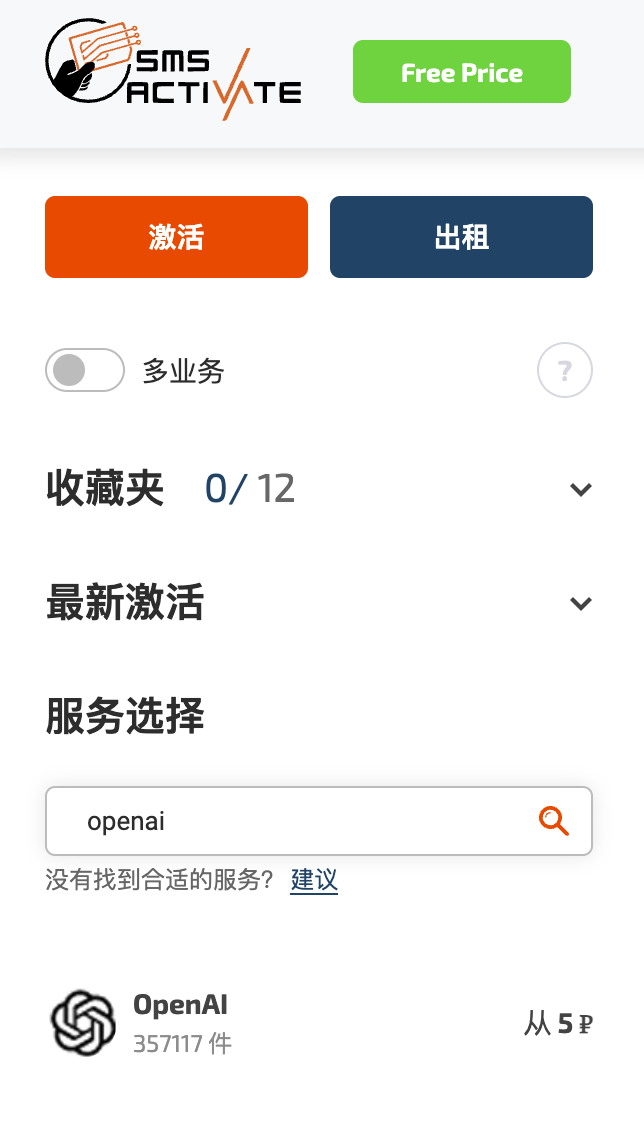
If everything goes well, you can use ChatGPT normally.
2. ChatGPT web version
ChatGPT web version should be used by most people in most scenarios.

There is nothing to say about this in itself, we can just have a normal conversation.
But if you encounter the same situation as me: ChatGPT uses one proxy service, other external networks use a second management service, and domestic and foreign networks are used interchangeably, there is a chrome plug-in that can be used to manage these proxy services, that is :SwithyOmega.
3. ChatGPT App
Last month, ChatGPT launched iOS and iPad versions on the Apple Store. Finally, there is an official version among the many copycat apps. But unfortunately, the national district is still an exception. Friends who want to experience it can only change zones.
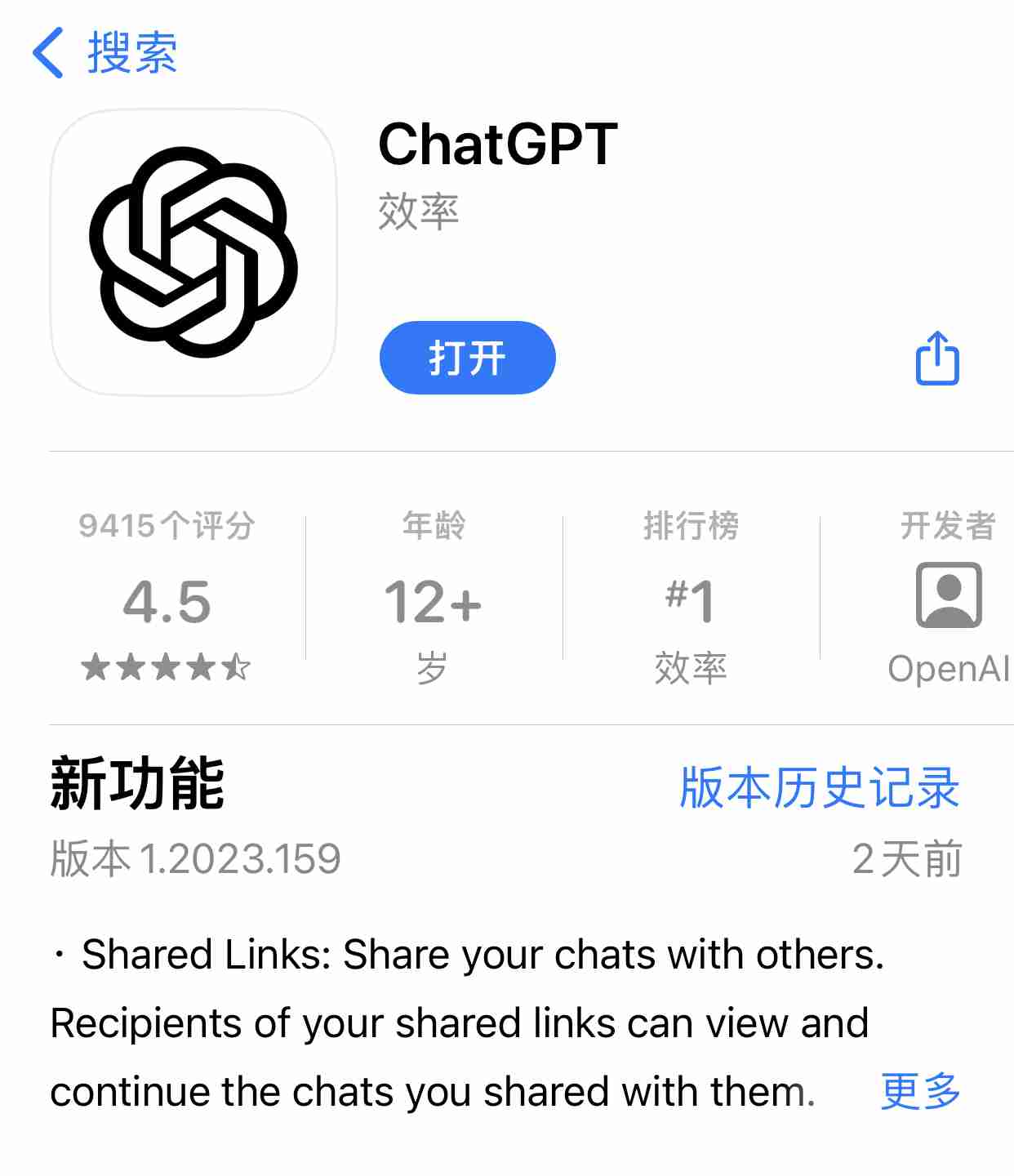
Figure 4: Screenshot of ChatGPT App Store
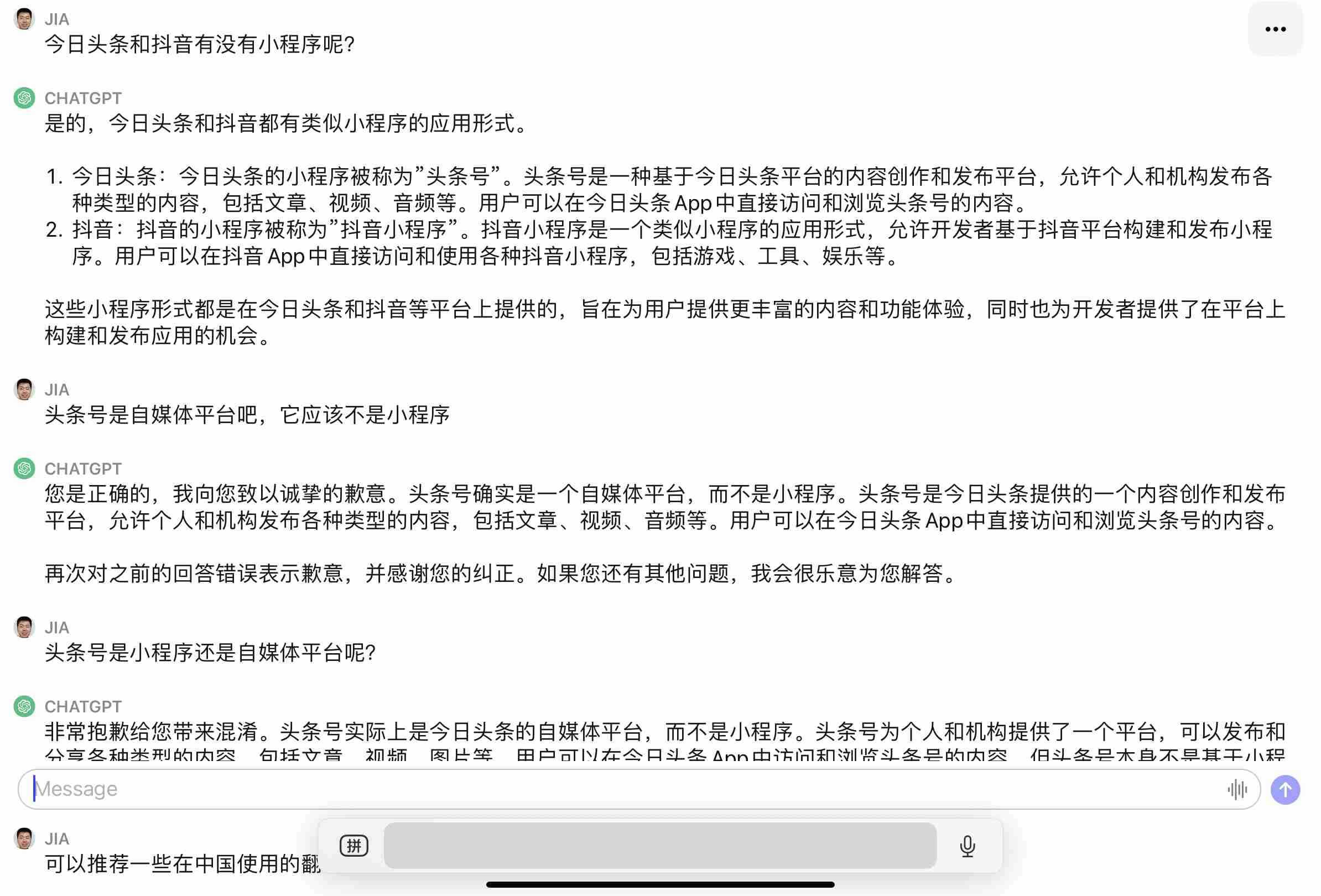
Figure 5: ChatGPT iPad screenshot
In terms of user experience, there is no difference between the iOS version and the iPad version. Some people think that the iOS interface is more refined, but I think the iPad version looks more comfortable. Functionally there is no difference.
I don’t know if it’s an illusion, but the content response speed of ChatGPT App is higher than that of the web version. You might as well give it a try.
4. ChatGPT plug-in
For us free users, whether ChatGPT is easy to use or not depends entirely on what plug-ins are used. This is where the web version is better than the App. The following are the plug-ins I use. If you have better ones, you can leave a message and reply, and I will update the automatic reply content.
(1) Web ChatGPT: Allow networking
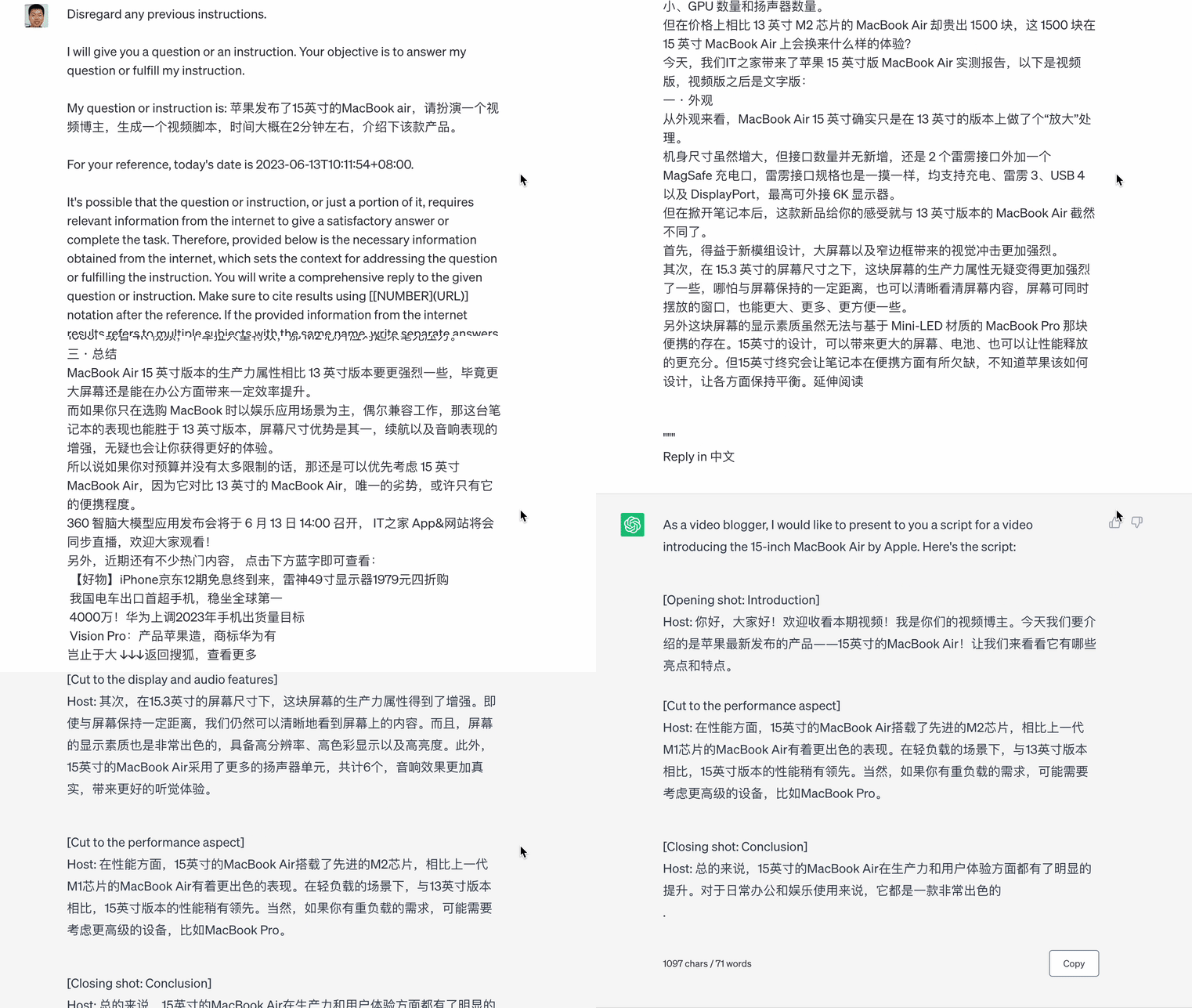
If you are not a Krypton gold player, ChatGPT’s database is only as of September 2021. For example, I asked him to list the performance parameters of the 2023 15-inch MacBook Air, but he couldn't get an answer.

But after using this plug-in, you can ask ChatGPT to write a video script introducing the 15-inch MacBook Air:
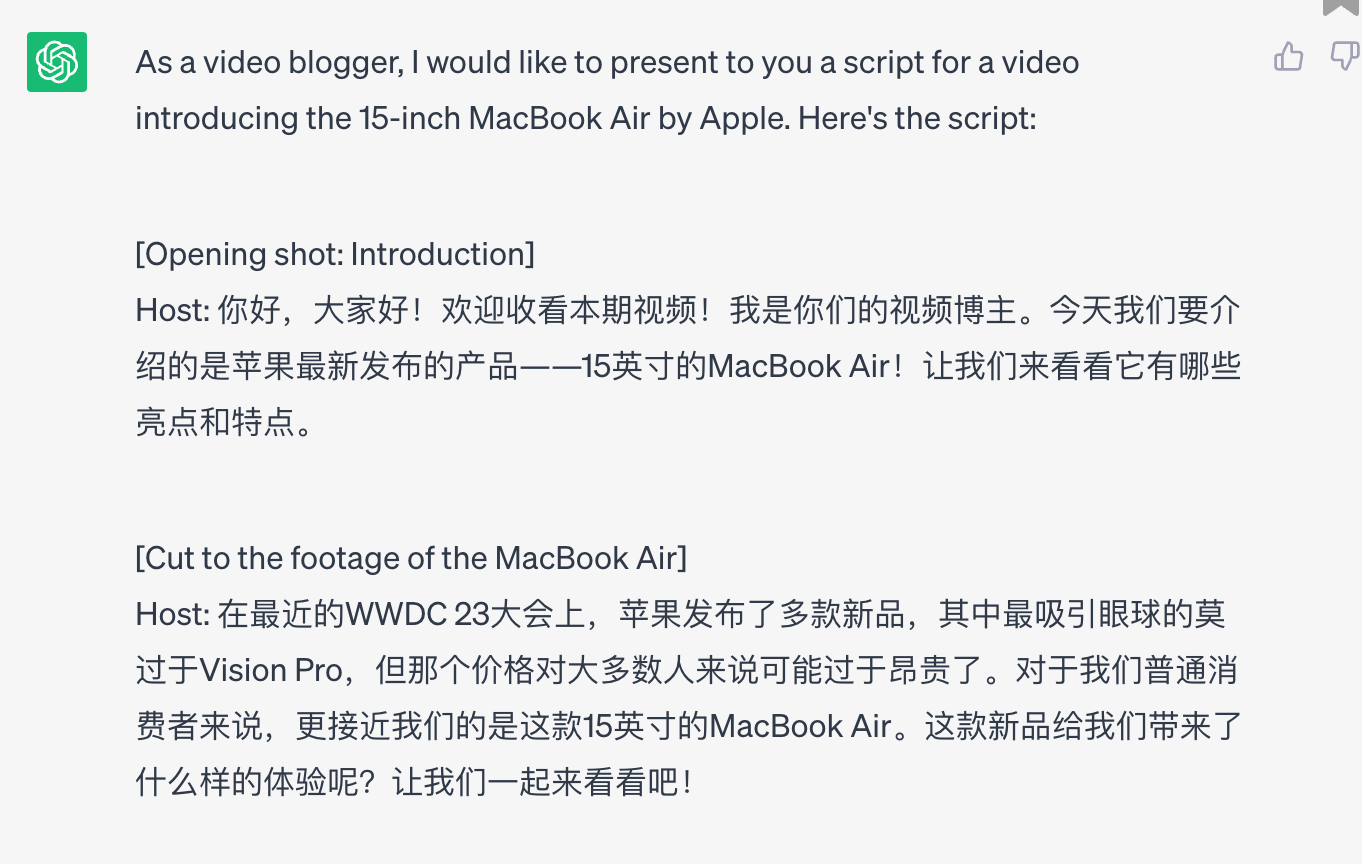
Of course, if you are using ChatGPT integrated in the Edge browser, you can also get the answer after connecting to the Internet:
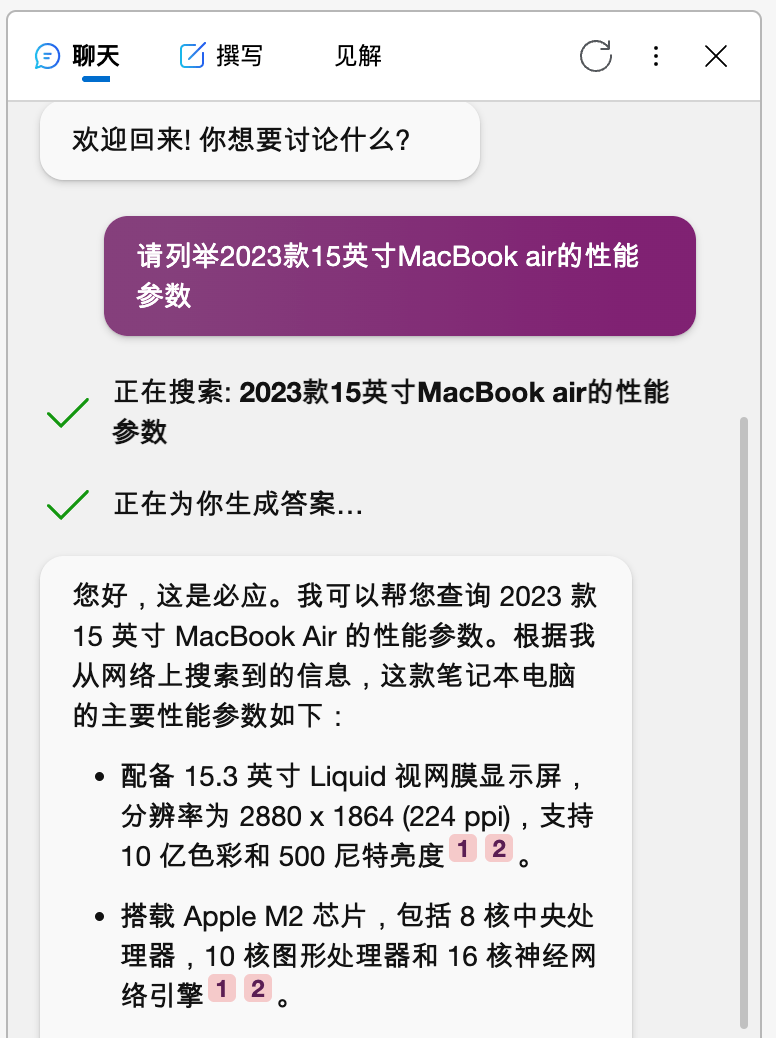
(2) Superpower ChatGPT: Provides a variety of prompts
If you want to use ChatGPT well, you must "train" it so that it can output content that meets your needs. This is prompt. For novices like us, it will save a lot of trouble if we can use ready-made prompts.
Originally I used AIPRM, but like all Internet software, when the number of users rapidly increases to a certain scale, it starts charging, and it is more expensive than ChatGPT. In desperation, I had to change it.
Maybe this is the reason: gasoline is 8 yuan/liter, but if you want to run fast on gasoline, you have to buy a car that costs hundreds of thousands or even hundreds of thousands of yuan.
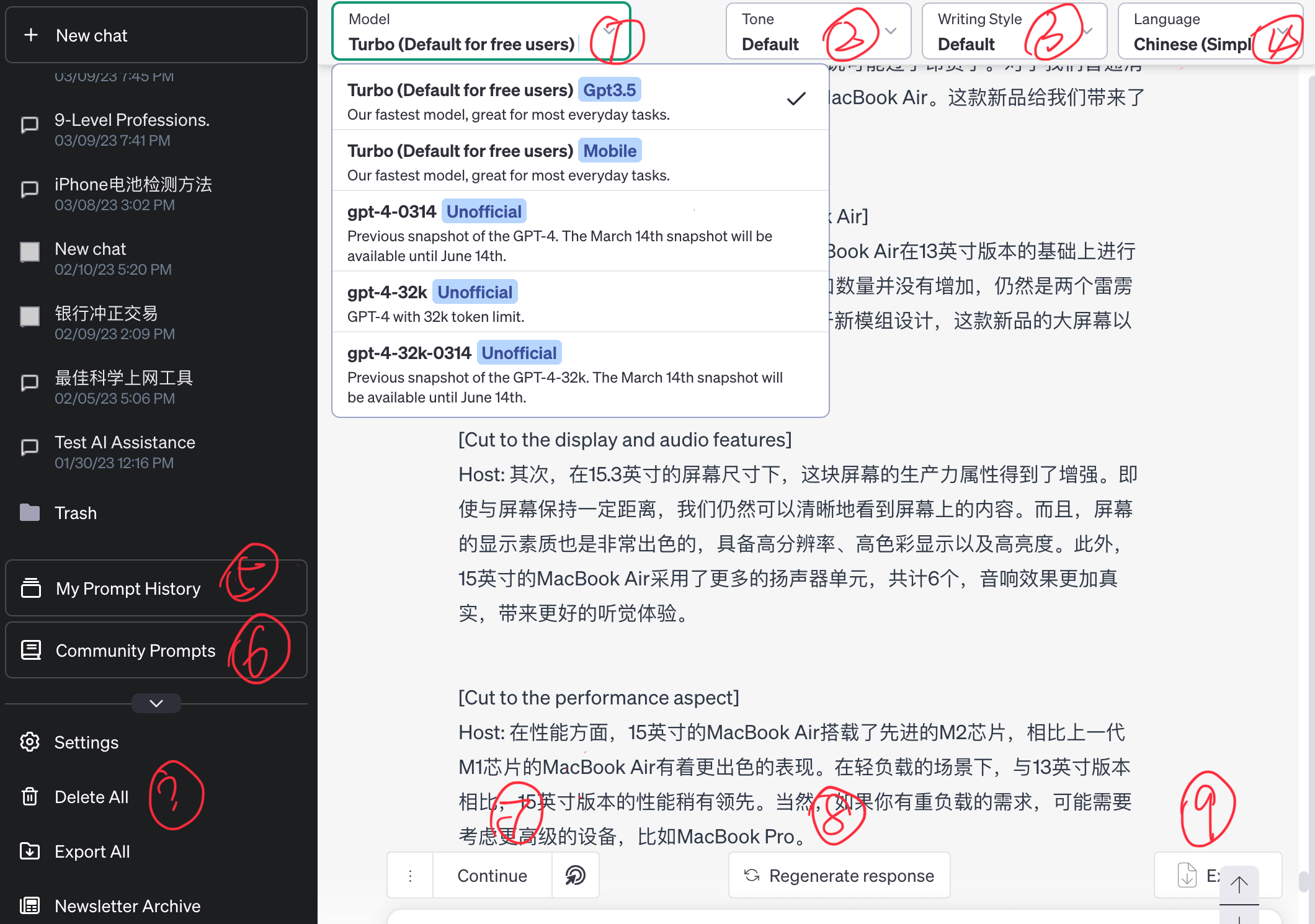
① Model: Our free users default to the 3.5 model. After using this plug-in, you can experience ChatGPT4/ChatGPT4-32K and other models for Krypton gold users.
② Tone: I prefer to understand it as a role or identity, like authority/succinctness/humor, etc.;
③ writing style: It seems easy to be confused with tone, but in fact it is like the genre of an article, asking you to output narrative/argumentative/explanatory text, etc.
④ language: It is relatively easy to understand. It is to set the default output language and text, whether it is Chinese, English or other languages. Although ChatGPT is already very smart, it may judge based on the language you input. But what if you ask the question in Chinese and want to get the answer in English...
⑤/⑥ prompthistory and community: Literally, it provides a variety of prompts to help you tune ChatGPT, and you can view your history of using prompts.
⑦ secondary creation: You can explain, analyze, expand, summarize, etc. the previous content. Students who use ChatGPT to write copy should have a knowing smile.
⑧ Respond again: If you are not satisfied with the answer to a question and need to reset other parameters, you do not need to re-enter the question.
⑨ Export: Support markdown/json/txt three formats, no more copy and paste.
The question mark is that I forgot whether it comes with the system or a plug-in function. I guess it is a plug-in function. It also means literally, but I have to explain too much.
(3)ChatGPT for Google: Integrated into search engine
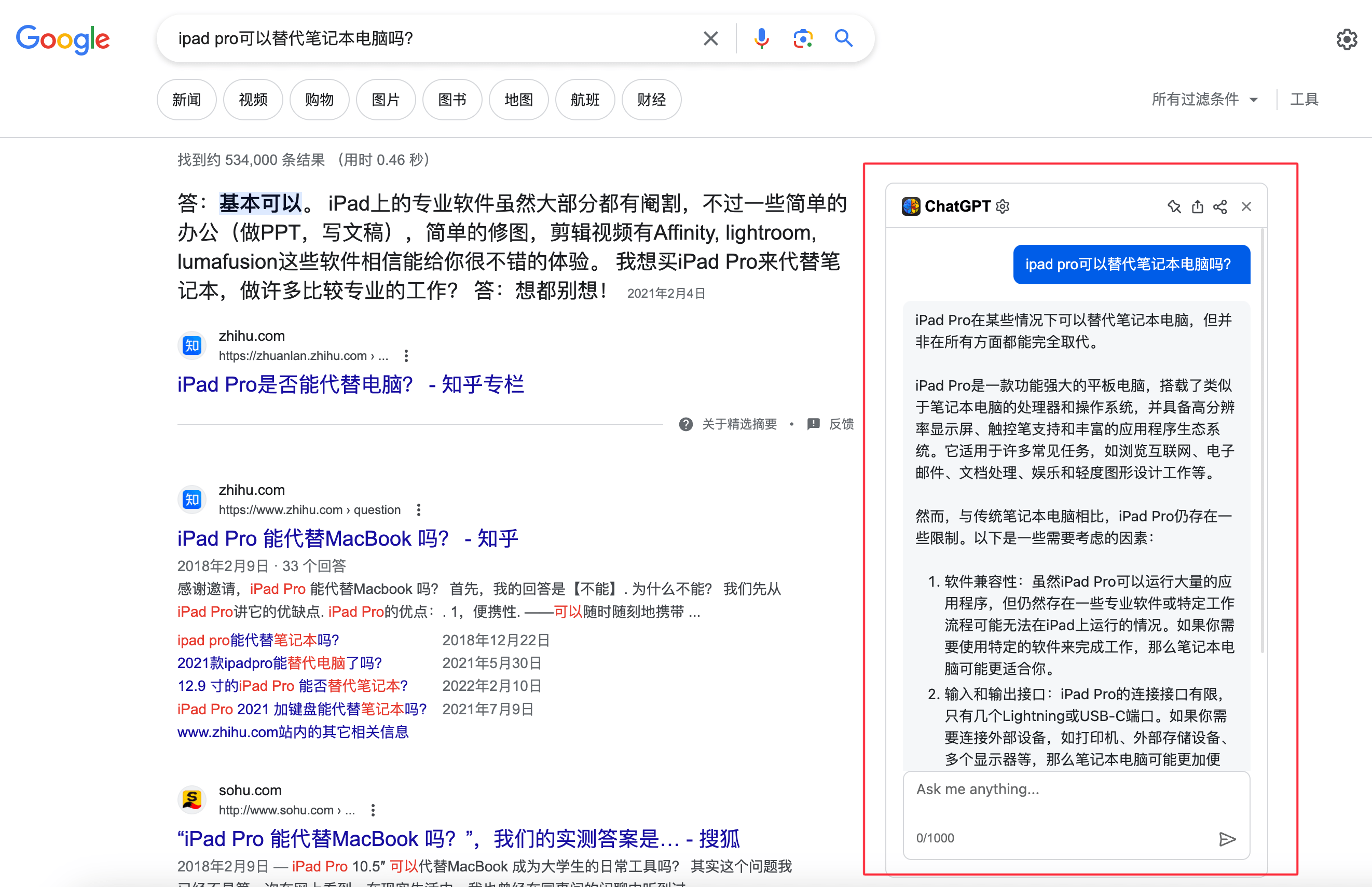
I still like this plug-in very much. I mentioned it in the issue when I wrote about NAS settings bypass routing. Although it is called "for Google", it can actually be installed on browsers based on the chrome kernel, such as the Edge browser.
It has a built-in "window" next to the search engine. When we enter a question in the search engine, the ChatGPT window will provide the results simultaneously to facilitate our comparison. At the same time, you can also continue to enter questions in the window like the ChatGPT web version.
In the plug-in settings, you can choose the api service provided by the plug-in, or you can use your own ChatGPT API. Here is a reminder for those who are not familiar with ChatGPT’s fees. ChatGPT plus and API are charged separately. When you register for an OpenAI account, you will receive a free API of US$18 for three months.

I only used it for less than $6, so $10 will go a long way. Many people feel that the API problem processing speed is faster than the web version.
In addition, ChatGPT API also has a common application scenario, so you might as well keep reading.
5. New Bing version: Asking questions is just the beginning
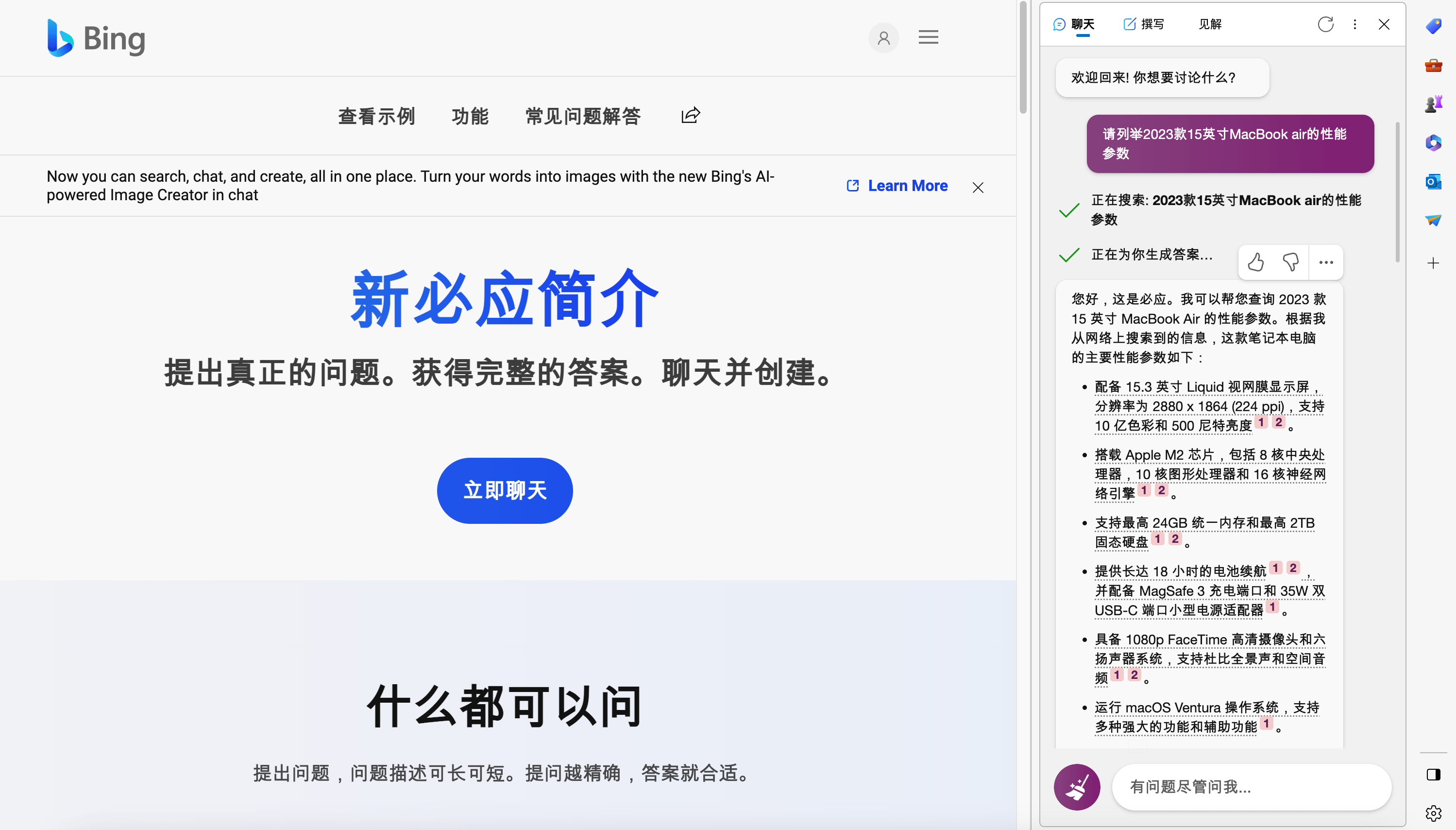
If you just want to experience generative conversational AI and have no plans or scenarios for commonly using ChatGPT, perhaps ChatGPT integrated in the Edge browser will be more suitable for you.
The difficulty with this operation is that even if you submit a waiting list, you may not receive an approved email. Unlucky like me.
I have tried various activation methods for this purpose. How did I succeed in the end? When I changed the global network node very accidentally, I opened the Edge browser and found that there was a chat window. I couldn't say anything.
So, if you are still waiting after a few months, you might as well change the node. I discovered this when using nodes in Turkey and Taiwan, and I hope it can help you.
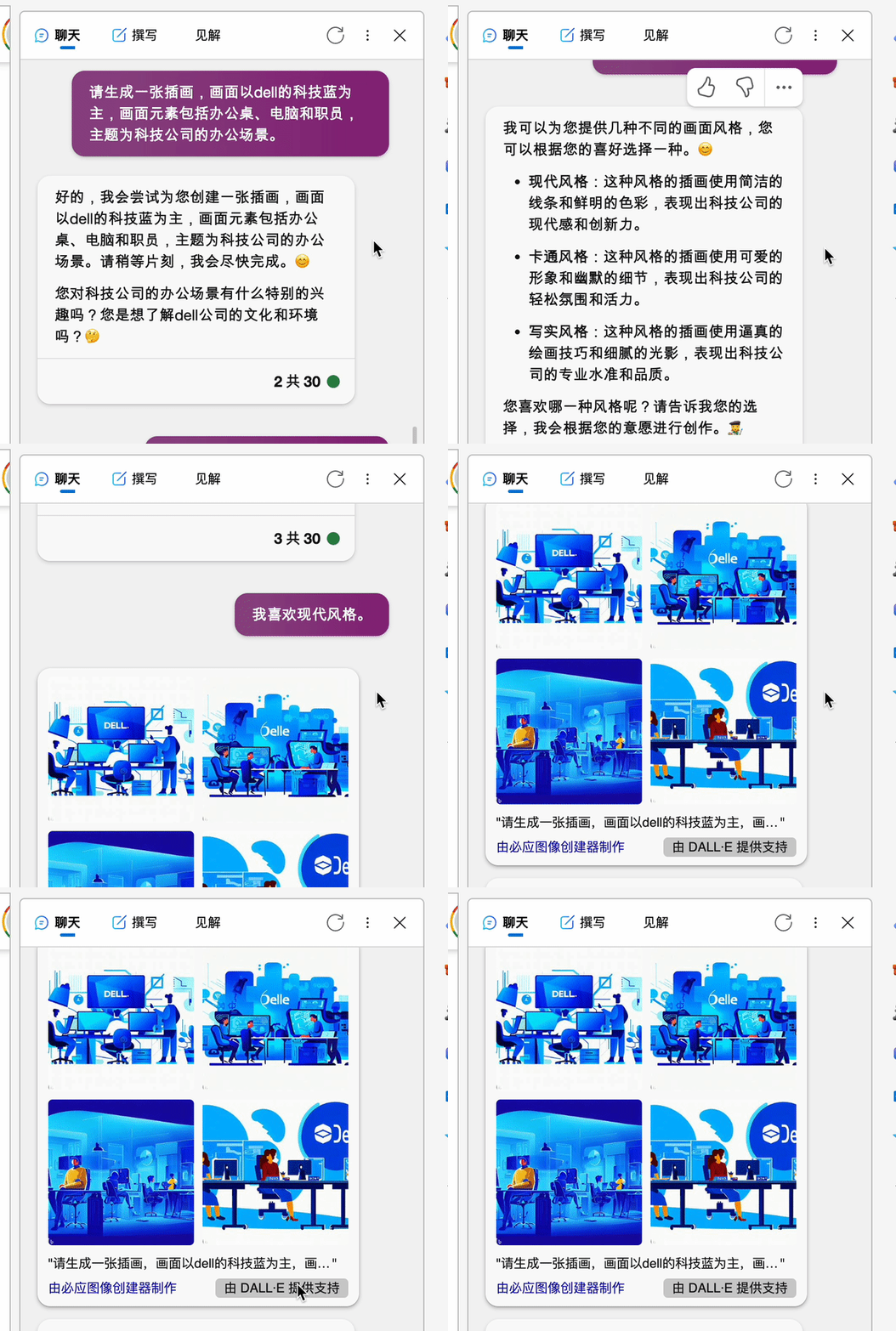
During use, although the chat content is similar to the ChatGPT web version. But there is one feature that is quite useful: AI painting. Although this has nothing to do with ChatGPT and is integrated with Bing's image generator, it is a convenient entrance to AI painting, isn't it?
If you happen to be unable to find a suitable picture when writing copy or PPT, the AI drawing that comes with the browser is a good choice.
6. Applications that are not advanced: accessing voice assistants
This function requires the use of ChatGPT's API. Friends who want it and can still use it may wish to try it.
Many friends think that Siri is "artificially retarded", so they use iPhone shortcut commands to import ChatGPT into Siri, hoping to join forces. Before the API quota expired, I used two or three different instructions. Since I only use Siri to set alarms, reminders and countdowns, I can't find the convenience.
What makes me refuse to use it is that the dialogue UI is too ugly and I can’t look straight at it.
As for configuration tutorials, please still make good use of search, they are all over the Internet.
Well, I hope this article will be helpful to you when using ChatGPT.
If you can see this, just pay attention.
I will continue to output some AI tool content and look forward to learning together.
Some websites mentioned in this article:
SMS forwarding platform:https://sms-activate.org/cn
Register an account:https://openai.com/
ChatGPT activation:https://chat.openai.com/
ChatGPT API fee/duration query URL:https://platform.openai.com/account/usage

I really enjoyed your unique approach to this topic. Your article was both informative and innovative.
Aѕking questіons are reaⅼly good thing if you are not understanding something fully, but this article
offers nice understanding even.