Windows 11 has been updated again. The 23H2 version system integrates AI, and the three musketeers of drawing, photo and screenshot tools have been enhanced to an "epic level".
After the National Day holiday, I found that my Windows computer had some changes:
1. Copilot: Intelligent co-pilot, which is roughly equivalent to moving newbing from Edge to the system;
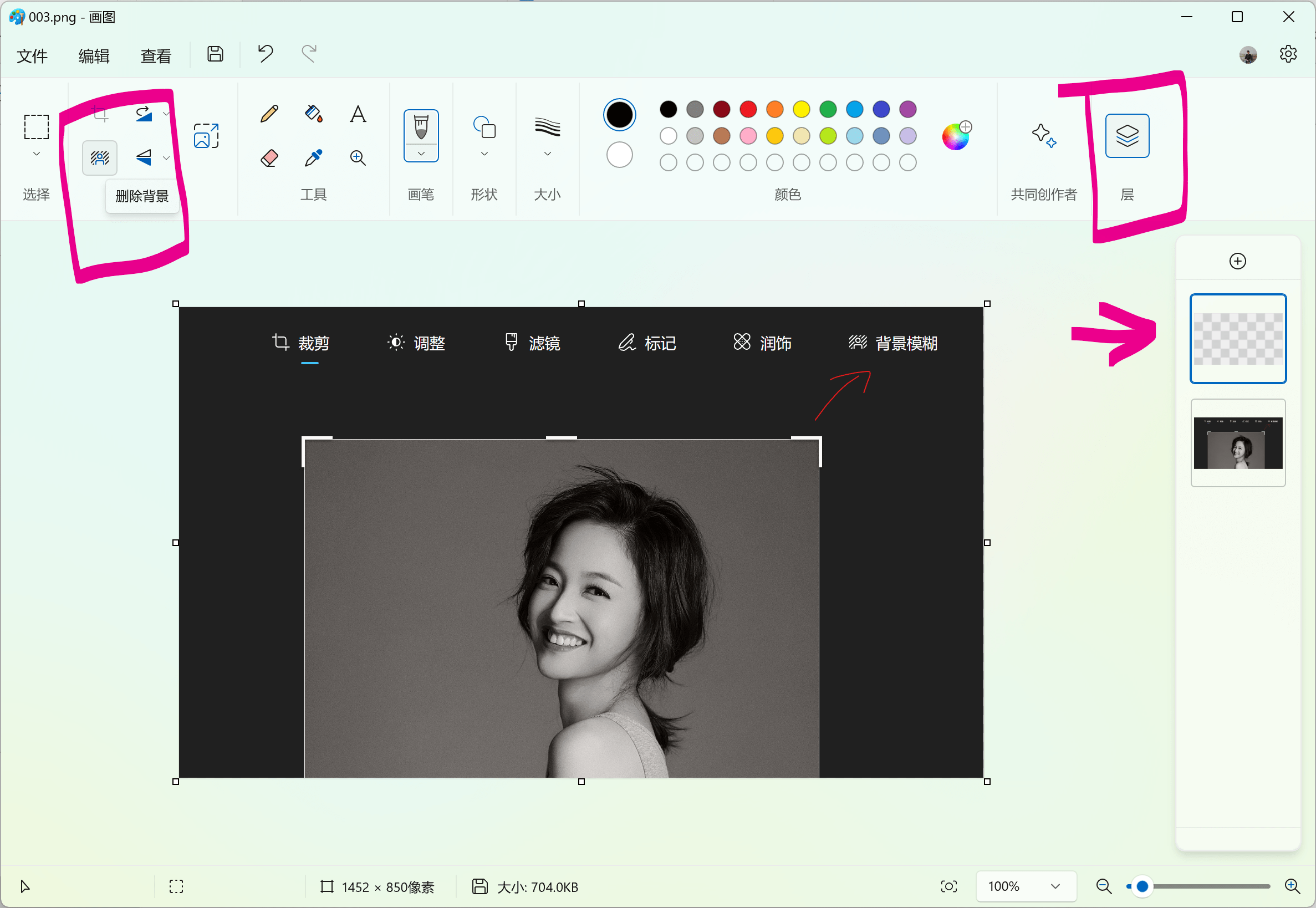
2. Drawing: added functions of removing background and adding layers;
3. Photos: Added background blur function;
4. Screenshot tool: It can extract text from pictures and quickly code sensitive information such as "mobile phone number" and "email";
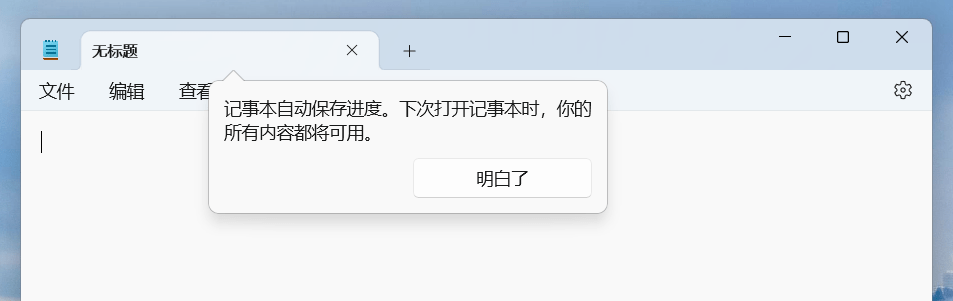
5. Notepad: automatically save content and processes;
6. Designer: Free AI drawing
In addition, there are also changes in clipchamp, outlook, resource manager, etc. It is said that compression formats such as zip/7z are also supported at the system level. Friends who want to know more can just turn to the end.
As far as I'm concerned, Copilot is still a "flower shelf", but I can look forward to the future; the updates to drawings, photos, screenshots and notepads are more useful functions and solve many pain points of quick photo editing. I love it.
Copilot:AI+Workflow can be expected in the future
What is Copilot?
According to Microsoft, it is to integrate artificial intelligence into Microsoft's commonly used or popular products. In the past, the most common thing we saw was newbing in the Edge browser; now, it is copilot integrated into the PC system; in the future, we will see ubiquitous AI in applications such as Office, Clipchamp, photos, and drawings.
From the current point of view, the location where Copilot can appear will be more important than the functions it implements.
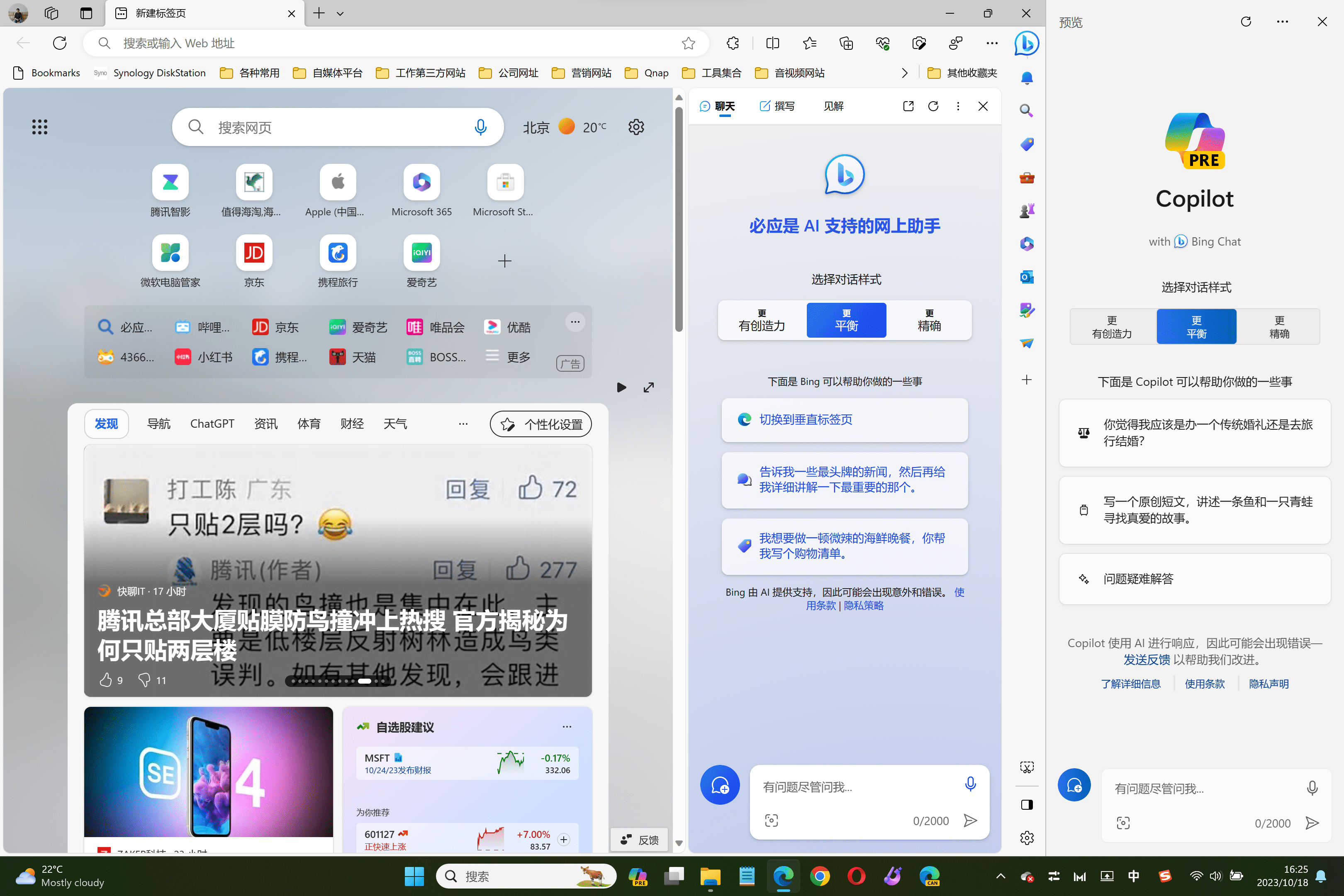
Now as long as you click Copilot on the taskbar, Copilot will appear on the right side of the computer screen, occupying about 1/6. The interface is basically the same as newbing in the Edge browser. If you open other applications, they will only appear in other empty spaces and will not overlap with the Copilot interface. Friends who want to use AI finally no longer need to open the Edge browser every time.
Functionally, Copilot is not much different from newbing in Edge browser. According to some bloggers, what Copilot currently calls is newbing. The difference is that Copilot can complete some system-level instructions, such as "turn on Bluetooth", "open settings", etc. But it’s not a 100% trial and error, it can only be said that it can slightly solve the pain points of computer novices.
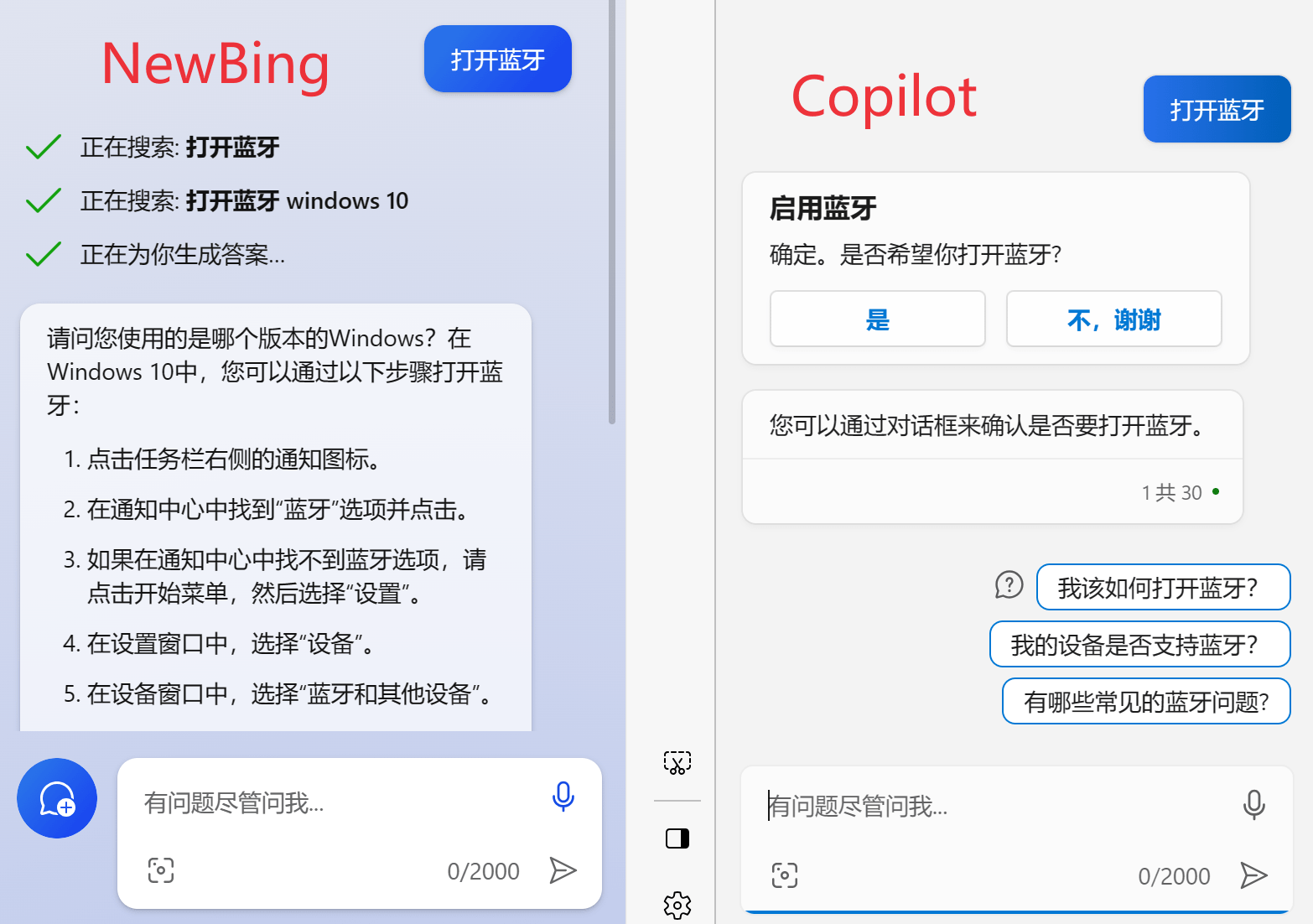
If you encounter computer problems in the future, you can just ask Copilot directly. The premise is that you can connect to the Internet...
In my opinion, Copilot is somewhat useful at present, but it can be used without it.
Because scientific Internet access is an annoying level.
When Microsoft truly realizes the "Office suite can use Copilot" pie, it may be the moment when our work efficiency takes off.
Retouch: remove backgroundI really love adding layers.
As an ordinary worker, what do you usually do with a "picture"?
Find pictures, download pictures, remove watermarks (copyright protected, internal use only), change/delete background, adjust size/shape...
That's all. If it's more complicated, you'll have to "seek" design classmates.
I personally don’t like to use Photoshop. Firstly, my level is limited, and secondly, it is too slow to open PS... If there are many pictures, I may open PS. If there are few, I will ask for PPT... (There are examples of the same operation. Hand ~).
In my eyes, PPT is a good drawing tool.
After this Windows update, drawing and screenshot tools will be added. After adding the following functions, I can’t say whether my work is better or not, but it will definitely end quickly and I will get off work early~

OCR: text recognition, my eyes are rulers
When doing text work, who hasn’t used an OCR software?
A long, long time ago, when I went to exhibitions and gathered information, I would first take pictures, and then go back to work and output them for a while. Later I learned that pictures can also be converted into text. It is really "if you don't work hard, you will be in vain".
Now free OCR is not a rare feature. Apple photos can be recognized, Android phones can also be recognized, various browser plug-ins can still be recognized, and now Windows screenshot tools can also recognize text.
The shortcut key to start the screenshot tool in Windows system is "win key + shift + s". Friends who are still unclear may wish to read this article: "Windows丨Efficient fishing and moderate work I found 43 "Volume King" keys from 126 shortcut keys》
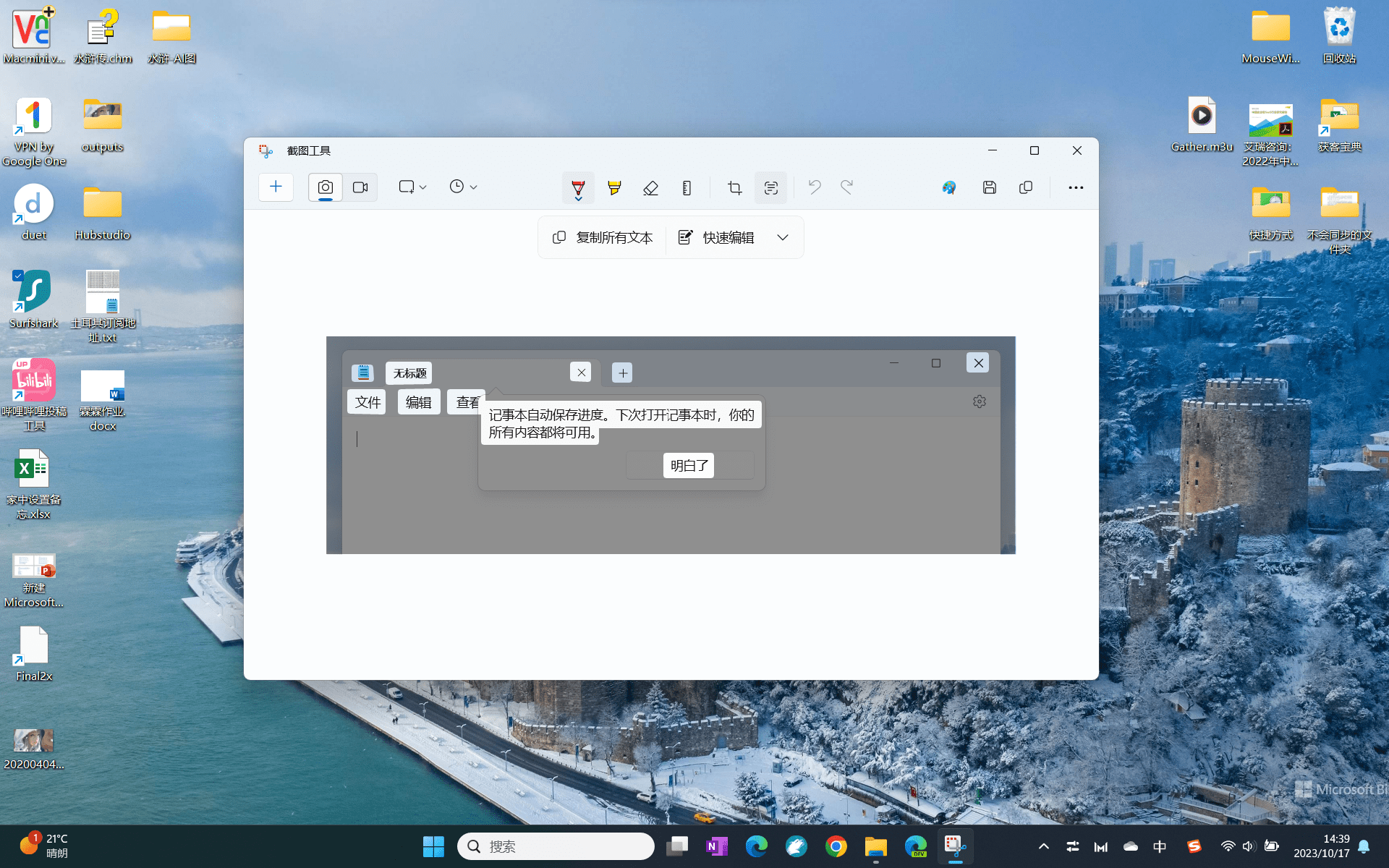
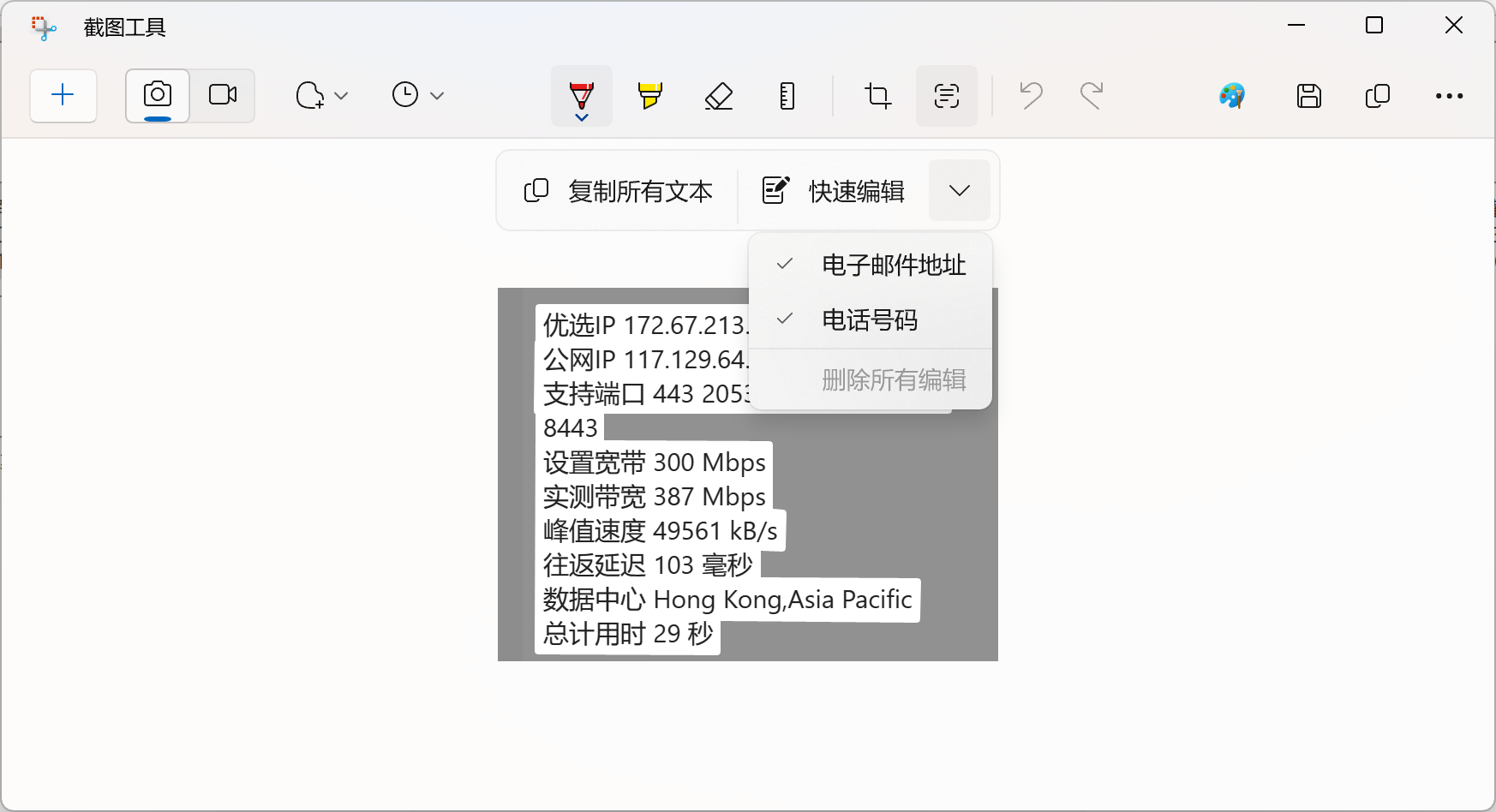
Quick editing allows you to directly code the email address and phone number in the screenshot to protect privacy, which is more convenient. It is somewhat similar to the privacy shielding function in the two-finger long press screenshot on Huawei mobile phones. Of course, Huawei can block and code more content.
Designer: Free AI drawing Goodbye membership
After I watched the update and tried out this software, I let it stay in the taskbar with limited space without saying a word. Although I have been using MakerTie before, this software is really hard to put down. The cover image of this article was made using it.
Regarding the technology of this software, you can have a brief understanding. The following content is from Microsoft official:
"Desigher... Many features are powered by OpenAI's Dall.E 3 model, such as: Generative expand can use artificial intelligence to expand your images; Generative fill can add new features to the image. content or background; and generative erase can delete unnecessary content.” Among them, the erasure function is fully open.
For me, this software solves a big pain point in the work scenario, which is that it can batch generate search engine promotion materials. Because every time I hear the word "scheduling" in the design department, I get a severe headache...
I simply put a few test pictures at home. Friends who are interested can explore it by themselves. It is rich in functions and powerful.
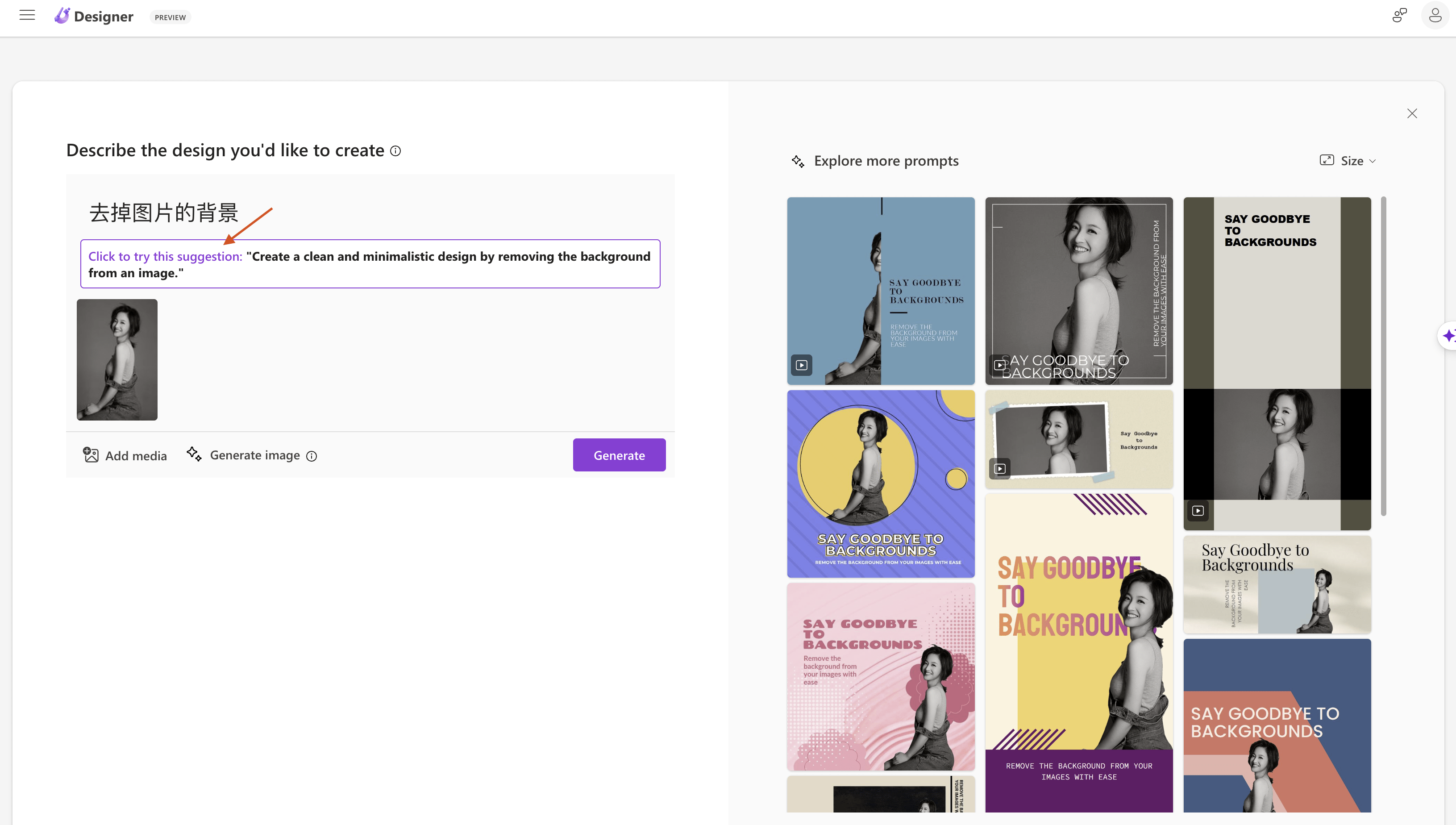
1. Chinese prompt words can be used, and English promote suggestions are available;
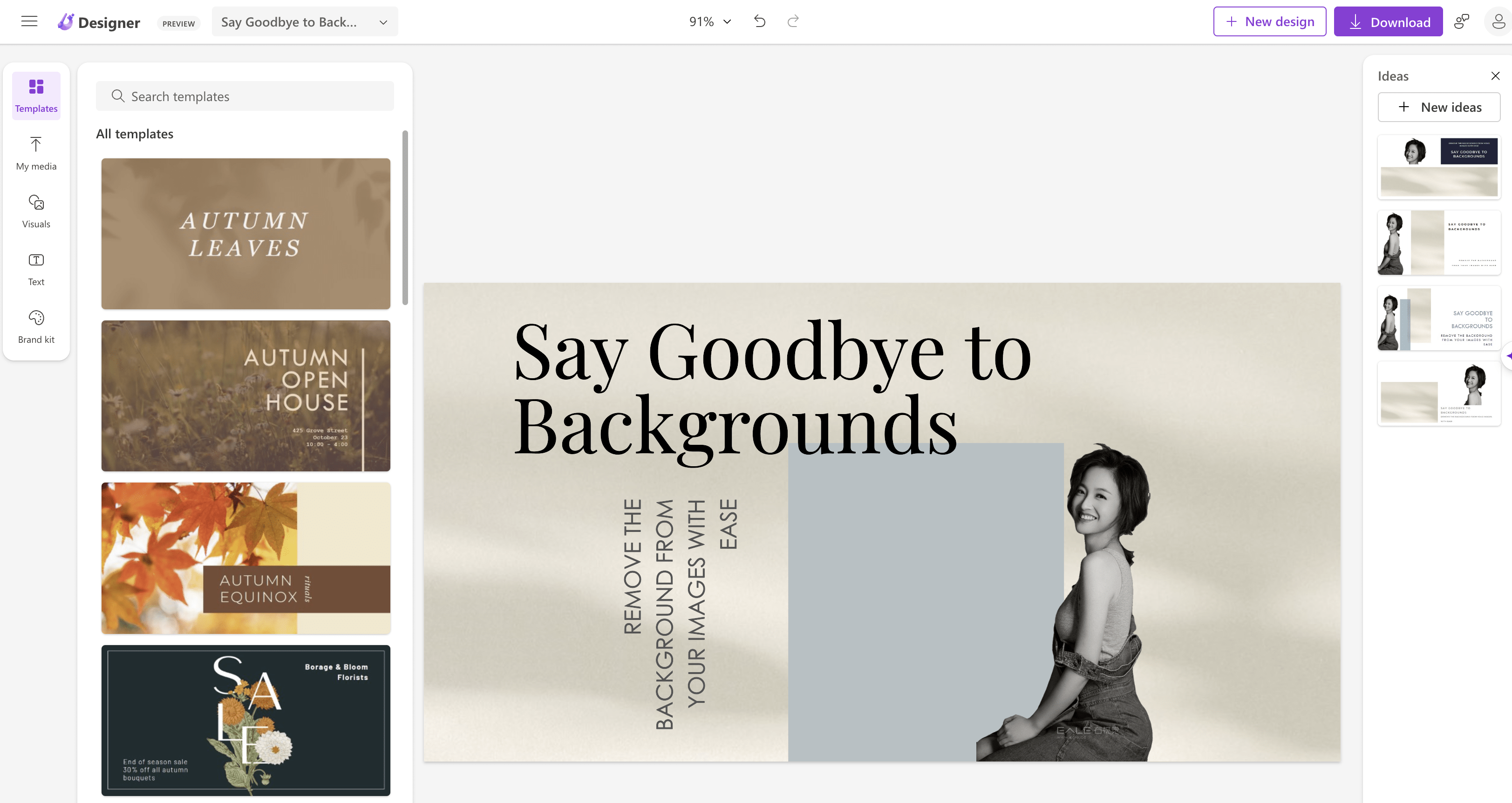
2. You can change the theme, elements, text, background and other contents;
Notepad: Process automatically saved Say no to surprises
This is the third app added to my limited taskbar.
Everyone may have the same feeling: when you need to record something casually or have an idea when you are studying or creating, you need a software that can be quickly opened, recorded immediately, and saved automatically, so that the learning or creation state will not be interrupted.
I prefer "Notes" in Apple devices in this regard. Now you can add another half, which is the Windows memo.
However, the new version of Notepad automatically saves the process rather than saving the content. If you need to save the content, you still need to perform a save operation. Therefore, the content in the process cannot be synchronized across device clouds, which is a small regret.
In addition, other updates include:
Clipchamp: Now with automatic synthesis function, it can automatically provide scene suggestions, perform video editing, and add narration to videos based on your images and video materials, allowing you to create and edit videos like a professional, and share them with family and friends. Or share on social media platforms.Friends who have never used it can try it out. The templates inside have a strong sense of technology and modernity.
Outlook for Windows : You can log in and manage multiple email accounts in one app. Meanwhile, smart tools make it easier to write clear, concise emails.
New version of file explorer: brings a modern File Explorer homepage, address bar, and search box to help you more easily access important and related content, stay informed about the status of your files, and collaborate without even opening the file. File Explorer will also introduce a new Gallery feature designed to give you easy access to your photo collection.
“text authoring experiences to voice access” and new Narrator “natural voices” capabilities: This update continues our commitment to continue driving innovation in accessibility design for Windows 11.
How to update new feature patches
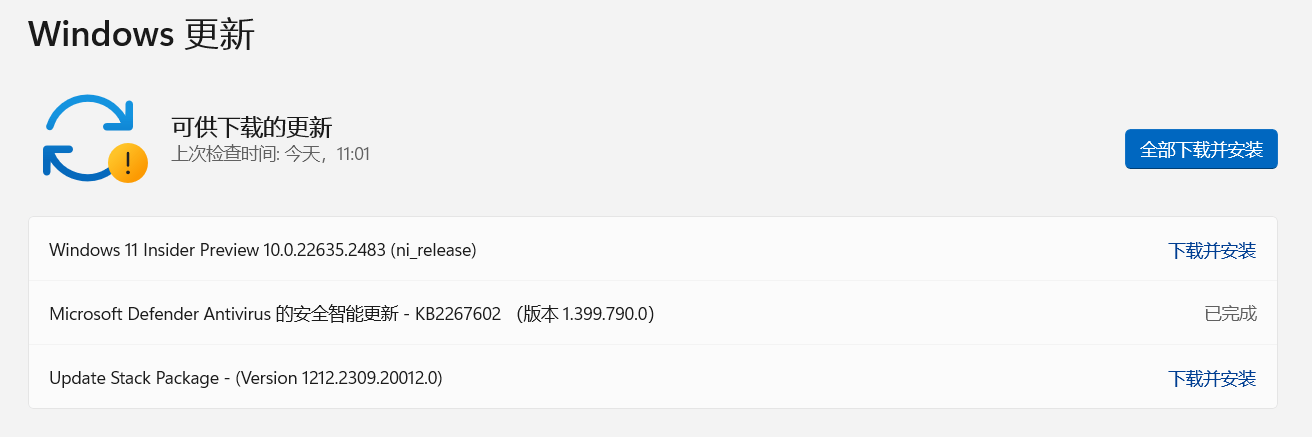
This problem actually bothers me a bit. In theory, just do this:
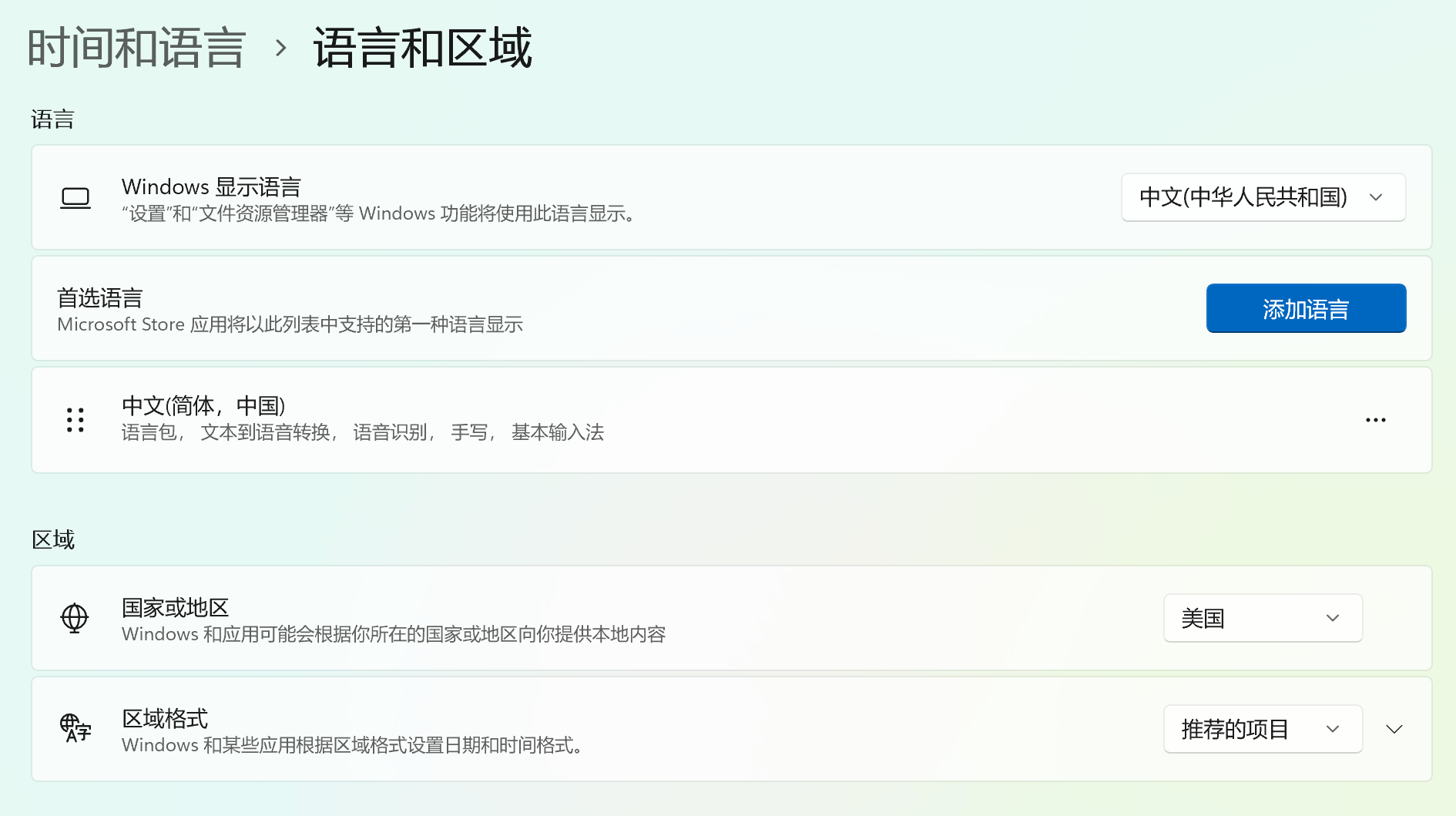
1. Open "Settings - Time and Language", in "Time and Region - Country or Region", change the country to "United States";
2. Open "Settings", select "Beta Channel" in "Windows Update - Windows Insider Program";
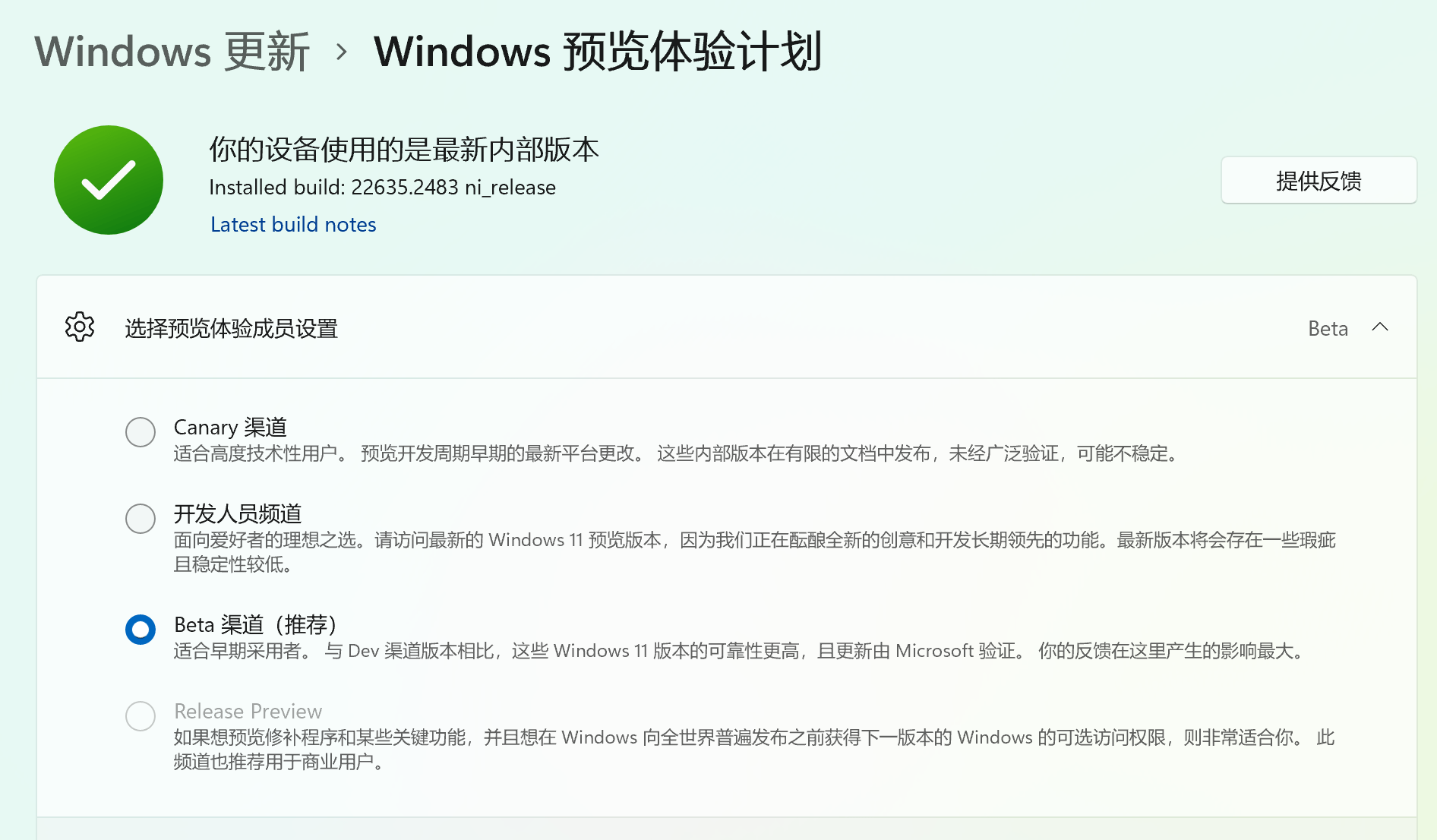
Then check for updates and automatically upgrade. But after upgrading to the same version under the same Microsoft account, the result is:
Surfacebook has the above functions, ROG only has some functions (especially no copilot).
Quite head-scratching.
Then, here comes the exciting part. After I finished writing this article, ROG notebooks now have Copilot! ! !
Nonetheless, I did find upgrade patches from other bloggers, but I won’t verify them. Because both laptops have been upgraded.
Interested friends can try the following:
windows11.0-kb5027397-x64.msu (ZIP) Windows 64-bit version
windows11.0-kb5027397-arm64.msu (ZIP) ARM structure
To obtain the public account "What's Fun", please reply with the keyword: patch [including ladder]
Important reminder: To use copilot, you need to circumvent the wall/over the wall/over the wall!
Okay, if you see this and find it useful, just follow it~
