According to the plan, this issue should be "How to obtain the alist file address in plex". Unfortunately, when the plex server was upgraded, all data was lost and it is still being restored. At the same time, some friends have provided additional explanations on the 413 upload problem, and I have found a better solution for binding domain names and port forwarding in other tutorials. So I will write another article.
1. Customize ports through CF "rules"
Text connection tutorial:《IP:Port login is too troublesome? Binding domain name can solve it easily》
Before implementing port forwarding through Nignx, I always thought that there should be a port forwarding setting in Cloudflare. Unfortunately, I don't really understand these technical operations. Until two days ago, I saw a tutorial by Bad Lin, which used CF's port forwarding, which directly triggered the inspiration of alist binding domain name. This method is more friendly to people like us who don't understand code: after binding the domain name, you only need to set the port forwarding rules.
Assumptions:
The alist domain name has been bound in CF: alist.playful.com
Alist port number: 5244
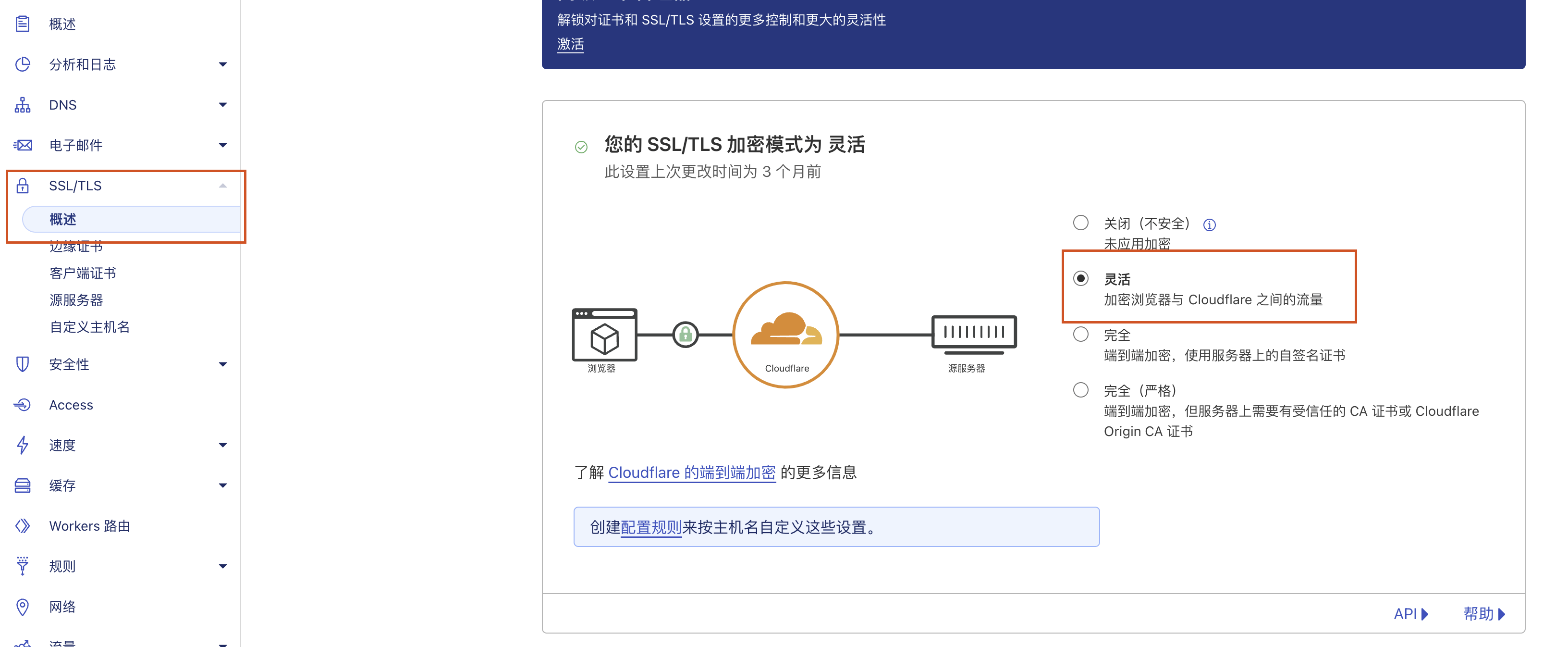
1. Confirm that the encryption mode is "Flexible"
2. Rule settings
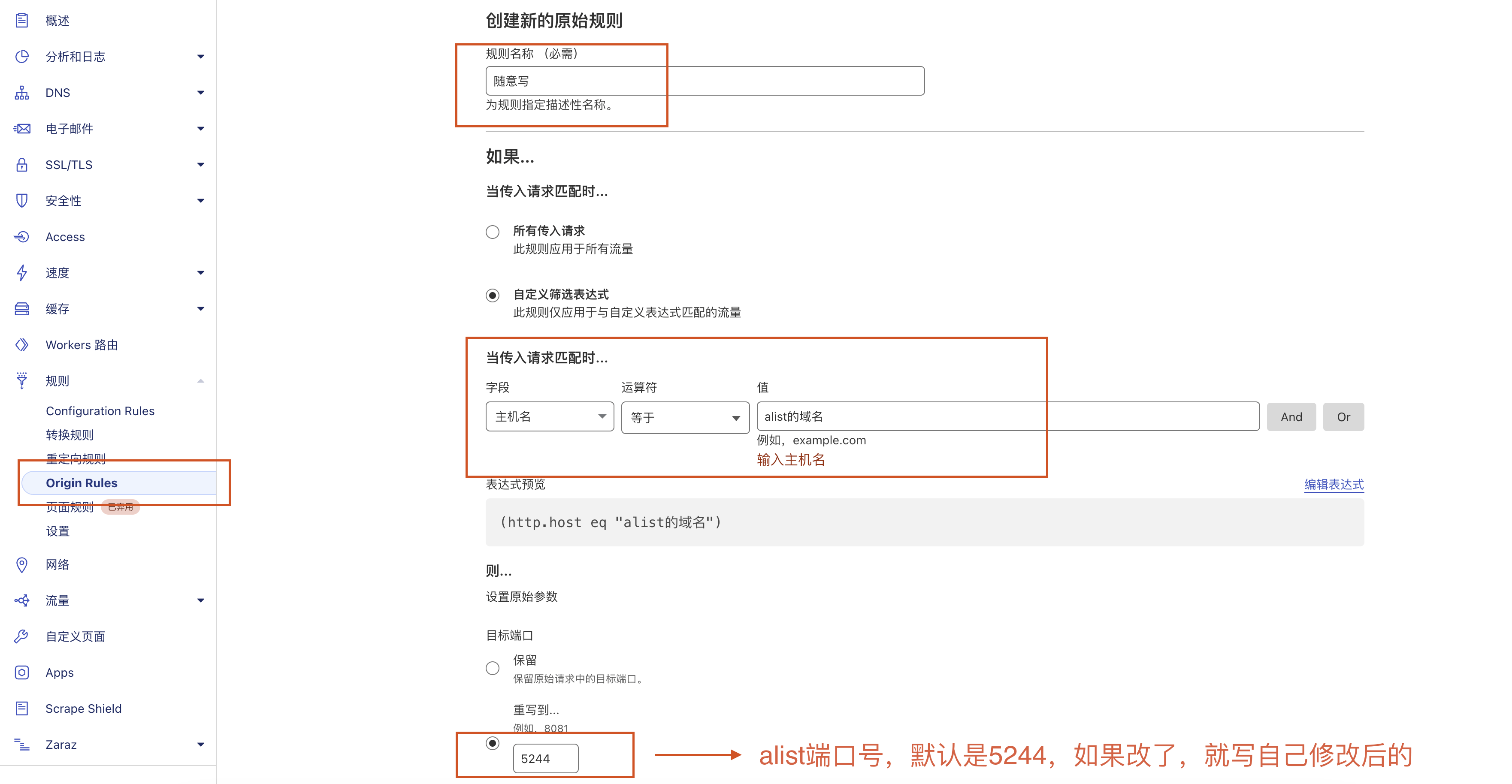
- Select "Origin Rules" from the rules menu and create
- Rule name: Write anything
- Field: Host Name
- Value: alist domain name, such as alist.playful.com
- Rewrite to: alist port number, such as 5244
After saving, you can log in through alist.playful.com.
This method is much simpler than installing Nginx through code and creating configuration files.
2. Additional explanation on 413 upload issues
For those who don’t know, please read this first:《Direct file upload failed? Solve 413 problem with one line of code》
A friend commented on my blog:
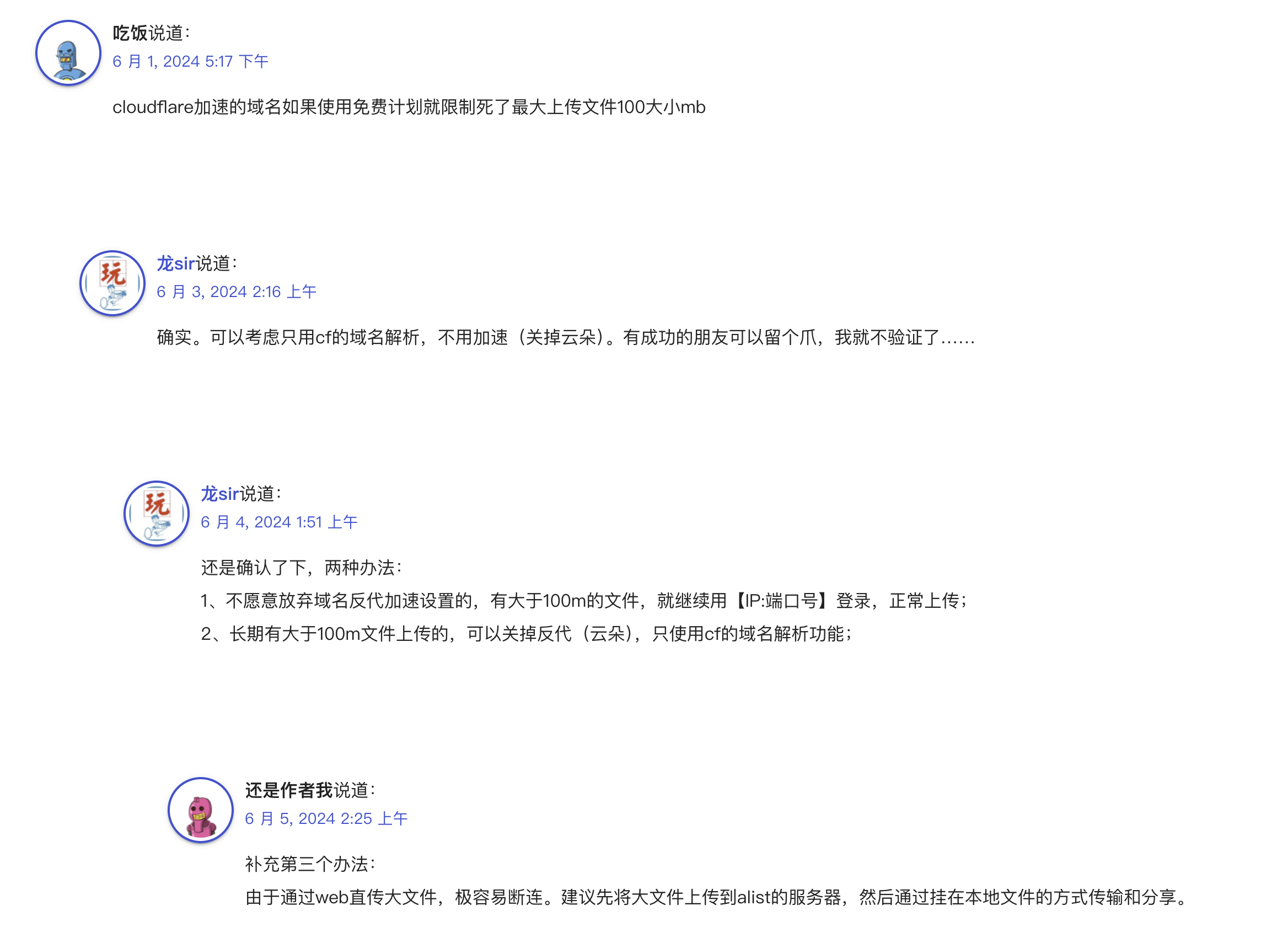
So it is also synchronized with the official account. Since most of us are using the free version of CF, domain name acceleration will definitely encounter the problem of 100M file upload, and it cannot be overcome. Therefore, there are the following solutions:
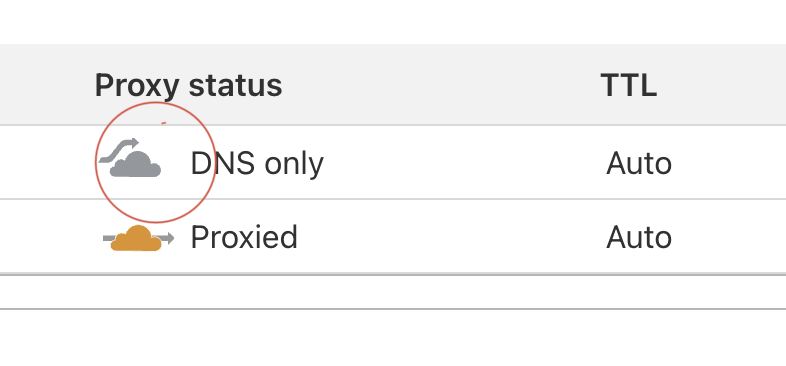
1, turn off anti-generation acceleration and only use domain name resolution
2, give up the domain name and use it temporarilyip+Port login and upload
3, upload files directly to the server and use alist to mount local folders to manage them
4, upload using webdav
I have verified all four methods. If you are not used to using FinalShell, you can consider the first one; I personally recommend the third one. You can use it according to your own usage habits.
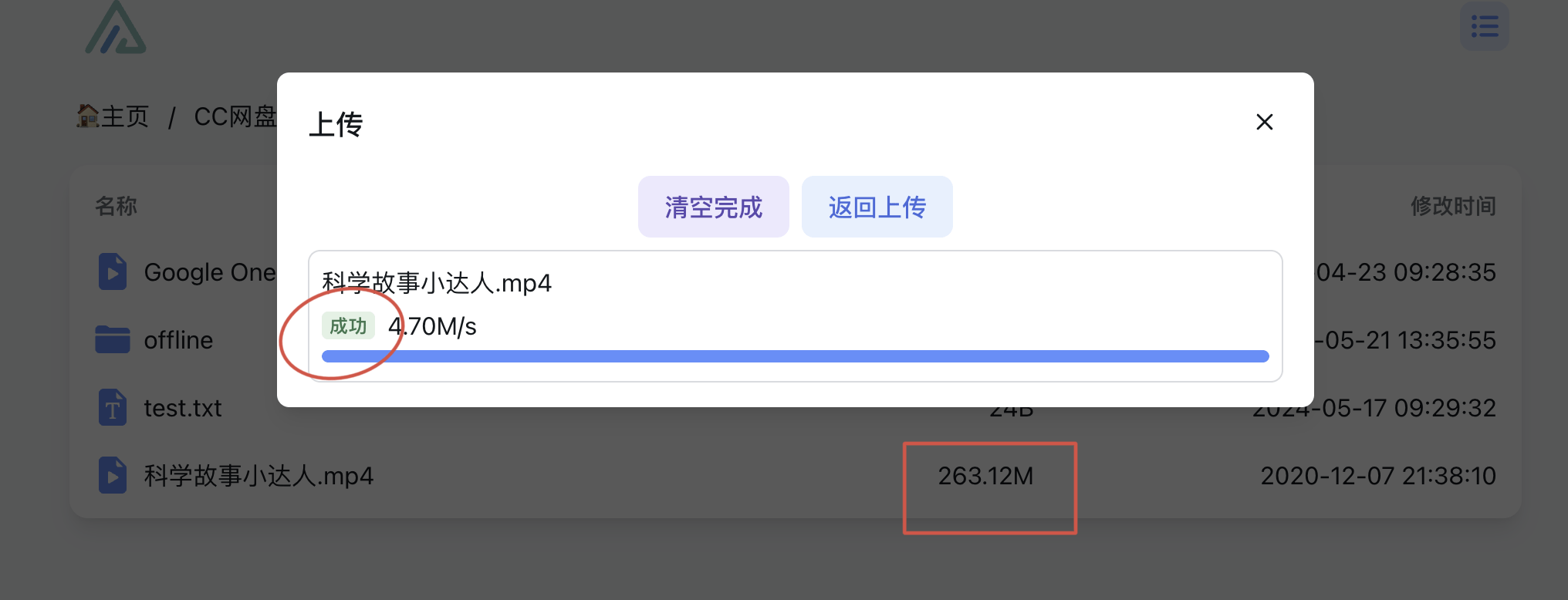
At the same time, I would like to remind you that uploading large files using the web is not a good method. It is easy to disconnect. As far as I know, Alist does not have the function of resuming downloads from a breakpoint. Therefore, under the current conditions, I personally do not accept this usage scenario. If you really need it, you should consider NAS, Netdisk VIP or carry a mobile hard drive with you.
